
1. Introduction
The WIOONI Smart Caregiver Pager is a WiFi-enabled emergency call system designed to provide peace of mind for caregivers and safety for individuals requiring assistance. This system includes a central receiver unit and multiple SOS call buttons. When an SOS button is pressed, the receiver emits an alarm, and a notification is sent to the linked smartphone application, ensuring timely alerts.
This manual provides detailed instructions for setting up, operating, and maintaining your WIOONI Smart Caregiver Pager to ensure optimal performance and reliability.

Image: The WIOONI Smart Caregiver Pager system is suitable for various environments, including homes, nursing homes, and hospitals, providing a reliable alert system for individuals needing care.
2. Safety Information
- Ensure the receiver is connected to a stable power source at all times, as it does not contain an internal battery.
- The receiver requires a stable 2.4GHz Wi-Fi network connection for app notifications. Ensure your Wi-Fi router is within range.
- Keep the device away from water and high humidity to prevent damage.
- Do not attempt to disassemble or repair the device yourself. Contact customer support for assistance.
- Keep SOS buttons out of reach of small children if they are not the intended users, to prevent accidental activation.
- Regularly test the system to ensure all components are functioning correctly.
3. Package Contents
Verify that all items are present in your package:
- 1 x WIOONI Smart Caregiver Pager Receiver
- 4 x SOS Call Buttons (with lanyards)
- 1 x USB-C Power Cable (Power adapter not included)
- 1 x User Manual
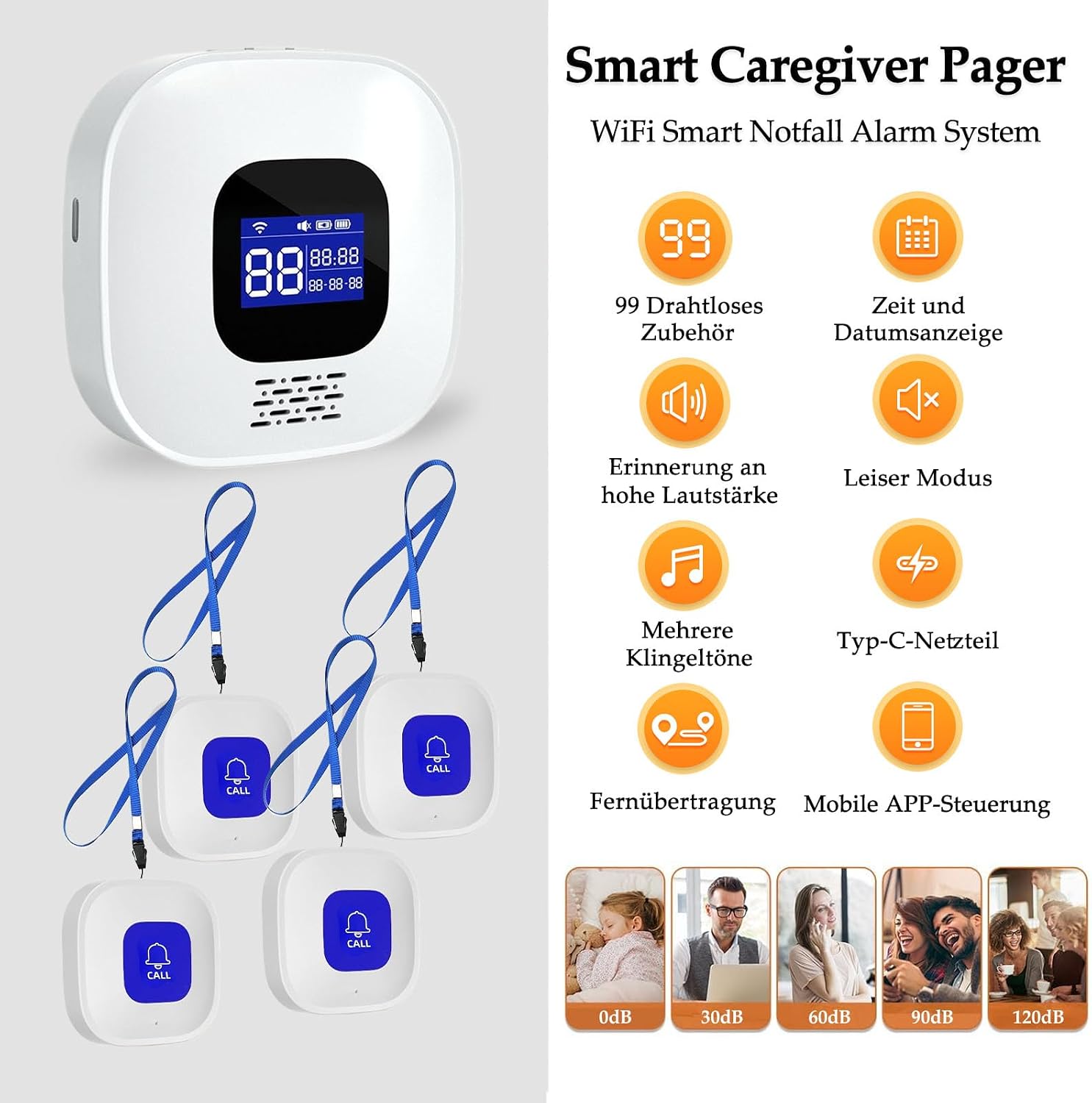
Image: The package includes one receiver unit and four SOS call buttons, each with a lanyard for portability.
4. Product Overview
4.1 Receiver Unit
- LCD Screen: Displays time, date, and system status.
- Speaker: Emits alarm sounds.
- Volume Control: Adjusts alarm volume.
- Power Port: USB-C input for continuous power.
- Wi-Fi Module: Connects to your home 2.4GHz Wi-Fi network for app integration.
4.2 SOS Call Button
- Call Button: Press to send an emergency signal to the receiver and app.
- Lanyard: Allows for wearing the button around the neck or wrist.
- Battery: Pre-installed, typically a coin cell battery (e.g., CR2032).
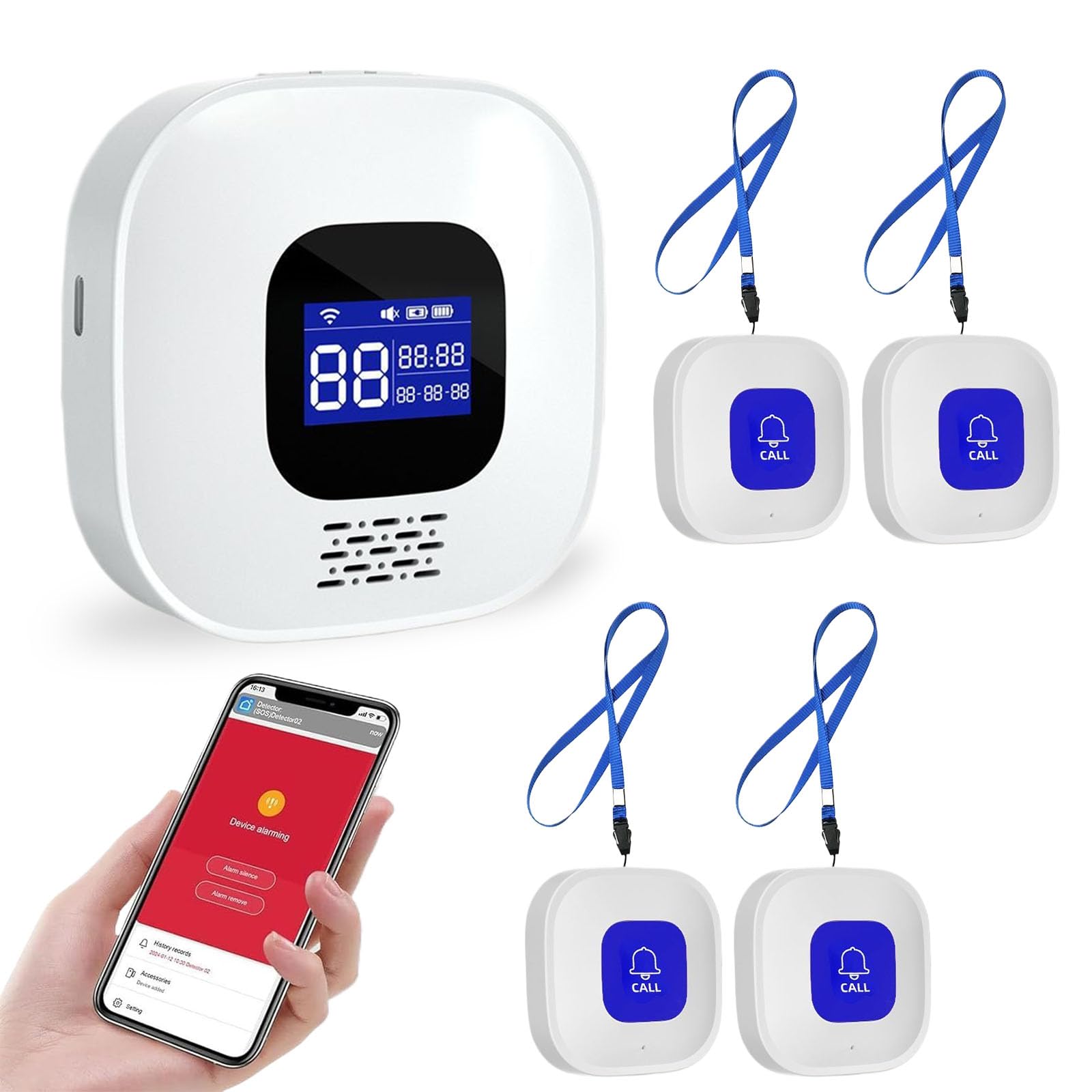
Image: The main receiver unit features an LCD display and speaker, while the compact SOS button is designed for easy access.
5. Setup Instructions
5.1 Powering the Receiver
- Connect the provided USB-C cable to the receiver's power port.
- Plug the other end of the USB-C cable into a standard USB power adapter (not included).
- The receiver will power on, and the LCD screen will illuminate.
5.2 App Installation and Wi-Fi Connection
- Download the 'Tuya Smart' or 'Smart Life' app from your smartphone's app store (iOS or Android).
- Register or log in to your account within the app.
- In the app, tap '+' to add a new device. Select 'Security & Sensors' > 'Alarm (Wi-Fi)'.
- Follow the on-screen instructions to connect the receiver to your 2.4GHz Wi-Fi network. Ensure your phone is also connected to the same 2.4GHz network during setup.
- Once connected, the receiver's Wi-Fi indicator will be stable, and the app will confirm successful pairing.
5.3 SOS Button Pairing (if necessary)
The SOS buttons are typically pre-paired with the receiver. If a button does not trigger an alarm, follow these steps to re-pair:
- On the receiver, enter pairing mode (refer to the receiver's specific button sequence in the included manual, usually by holding a button for a few seconds).
- Press the SOS call button you wish to pair.
- The receiver will indicate successful pairing (e.g., a beep or visual confirmation).

Image: The setup process involves pressing the SOS button, which triggers the receiver's alarm and sends an immediate notification to the connected smartphone app.

Image: The SOS buttons offer a wireless range of up to 150m (500ft) to the receiver in open areas, ensuring coverage throughout a typical home without requiring Wi-Fi for button-to-receiver communication.
6. Operating Instructions
6.1 Using the SOS Call Button
To activate an emergency alert, simply press the 'CALL' button on any of the SOS call buttons. The button is designed for easy activation in urgent situations.
6.2 Receiver Functions
- Alarm Activation: Upon receiving a signal from an SOS button, the receiver will sound an alarm.
- Ringtone Selection: The receiver supports 16 different ringtones. Refer to the receiver's specific controls to cycle through and select your preferred tone.
- Volume Adjustment: Adjust the alarm volume using the dedicated buttons on the receiver.
- LCD Display: The screen continuously displays the current time and date. During an alarm, it may show an alert indicator.
6.3 Smartphone App Notifications
When an SOS button is pressed, in addition to the receiver's alarm, the linked Tuya Smart or Smart Life app on your smartphone will receive an immediate alert notification. This allows for remote monitoring and response.
- Remote Push Notifications: Receive alerts on your smartphone regardless of your location, as long as your phone has internet access.
- Device Sharing: The app allows you to share access to the device with family members or other caregivers, enabling multiple individuals to receive alarm notifications.

Image: The system leverages Wi-Fi connectivity to send alarm notifications to the Smart Life or Tuya Smart app on your mobile device, enabling remote monitoring from anywhere in the world.

Image: The mobile application supports device sharing, allowing multiple family members or caregivers to receive alerts and monitor the system status.
7. Maintenance
7.1 Cleaning
Wipe the receiver and SOS buttons with a soft, dry cloth. Do not use liquid cleaners or abrasive materials.
7.2 SOS Button Battery Replacement
When an SOS button's battery is low, its performance may degrade. To replace the battery:
- Carefully open the back cover of the SOS button (you may need a small screwdriver or coin).
- Remove the old coin cell battery (e.g., CR2032).
- Insert a new battery with the correct polarity (+ side up).
- Close the back cover securely.
- Test the button to ensure it still triggers the receiver and app notifications.
7.3 Wi-Fi Connection Stability
Ensure the receiver is always within range of a stable 2.4GHz Wi-Fi signal. Obstacles like thick walls can reduce signal strength. Periodically check the Wi-Fi status indicator on the receiver.
8. Troubleshooting
| Problem | Possible Cause | Solution |
|---|---|---|
| Receiver does not alarm when SOS button is pressed. | SOS button battery low/dead; button not paired; button out of range. | Replace SOS button battery; re-pair the button (Section 5.3); move button closer to receiver. |
| No app notifications received. | Receiver not connected to Wi-Fi; phone not connected to internet; app notifications disabled; receiver not powered. | Check receiver's Wi-Fi status; ensure phone has internet; enable app notifications in phone settings; ensure receiver is powered on. |
| Receiver Wi-Fi connection is unstable. | Receiver too far from router; interference; router issues. | Move receiver closer to the 2.4GHz Wi-Fi router; reduce interference from other devices; restart your Wi-Fi router. |
| Cannot connect receiver to Wi-Fi during setup. | Incorrect Wi-Fi password; attempting to connect to 5GHz network; receiver in incorrect pairing mode. | Verify Wi-Fi password; ensure you are connecting to a 2.4GHz network; reset receiver and try pairing again. |
9. Specifications
- Model Number: LRBJQZH
- Brand: WIOONI
- Product Dimensions: Approximately 10 x 10 x 4.5 cm (Receiver)
- Weight: Approximately 0.25 kg
- Control Method: Via App (Tuya Smart/Smart Life)
- Wireless Frequency: 2.4GHz Wi-Fi (for receiver to app communication)
- SOS Button Wireless Range: Up to 150m (500ft) in open areas (button to receiver)
- Paired Buttons Supported: Up to 99
- Ringtones: 16 selectable options
- Power Source: USB-C (Receiver, continuous power required)
- Included Components: 1 Receiver + 4 SOS Buttons
10. Warranty and Support
WIOONI products are designed for reliability and performance. For specific warranty details, please refer to the warranty card included with your product or contact your retailer. If you encounter any issues or require technical assistance, please contact WIOONI customer support through the contact information provided in your product packaging or on the official WIOONI website.
Please have your model number (LRBJQZH) and purchase date ready when contacting support.