
1. Introduction
This manual provides detailed instructions for the safe and effective use of your BAOFENG GM21 GMRS Radio. Please read this manual thoroughly before operating the device to ensure optimal performance and to prevent damage.
The BAOFENG GM21 is a professional GMRS handheld radio designed for reliable communication. It features 30 GMRS channels, 10 NOAA weather channels, a 1.77-inch color screen, and multiple charging options.

Image 1.1: BAOFENG GM21 GMRS Radio package contents, including two radios, multiple antennas, and charging accessories.
2. Package Contents
Verify that all items are present in your package:
- 2 x BAOFENG GM21 GMRS Radios
- 2 x 1800mAh Batteries
- 2 x 21CM Antennas
- 2 x 38CM Antennas
- 2 x Mini Antennas
- 2 x Headsets
- 2 x USB-C Charging Cables
- 2 x Base Chargers
- 2 x Belt Clips
- 2 x Lanyards
- 2 x User Manuals
3. Product Overview
Familiarize yourself with the components of your GM21 radio.

Image 3.1: Labeled diagram of the BAOFENG GM21 GMRS Radio components.
Key Features:
- Professional GMRS Radio: High output power for stronger signals and longer distances.
- VOX Function: Hands-free operation.
- Channels: 30 GMRS channels and 10 NOAA weather channels.
- Display: 1.77-inch large color screen.
- Memory: Up to 999 memory channels.
- Charging: USB-C and desktop charger support.
- Antennas: Includes 21CM and 38CM high-gain antennas for improved reception.
- Copy Frequency: Allows deciphering frequencies from other radios without computer programming.
- NOAA Weather Receiver: Scans and receives weather reports for severe weather alerts.
- Additional Functions: FM Radio, Dual Watch, Flashlight, Stopwatch Timer.
4. Setup
4.1. Battery Installation
- Align the battery with the battery compartment on the back of the radio.
- Slide the battery into place until it clicks securely.
- To remove, press the release latch (if present) and slide the battery off.
4.2. Antenna Attachment
- Screw the desired antenna (21CM, 38CM, or Mini) clockwise onto the antenna connector at the top of the radio until it is finger-tight. Do not overtighten.
- The 38CM antenna provides enhanced range and signal strength.
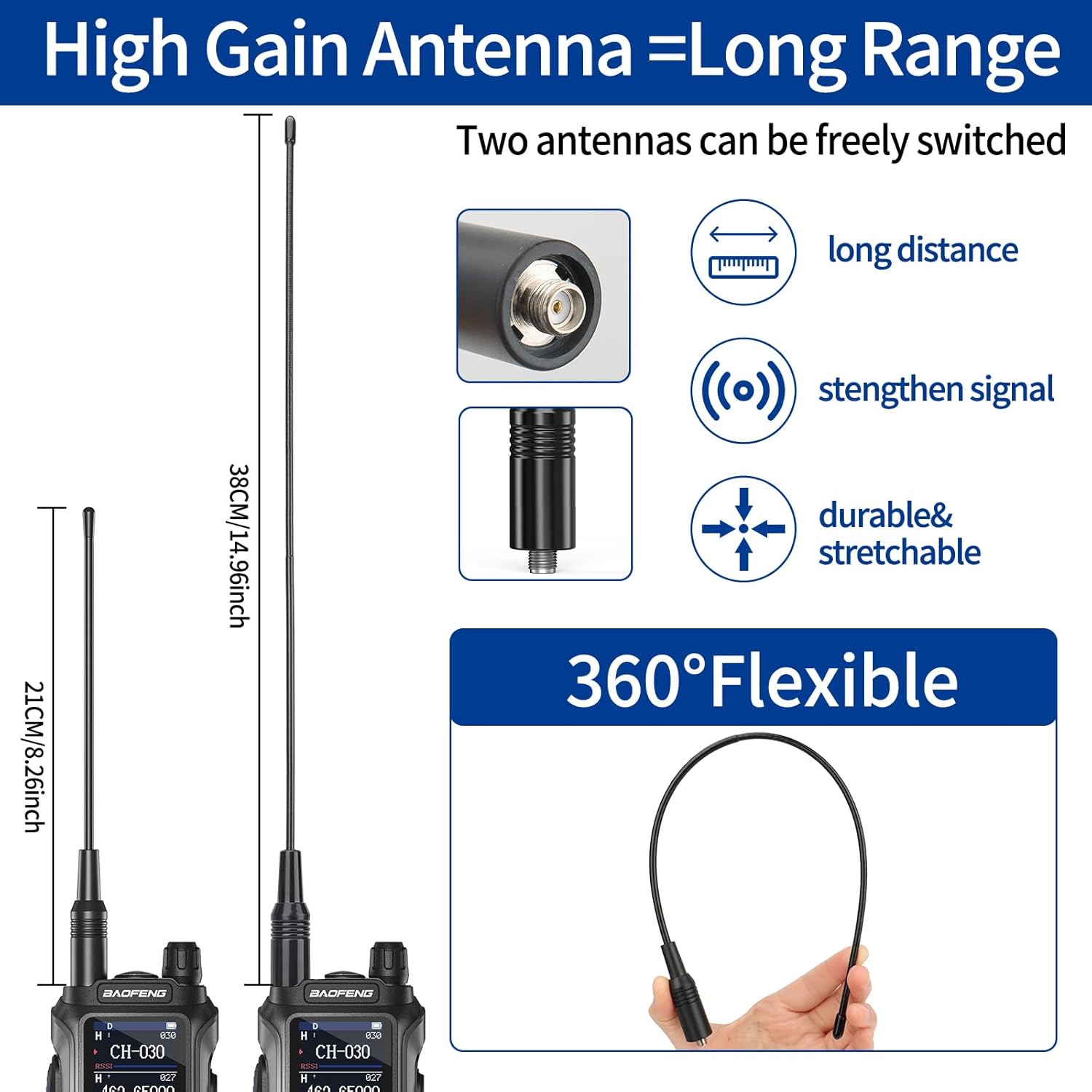
Image 4.1: Antenna options for the BAOFENG GM21, illustrating the difference between standard and high-gain antennas.
4.3. Charging the Battery
The GM21 radio offers two charging methods:
- Desktop Charger: Place the radio with the battery installed into the charging cradle. Ensure the charging contacts align. The indicator light will show charging status.
- USB-C Charging: Connect the USB-C cable to the port on the back of the battery and to a compatible USB power source (e.g., car charger, power bank, laptop, wall adapter).

Image 4.2: Various charging options for the BAOFENG GM21 radio, including desktop and USB-C methods.
5. Operating Instructions
5.1. Power On/Off and Volume Control
Rotate the Power/Volume switch (located at the top of the radio) clockwise to power on and increase volume, or counter-clockwise to decrease volume and power off.
5.2. Channel Selection
The GM21 supports 999 memory channels. Use the navigation keys (up/down arrows) to scroll through channels. The 1.77-inch color screen displays channel number, frequency, and other relevant information.
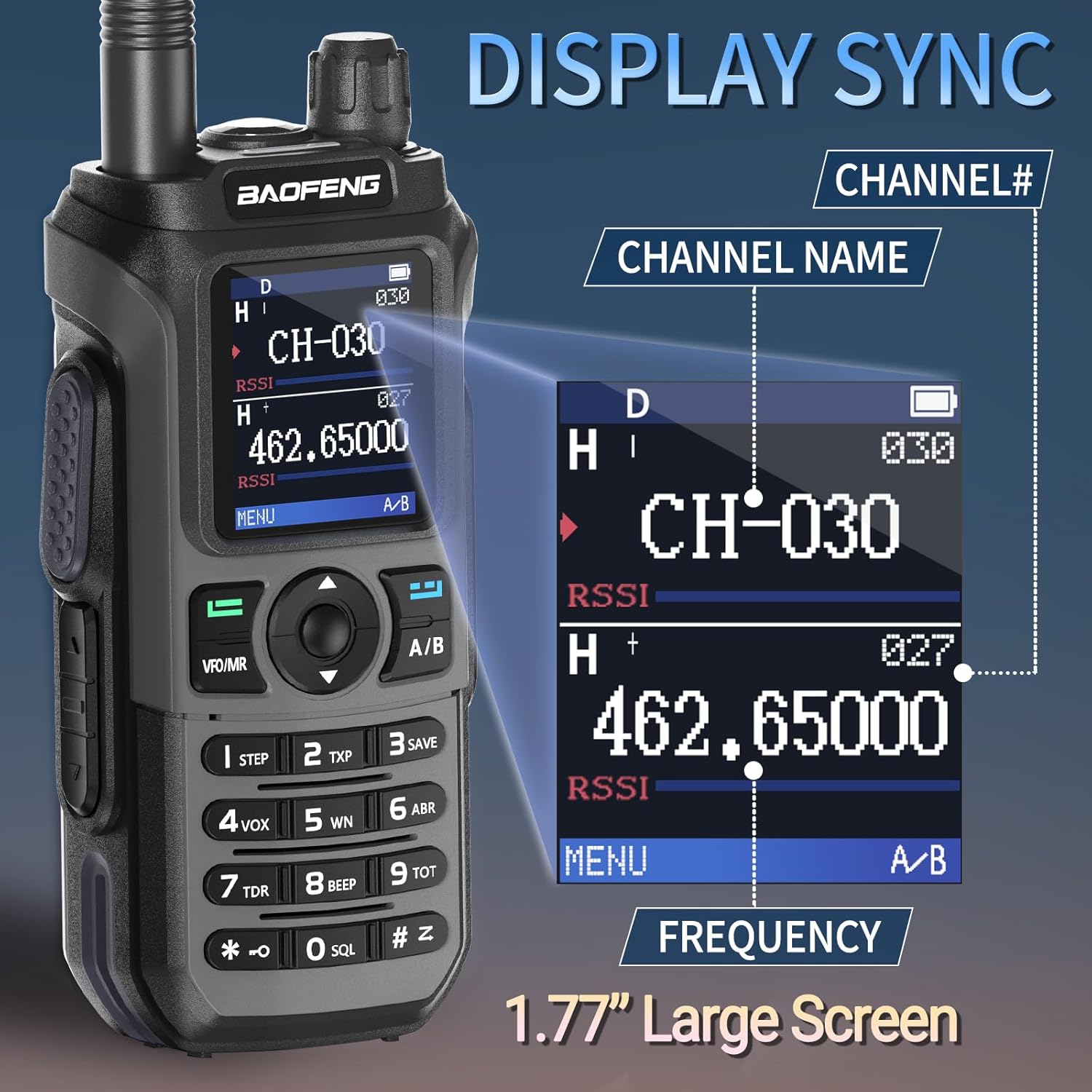
Image 5.1: The 1.77-inch large color screen of the BAOFENG GM21, demonstrating display synchronization for channel and frequency information.
5.3. Transmitting and Receiving
- To transmit, press and hold the Push-To-Talk (PTT) key on the side of the radio. Speak clearly into the microphone.
- Release the PTT key to receive.
5.4. VOX Function (Hands-Free Operation)
The Voice Operated Exchange (VOX) function allows transmission without pressing the PTT key. When enabled, the radio will transmit automatically when it detects your voice. Refer to the on-screen menu for VOX activation and sensitivity adjustment.
5.5. NOAA Weather Radio
The GM21 can scan and receive reports from 10 NOAA weather channels, providing advance warnings for severe weather conditions. This feature can serve as an emergency communication option.

Image 5.2: The BAOFENG GM21 radio's NOAA Weather Alert feature, providing timely weather information.
5.6. Copy Frequency Feature
This function allows the radio to detect and copy the frequency of another walkie-talkie, simplifying setup without requiring computer programming. Consult the menu for instructions on activating and using this feature.
5.7. Other Functions
- FM Radio: Access the FM radio function through the menu to listen to broadcast radio.
- Dual Watch: Monitor two different channels simultaneously.
- Flashlight: Activate the built-in flashlight for illumination.
- Stopwatch Timer: Use the integrated stopwatch for timing purposes.
6. Maintenance
6.1. General Care
- Keep the radio dry. If it gets wet, wipe it immediately.
- Avoid exposing the radio to extreme temperatures or direct sunlight for extended periods.
- Clean the radio's exterior with a soft, damp cloth. Do not use harsh chemicals or solvents.
6.2. Battery Care
- Charge the battery fully before first use.
- Do not overcharge or deep discharge the battery.
- If storing the radio for a long period, remove the battery and store it in a cool, dry place.
6.3. Antenna Care
- Ensure antennas are securely attached but not overtightened.
- Avoid bending or stressing the antennas, as this can affect performance.
7. Troubleshooting
7.1. No Power
- Check if the battery is properly installed and charged.
- Ensure the Power/Volume knob is turned clockwise.
7.2. Cannot Transmit or Receive
- Verify that the antenna is securely attached.
- Ensure you are on the correct channel and frequency.
- Check if the battery level is sufficient.
- Confirm that the radio is not in scan or other special modes.
7.3. Poor Audio Quality or Short Range
- Ensure the antenna is fully extended (if applicable) and undamaged.
- Check for obstructions between radios (buildings, hills).
- Verify battery charge level.
- Consider using the longer 38CM antenna for improved range.
7.4. Programming Issues
The BAOFENG GM21 supports programming via Chirp software (compatible programming software: GM-5RH). If you encounter difficulties with manual programming, consider using the software. For software acquisition or assistance, contact customer support.

Image 7.1: The BAOFENG GM21 radio supports programming using Chirp software, with GM-5RH as the compatible model.
8. Specifications
| Feature | Detail |
|---|---|
| Brand | BAOFENG |
| Model Number | GM21 |
| Item Weight | 2.83 pounds (per pair) |
| Package Dimensions | 9.57 x 8.39 x 4.49 inches |
| Color | Red and Black |
| Number of Channels | 999 |
| Frequency Range | GMRS |
| Talking Range Maximum | 5 Miles (under optimal conditions) |
| Voltage | 3.7 Volts |
| Water Resistance Level | Not Water Resistant |
| Compatible Devices | GMRS Radios, UV-5R models, Headsets |
9. Warranty and Support
9.1. Warranty Information
The product specifications indicate that there is no explicit warranty provided. Please refer to your retailer's return policy for any issues with the product upon receipt.
9.2. Customer Support
For programming software or any other inquiries, please contact BAOFENG's after-sales service. They are available to provide assistance and cooperation.