
Introduction
Thank you for purchasing the MangoKit MD4 DAB/DAB+ FM Radio with Bluetooth Speaker. This manual provides essential information for setting up and operating your device. Please read it thoroughly to ensure proper use and to maximize your listening experience.
Package Contents
Please check that all items listed below are included in your package:
- MangoKit MD4 DAB/DAB+ FM Radio
- User Manual / Quick Start Guide (Multi-language)
- USB Type-C Cable
- Power Adapter
Product Overview
The MangoKit MD4 is a versatile digital radio featuring DAB/DAB+ and FM reception, a Bluetooth speaker, dual alarms, and a sleep timer. Its compact design with a high-density wooden cabinet ensures excellent sound quality and deep bass. The radio can be powered by AC mains or 4x AA batteries (not included) for portable use.

Image: MangoKit MD4 DAB/DAB+ FM Radio, metallic grey finish.

Image: Dimensions of the MangoKit MD4 radio, showing 11cm width, 10cm depth, and 17.5cm height.
Setup
Powering On
- **AC Power:** Connect the included USB Type-C cable to the radio and the power adapter. Plug the adapter into a wall socket. The device will automatically power on.
- **Battery Power:** Insert 4x AA batteries (not included) into the battery compartment. Press and hold the power button for 5 seconds until the device fully powers on.
Note: For economic and environmental reasons, rechargeable AA batteries are recommended, but the radio does not charge them.

Image: MangoKit MD4 radio connected to AC power.
Operating Instructions
General Controls
The radio features intuitive controls for easy navigation. The main control dial and surrounding buttons allow you to adjust volume, change stations, access menus, and set alarms.

Image: Top control panel of the MangoKit MD4 radio.
DAB/DAB+ and FM Radio
The MD4 supports both DAB/DAB+ digital radio and traditional FM radio. The integrated digital technology provides a wider range of stations and superior sound quality compared to standard FM.
- **Switching Modes:** Press the "Source" button to cycle through available modes (DAB, FM, Bluetooth).
- **Auto Scan:** In DAB or FM mode, use the "Auto Scan" function to automatically search for available stations. This ensures optimal reception.
- **Presets:** Store up to 20 DAB stations and 20 FM stations as favorites. Press the "Preset" button to save or recall your preferred stations.

Image: MangoKit MD4 displaying DAB/DAB+ and FM radio modes.
Video: Demonstrating DAB and FM radio scanning and preset saving on the MangoKit MD4.
Bluetooth Speaker Functionality
Connect your smartphone or other Bluetooth-enabled devices to the MD4 to stream music wirelessly.
- **Activate Bluetooth:** Switch the radio to Bluetooth mode using the "Source" button. The display will show "Bluetooth Disconnected".
- **Pairing:** On your smartphone, enable Bluetooth and search for available devices. Select "MangoKit MD4" from the list.
- **Connection:** Once paired, the radio will indicate a successful connection. You can now stream audio from your device.

Image: MangoKit MD4 in Bluetooth streaming mode.

Image: MangoKit MD4 showing Bluetooth connection.
Dual Alarms and Sleep Timer
The MD4 includes dual alarms for weekdays and weekends, and a sleep timer function.
- **Setting Alarms:** Access the "Alarm" settings through the system menu. You can set two independent alarms, choosing your preferred DAB or FM radio station as the alarm sound. Configure for weekdays, weekends, or daily.
- **Snooze Function:** When an alarm sounds, press the large "Snooze" button to temporarily silence it for a few extra minutes of sleep.
- **Sleep Timer:** Navigate to the "Sleep" settings in the system menu. Set a sleep timer for 15, 30, 45, 60, or 90 minutes. The radio will automatically turn off after the set duration.
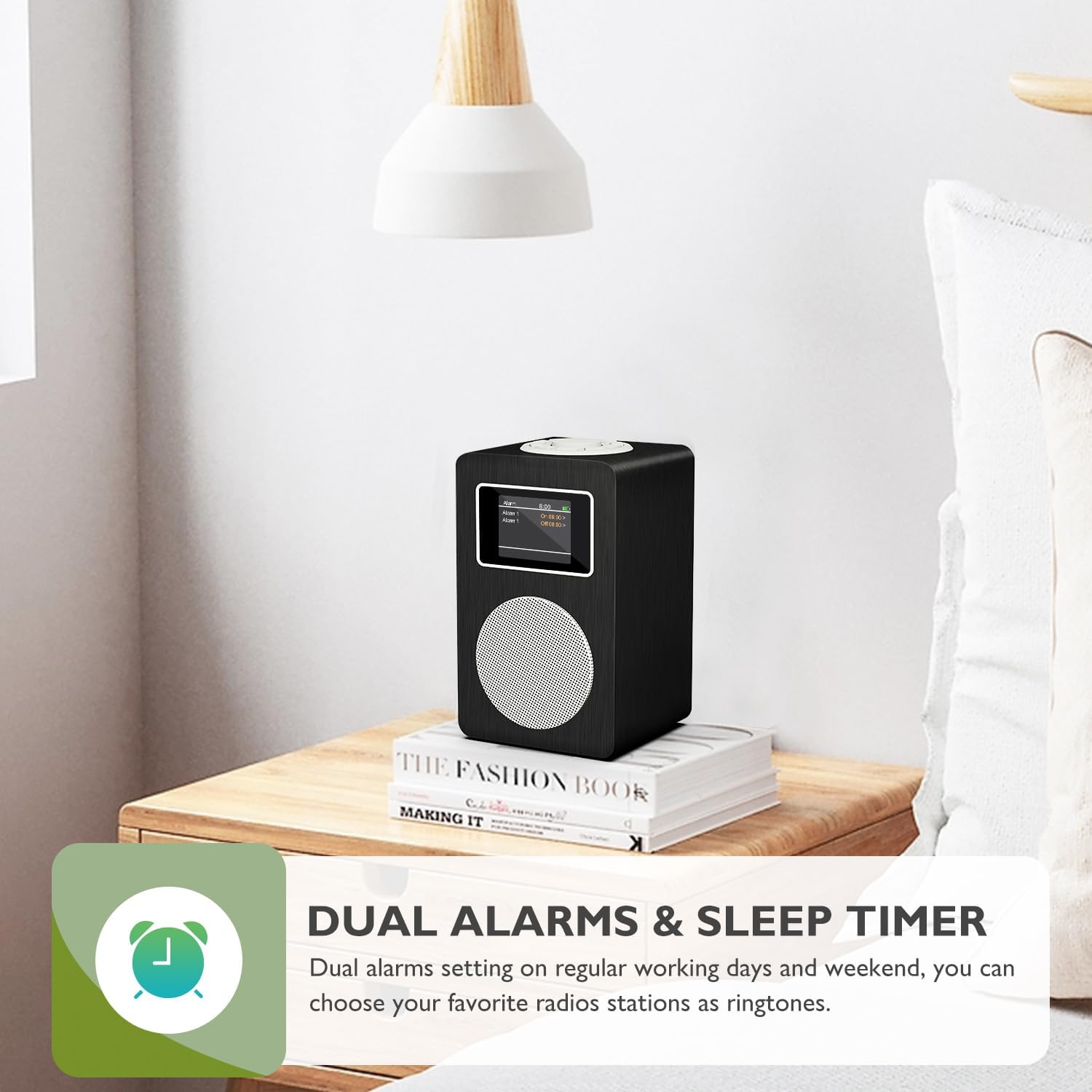
Image: MangoKit MD4 displaying dual alarms and sleep timer feature.
Video: Demonstrating alarm and sleep timer settings on the MangoKit MD4.
Headphone Connectivity
For private listening, connect your headphones to the 3.5mm headphone jack located on the device.

Image: MangoKit MD4 with headphones connected for private listening.
Video: Demonstrating headphone connection to the MangoKit MD4.
Equalizer Settings
Customize your audio experience with the built-in equalizer. Access the "Equaliser" option in the system settings to choose from various presets like Normal, Classic, Jazz, Pop, Rock, Speech, or create your own custom EQ settings.
Video: Demonstrating equalizer settings on the MangoKit MD4.
Maintenance
- **Cleaning:** Use a soft, dry cloth to clean the radio's surface. Avoid abrasive cleaners or solvents.
- **Storage:** When not in use for extended periods, store the radio in a cool, dry place. Remove batteries if storing for a long time to prevent leakage.
- **Water Exposure:** This device is not waterproof. Avoid exposure to water or high humidity.
Troubleshooting
| Problem | Possible Cause | Solution |
|---|---|---|
| No power | AC adapter not connected, batteries depleted or incorrectly inserted. | Ensure AC adapter is securely plugged in. Check battery orientation and replace if necessary. |
| Poor radio reception (DAB/FM) | Weak signal, antenna not extended, interference. | Fully extend the telescopic antenna. Try repositioning the radio. Perform an auto scan to find stronger signals. |
| Bluetooth not connecting | Bluetooth not enabled on device, radio not in Bluetooth mode, device too far. | Ensure Bluetooth is active on your smartphone. Switch the radio to Bluetooth mode. Keep devices within range (approx. 10 meters). |
| No sound from headphones | Headphones not fully plugged in, volume too low. | Ensure headphones are securely connected to the 3.5mm jack. Increase the volume. |
Specifications
| Brand | MangoKit |
| Model Number | MD4 |
| Color | Metallic Grey Finish |
| Special Feature | DAB portable, DAB+, FM Radio, Bluetooth Speaker |
| Connectivity Technology | Bluetooth/Headphone/USB C |
| Product Dimensions (L x W x H) | 11L x 10W x 17.5H cm |
| Tuning Technology | DAB/DAB+/FM |
| Power Source | Mains and Battery Powered (4x AA, not included) |
| Supported Radio Bands | DAB, DAB+, FM |
| Max Power Output | 5 Watts |
| Display Type | Color Display |
| Hardware Interface | 3.5 mm Audio, Bluetooth 5, USB Type C |
| Internal Material | Plastic and Wood |
Warranty and Support
MangoKit products are designed for reliability and performance. For warranty information, technical support, or any inquiries regarding your MD4 radio, please refer to the contact details provided in the Quick Start Guide or visit the official MangoKit website. Keep your proof of purchase for warranty claims.


