1. Introduction
This manual provides essential information for the safe and efficient use of the LRILLMAING CMMP-AS-C2-3A-M3 1501325 Programmable Logic Control (PLC) Product. Please read this manual thoroughly before installation, operation, or maintenance to ensure proper functionality and to prevent damage or injury.
The CMMP-AS-C2-3A-M3 1501325 is a high-quality industrial component designed for reliable performance in various automation applications.
2. Safety Information
Important Safety Instructions:
- Always disconnect power before installing, wiring, or performing maintenance on the device.
- Installation and wiring should only be performed by qualified personnel.
- Ensure proper grounding to prevent electrical shock.
- Do not operate the device in environments exceeding its specified operating conditions (temperature, humidity, etc.).
- This product contains lead, a chemical known to the State of California to cause cancer and birth defects or other reproductive harm. Wash hands after handling.
3. Product Overview
The LRILLMAING CMMP-AS-C2-3A-M3 1501325 is a robust Programmable Logic Control product designed for industrial automation. Key features include:
- Product Number: CMMP-AS-C2-3A-M3 1501325
- Type: Programmable Logic Control Product
- Condition: 100% NEW sealed in box
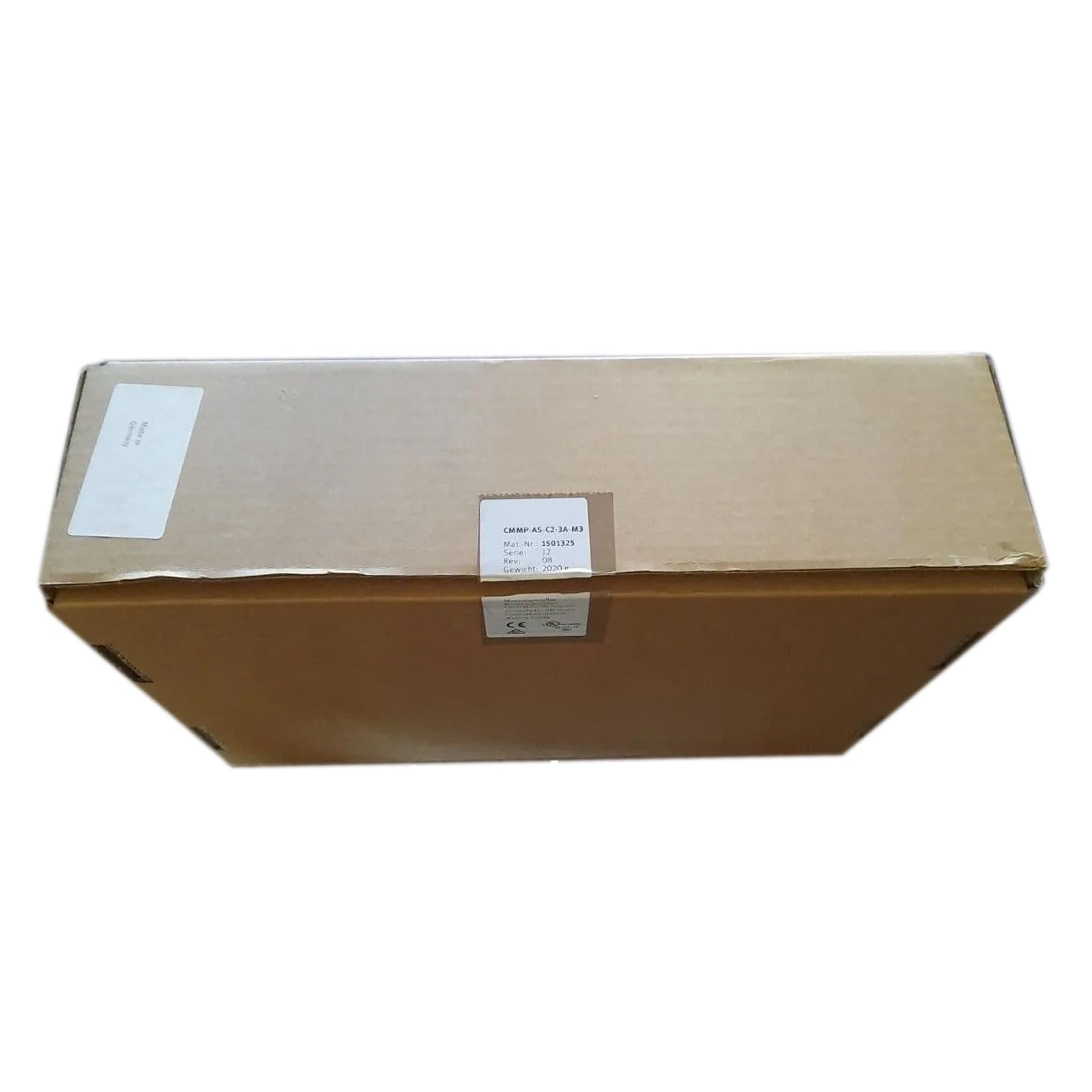
Figure 1: LRILLMAING CMMP-AS-C2-3A-M3 1501325 PLC Module. This image shows the sealed product packaging, indicating its new condition.
4. Setup
4.1 Unpacking and Inspection
Carefully remove the CMMP-AS-C2-3A-M3 1501325 from its packaging. Inspect the device for any signs of physical damage that may have occurred during shipping. If any damage is found, contact your supplier immediately.
4.2 Mounting
Mount the PLC module securely in a suitable industrial enclosure, ensuring adequate ventilation and clearance for wiring. Refer to the specific mounting dimensions provided in the technical specifications.
4.3 Wiring
Connect the power supply, input, and output wiring according to the system design and local electrical codes. Ensure all connections are secure and correctly polarized. Use appropriate wire gauges for all connections.
- Power Supply: Connect the appropriate voltage to the power terminals.
- Inputs: Connect sensors and input devices to the designated input terminals.
- Outputs: Connect actuators and output devices to the designated output terminals.
- Grounding: Ensure the device is properly grounded to prevent electrical interference and ensure safety.
5. Operating Instructions
5.1 Initial Power-Up
After completing all wiring and mounting, apply power to the CMMP-AS-C2-3A-M3 1501325. Observe the status indicators (LEDs) on the module. Refer to the technical documentation for specific LED behavior.
5.2 Programming
The PLC module is programmed using compatible software. Connect the programming cable to the designated port on the module and your computer. Follow the software's instructions to upload your control program.
5.3 Monitoring and Control
Once programmed, the PLC will execute the control logic. Monitor the system's behavior and the PLC's status indicators to ensure correct operation. Adjust program parameters as needed through the programming software.
6. Maintenance
Regular maintenance ensures the longevity and reliable operation of your CMMP-AS-C2-3A-M3 1501325 PLC module.
- Cleaning: Periodically clean the exterior of the module with a soft, dry cloth. Do not use harsh chemicals or abrasive materials. Ensure power is disconnected before cleaning.
- Connection Checks: Routinely inspect all wiring connections for tightness and signs of corrosion or damage. Re-tighten loose connections.
- Environmental Monitoring: Ensure the operating environment remains within the specified temperature and humidity ranges.
- Firmware Updates: Check the manufacturer's website for any available firmware updates. Follow update procedures carefully.
7. Troubleshooting
This section provides solutions to common issues you might encounter with your CMMP-AS-C2-3A-M3 1501325.
| Problem | Possible Cause | Solution |
|---|---|---|
| Device does not power on. | No power supply; incorrect wiring; faulty power supply. | Check power connections and voltage. Verify power supply functionality. |
| Inputs not responding. | Incorrect wiring; faulty sensor; incorrect program logic. | Verify input wiring. Test sensor functionality. Review PLC program logic. |
| Outputs not activating. | Incorrect wiring; faulty actuator; incorrect program logic; overloaded output. | Verify output wiring. Test actuator. Review PLC program logic. Check output current limits. |
| Communication errors. | Incorrect cable; driver issues; incorrect communication settings. | Ensure correct programming cable. Install/update drivers. Verify communication parameters in software. |
If you encounter issues not covered here, please contact technical support.
8. Specifications
Technical specifications for the LRILLMAING CMMP-AS-C2-3A-M3 1501325:
| Feature | Detail |
|---|---|
| Manufacturer | LRILLMAING |
| Model Number | CMMP-AS-C2-3A-M3 1501325 |
| ASIN | B0D7PVGCSN |
| Type | Programmable Logic Control Product |
| Material | Lead (as per Proposition 65 warning) |
9. Warranty and Support
9.1 Warranty Information
The LRILLMAING CMMP-AS-C2-3A-M3 1501325 comes with a One-Year Warranty from the date of purchase. This warranty covers defects in materials and workmanship under normal use. Please retain your proof of purchase for warranty claims.
9.2 Technical Support
For technical assistance, troubleshooting beyond this manual, or warranty inquiries, please contact your supplier or Zhengbang Automation. They are specialized in PLC hardware and are available to assist with any model and quantity inquiries.
Contact information for Zhengbang Automation (supplier): Consult online (Specific contact details may vary by region or supplier).


