
Product Overview
This Mattel Jurassic World Roar Command Tyrannosaurus Rex toy offers interactive play with sound and motion features. It allows users to record phrases and hear them translated into "dinosaur speak," and also features tail-activated attack and roaring actions. Designed for ages 4 and up, this figure is approximately 6.5 inches tall and 8 inches long.
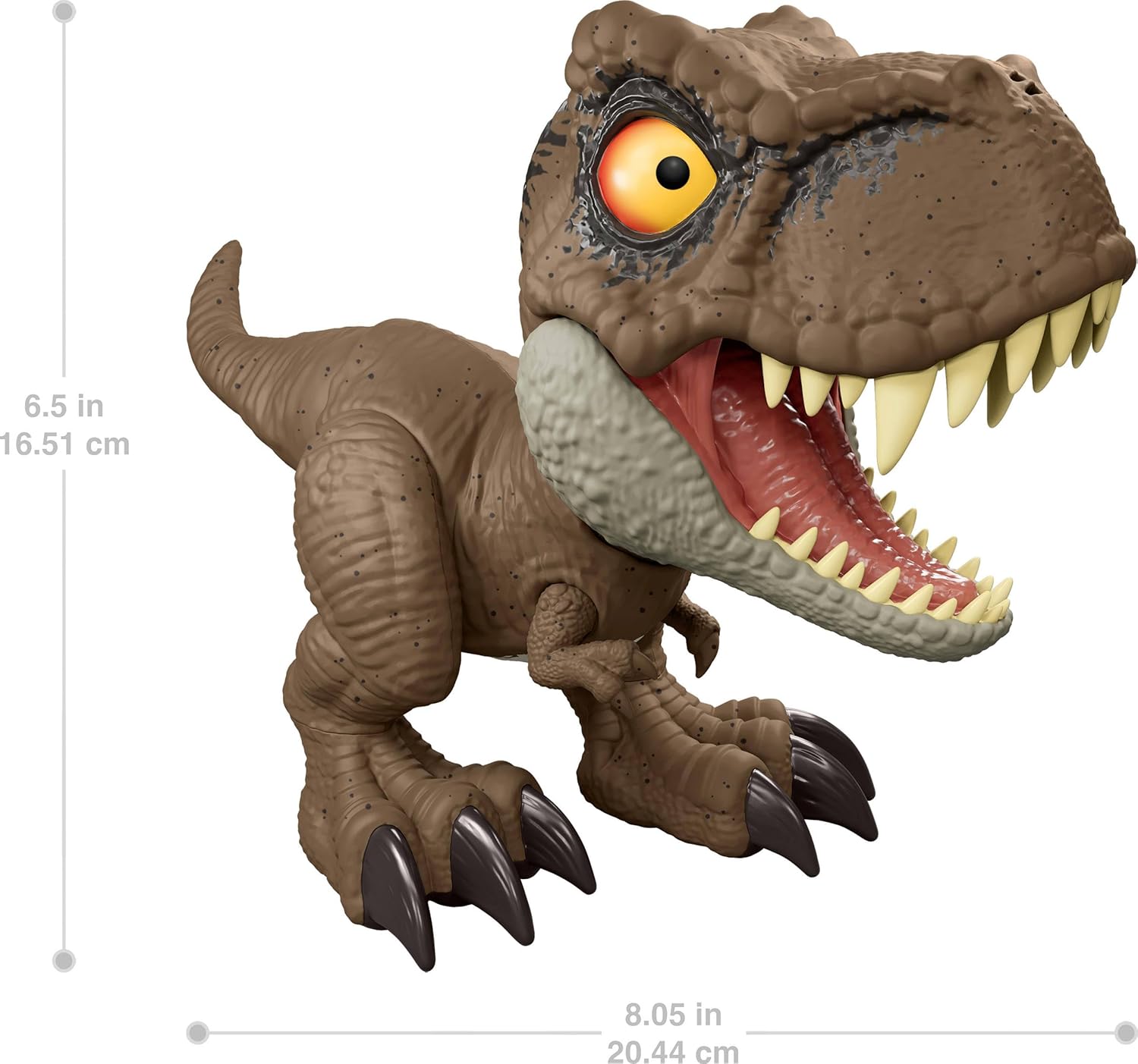
Image: The Mattel Jurassic World Roar Command Tyrannosaurus Rex toy, showcasing its detailed design.
Setup
Unboxing
Carefully remove the Tyrannosaurus Rex figure from its packaging. Ensure all components are present. The toy comes pre-assembled.

Image: The Tyrannosaurus Rex toy displayed within its original packaging.
Battery Installation
The toy requires 3 LR44 batteries, which are included. Locate the battery compartment, typically on the underside of the figure. Use a small screwdriver to open the compartment, insert the batteries with correct polarity, and securely close the cover.
Operating Instructions
Recording and Playback (Dino Speak Feature)
To activate the record and playback feature:
- Locate the button on the back of the Tyrannosaurus Rex's head.
- Press and hold this button.
- While holding the button, speak clearly into the toy.
- Release the button to hear your recorded phrase translated into "dinosaur talk."

Image: A hand demonstrating how to press the record button located on the back of the dinosaur's head.
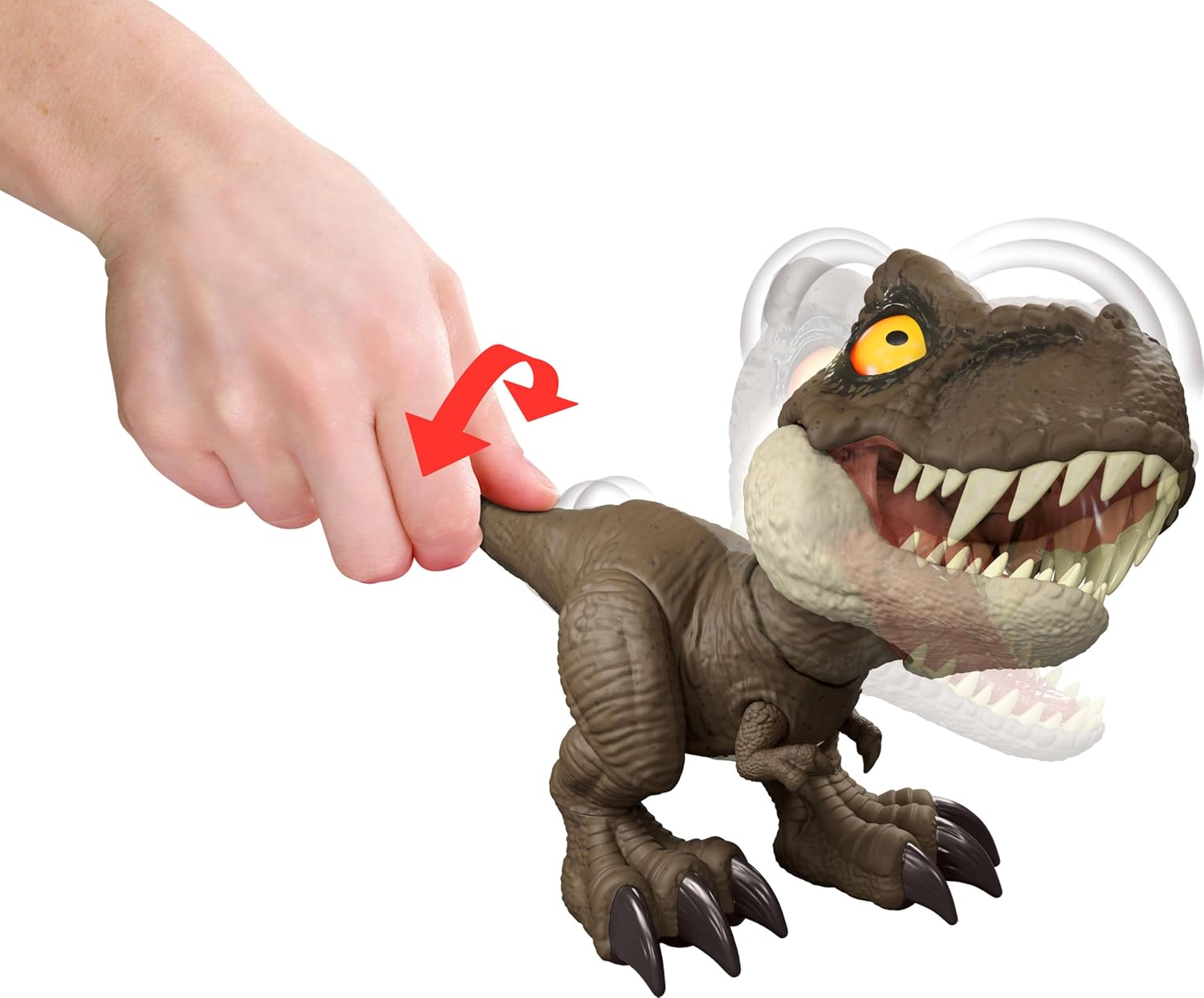
Image: Visual guide showing the process of speaking into the toy for recording and then listening to the dinosaur's response.
Tail-Activated Attack and Roar
To activate the attack and roar functions:
- Grasp the tail of the Tyrannosaurus Rex figure.
- Twist the tail to initiate a multi-directional attack movement and hear dinosaur roars.

Image: A hand twisting the tail of the dinosaur figure, illustrating the activation of its attack and roar features.
Official Product Demonstration Video
Video: A demonstration of the Mattel Jurassic World Roar Command Tyrannosaurus Rex toy's features, including the record and play function and tail-activated actions.
Maintenance
Cleaning
To clean the toy, wipe it with a damp cloth. Do not submerge the toy in water. Avoid using harsh chemicals or abrasive cleaners, as these may damage the finish or electronic components.
Battery Replacement
When the sound or movement functions become weak or stop working, it is time to replace the batteries. Refer to the "Battery Installation" section for instructions on how to open the battery compartment and replace the 3 LR44 batteries.
Troubleshooting
| Problem | Solution |
|---|---|
| Toy does not make sounds or move. | Check battery installation. Ensure batteries are inserted with correct polarity. Replace old or depleted batteries with new LR44 batteries. |
| Recorded "dinosaur talk" is unclear or distorted. | Ensure you are speaking clearly and close to the toy's head while holding the record button. Avoid noisy environments during recording. Check battery level and replace if low. |
| Tail-activated attack or roar is not functioning. | Ensure the tail is twisted firmly. Check battery level and replace if low. |
Specifications
- Brand: Mattel
- Model Name: Jurassic World Roar Command Tyrannosaurus Rex
- Model Number: JCW01
- Item Dimensions (L x W x H): 4.53" x 8.06" x 6.5" (11.5 cm x 20.5 cm x 16.5 cm)
- Item Weight: 0.41 Pounds (0.186 kg)
- Material: Plastic
- Power Source: Battery
- Batteries Required: 3 x LR44 (included)
- Recommended Age: 4 years and up
- Included Components: 1 Jurassic World Roar Command Tyrannosaurus Rex dinosaur toy

Image: The Tyrannosaurus Rex toy with its approximate dimensions labeled for reference.
Warranty Information
This product comes with no manufacturer warranty. For any issues, please refer to the retailer's return policy.
Support
For further assistance or inquiries regarding the Mattel Jurassic World Roar Command Tyrannosaurus Rex toy, please contact Mattel customer service or visit the official Mattel website.
Mattel Official Website: www.mattel.com