
Walfront ADF4351
Walfront ADF4351 Signal Generator Module User Manual
Model: ADF4351 (WALFRONTdu5g42h8fx)
1. Introduction
This manual provides comprehensive instructions for the Walfront ADF4351 Signal Generator Module. The module is a versatile RF source development board featuring the ADF4351 frequency synthesizer, capable of generating signals from 35MHz to 4.4GHz. It is designed for various electronic development and testing applications.
2. Safety Information
- Ensure proper power supply (DC4-9V, typical 5V) to avoid damage.
- Handle the module with care to prevent electrostatic discharge (ESD).
- Do not attempt to modify the circuit board unless you are a qualified professional.
- Keep the device away from moisture and extreme temperatures.
3. Package Contents
Verify that all items are present in the package:
- 1 x ADF4351 Signal Generator Module
- 1 x SMA Holder (likely referring to the SMA connectors or an adapter)
- 1 x USB Cable
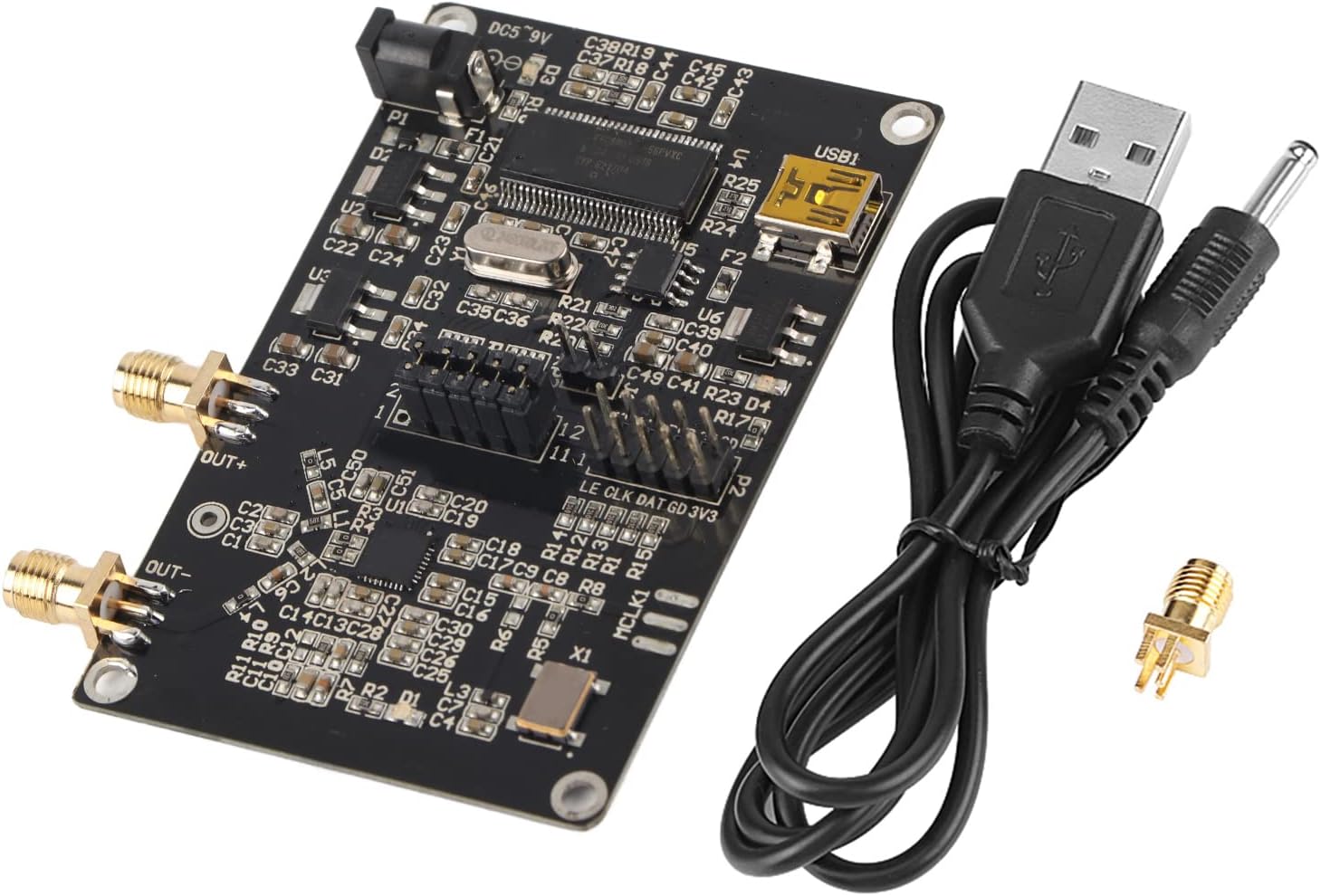
Figure 3.1: Contents of the Walfront ADF4351 Signal Generator Module package.
4. Product Overview
The Walfront ADF4351 module integrates a frequency synthesizer and voltage-controlled oscillator (VCO) to generate a wide range of RF frequencies. Key components and interfaces are detailed below.

Figure 4.1: Top view of the ADF4351 Signal Generator Module.

Figure 4.2: Angled view of the ADF4351 Signal Generator Module.
4.1 Key Features
- Output Frequency Range: 35MHz - 4.4GHz (ADF4351).
- Integrated Voltage Controlled Oscillator (VCO) with a fundamental frequency range of 2200 MHz to 4400 MHz.
- Frequency division circuit (1/2/4/8/16) for lower frequencies.
- Control Interface: Three-wire SPI.
- Default crystal oscillator: +/-50ppm 25M active crystal.
- Mute function for RF output level control.
- Auxiliary RF output available.
4.2 Component Identification
- DC002 Interface (DC5-9V): Power input port.
- USB1: USB interface for connection to a computer.
- OUT+ / OUT-: SMA female connectors for RF signal output.
- P1, P2, P3: Control pin headers for SPI communication and status locking.
- ADF4351 IC: Main frequency synthesizer chip.
- Crystal Oscillator: Provides reference clock.
5. Setup
5.1 Power Connection
- Connect the provided USB cable to the USB1 port on the module.
- Connect the other end of the USB cable to a computer or a 5V USB power adapter.
- Alternatively, connect a DC power supply (4-9V, typical 5V) to the DC002 interface. Ensure correct polarity.
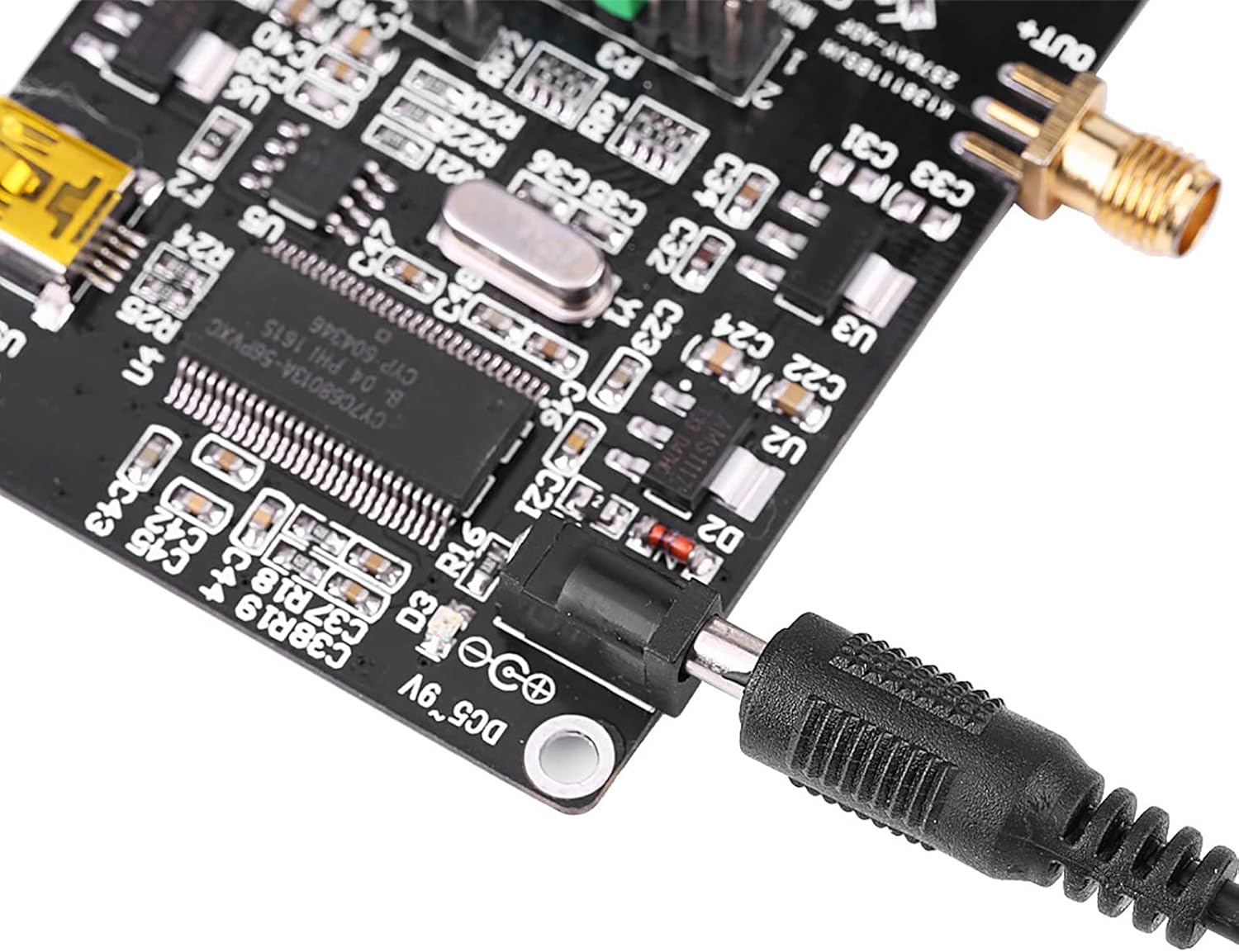
Figure 5.1: Connecting the DC power supply.
5.2 Computer Connection
The module can be controlled via a computer using the USB interface. Drivers may be required depending on your operating system. The manufacturer provides a PDF circuit diagram and STM32 test program for development.

Figure 5.2: USB port for computer connection.
6. Operation
6.1 Software Control
The ADF4351 module is typically controlled using dedicated software on a computer. The manufacturer provides an official software interface for configuration. This software allows for setting various parameters including frequency, output power, and modulation.
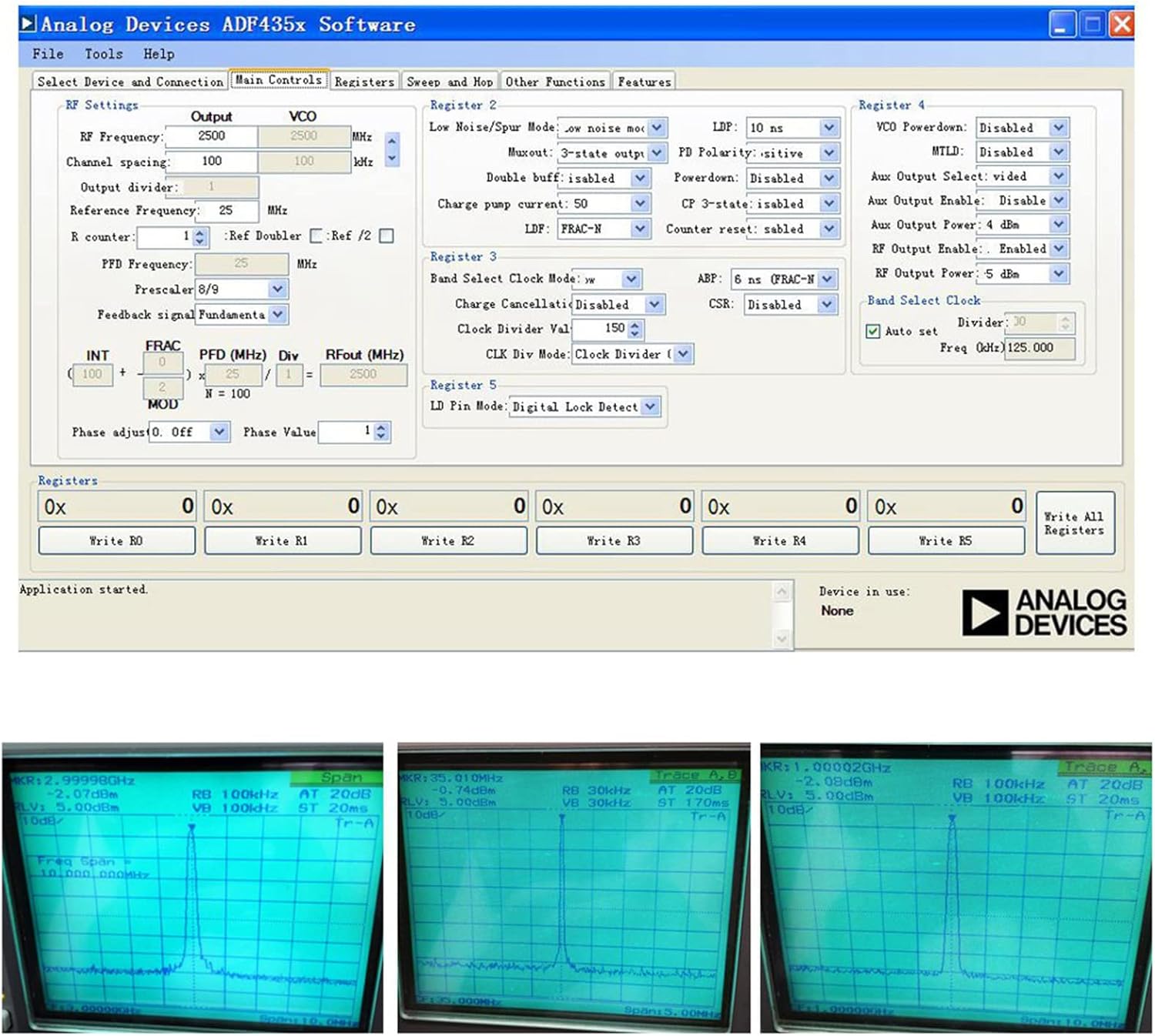
Figure 6.1: Analog Devices ADF435x Software interface for module control.
6.2 Frequency Generation
The module can generate frequencies from 35MHz to 4.4GHz. The output type varies with frequency:
- 2.2GHz - 4.4GHz: Fundamental (sine wave) output.
- 35MHz - 2.2GHz: Fundamental division (square wave) output.
The software allows for precise frequency setting, including point frequency, sweep, and frequency hopping. Stepping can be as fine as 1KHz, or 0.1KHz depending on the crystal frequency.

Figure 6.2: Example frequency outputs displayed on an oscilloscope.
6.3 Mute Function
For isolation applications, the RF output level can be muted. This function can be controlled either via a dedicated pin or through the software interface. The auxiliary RF output can also be turned off when not in use.
7. Specifications
| Feature | Specification |
|---|---|
| Output Frequency Range | ADF4351: 35MHz - 4.4GHz |
| Power Supply | DC002 Interface DC4-9V (typical 5V) |
| Output Type (2.2-4.4GHz) | Fundamental (Sine Wave) |
| Output Type (35MHz-2.2GHz) | Fundamental Division (Square Wave) |
| Output Connector | SMA Female |
| Control Interface | Three-wire SPI |
| Crystal Oscillator | +/-50ppm 25M Active Crystal |
| Item Weight | 1.38 ounces (approx. 39g) |
| Package Dimensions | 3.94 x 2.76 x 0.79 inches (approx. 10 x 7 x 2 cm) |
| Model Number | WALFRONTdu5g42h8fx |
8. Maintenance
- Keep the module clean and free from dust. Use a soft, dry cloth for cleaning.
- Store the module in a dry, cool environment when not in use.
- Avoid exposing the module to strong electromagnetic fields.
- Regularly check connections for secure fit.
9. Troubleshooting
| Problem | Possible Cause | Solution |
|---|---|---|
| No power indication | Incorrect power supply voltage or connection. | Verify power supply is 4-9V DC and connected correctly. Check USB cable connection. |
| No RF output | Software not configured, mute function active, or incorrect frequency settings. | Ensure software is running and configured correctly. Check if the mute function is enabled. Verify frequency settings are within the module's range. |
| Module not recognized by computer | Missing or incorrect USB drivers. | Install necessary USB drivers. Try a different USB port or cable. |
10. Warranty and Support
For warranty information and technical support, please refer to the documentation provided with your purchase or contact Walfront customer service. Circuit diagrams in PDF format and STM32 test programs are available for development purposes.
Related documentsADF4351

Ask a question about this manual
Ask about setup, troubleshooting, compatibility, parts, safety, or missing instructions. Manuals+ will review the question and use this page’s manual context to help answer it.