1. Introduction
Thank you for choosing LOBKIN S16 Kids Bluetooth Headphones. These headphones are designed with children's safety and comfort in mind, featuring a volume limit of 94dB to protect young ears. Enjoy vibrant colorful LED lights, a comfortable over-ear design, and versatile connectivity options including Bluetooth 5.4 and a detachable AUX cable. The foldable design and included carrying case make them ideal for travel, school, and everyday use.

Image: LOBKIN S16 Kids Bluetooth Headphones in Pink Purple, showcasing the overall design.
2. What's in the Box
Please check the package contents to ensure all items are present:
- 1 x LOBKIN S16 Kids Bluetooth Headphones
- 1 x 3.5mm Aux Cable
- 1 x USB Charging Cable
- 1 x Organiser with Cord (Cat-shaped carrying case)
- 1 x Instructions for Use (This manual)

Image: All items included in the LOBKIN S16 Kids Bluetooth Headphones package, including the headphones, cables, and carrying case.
3. Product Overview
Familiarize yourself with the headphone's controls and features:

Image: Close-up view of the LOBKIN S16 Kids Bluetooth Headphones, highlighting the control buttons, charging port, and audio jack.
- Volume + / Next Track Button: Press to increase volume; long press for next track.
- Volume - / Previous Track Button: Press to decrease volume; long press for previous track.
- Multi-function Button (MFB): Power On/Off, Play/Pause, Answer/End Call.
- LED Light Control Button: Double-click to turn colorful LED lights on/off.
- Type-C Charging Port: For charging the headphones.
- 3.5mm Audio Port: For wired connection using the AUX cable.
- Microphone: Built-in for calls and online communication.
- Indicator Light: Shows power status, pairing mode, and charging status.
- Cat Ears with LED Lights: Decorative and functional colorful LED lights.
4. Setup
4.1 Charging the Headphones
Before first use, fully charge the headphones. A full charge takes approximately 1.5 hours.
- Connect the USB charging cable to the Type-C charging port on the headphones.
- Connect the other end of the USB cable to a compatible USB power source (e.g., computer USB port, USB wall adapter).
- The indicator light will show red during charging and turn off when fully charged.
4.2 Bluetooth Pairing
Follow these steps to pair your LOBKIN S16 headphones with a Bluetooth-enabled device:
- Ensure the headphones are turned off.
- Press and hold the Multi-function Button (MFB) for approximately 3-5 seconds until the indicator light flashes red and blue alternately. This indicates pairing mode.
- On your device (e.g., smartphone, tablet, laptop), enable Bluetooth and search for available devices.
- Select "S16" from the list of found devices.
- Once successfully paired, the indicator light will flash blue slowly.
- If pairing fails, turn off the headphones and repeat the steps.

Image: Visual guide demonstrating Bluetooth 5.4 pairing with a mobile device for the LOBKIN S16 Kids Bluetooth Headphones.
4.3 Wired Connection (AUX Mode)
You can use the headphones with the included 3.5mm AUX cable for a wired connection, which does not require battery power.
- Plug one end of the 3.5mm AUX cable into the audio port on the headphones.
- Plug the other end of the 3.5mm AUX cable into the audio jack of your device.
- The headphones will automatically switch to wired mode.
5. Operating Instructions
5.1 Power On/Off
- Power On: Press and hold the Multi-function Button (MFB) for 3 seconds until the indicator light flashes blue.
- Power Off: Press and hold the Multi-function Button (MFB) for 3 seconds until the indicator light turns off.
5.2 Volume Control
- Increase Volume: Press the Volume + button.
- Decrease Volume: Press the Volume - button.
The LOBKIN S16 headphones feature a 94dB safe volume limit to protect children's hearing.
5.3 Media Playback
- Play/Pause: Press the Multi-function Button (MFB) once.
- Next Track: Long press the Volume + button.
- Previous Track: Long press the Volume - button.
5.4 Call Management
- Answer/End Call: Press the Multi-function Button (MFB) once.
- Reject Call: Long press the Multi-function Button (MFB) for 2 seconds.
5.5 LED Lights Control
- Turn Lights On/Off: Double-click the LED Light Control Button.
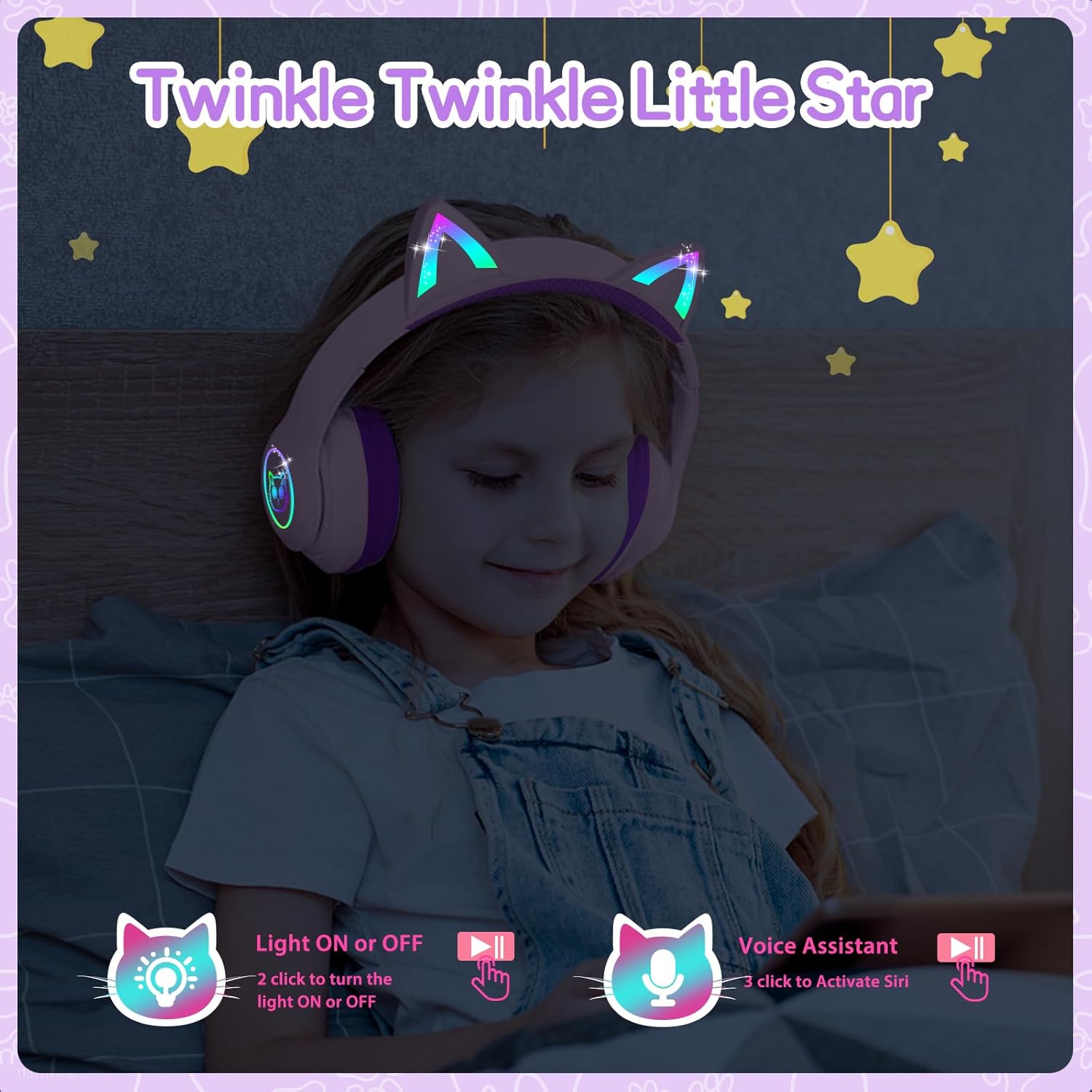
Image: A child wearing the LOBKIN S16 Kids Bluetooth Headphones, showcasing the colorful LED lights on the cat ears and earcups.
5.6 Voice Assistant
- Activate Voice Assistant (Siri): Triple-click the LED Light Control Button.
6. Maintenance
To ensure the longevity and optimal performance of your LOBKIN S16 headphones, follow these maintenance guidelines:
- Cleaning: Use a soft, dry cloth to wipe the headphones. Do not use abrasive cleaners or solvents.
- Storage: When not in use, store the headphones in the provided cat-shaped carrying case to protect them from dust, scratches, and accidental damage.
- Temperature: Avoid exposing the headphones to extreme temperatures (hot or cold) or high humidity.
- Water Resistance: These headphones are not water resistant. Avoid contact with liquids.
- Cable Care: Handle the charging and AUX cables gently to prevent damage.
7. Troubleshooting
If you encounter any issues with your headphones, refer to the following common problems and solutions:
| Problem | Solution |
|---|---|
| Headphones won't turn on | Ensure the headphones are fully charged. Press and hold the MFB for 3 seconds. |
| Cannot pair via Bluetooth | Ensure headphones are in pairing mode (red and blue flashing light). Turn off and restart both headphones and the device. Make sure the device is within 10 meters. |
| No sound in Bluetooth mode | Check device volume and headphone volume. Ensure headphones are successfully paired. Try re-pairing. |
| No sound in wired (AUX) mode | Ensure the AUX cable is securely plugged into both the headphones and the device. Check device volume. |
| LED lights not working | Double-click the LED Light Control Button to toggle lights on/off. Ensure headphones are charged. |
| Microphone not working | Ensure headphones are connected via Bluetooth. Check device settings to ensure the headphone microphone is selected as the input device. |
8. Specifications
| Feature | Detail |
|---|---|
| Model Name | S16 |
| Connectivity Technology | Wired, Wireless (Bluetooth 5.4) |
| Bluetooth Range | Up to 10 meters |
| Battery Life | 50 Hours (lights off) |
| Charging Time | 1.5 Hours |
| Safe Volume Limit | 94dB |
| Earpiece Shape | Over Ear |
| Material | Acrylonitrile Butadiene Styrene (ABS) |
| Item Weight | 240 Grams (8.5 ounces) |
| Product Dimensions | 6.3 x 3.1 x 7.6 inches |
| Special Features | Colorful LED Lights, Microphone, Adjustable Headband, Detachable 3.5mm Audio Cable |
9. Warranty & Support
LOBKIN provides an 18-month product quality service for these headphones. If you encounter any issues with the product itself during this period, please contact LOBKIN customer support for free repair or replacement services.
For further assistance or inquiries, please visit the LOBKIN store on Amazon or contact their customer service directly.
LOBKIN-US Customer Service: Contact Seller
Video: Official LOBKIN S16 Cute Cat Ear Headphones product video, demonstrating features and design.
Video: Official LOBKIN video showcasing Kids Wireless Headphones with Bag, highlighting their suitability as gifts.


