
Introduction
Thank you for choosing KICKER Marine Audio Speakers. This manual provides essential information for the proper installation, operation, and maintenance of your 6.5" 2-Way Marine Speakers (Model 249BKM604B). Please read these instructions thoroughly before use to ensure optimal performance and longevity of your product.
Product Features
The KICKER 6.5" Marine Speakers are engineered for durability and high-quality sound in marine environments. Key features include:
- Weather-Resistant Design: UV-treated injection-molded cones, Santoprene surrounds, baskets, and grilles ensure durability in marine conditions.
- Sealed Components: Motors and cones are sealed to resist splash and spray, protecting internal components from water damage.
- Corrosion-Resistant Hardware: Speaker hardware is constructed from rustproof 316L stainless steel for long-lasting performance.
- Optimized for Marine Audio: Specifically designed to meet or exceed industry standards for boat audio applications.
- Two-Way Speaker System: Features a polypropylene midwoofer and a PEI dome tweeter for clear, full-range sound reproduction.
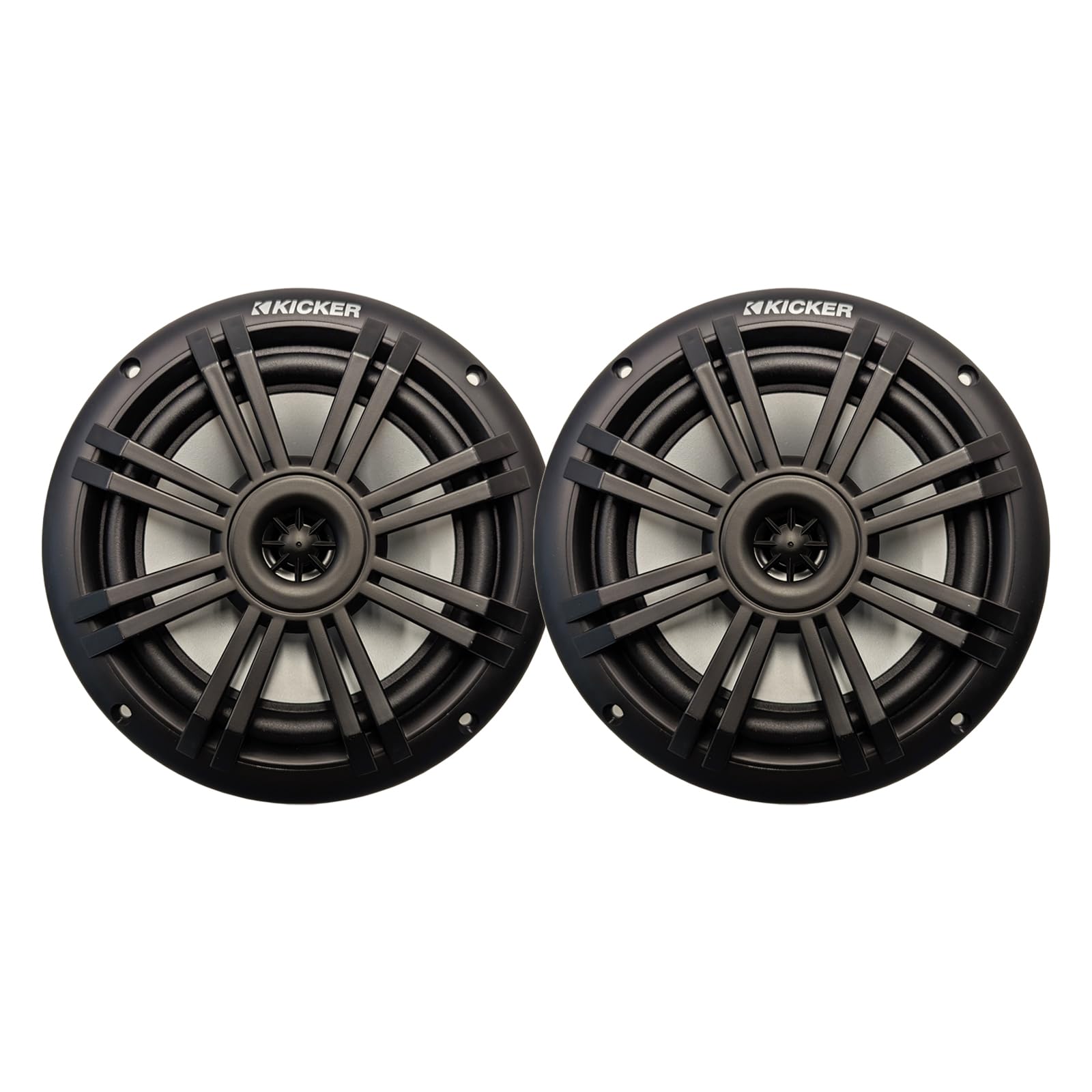
Specifications
- Model Number: 249BKM604B
- Speaker Size: 6.5 inches
- Speaker Type: 2-Way Coaxial Marine Speaker
- Peak Power Handling: 150 Watts
- RMS Power Handling: 50 Watts
- Impedance: 4 Ohms
- Sensitivity: 90dB
- Frequency Response: 35-21,000 Hz
- Enclosure Material: Polypropylene, Santoprene, 316L stainless steel
- Water Resistance Level: Waterproof
- Mounting Type: Shelf Mount
- Unit Count: 2.0 Count (Pair)
- Item Dimensions (D x W x H): 10"D x 10"W x 10"H (Note: These dimensions typically refer to packaging or overall product footprint, actual speaker cutout dimensions should be verified from a template if available.)
Setup and Installation
Proper installation is crucial for optimal performance and safety. It is recommended that installation be performed by a qualified professional.
- Choose Mounting Location: Select a flat, stable surface on your vessel that can accommodate the speaker dimensions and provide adequate clearance behind the speaker. Ensure the location is free from obstructions and potential water ingress points.
- Prepare Mounting Surface: Use a template (not included, typically provided with full retail packaging or available online) to mark the cutout and screw holes. Carefully cut the opening and drill pilot holes for mounting screws.
- Wiring:
- Ensure all power to the audio system is disconnected before wiring.
- Connect the speaker wires to your amplifier or head unit. Observe correct polarity: positive (+) to positive and negative (-) to negative. Incorrect polarity can lead to poor sound quality.
- Use marine-grade wiring and connectors to prevent corrosion and ensure a secure connection.
- The speakers are designed for 4-ohm impedance. Ensure your amplifier is compatible with this load.
- Mounting the Speakers: Place the speakers into the cutout. Secure them using appropriate marine-grade stainless steel screws (not included, as product comes in bulk packaging). Do not overtighten screws, as this can damage the speaker frame.
- Test System: Once installed, reconnect power and test the audio system at a low volume. Gradually increase volume to ensure proper function and sound quality.
Note: This product comes in bulk packaging and does not include additional hardware or accessories. You will need to source appropriate mounting hardware and wiring.
Operating Instructions
These speakers are designed for straightforward operation as part of your marine audio system.
- Power On/Off: The speakers will power on and off with your marine audio head unit or amplifier.
- Volume Control: Adjust the volume using the controls on your head unit or amplifier. Avoid operating at excessively high volumes for extended periods to prevent speaker damage and hearing loss.
- Audio Source: Select your desired audio source (radio, Bluetooth, auxiliary input, etc.) from your head unit.
- Sound Settings: Adjust bass, treble, balance, and fader settings on your head unit or amplifier to optimize sound quality for your listening environment.
Maintenance
Regular maintenance will help preserve the appearance and performance of your KICKER marine speakers.
- Cleaning: Periodically wipe down the speaker grilles and surrounds with a soft, damp cloth. For stubborn dirt, use a mild soap solution and rinse thoroughly with fresh water. Avoid harsh chemicals or abrasive cleaners.
- Inspection: Regularly inspect the speaker cones, surrounds, and grilles for any signs of damage, such as cracks, tears, or corrosion. Check wiring connections for tightness and corrosion.
- UV Protection: While the speakers are UV-treated, prolonged exposure to direct sunlight can still cause degradation over time. Consider using speaker covers when the boat is not in use, especially during storage.
- Winterization: If storing your vessel in freezing temperatures, ensure the speakers are protected from extreme cold, which can affect material flexibility.
Troubleshooting
If you experience issues with your speakers, refer to the following common troubleshooting steps:
| Problem | Possible Cause | Solution |
|---|---|---|
| No sound from speakers |
|
|
| Distorted or poor sound quality |
|
|
| Intermittent sound |
|
|
If problems persist after following these steps, contact KICKER customer support or a qualified marine audio technician.
Warranty and Support
Your KICKER 6.5" Marine Speakers are covered by a 1 Year Manufacturer Warranty from the date of purchase. This warranty covers defects in materials and workmanship under normal use.
For warranty claims, technical support, or further assistance, please contact KICKER customer service. Keep your proof of purchase for warranty validation.
KICKER Customer Support: Refer to the official KICKER website or your product packaging for the most current contact information.
Online Resources: Visit the official KICKER website for additional product information, FAQs, and support resources: www.kicker.com