
Introduction
The ASMAX S1 Motorcycle Bluetooth Headset is designed to provide seamless communication and entertainment for motorcycle riders. This manual provides detailed instructions for setup, operation, maintenance, and troubleshooting, ensuring you get the most out of your device.
Product Overview
The ASMAX S1 features advanced Bluetooth 5.4 technology, supporting up to 8 riders in mesh intercom mode with a range of up to 1.6 km. It includes AI voice control, HiFi 3D sound with ENC noise cancellation, fast charging, and long battery life.
Key Features:
- Latest Bluetooth 5.4 Technology: Supports up to 8 riders in intercom mode with a 1.6 km range, ensuring stable and clear connections.
- Voice Commands & Easy Button Control: Activate functions hands-free by saying "Hi Max" for calls, navigation, music, or FM radio.
- Free Mode & Group Mode: Effortlessly connect with groups using Free Mode for quick talks or Group Mode for private, secure conversations via MESH technology.
- Superior HiFi 3D Sound & ENC Noise Cancellation: Experience crystal-clear calls and immersive music, even at speeds up to 120 km/h, thanks to effective environmental noise cancellation.
- Fast Charging & Long Battery Life: Equipped with a 980mAh battery, offering up to 13 hours of talk time and 16 hours of music. Fully charges in just 60 minutes.
- ASMAX APP & Firmware Upgrade: Personalize headset settings and update firmware easily via the dedicated ASMAX app on your smartphone.
What's in the Box
The ASMAX S1 package includes the following components:
- S1 Motorcycle Bluetooth Headset (Main Unit)
- Metal Clamp
- Speaker Unit & Hybrid & Wired Microphone
- Assembly Accessories
- User Manual

This image illustrates all the components you will find inside the ASMAX S1 package, laid out for easy identification. It includes the main S1 unit, speaker units, wired and boom microphones, charging cable, metal clamp, 3M glue plate, speaker pads, and the user manual.
Setup and Installation
Follow these steps to properly install your ASMAX S1 headset into your helmet.
Choosing an Installation Method:
The ASMAX S1 offers two primary installation methods for attaching the main unit to your helmet:
- 3M Glue Plate: Recommended for helmets with a relatively thick edge (more than 5mm).
- Metal Clamp: Recommended for helmets with a relatively thin edge (less than 5mm).
Installation Steps (using Metal Clamp as example):
- Attach Main Unit to Clamp Base: Securely slide the S1 main unit onto the chosen clamp or glue plate until it clicks into place.

The ASMAX S1 main unit, a sleek grey device with a blue indicator light, ready for attachment to the helmet.
- Attach Base to Helmet: Position the clamp or glue plate on the left side of your helmet, ensuring it is firmly attached and does not obstruct your vision or helmet functionality.

The ASMAX S1 unit securely mounted on the side of a motorcycle helmet, showing its compact profile.
- Install Speakers: Carefully remove the helmet padding to access the speaker pockets. Attach the speaker with the shorter cable to the left side (near the main unit) and the longer cable speaker to the right side. Ensure speakers are positioned close to your ears for optimal sound. Use speaker pads if needed for a better fit.
- Install Microphone: Choose between the wired microphone (for full-face helmets) or the boom microphone (for open-face helmets). Attach the microphone to the front of the helmet, near your mouth, using its Velcro attachment.
- Route Cables: Carefully route all cables behind the helmet padding to prevent discomfort and ensure a clean, secure installation.
This diagram provides a visual guide for installing the ASMAX S1, detailing how to attach the main unit, speakers, and microphone within the helmet for a secure and comfortable fit.
This video provides a comprehensive guide on how to install the ASMAX S1 Bluetooth headset into a motorcycle helmet, covering the placement of the main unit, speakers, and microphone for optimal performance.
Operating Instructions
Power On/Off:
To power on or off the ASMAX S1, press and hold the Function Key (located on the back of the unit) for approximately 3 seconds until you hear an audible prompt.
Voice Control ("Hi Max"):
The ASMAX S1 features intuitive AI voice control. Simply say "Hi Max" to activate the voice assistant. Once activated, you can issue commands for various functions, including:
- Music playback (e.g., "Music On", "Next Song")
- Navigation (e.g., "Go to Max Home", "Start Navigation")
- FM Radio (e.g., "Radio On", "Next Station")
- Phone calls (e.g., "Answer the Phone", "Hang Up")
- Intercom modes (e.g., "Free Mode", "Group Mesh")
- Battery status (e.g., "Battery Status")

This image demonstrates the AI voice control feature, showing a rider issuing commands such as 'Hi Max' to control various functions of the ASMAX S1 headset hands-free.
This video highlights the intuitive voice control capabilities of the ASMAX S1, demonstrating how users can manage music, calls, and intercom functions simply by speaking commands.
Intercom Modes:
The S1 supports two primary intercom modes for group communication:
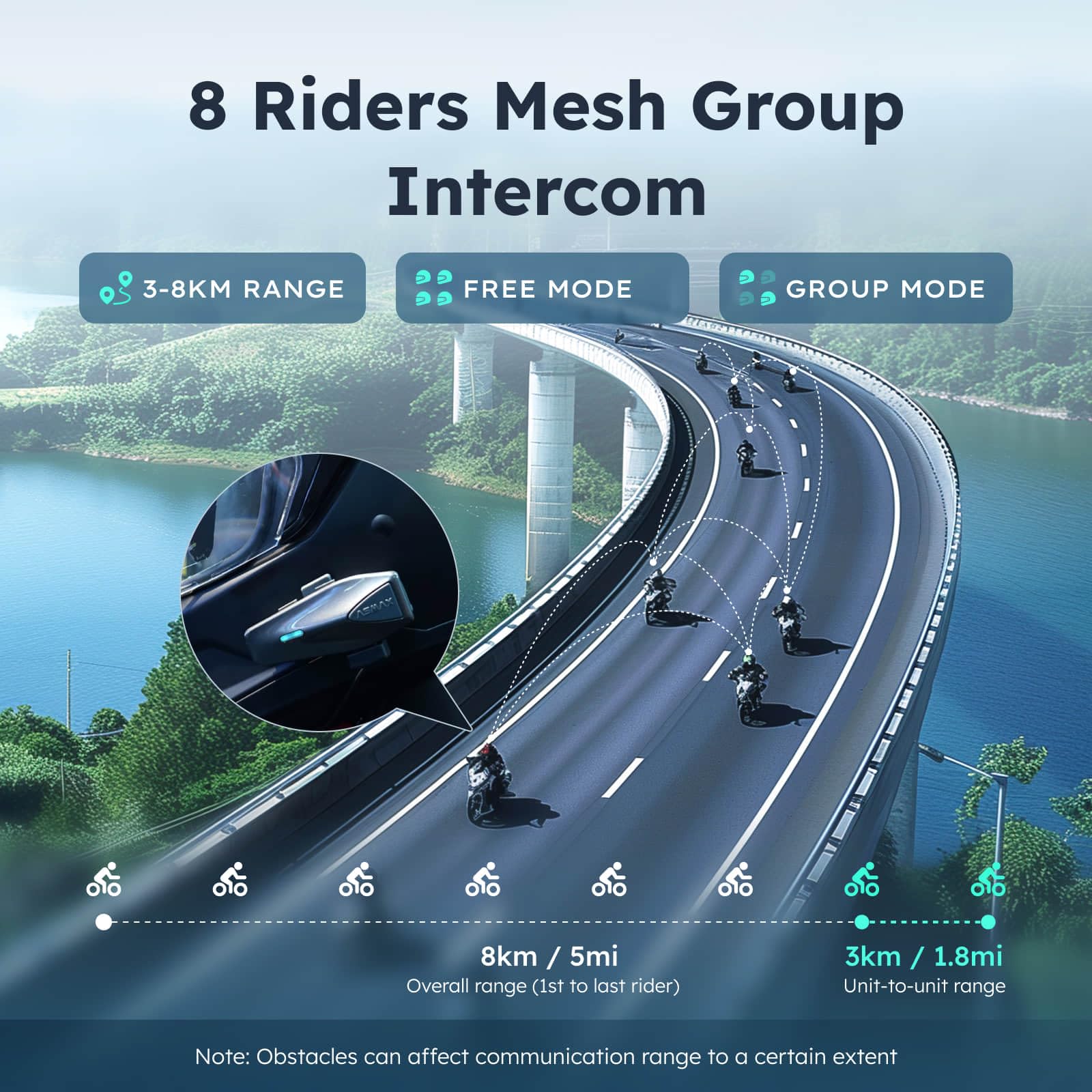
- Free Mode: Allows for quick, spontaneous conversations with up to 8 riders.
- Group Mode: Utilizes advanced MESH communication technology for private and secure group conversations, ensuring connectivity without interruptions.

This visual explains the mesh intercom capabilities, showing how up to 8 riders can stay connected over distances of up to 8km in Free Mode and 3km unit-to-unit in Group Mode.
Music and FM Radio:
Enjoy your favorite music or tune into FM radio stations directly through your headset. Use voice commands or the dedicated buttons to control playback and station selection.

This image illustrates the audio multitasking feature, allowing users to simultaneously manage music, FM radio, navigation, and group intercom via the ASMAX app.
Phone Calls:
Answer or decline incoming phone calls hands-free using voice commands or by pressing the appropriate function button on the headset.
ASMAX App:
Download the ASMAX app from your smartphone's app store to customize settings, manage connections, and perform firmware updates for continuous improvement and new features.

The ASMAXWORLD App provides a user-friendly interface for customizing headset settings, including personalized LED lighting, FM radio tuning, and managing group chat rooms.
Maintenance
Cleaning:
Use a soft, damp cloth to clean the exterior of the headset. Avoid abrasive cleaners or solvents that could damage the finish. For the speaker and microphone, use the provided cleaning pack or a dry, soft brush to gently remove dust and debris.
Storage:
Store the headset in a cool, dry place when not in use. Avoid exposing it to extreme temperatures, direct sunlight, or high humidity, which can affect battery life and electronic components.
Waterproofing:
The ASMAX S1 is IPX7 waterproof, meaning it can withstand immersion in water up to 1 meter for 30 minutes. To maintain its water resistance, always ensure the charging port cover is securely closed before exposure to moisture.
This image highlights the IPX7 waterproof rating of the ASMAX S1, ensuring reliable performance in various weather conditions, including rain, snow, and mud.
Troubleshooting
Common Issues and Solutions:
| Issue | Possible Cause | Solution |
|---|---|---|
| No Power / Won't Turn On | Low battery; Unit not charged. | Charge the unit fully (approx. 60 minutes). Ensure charging cable is properly connected. |
| Charging Port Not Working | Debris in port; Cable not fully inserted; Damaged port. | Clean the charging port. Ensure the cable is fully inserted. If damaged, contact support. |
| Cannot Pair with Phone/Intercom | Bluetooth not enabled; Device too far; Interference; Incorrect pairing mode. | Ensure Bluetooth is on. Keep devices within range. Follow pairing instructions in the manual. Restart both devices. |
| Poor Audio Quality / Noise | Improper speaker/microphone placement; Environmental noise; Loose connections. | Adjust speaker and microphone position. Ensure cables are securely connected. Utilize ENC noise cancellation feature. |
| Voice Commands Not Responding | Microphone obstructed; Background noise; Incorrect command. | Ensure microphone is clear and close to mouth. Reduce background noise. Refer to manual for correct voice commands. |
| App Connectivity Issues | Bluetooth not connected; Outdated app/firmware. | Ensure headset is connected via Bluetooth. Update ASMAX app and headset firmware. |
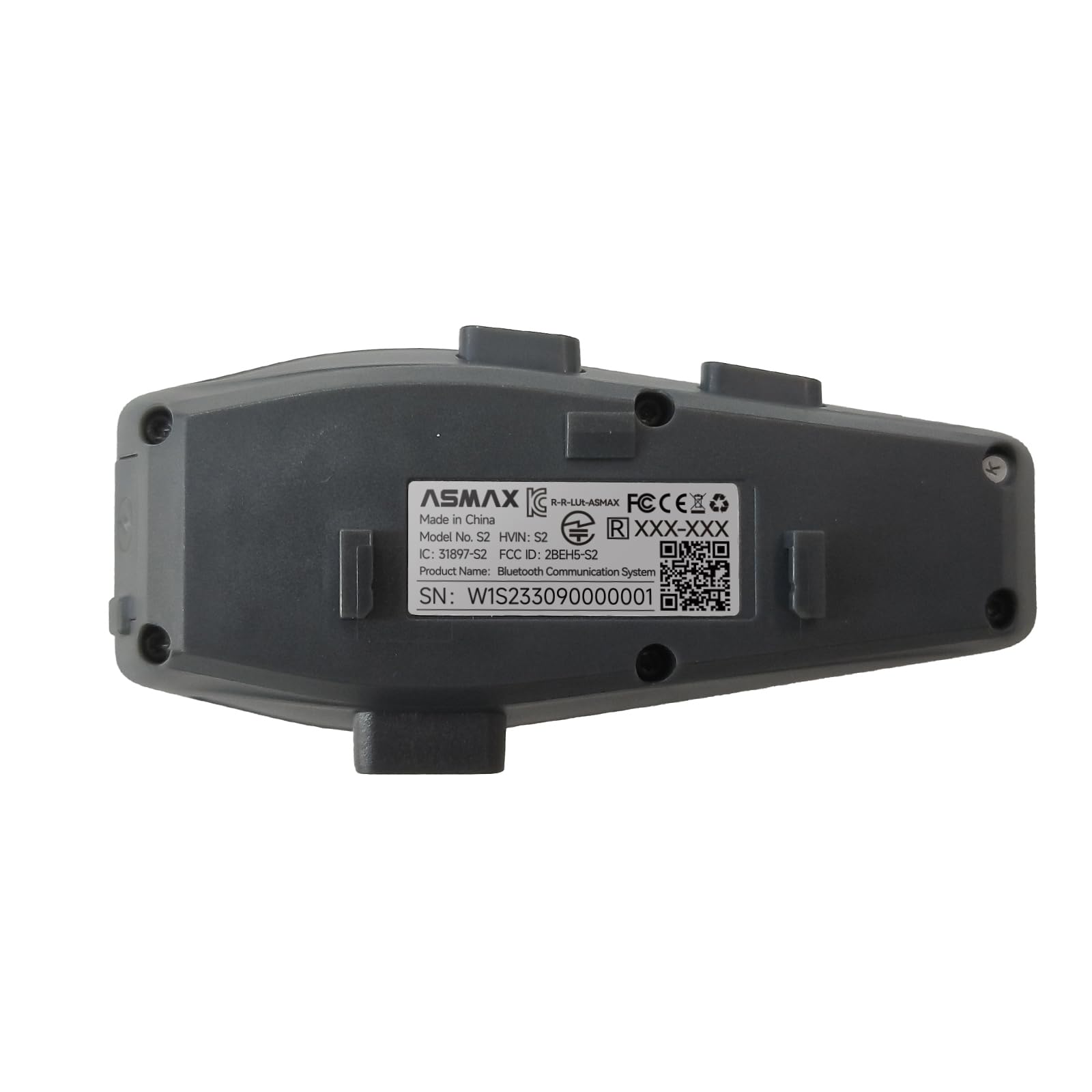
The rear view of the ASMAX S1 unit, displaying important regulatory information and the serial number (W1S233090000001), which may be needed for support or warranty claims.
Specifications
| Feature | Detail |
|---|---|
| Model Name | S1 (S1SP) |
| Brand | ASMAX |
| Connectivity Technology | Wireless (Bluetooth 5.4) |
| Bluetooth Range | 1.6 Kilometers |
| Battery Capacity | 980mAh |
| Talk Time | Up to 13 hours |
| Music Playback Time | Up to 16 hours |
| Navigation Time | Up to 36 hours |
| Standby Time | Up to 96 hours |
| Charging Time | 60 minutes (Fast Charging) |
| Waterproof Rating | IPX7 |
| Noise Cancellation | ENC (Environmental Noise Cancellation) |
| Control Type | Voice Control, Button Control |
| Frequency Range | 20 Hz - 20,000 Hz |
| Item Weight | 41 Grams (1.45 ounces) |
| Material | Acrylonitrile Butadiene Styrene (ABS) |
| Included Components | S1 Motorcycle Bluetooth Headset, Metal Clamp, Assembly Accessories, Speaker Unit & Hybrid & Wired Microphone, User Manual |
Warranty and Support
The ASMAX S1 Motorcycle Bluetooth Headset is backed by ASMAX's commitment to quality. For specific warranty details, please refer to the warranty card included in your product packaging or visit the official ASMAX website.
Customer Support:
If you encounter any issues or have questions regarding your ASMAX S1 headset, please contact ASMAX customer support for assistance.
For more information and support, visit the ASMAX Store on Amazon.

