
XPG COREREACTORIIVE650G-BKCUS
XPG Core Reactor II VE 650W 80 Plus Gold Fully Modular Power Supply Instruction Manual
Model: COREREACTORIIVE650G-BKCUS | Brand: XPG
1. Introduction
This manual provides essential information for the installation, operation, and maintenance of your XPG Core Reactor II VE 650W 80 Plus Gold Fully Modular Power Supply. Please read this manual thoroughly before installation and keep it for future reference.
The XPG Core Reactor II VE 650W is a high-efficiency power supply designed for gaming PCs, compliant with Intel's latest ATX 3.1 design guide specifications. It supports next-generation graphics cards with a 12V-2x6 cable and features 80 PLUS GOLD and CYBENETICS GOLD certified efficiency. An FDB fan with intelligent fan control ensures quiet operation, and a wide range of protection mechanisms are integrated for safety and stability.
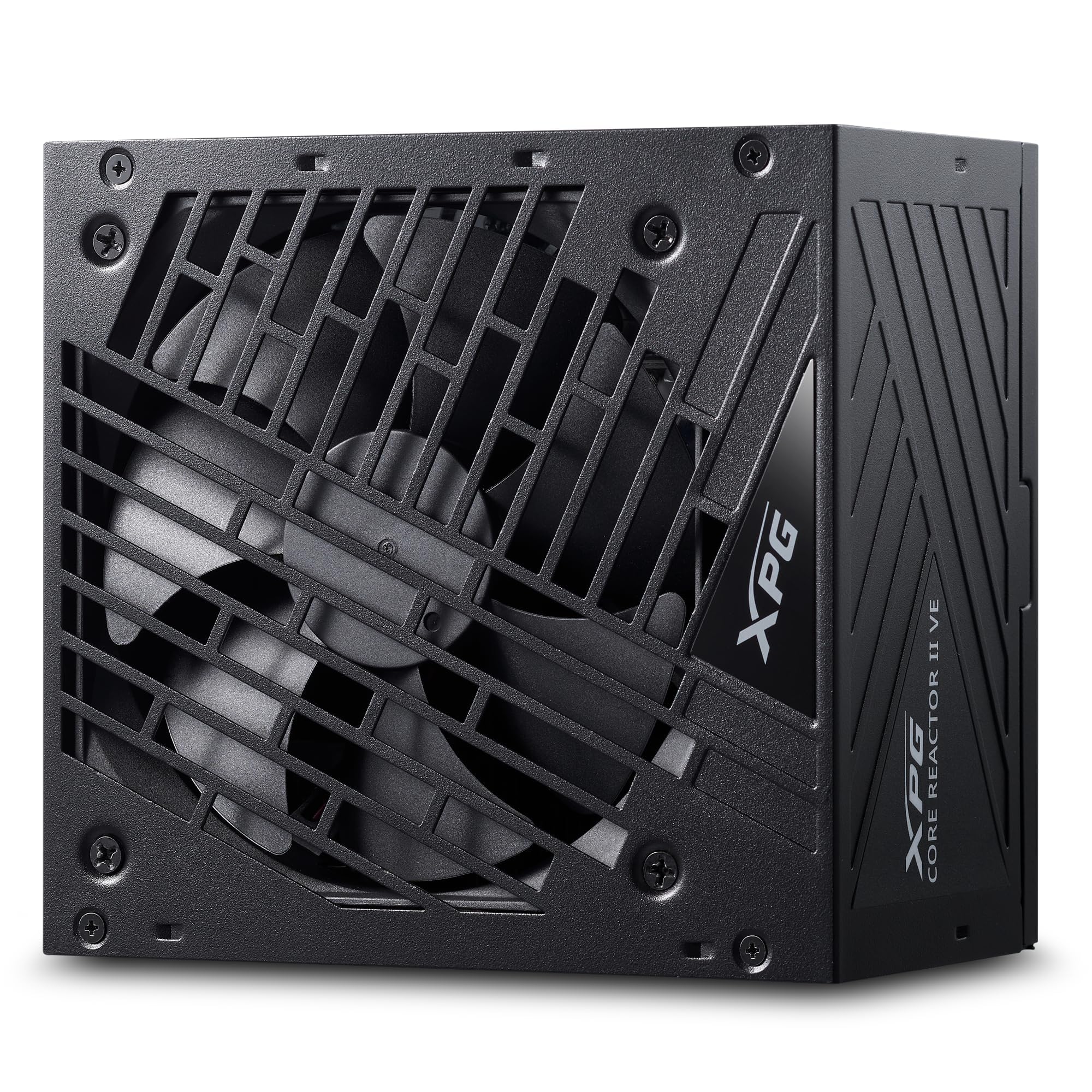
Figure 1: Top-down view of the XPG Core Reactor II VE 650W Power Supply, showcasing its fan grille and compact design.
2. Setup and Installation
Before beginning installation, ensure your computer is powered off and unplugged from the wall outlet. Refer to your PC case and motherboard manuals for specific installation instructions.
2.1 Unpacking and Inspection
Carefully remove the power supply and all accessories from the packaging. Verify that all components listed in the package contents are present and undamaged.

Figure 2: The XPG Core Reactor II VE 650W Power Supply and its modular cables, neatly organized within the product packaging.
2.2 Mounting the Power Supply
- Position the power supply in the designated PSU bay of your PC case. Ensure the fan is oriented correctly for optimal airflow (typically facing downwards if your case has a bottom vent, or upwards if not).
- Secure the power supply to the case using the provided mounting screws.
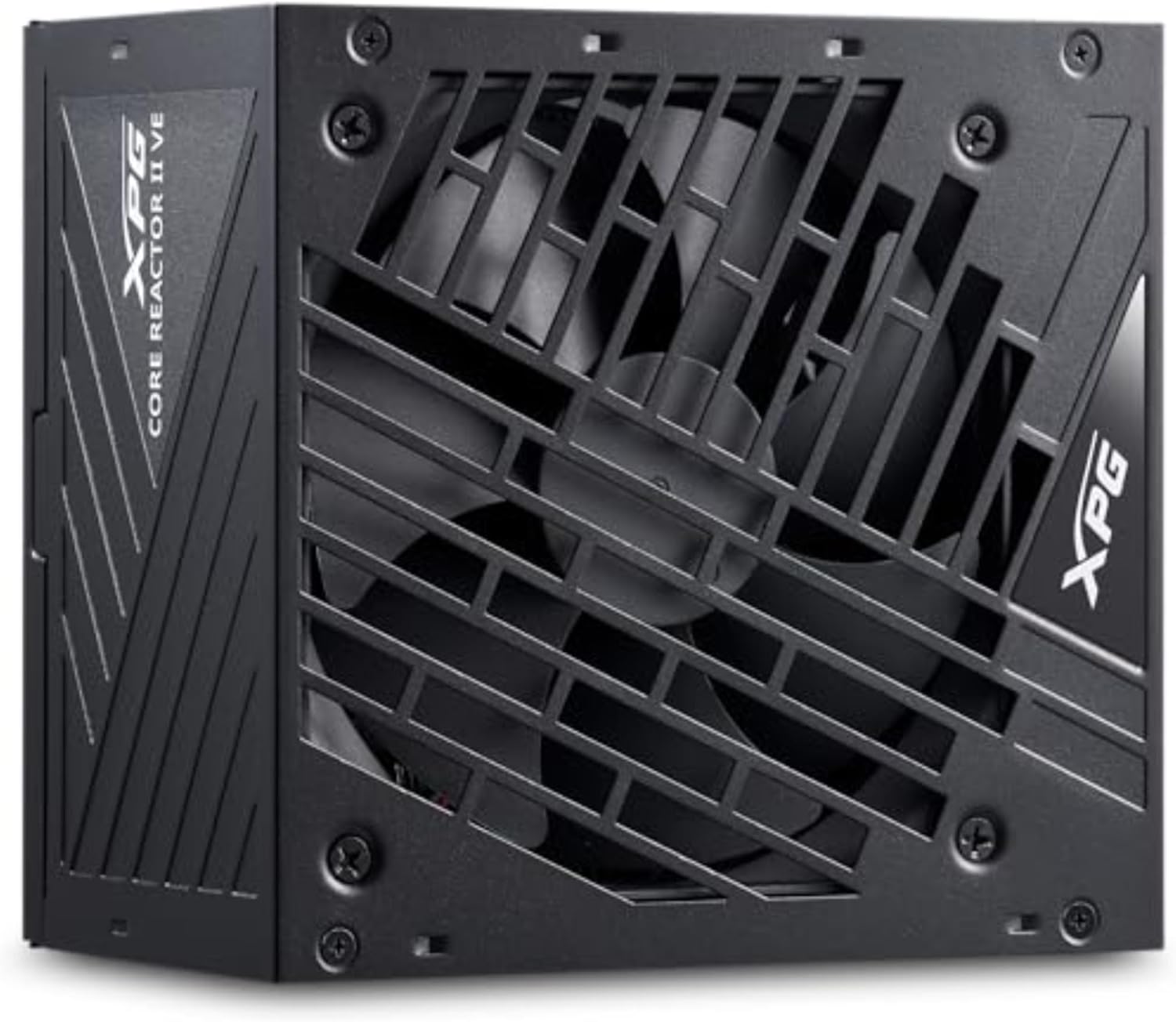
Figure 3: Side view of the XPG Core Reactor II VE 650W Power Supply, showing its compact form factor suitable for various PC cases.
2.3 Connecting Modular Cables
The XPG Core Reactor II VE is a fully modular power supply, allowing you to connect only the cables necessary for your components. This helps improve airflow and cable management within your PC case.

Figure 4: Clearly labeled modular ports on the XPG Core Reactor II VE 650W Power Supply for CPU, VGA, Motherboard, 12VHPWR, SATA, and Molex connections.
- Motherboard Power: Connect the 24-pin ATX cable to the motherboard.
- CPU Power: Connect the 4+4-pin or 8-pin EPS12V cable(s) to your motherboard's CPU power connector(s).
- GPU Power: For modern graphics cards, use the dedicated 12V-2x6 cable. For older or less power-intensive GPUs, use the appropriate 6+2-pin PCIe cables. Ensure all GPU power connectors are fully seated.
- SATA/Molex Power: Connect SATA power cables to SSDs, HDDs, and other SATA-powered devices. Use Molex cables for compatible peripherals if needed.
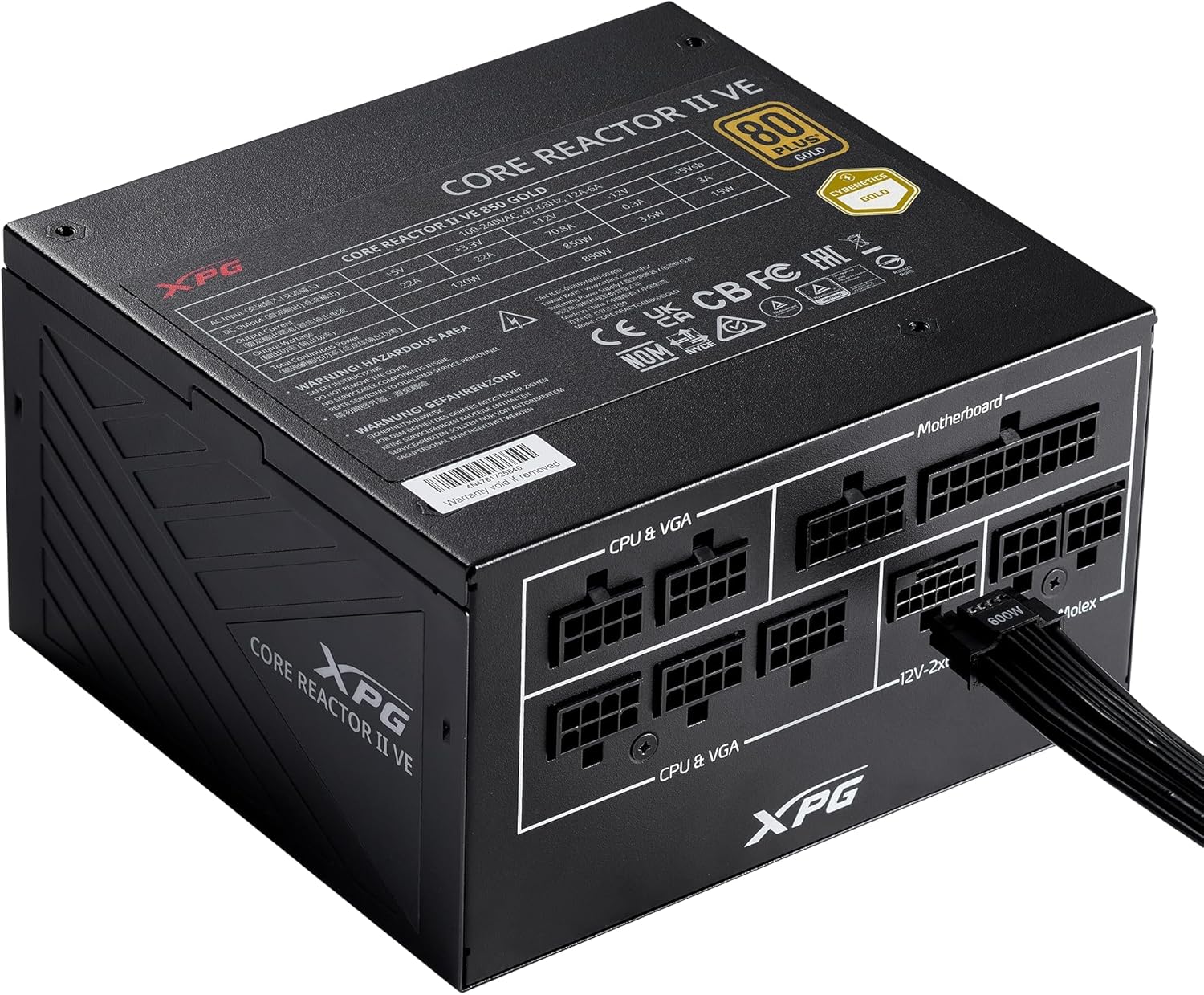
Figure 5: A 12VHPWR cable securely connected to the XPG Core Reactor II VE 650W Power Supply, ready to power a high-performance graphics card.
3. Operating Instructions
Once all connections are secure, plug the main power cord into the power supply and a wall outlet. Flip the power switch on the back of the PSU to the 'ON' position.
3.1 Fan Operation
The XPG Core Reactor II VE features an FDB (Fluid Dynamic Bearing) fan with intelligent fan control. This system is designed to optimize cooling performance while minimizing noise. The fan may operate in a semi-passive mode, meaning it will not spin at low loads to ensure silent operation. It will automatically activate and adjust its speed as the system load and temperature increase.
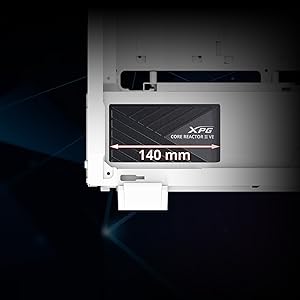
Figure 6: The compact 140mm length of the XPG Core Reactor II VE 650W Power Supply, indicating its compatibility with various PC case sizes.
4. Maintenance
Regular maintenance helps ensure the longevity and optimal performance of your power supply.
- Dust Cleaning: Periodically clean dust from the power supply's fan grille and internal components using compressed air. Ensure the PC is powered off and unplugged before cleaning.
- Cable Management: Ensure cables are neatly routed and do not obstruct airflow within the PC case.
- Ventilation: Maintain adequate ventilation around your PC to prevent overheating of the power supply and other components.
5. Troubleshooting
If you encounter issues with your power supply, refer to the following common troubleshooting steps:
- No Power:
- Ensure the main power cable is securely plugged into both the PSU and the wall outlet.
- Verify the power switch on the back of the PSU is in the 'ON' position.
- Check all modular cable connections to the PSU and components (motherboard, CPU, GPU, etc.) are fully seated.
- Test the wall outlet with another device to confirm it has power.
- System Instability/Random Reboots:
- This can sometimes indicate an issue with power delivery. Ensure all power connections are firm.
- Check for any "Event ID 41" errors in your operating system's event viewer, which can point to unexpected shutdowns related to power.
- Verify that your power supply wattage is sufficient for all your system components, especially high-power GPUs and CPUs.
- Excessive Noise:
- The FDB fan is designed for quiet operation. If you notice unusual noise, ensure no cables are obstructing the fan.
- Dust buildup can cause fan noise; clean the fan and grille as described in the Maintenance section.
If problems persist after following these steps, contact XPG customer support for further assistance.
6. Specifications
| Feature | Detail |
|---|---|
| Model Name | XPG CORE Reactor II VE |
| Item Model Number | COREREACTORIIVE650G-BKCUS |
| Output Wattage | 650 Watts |
| Efficiency Certification | 80 PLUS GOLD, CYBENETICS GOLD |
| ATX Compliance | ATX 3.0/3.1 Compliant |
| GPU Cable | 12VHPWR Cable Included |
| Form Factor | ATX |
| Cooling Method | Air (FDB fan with intelligent control) |
| Product Dimensions (L x W x H) | 5.86 x 5.9 x 3.38 inches |
| Item Weight | 5.07 pounds |
| Protection Mechanisms | OPP, OVP, SIP, SCP, UVP, OCP, OTP, NLO |
Figure 7: Detailed specifications of the XPG Core Reactor II VE 650W Power Supply.
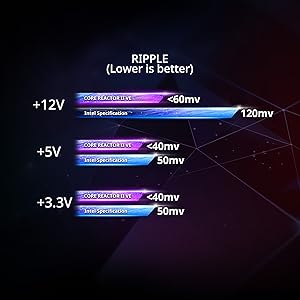
Figure 8: Ripple voltage comparison for +12V, +5V, and +3.3V rails, showing the XPG Core Reactor II VE's performance below Intel specifications.
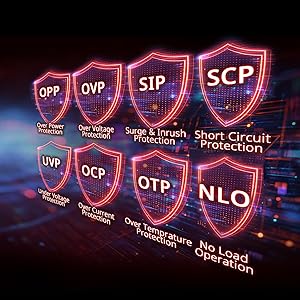
Figure 9: Visual representation of the comprehensive protection mechanisms integrated into the power supply, including Over Power Protection (OPP), Over Voltage Protection (OVP), Surge & Inrush Protection (SIP), Short Circuit Protection (SCP), Under Voltage Protection (UVP), Over Current Protection (OCP), Over Temperature Protection (OTP), and No Load Operation (NLO).
7. Warranty and Support
The XPG Core Reactor II VE 650W Power Supply comes with a 10-year warranty, ensuring long-term reliability and peace of mind. For technical support, warranty claims, or any product-related inquiries, please visit the official XPG website or contact their customer service department.
Online Resources: www.xpg.com
Related documentsCOREREACTORIIVE650G-BKCUS


Ask a question about this manual
Ask about setup, troubleshooting, compatibility, parts, safety, or missing instructions. Manuals+ will review the question and use this page’s manual context to help answer it.