
1. Introduction
The MikroTik NetBox 5 ax is a powerful dual-chain outdoor device designed for various networking roles, including Access Point (AP), Customer Premises Equipment (CPE), and Point-to-Point links. It features a strong 5 GHz Wi-Fi 6 radio with RP-SMA connectors for external antennas, a modern Qualcomm Maple CPU based on ARM architecture, 256 MB of RAM, a USB port, and a Gigabit Ethernet port with PoE-in. The device is housed in a durable, weatherproof enclosure designed for easy access and installation.
2. What's in the Box
The following components are included with your MikroTik NetBox 5 ax:
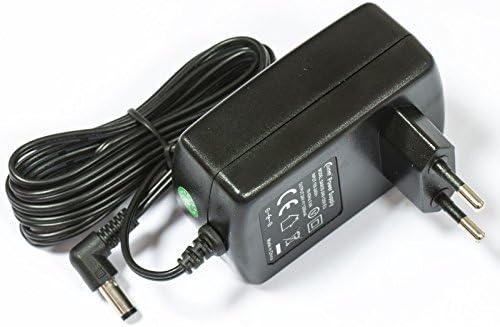
- 24V 1.2A power adapter
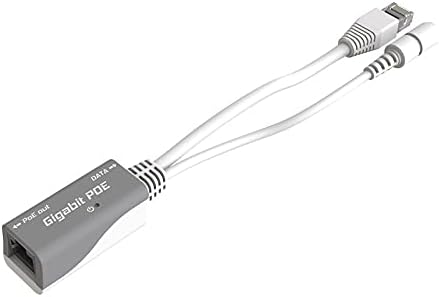
- Gigabit PoE injector
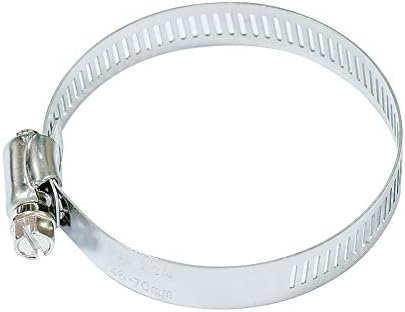
- Hose clamp 1
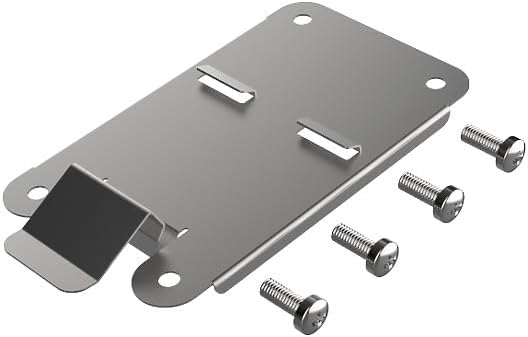
- DIN mount (K-27)
3. Setup
Follow these steps to set up your NetBox 5 ax device:
- Mounting: The device can be mounted on a pole using the provided hose clamp or on a DIN rail using the K-27 mount. The case is designed for effortless one-hand opening to access ports.
- Power Connection: Connect the Gigabit Ethernet port to the provided PoE injector. The PoE injector will supply both power and data to the device. Alternatively, the device can be powered via the DC jack.
- Antenna Connection: Attach your desired 5 GHz external antennas to the RP-SMA connectors. The NetBox 5 ax is conectorized, allowing flexibility in antenna choice for various applications (e.g., omnidirectional AP, long-range point-to-point).
- Network Connection: Connect the PoE injector to your network infrastructure (e.g., router, switch) using an Ethernet cable.
- Initial Configuration: Access the device's RouterOS v7 interface via a web browser or WinBox for initial configuration. Refer to the RouterOS documentation for detailed instructions on setting up AP, CPE, or point-to-point modes.


4. Operating
The NetBox 5 ax is versatile and can operate in several modes:
- Access Point (AP): When configured as an AP, the device provides Wi-Fi 6 connectivity in the 5 GHz band. By adding an appropriate omnidirectional antenna (e.g., HGO-antenna-OUT), it can serve as an excellent outdoor AP.
- Customer Premises Equipment (CPE): In CPE mode, the device acts as a client to connect to a remote AP, extending network access to your location.
- Point-to-Point (PtP): For long-range wireless links, two NetBox 5 ax devices can be configured for point-to-point communication. Using a high-gain directional antenna (e.g., mANT30 PA antenna), it can establish links up to 30 kilometers, providing a robust connection between two distant locations.
The device runs on RouterOS v7, offering advanced routing, firewall, QoS, and other network management features. The integrated beeper can be configured for various alarms or creative outputs.
5. Maintenance
The NetBox 5 ax features a durable outdoor enclosure designed to withstand various environmental conditions. Regular maintenance includes:
- Physical Inspection: Periodically check the device and its connections for any signs of wear, damage, or loose fittings. Ensure the enclosure is securely closed to maintain its weatherproof integrity.
- Software Updates: Keep the RouterOS v7 firmware updated to ensure optimal performance, security, and access to the latest features. Refer to the MikroTik website for update procedures.
- Cleaning: Gently clean the exterior of the device with a soft, dry cloth. Avoid using harsh chemicals or abrasive materials that could damage the enclosure.
6. Troubleshooting
If you encounter issues with your NetBox 5 ax, consider the following troubleshooting steps:
- Power Check: Verify that the device is receiving power. Check the power adapter and PoE injector connections. The device has indicator lights (PWR, USR, ETH) that can provide status information.
- Ethernet Connection: Ensure the Ethernet cable is securely connected to both the device and your network equipment. Check for link activity lights on the Ethernet port.
- Antenna Connection: Confirm that external antennas are properly connected to the RP-SMA ports. Loose connections can significantly degrade wireless performance.
- Reset Button: If the device is unresponsive or you need to restore factory defaults, locate the reset button (visible when the case is open) and follow the MikroTik reset procedure (usually holding it during power-up).
- RouterOS Interface: Access the RouterOS v7 web interface or WinBox to check device status, logs, and configuration settings. Many issues can be diagnosed and resolved through the software interface.
- Beeper Alarms: Pay attention to any beeper sounds, as they may indicate specific system events or errors. Consult the RouterOS documentation for beeper code interpretations.
7. Specifications
| Feature | Detail |
|---|---|
| Brand | MikroTik |
| Model Name | L11UG-5HAXD-NB-US |
| Special Feature | RouterOS v7 |
| Frequency Band Class | Dual-Band |
| Wireless Communication Standard | 802.11ax (Wi-Fi 6) |
| Compatible Devices | Compact Outdoor Wi-fi |
| Recommended Uses | Business |
| Connectivity Technology | Ethernet |
| Color | Multicolor |
| Operating System | RouterOS v7 |
| Security Protocol | WPA2, WPA3 |
| Number of Ports | 1 (Gigabit Ethernet with PoE-in) |
| LAN Port Bandwidth | 1000 Mbps |
| Maximum Upstream Data Transfer Rate | 1000 Megabits Per Second |
| RAM Memory Installed | 256 MB |
| Number of Antennas | 2 (external, conectorized) |
| Is Modem Compatible | Yes |
| Coverage | Long-range |
| Frequency | 800 MHz (CPU) |
| Item Weight | 2 Pounds |
8. Warranty
The MikroTik NetBox 5 ax comes with a 3-year manufacturer warranty. Please retain your proof of purchase for warranty claims. For detailed terms and conditions, refer to the official MikroTik warranty policy or contact MikroTik support.
9. Support
For further assistance, technical support, or to download the latest RouterOS firmware and documentation, please visit the official MikroTik website:
You may also contact your authorized MikroTik distributor for local support.
