
1. Introduction
Thank you for choosing the Anker Soundcore Boom 2 Plus Outdoor Speaker. This manual provides essential information for setting up, operating, and maintaining your device. Please read it carefully before use and retain it for future reference.

Image 1.1: Anker Soundcore Boom 2 Plus (right) and Soundcore Mini (left) speakers.
2. Safety Information
- Do not expose the speaker to extreme temperatures or direct sunlight for prolonged periods.
- Avoid dropping or subjecting the speaker to strong impacts.
- Keep the speaker away from medical devices, as it contains magnets.
- Use only certified chargers and cables for charging.
- Ensure all port covers are securely closed when near water to maintain water resistance.
3. Package Contents
Verify that all items are present in your package:
- Soundcore Boom 2 Plus Outdoor Speaker
- USB-C to USB-C Charging Cable
- Shoulder Strap
- Quick Start Guide (this manual)
4. Product Overview
The Soundcore Boom 2 Plus features a robust design with integrated controls and ports for versatile use.
4.1. Components and Controls

Image 4.1: Internal speaker components including dual 50W woofers, dual 20W tweeters, and passive radiators with light show.
- Carry Handle: For easy portability.
- Speaker Grille: Protects the main drivers.
- Passive Radiators with Light Show: Located on both ends, providing enhanced bass and customizable RGB lighting.
- Control Buttons (Top Panel): Power, Bluetooth, Volume Up/Down, Play/Pause, BassUp, Light Mode, PartyCast.
- Rubberized Port Cover (Rear): Protects charging and auxiliary ports.

Image 4.2: Rear ports including USB-C for charging, USB-A for power bank function, and AUX input.
- USB-C Charging Port: For charging the speaker.
- USB-A Output Port: Functions as a power bank to charge other devices.
- AUX Input: For wired audio connection.
5. Setup
5.1. Charging the Speaker
Before first use, fully charge your Soundcore Boom 2 Plus. Connect the provided USB-C cable to the speaker's USB-C port and a compatible 30W charger (not included). A full charge takes approximately 3 hours.
5.2. Bluetooth Pairing
- Power on the speaker by pressing the Power button. The Bluetooth indicator will flash blue.
- On your mobile device, enable Bluetooth and search for 'Soundcore Boom 2 Plus'.
- Select the speaker to pair. Once connected, the Bluetooth indicator will turn solid blue.
5.3. PartyCast (Connecting Multiple Speakers)
To connect multiple Soundcore PartyCast-compatible speakers for synchronized audio:
- Connect one Soundcore Boom 2 Plus speaker to your device via Bluetooth (this will be the primary speaker).
- Power on the secondary Soundcore PartyCast-compatible speakers.
- On the primary speaker, press the PartyCast button. The PartyCast indicator will flash white.
- On the secondary speakers, press the PartyCast button. They will automatically connect to the primary speaker.
5.4. Soundcore App
Download the Soundcore app from your device's app store to unlock additional features and customization options, including:
- Equalizer settings for personalized audio.
- Customizing light effects and brightness.
- Checking battery status.
- Firmware updates.
6. Operating
6.1. Power On/Off
- Press the Power button once to turn the speaker on.
- Press and hold the Power button for 2 seconds to turn the speaker off.
6.2. Volume Control
- Press the Volume Up (+) button to increase volume.
- Press the Volume Down (-) button to decrease volume.
6.3. Playback Control
- Press the Play/Pause button once to play or pause music.
- Double-press the Play/Pause button to skip to the next track.
- Triple-press the Play/Pause button to go to the previous track.
6.4. BassUp 2.0 Feature
Activate BassUp 2.0 for enhanced bass performance. This feature boosts output from 100W to 140W max.
- Press the BassUp button once to toggle BassUp 2.0 on or off.

Image 6.1: Experience powerful bass with BassUp 2.0 technology.

Image 6.2: Engineered for robust bass and powerful sound.
6.5. Light Modes
The Soundcore Boom 2 Plus features beat-synced colorful light shows on its passive radiators.
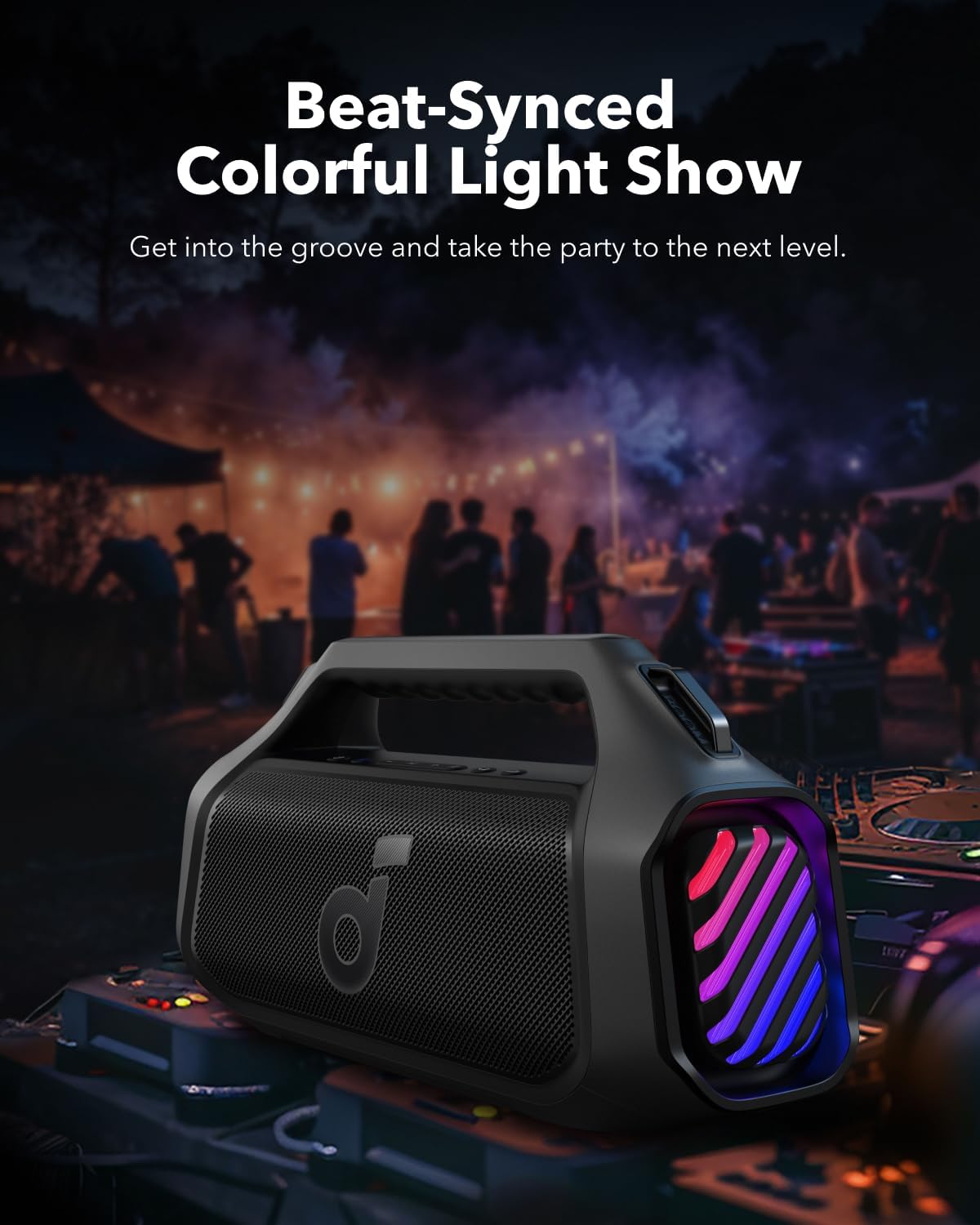
Image 6.3: Beat-synced colorful light show enhances the listening experience.
- Press the Light button once to cycle through different light modes.
- Double-press the Light button to turn the lights off.
6.6. Power Bank Function
The speaker can charge other devices via its built-in power bank function.
- Connect your device to the speaker's USB-A output port using a compatible cable.
- The speaker will provide a 10W charge to your device.
6.7. Water Resistance
The Soundcore Boom 2 Plus is designed with IPX7 water resistance, making it suitable for outdoor use and protection against submersion in water up to 1 meter for 30 minutes. Ensure the rubberized port cover is securely closed before exposure to water.
7. Maintenance
7.1. Cleaning
- Wipe the speaker with a soft, damp cloth.
- Do not use any corrosive cleaners or chemicals.
- Ensure the speaker is completely dry before charging or using ports.
7.2. Storage
- Store the speaker in a cool, dry place away from extreme temperatures.
- If storing for an extended period, charge the battery every 3 months to prolong its lifespan.
8. Troubleshooting
- No Power: Ensure the speaker is charged. Connect to a power source and try again.
- Cannot Pair Bluetooth: Make sure the speaker is in pairing mode (Bluetooth indicator flashing blue). Check your device's Bluetooth settings and try reconnecting. If issues persist, try forgetting the device on your phone and re-pairing.
- Poor Sound Quality: Ensure the speaker is within Bluetooth range (up to 10 meters/33 feet). Check for obstructions between the speaker and your device. Adjust the equalizer settings in the Soundcore app.
- Lights Not Working: Check the light mode settings via the Light button or the Soundcore app. Ensure the battery level is sufficient.
- PartyCast Not Connecting: Ensure all speakers are Soundcore PartyCast-compatible. Follow the PartyCast pairing instructions carefully.
9. Specifications
| Feature | Specification |
|---|---|
| Model Name | Boom 2 Plus |
| Speaker Type | Outdoor |
| Speaker Maximum Output Power | 140 Watts |
| Surround Sound Channel Configuration | 2.2 |
| Wireless Communication Technology | Bluetooth |
| Power Source | Battery Powered |
| Battery Playtime | Up to 20 Hours (Varies with volume and content) |
| Charging Time | 3 Hours (with 30W charger) |
| Power Bank Output | 10W |
| Waterproof Rating | IPX7 |
| Control Method | Touch |
| Material | Metal, Plastic |
10. Warranty and Support
Anker provides a limited warranty for this product. For detailed warranty information, please refer to the warranty card included in your package or visit the official Anker website.
10.1. Customer Support
If you encounter any issues or have questions regarding your Soundcore Boom 2 Plus, please contact Anker customer support through:
- The Soundcore App
- The official Anker website support section
- Email or phone support (details available on the Anker website)


