
BILLCONCH B2
BILLCONCH Biometric Pistol Safe Instruction Manual
Model: B2
1. Introduction
Thank you for choosing the BILLCONCH Biometric Pistol Safe. This safe is designed to provide secure storage for your handgun and other valuables, offering multiple quick access methods for enhanced safety and convenience. Please read this manual thoroughly before operating the safe to ensure proper setup and usage.
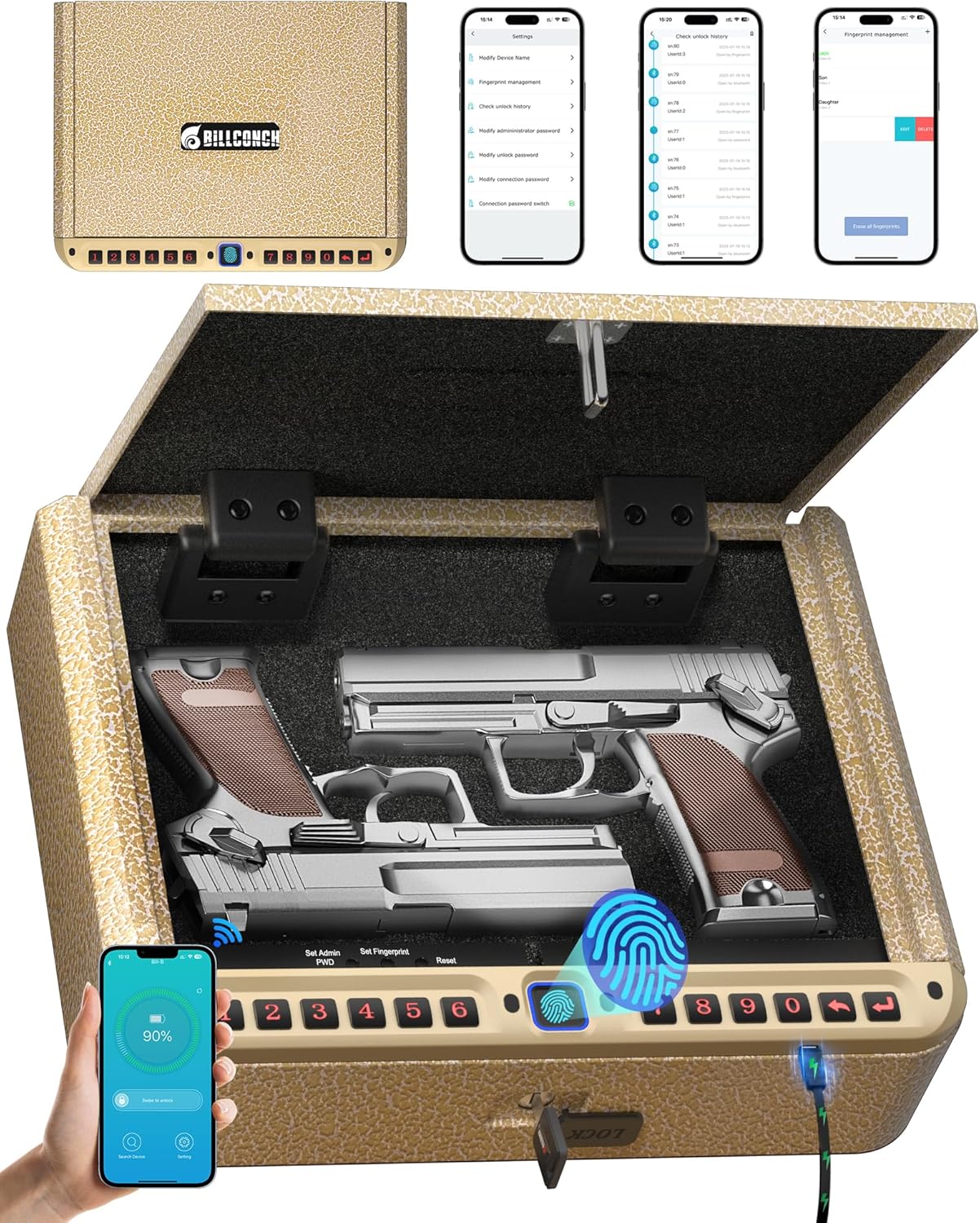
Figure 1: BILLCONCH Biometric Pistol Safe (Model B2) with its key features.
2. Key Features
- Convenient App Operation: Connect via phone APP to unlock with one click, check battery, manage up to 40 fingerprints, and view unlocking records. Administrator, unlocking, and connection passwords can be changed via the app.
- USB Charging & Mute: Features a 2200mAh large-capacity battery with low-power consumption chip. Includes an external USB charging port and low battery reminder. Silent mode is available, and LED lighting assists in dark environments.
- 4 Fast Unlock Methods: Quick access via fingerprint, PIN, APP, and key. High-resolution fingerprint scanning allows 1-second unlock. Numeric keys 1-9 diversify passwords.
- Portable & Spacious Capacity: Compact design (10.82"x8.66"x2.75" exterior, 10.62"x5.84"x2.55" interior) can store 1 large handgun or 2 standard-size handguns, plus other valuables. Ideal for nightstand, drawer, or car.
- Premium Materials & Excellent Design: Constructed from sturdy hard carbon steel with a 4-layer coating for corrosion and oxidation resistance. Unique hinge design ensures quick opening, avoiding slow hydraulic lever defects. Double U-lock design with security cable prevents prying and stealing. Built-in ESD-Safe Sponge protects contents.

Figure 2: Convenient APP Control for managing your safe.

Figure 3: Versatile placement options for the safe.
3. Setup
3.1 Initial Power-Up and Charging
The safe comes with a 2200mAh lithium-ion battery. Before first use, ensure the safe is fully charged using the provided USB charging cable. The external USB charging port allows for convenient charging at any time.
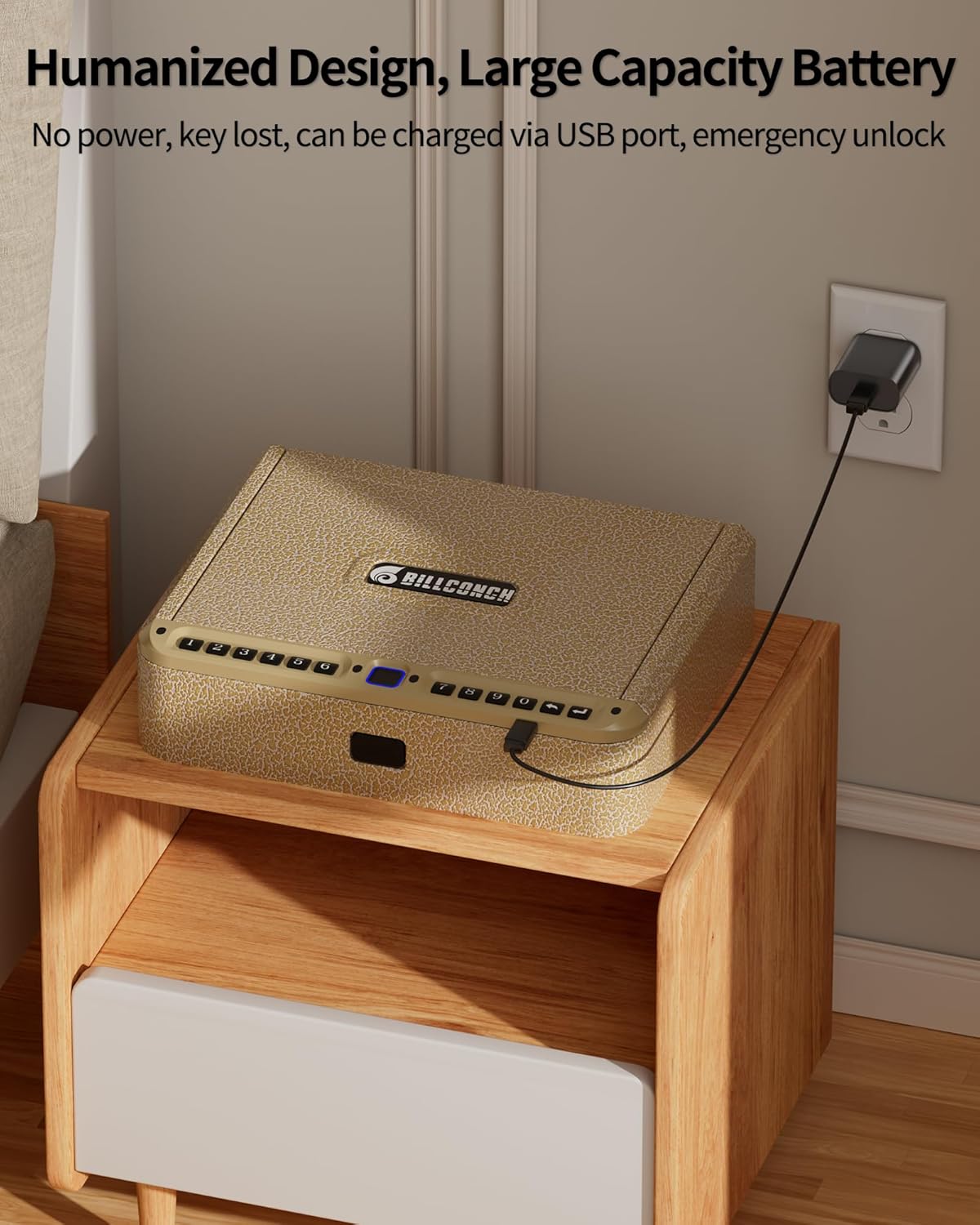
Figure 4: Charging the safe via USB port.
3.2 Setting Up Fingerprints
The safe supports up to 40 unique fingerprints. Follow the on-screen prompts or app instructions to register your fingerprints. Ensure your finger covers the sensor completely for accurate registration.

Figure 5: High-resolution fingerprint scanner for quick access.
3.3 Setting Up PIN Code
You can set a numeric PIN code using the keypad (numbers 0-9). Refer to the safe's internal controls or the app for detailed steps on setting and changing your PIN. It is recommended to use a strong, unique PIN.
3.4 App Connection
Download the BILLCONCH app from your device's app store. Follow the in-app instructions to pair your smartphone with the safe via Bluetooth. The app allows for remote unlocking (short-range), battery monitoring, and management of access credentials.

Figure 6: Easily connect to the BILLCONCH App for smart management.
3.5 Securing the Safe
The safe includes a security cable to prevent unauthorized removal. Attach the cable to the designated port on the safe and secure the other end to a fixed object. This adds an extra layer of security against theft.

Figure 7: Safe equipped with a security cable for added security.
4. Operating the Safe
The BILLCONCH safe offers four convenient methods for quick access:

Figure 8: Four quick access methods for your gun safe.
4.1 Fingerprint Unlock
Place your registered finger on the biometric scanner. The safe will unlock in approximately 1 second if the fingerprint is recognized.
4.2 PIN Code Unlock
Enter your pre-set numeric PIN code using the keypad. The safe will unlock upon correct entry.
4.3 APP Unlock
Open the BILLCONCH app on your paired smartphone. Slide the screen or tap the unlock button within the app to open the safe remotely (within Bluetooth range).
4.4 Key Unlock
In case of battery depletion or electronic failure, use one of the two provided physical keys to manually unlock the safe.

Figure 9: Two spare keys ensure access despite battery drain or electronic failure.
4.5 Silent Mode and LED Lighting
The safe features a silent mode for discreet operation, which can be toggled via the app or internal controls. Built-in LED lighting illuminates the interior when the safe is opened, making it easier to access items in low-light conditions.

Figure 10: Silent mode and LED light features for discreet and convenient use.
5. Maintenance
5.1 Battery Management
Regularly check the battery level via the app or the safe's indicators. Recharge the safe when the low battery reminder activates to ensure continuous functionality. The low-power consumption chip extends battery life.

Figure 11: Power Consumption Comparison Chart highlighting extended battery life.
5.2 Cleaning and Care
Wipe the exterior of the safe with a soft, dry cloth. Avoid using abrasive cleaners or solvents. The interior ESD-Safe Sponge should be kept clean and free of debris to protect your valuables.
6. Troubleshooting
- Keypad Not Activating by Default: If the keypad does not immediately activate, attempt a fingerprint scan. After a failed fingerprint scan, the keypad should become active, allowing you to enter your PIN.
- Safe Not Opening with Fingerprint/PIN: Ensure your finger is clean and dry when using the fingerprint scanner. Double-check your PIN entry. If issues persist, try using the app unlock or the physical key.
- Low Battery Indication: Recharge the safe immediately using the USB charging port. If the battery is completely depleted, use the physical key for access.
- App Connectivity Issues: Ensure Bluetooth is enabled on your smartphone and the safe is within range. Try restarting the app or re-pairing the device if necessary.
7. Specifications
| Feature | Description |
|---|---|
| Brand | BILLCONCH |
| Model Number | B2 |
| Product Dimensions (Exterior) | 10.82"W x 8.6"D x 2.75"H |
| Chamber Dimensions (Interior) | 10.62"W x 6.61"D x 2.55"H |
| Lock Type | Biometric (Fingerprint), Digital Keypad, APP, Key |
| Color | Gold |
| Material | Carbon Steel |
| Special Feature | Portable, LED Lighting, Silent Mode |
| Mounting Type | Freestanding, Tabletop |
| Included Components | Keys, Security Cable |
| Alarm | Anti-theft |
| Water Resistance Level | Not Water Resistant |
| Item Weight | 6.82 pounds |
| Batteries | 1 Lithium Ion battery (included) |

Figure 12: Dimensions and capacity of the safe.
8. Warranty & Support
BILLCONCH is committed to providing top-notch intelligent gun safes. We offer comprehensive support for our products:
- 365-Day Warranty Period: If you are not satisfied with the product quality or results, contact us through Amazon within 365 days for service, including refunds or replacements.
- 30-Day Money-Back & Replacement: Specific policy for initial satisfaction.
- Quick Response: Our team aims to respond to inquiries within 8 hours.
- Lifelong After-Sales Service: Dedicated support for all customers.
For assistance, please contact BILLCONCH customer service through the Amazon platform.

Figure 13: Emphasizing child safety through proper gun storage.
Related documentsB2


Ask a question about this manual
Ask about setup, troubleshooting, compatibility, parts, safety, or missing instructions. Manuals+ will review the question and use this page’s manual context to help answer it.