1. Product Overview
The N-GEN GAMING Video Gaming Chair is designed for extended comfort and support during gaming sessions or office work. It features an ergonomic racing design, adjustable components, and durable construction to enhance your seating experience.
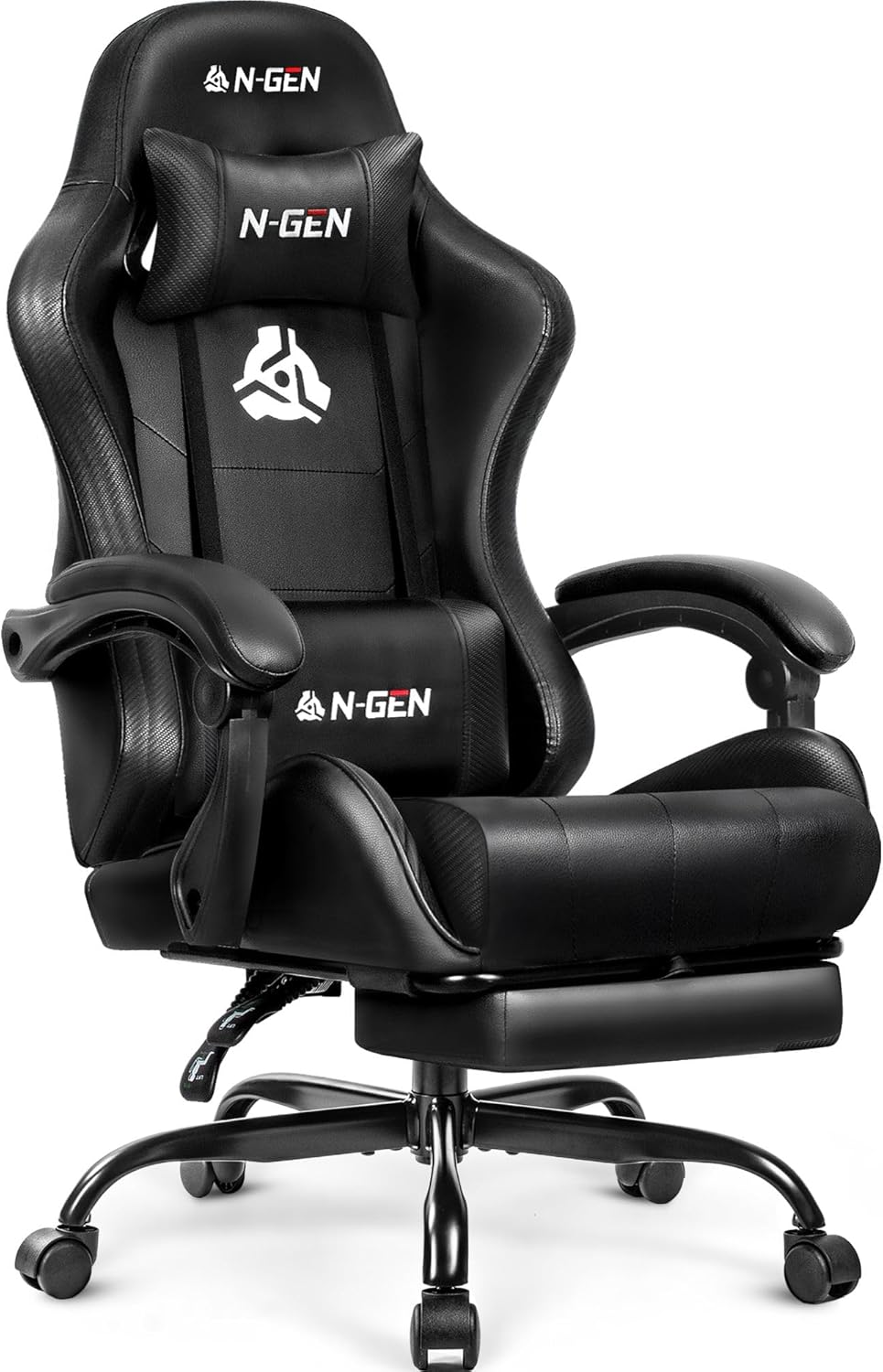
Figure 1.1: Front view of the N-GEN GAMING Video Gaming Chair.
Key Features:
- Racing Style Design: High-back ergonomic design suitable for prolonged use.
- Ergonomic Support: Includes a removable headrest, lower back pillow, and a pull-out footrest for pressure reduction and posture support.
- Quality Materials: Constructed with high-density foam cushions and breathable PU leather for comfort and durability.
- Adjustable Comfort: Features linkage armrests, height adjustment via an SGS-certified gas lift (supports up to 300 lbs), 360° swivel, and smooth-rolling wheels.
- Durable Build: Equipped with a heavy-duty steel base and FSC-certified wood for inner cushion support, ensuring stability and longevity.
2. Setup and Assembly
Carefully unpack all components and ensure all parts are present before beginning assembly. An Allen wrench is typically included for assembly. It is recommended to assemble the chair on a soft, clean surface to prevent scratches.
Assembly Steps:
- Attach Casters to Base: Insert the five casters into the holes at the end of each leg of the chair base.
- Insert Gas Lift: Place the gas lift cylinder into the center hole of the assembled base.
- Assemble Seat and Backrest: Secure the backrest to the seat cushion using the provided screws and brackets. Ensure all connections are firm.
- Attach Armrests: Fasten the armrests to the seat and backrest assembly.
- Install Mechanism Plate: Attach the multi-functional tilt mechanism plate to the underside of the seat cushion.
- Connect Seat to Gas Lift: Carefully place the assembled seat onto the gas lift cylinder, ensuring it is securely seated.
- Attach Lumbar and Headrest Pillows: Position the lumbar support pillow and headrest pillow as desired.

Figure 2.1: Chair dimensions for assembly planning.
3. Operating Instructions
The N-GEN GAMING chair offers several adjustable features to customize your comfort and support.
Adjustable Features:
- Height Adjustment: Use the lever located under the seat on the right side to raise or lower the chair. Pull the lever up while seated to lower, or pull up while standing to raise.
- Recline Function: Pull the recline lever (typically on the left side) to adjust the backrest angle. Release the lever to lock the backrest in your desired position. The chair can recline significantly for relaxation.
- Tilt Tension Adjustment: Rotate the knob located under the front of the seat to adjust the tension of the chair's tilt. Turn clockwise to increase tension (making it harder to tilt) and counter-clockwise to decrease tension (making it easier to tilt).
- Retractable Footrest: Pull the footrest out from under the seat when desired. Push it back in when not in use.
- Lumbar and Headrest Pillows: These pillows are removable and can be adjusted vertically along the chair's straps to provide optimal support for your lower back and neck.
- 360° Swivel: The chair base allows for full 360-degree rotation.

Figure 3.1: Overview of adjustable features.
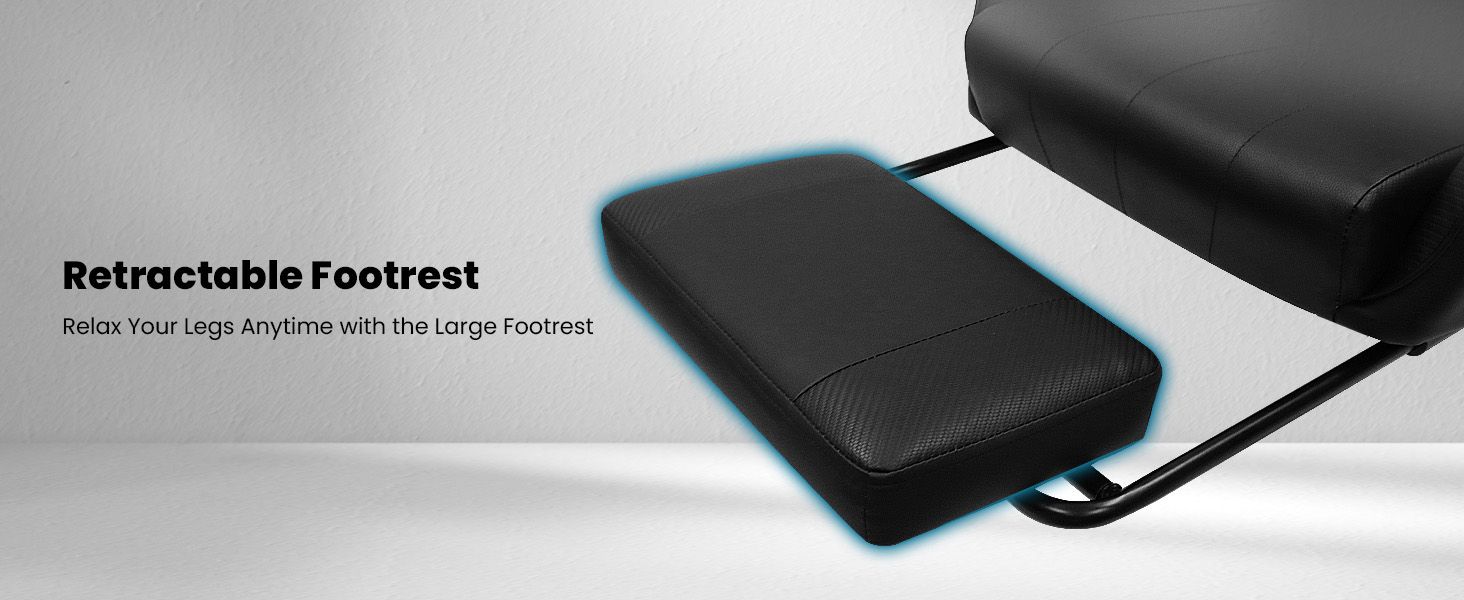
Figure 3.2: Retractable footrest for leg support.
4. Maintenance and Care
Proper care will extend the life and appearance of your N-GEN GAMING chair.
Cleaning Instructions:
- General Cleaning: Wipe clean with a damp cloth. For best results, use a soft cloth slightly dampened with water.
- Leather Care: For the PU leather surfaces, avoid harsh chemicals or abrasive cleaners. A mild soap solution can be used for stubborn spots, followed by wiping with a clean, dry cloth.
- Frame and Base: Clean the steel base and casters with a damp cloth. Ensure no moisture remains to prevent rust.
General Maintenance:
- Check Fasteners: Periodically check all screws and bolts to ensure they are tight. Re-tighten if necessary to maintain stability.
- Caster Cleaning: Remove any hair or debris that may accumulate around the casters to ensure smooth rolling.
5. Troubleshooting
This section addresses common issues you might encounter with your gaming chair.
Common Issues and Solutions:
- Chair Sinks or Does Not Hold Height: This typically indicates an issue with the gas lift cylinder. Ensure the height adjustment lever is fully disengaged. If the problem persists, the gas lift may need replacement.
- Chair Wobbles or Feels Unstable: Check all assembly screws and bolts. Tighten any loose fasteners. Ensure the chair is on a flat, even surface.
- Casters Not Rolling Smoothly: Inspect casters for trapped debris (hair, lint, etc.). Clean them thoroughly. If casters are damaged, they may need replacement.
- Squeaking Noises: Apply a small amount of silicone-based lubricant to moving parts, such as the tilt mechanism or where the gas lift meets the base. Avoid oil-based lubricants on plastic parts.
- Armrests Feel Loose: Check the screws securing the armrests to the chair. Tighten them if they are loose.
6. Specifications
Detailed technical specifications for the N-GEN GAMING Video Gaming Chair.
| Feature | Specification |
|---|---|
| Brand | N-GEN GAMING |
| Model Name | Video Gaming Chair (Computer Gaming Chair) |
| Color | Leather Black |
| Product Dimensions | 27.5"D x 24.5"W x 50"H |
| Maximum Weight Recommendation | 300 Pounds |
| Material | PU Leather, High-Density Foam, Steel Base, FSC-certified Wood |
| Special Features | Adjustable Height, Adjustable Lumbar, Arm Rest, Ergonomic, Rolling, Retractable Footrest |
| Back Style | Cushion Back |
| Arm Style | With arms (Linkage Armrests) |
| Furniture Base Movement | Swivel |
| Seat Depth | 21 inches |
| Seat Length | 21 Inches |
| Chair Backrest Width | 21 Inches |
| Item Weight | 36 pounds |
| Date First Available | June 21, 2024 |

Figure 6.1: Durability components of the chair.
7. Warranty and Support
N-GEN GAMING is committed to providing quality products and customer satisfaction.
Return Policy:
This product is eligible for a refund or replacement within 30 days of purchase, subject to the retailer's return policy.
Protection Plans:
Extended protection plans may be available for purchase separately to cover your product beyond the standard return period. Options may include:
- 2-Year Protection Plan
- 3-Year Protection Plan
- Complete Protect (monthly subscription covering multiple eligible purchases)
For detailed terms and conditions regarding protection plans, please refer to the specific plan provider.
Customer Support:
For further assistance, product inquiries, or support, please visit the official N-GEN GAMING store or contact customer service through your purchase platform.
Visit the N-GEN GAMING Store for more information and products.
8. Important Notes
No official product videos from the seller were available for embedding based on the provided data.


