
Product Overview
The Tuya Wireless WIFI Home Security Alarm System provides comprehensive protection for your home. Featuring a 4.3-inch capacitive touchscreen, this system is designed for ease of use and reliable performance. It supports a wide range of accessories and offers real-time monitoring with instant notifications to your mobile device.
Key features include:
- Ultra-thin 12mm body with an elegant, minimalist design.
- Online upgrade support for continuous feature and stability improvements.
- High-speed 600 MHz intelligent chip for faster and smoother operation.
- Support for up to 200 accessories, with customizable zone names.
- 10 integrated languages: English, Dutch, Spanish, Russian, French, Polish, German, Italian, Portuguese, Chinese.
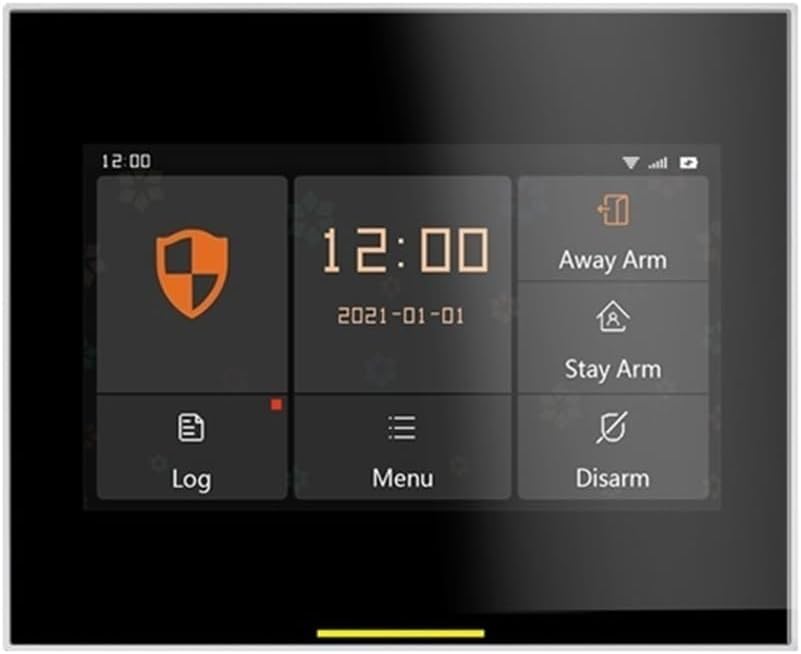
Image: The main interface of the Tuya security alarm system panel, showing time, date, and options for Away Arm, Stay Arm, Log, Menu, and Disarm.
Package Contents
Your Tuya security system package typically includes the main control panel and various sensors and accessories to provide comprehensive home protection. The specific contents may vary based on the kit purchased.

Image: An illustration showing the main control panel along with various accessories: 5 door/window sensors, 3 motion sensors, 2 remote controls, and 1 outdoor siren.

Image: A complete kit layout showing the main panel, multiple door/window sensors, motion sensors, remote controls, and an outdoor siren, arranged on a light blue background.
Setup Guide
1. Powering On the Main Panel
- Connect the main panel to a power source using the provided Micro USB 5V=1A power port.
- Ensure the panel powers on and the status indicator lights up.
2. Connecting to Wi-Fi
- Navigate to the Wi-Fi settings on the 4.3-inch touchscreen.
- Select your home Wi-Fi network and enter the password.
- Confirm successful connection.
3. Pairing Sensors and Accessories
- Access the "Add Accessory" or "Device Management" section on the panel.
- Follow the on-screen prompts to put each sensor (door/window, motion) and remote control into pairing mode.
- Test each paired device to ensure it communicates correctly with the main panel.
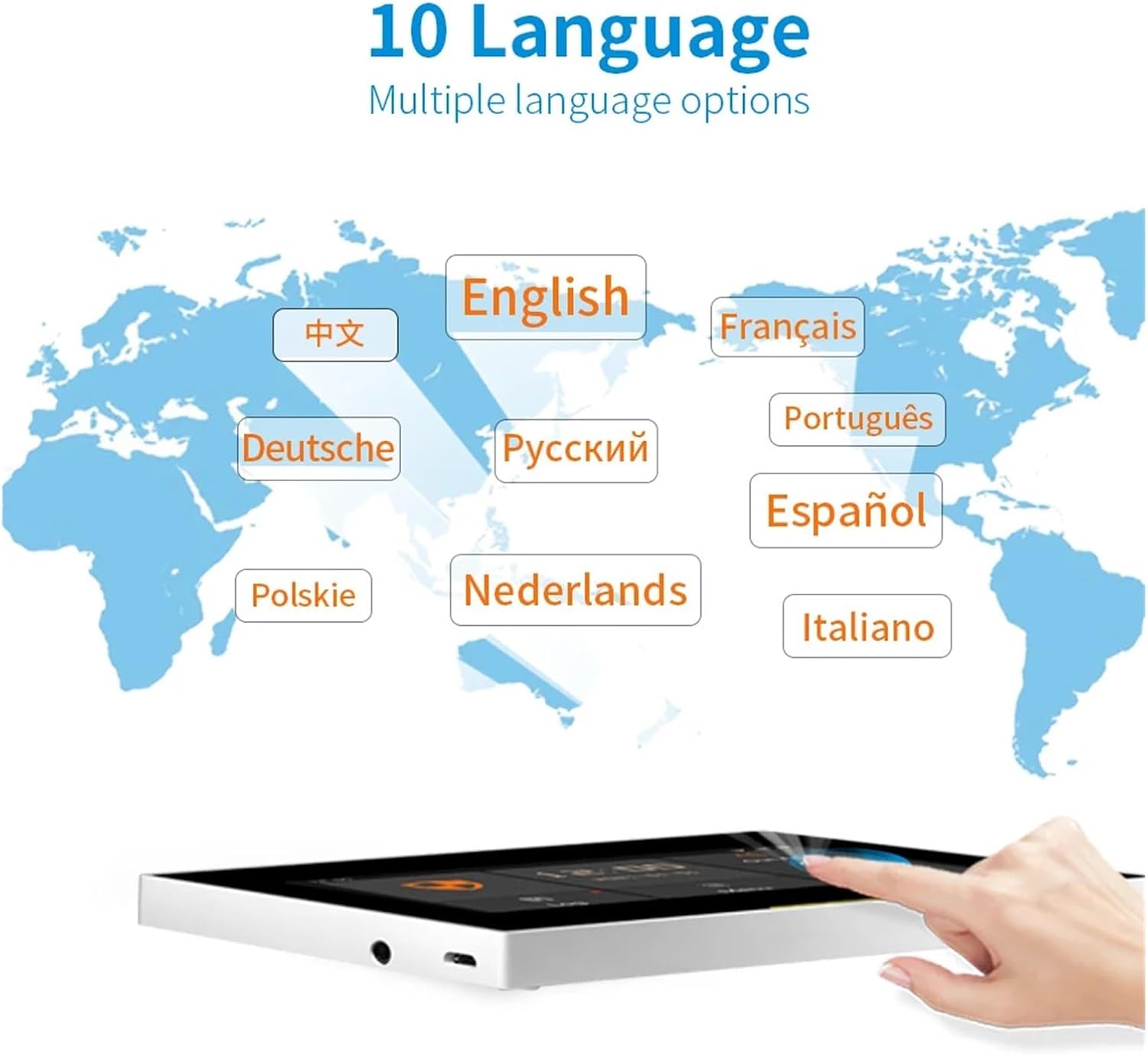
Image: The Tuya security panel displayed with various sensors and remote controls, illustrating the components involved in the system setup.
Operating Instructions
Arming and Disarming
The system offers various arming modes to suit your needs:
- Away Arm: Activates all sensors. Ideal when no one is home.
- Stay Arm (Home Arm): Activates perimeter sensors (e.g., door/window sensors) while allowing movement inside. Ideal when people are home.
- Disarm: Deactivates the alarm system.
You can arm/disarm the system using the touchscreen panel, remote control, or the mobile application.

Image: A close-up of the Tuya security panel highlighting its 12mm ultra-thin body, 3.5mm siren port, Micro USB power port, and the 4.3-inch IPS capacitive touchscreen with advanced UI effects.
Mobile Application Control
The Tuya security system integrates with the Tuya platform, allowing you to control and monitor your system remotely via a dedicated mobile application. Receive instant notifications and manage settings from anywhere.

Image: A smartphone screen displaying an "Instant App Notification" from the Smart Security Panel, showing a "Device events" alarm message, indicating a potential intrusion.
Personal Emergency Response (SOS)
In case of an emergency, the system provides a personal SOS function. This is particularly useful for elderly individuals or children. Pressing the SOS button on the remote control or panel will trigger an alarm and notify pre-set emergency contacts.
- The system can call up to 5 pre-defined phone numbers.
- It can also send text messages to these 5 numbers simultaneously.

Image: An elderly woman experiencing discomfort, with a remote control featuring an SOS button and a separate SOS panic button device shown in the foreground, illustrating the personal emergency response feature.
Full Home Coverage
Strategically place sensors throughout your home to ensure comprehensive 24-hour security. Door/window sensors detect unauthorized entry, while motion sensors cover larger areas.

Image: A family relaxing in a living room, with icons indicating the placement of door/window sensors, motion sensors, the main panel, and a remote control, demonstrating how the system provides full home coverage.
Maintenance
- Cleaning: Gently wipe the main panel and sensors with a soft, dry cloth. Avoid using abrasive cleaners or solvents.
- Battery Replacement: Replace batteries in wireless sensors and remote controls as indicated by the system or when performance degrades. Refer to individual sensor manuals for specific battery types.
- Firmware Updates: The system supports online firmware upgrades. Periodically check for and install updates to ensure optimal performance and access to new features.
Troubleshooting
| Problem | Possible Cause | Solution |
|---|---|---|
| Panel not powering on. | No power, faulty adapter, or cable. | Check power connection. Ensure adapter is working. Try a different USB cable/adapter. |
| Sensors not pairing. | Sensor too far from panel, low battery, or not in pairing mode. | Move sensor closer to panel. Replace sensor battery. Ensure sensor is correctly put into pairing mode. |
| No app notifications. | Panel not connected to Wi-Fi, app permissions, or notification settings. | Verify panel's Wi-Fi connection. Check app notification permissions on your phone. Ensure notifications are enabled in the app settings. |
| False alarms. | Improper sensor placement, sensitivity settings, or environmental factors. | Adjust sensor placement to avoid direct sunlight or drafts. Reduce motion sensor sensitivity if needed. Check for pets or objects that might trigger sensors. |
Technical Specifications
| Feature | Specification |
|---|---|
| Brand | GeRRit |
| Model Number | Ost-02-H501-Set-J |
| Display | 4.3-inch Capacitive IPS Touchscreen |
| Processor | 600 MHz High-Speed Chip |
| Accessory Support | Up to 200 accessories (433 MHz compatible) |
| Connectivity | WIFI |
| Dimensions (L x W x H) | 25 x 25 x 25 millimeters |
| Item Weight | 1000 Grams |
| Integrated Languages | 10 (English, Dutch, Spanish, Russian, French, Polish, German, Italian, Portuguese, Chinese) |
Warranty and Support
Warranty Information
This product comes with no stated manufacturer's warranty. Please refer to your point of purchase for specific return and refund policies. Amazon.fr offers a 30-day refund/replacement return policy for this item.
Software Updates
The system supports online software updates. We recommend regularly checking for and installing available updates to ensure your system has the latest features and security enhancements.
Customer Support
For further assistance, please contact the seller AFAEN through the Amazon platform. You can find their contact information on the product page or your order details.


