
1. Important Safety Instructions
Please read all instructions carefully before using this appliance. Keep this manual for future reference.
- Do not touch hot surfaces. Use handles or knobs.
- To protect against fire, electric shock, and injury to persons, do not immerse cord, plugs, or the appliance in water or other liquid.
- Close supervision is necessary when any appliance is used by or near children.
- Unplug from outlet when not in use and before cleaning. Allow to cool before putting on or taking off parts, and before cleaning the appliance.
- Do not operate any appliance with a damaged cord or plug, or after the appliance malfunctions or has been damaged in any manner. Contact customer service for examination, repair, or adjustment.
- The use of accessory attachments not recommended by the appliance manufacturer may result in fire, electric shock, or injury to persons.
- Do not use outdoors.
- Do not let cord hang over edge of table or counter, or touch hot surfaces.
- Do not place on or near a hot gas or electric burner, or in a heated oven.
- Always attach plug to appliance first, then plug cord into the wall outlet. To disconnect, turn any control to "off", then remove plug from wall outlet.
- Do not use appliance for other than intended use.
- The carafe is designed for use with this appliance only. It must never be used on a range top.
- Do not place a hot carafe on a cold or wet surface.
- Do not use a cracked carafe or a carafe having a loose or weakened handle.
- Do not clean carafe with cleansers, steel wool pads, or other abrasive material.
2. Product Overview
The Taurus Verona 12 Filter Coffee Maker is designed for convenient and efficient coffee brewing. Familiarize yourself with its components:
- Water Tank: Visible reservoir for water, with level markings.
- Filter Basket: Holds the reusable filter and coffee grounds.
- Reusable Filter: An eco-friendly alternative to paper filters, easy to clean.
- Glass Carafe: Graduated, heat-resistant carafe for collecting brewed coffee.
- Warming Plate: Keeps coffee warm for up to 40 minutes after brewing.
- Power Button: On/Off switch for operation.
- Dosing Spoon: For accurate measurement of coffee grounds.
- Stainless Steel Frontal: Enhances durability and aesthetic appeal.

This image displays the complete coffee maker unit, highlighting its sleek design and the glass carafe filled with freshly brewed coffee.

This image emphasizes the aesthetic features of the coffee maker, specifically the stainless steel accents and the durable glass carafe.

This image illustrates the reusable filter, a key component for brewing and an environmentally friendly feature of the coffee maker.
3. Setup
- Unpacking: Carefully remove all packaging materials from the coffee maker. Retain packaging for future transport or storage if needed.
- Initial Cleaning: Before first use, wash the glass carafe, reusable filter, and filter basket in warm, soapy water. Rinse thoroughly and dry. Wipe the exterior of the appliance with a damp cloth.
- First Brew Cycle (Cleaning): Fill the water tank to the maximum level with cold water. Do not add coffee grounds. Place the empty filter basket with the reusable filter into position and close the lid. Place the empty carafe on the warming plate. Plug the appliance into a suitable power outlet and press the power button to start a brewing cycle. Allow the full cycle to complete. Discard the water from the carafe. This process cleans the internal components.
- Placement: Place the coffee maker on a flat, stable, heat-resistant surface, away from the edge of the counter. Ensure there is adequate ventilation around the unit.
4. Operating Instructions
Brewing Coffee
- Fill Water Tank: Open the lid and fill the water tank with fresh, cold water up to the desired level indicated by the markings on the side. The maximum capacity is 12 cups.
- Add Coffee Grounds: Place the reusable filter into the filter basket. Add the desired amount of ground coffee into the filter. A general guideline is one level scoop (using the provided dosing spoon) per cup, but adjust to your personal preference.
- Position Carafe: Ensure the glass carafe is correctly placed on the warming plate.
- Start Brewing: Close the lid securely. Plug the coffee maker into a power outlet. Press the power button to start the brewing process. The indicator light will illuminate.
- Serving: Once brewing is complete, the coffee maker will automatically switch to the "keep warm" function. You can pour coffee at any time during or after brewing.

This image demonstrates the process of filling the water tank, highlighting its visible design for easy monitoring of water levels.

This image shows the precise method of adding coffee grounds using the included dosing spoon, ensuring consistent flavor.
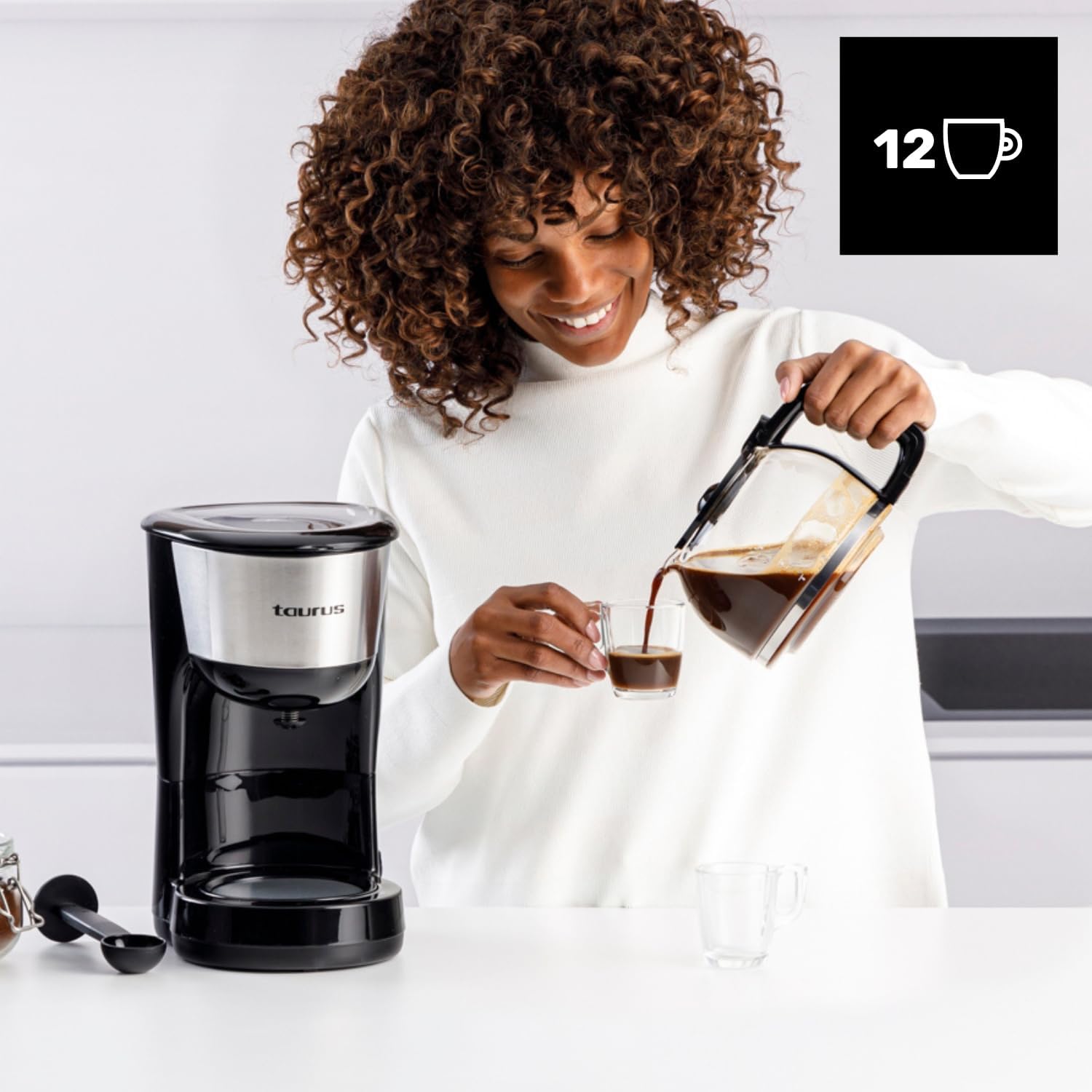
This image depicts the final step of the brewing process, showing coffee being served from the carafe.
Keep Warm Function
The warming plate will keep your coffee at an optimal serving temperature for approximately 40 minutes after brewing. After this period, the appliance will automatically shut off for safety and energy saving.

This image highlights the warming plate feature, ensuring your coffee remains hot and ready to enjoy.
5. Cleaning and Maintenance
Regular cleaning ensures optimal performance and extends the lifespan of your coffee maker.
Daily Cleaning
- Unplug: Always unplug the coffee maker from the power outlet and allow it to cool completely before cleaning.
- Discard Grounds: Remove the filter basket and reusable filter. Discard used coffee grounds.
- Wash Components: Wash the glass carafe, reusable filter, and filter basket in warm, soapy water. Rinse thoroughly and dry. These parts are generally top-rack dishwasher safe, but hand washing is recommended for longevity.
- Wipe Exterior: Wipe the exterior surfaces of the coffee maker with a soft, damp cloth. Do not use abrasive cleaners or scouring pads. Never immerse the main unit in water or any other liquid.
Descaling
Mineral deposits (limescale) can build up in your coffee maker over time, affecting performance and coffee taste. Descale your appliance every 2-3 months, or more frequently if you have hard water.
- Prepare Descaling Solution: Mix 1 part white vinegar with 2 parts water, or use a commercial descaling solution designed for coffee makers, following the product's instructions.
- Fill Water Tank: Pour the descaling solution into the water tank up to the 12-cup mark.
- Run Cycle: Place the empty carafe on the warming plate. Start a brewing cycle without coffee grounds.
- Partial Brew: After about half of the solution has brewed through, turn off the coffee maker and let it stand for 15-20 minutes to allow the solution to work.
- Complete Cycle: Turn the coffee maker back on to complete the brewing cycle. Discard the solution from the carafe.
- Rinse Cycles: Run at least two full cycles with fresh, cold water to thoroughly rinse out any remaining descaling solution.
6. Troubleshooting
| Problem | Possible Cause | Solution |
|---|---|---|
| Coffee does not brew. | Appliance not plugged in; power button not pressed; water tank empty. | Ensure the appliance is plugged in and the power button is pressed. Check if the water tank has enough water. |
| Coffee is too weak. | Not enough coffee grounds; coffee grounds too coarse; too much water. | Increase the amount of coffee grounds. Use finer ground coffee. Ensure correct water-to-coffee ratio. |
| Coffee overflows from filter basket. | Too many coffee grounds; filter basket not seated correctly; carafe not on warming plate. | Reduce coffee grounds. Ensure filter basket is properly in place. Verify carafe is correctly positioned on the warming plate. |
| Coffee tastes bad. | Appliance needs cleaning/descaling; stale coffee; incorrect water temperature. | Clean and descale the coffee maker. Use fresh coffee beans. Ensure fresh, cold water is used. |
7. Specifications
- Brand: Taurus
- Model: VERONA (DC1000XC)
- Power: 1000 W
- Voltage: 230 V
- Capacity: 12 Cups
- Dimensions (L x W x H): 25.8 x 18.5 x 32 cm
- Weight: 1.66 kg
- Material: Stainless Steel, Plastic
- Special Features: Pure Coffee Technology, Reusable Filter, Warming Plate (40 min auto-off)
8. Warranty and Support
This Taurus appliance is covered by a manufacturer's warranty in accordance with the legal provisions in force in your country. For detailed information regarding warranty terms and conditions, please refer to the warranty card included with your product or visit the official Taurus website.
For technical support, spare parts, or any questions regarding the operation of your Taurus Verona 12 Filter Coffee Maker, please contact Taurus customer service. Contact details can typically be found on the official Taurus website or in the product packaging.
Always ensure you have your product model number (VERONA or DC1000XC) and purchase date available when contacting support.


