
TAURUS HVCA7298B
Taurus Homeland Ultimate Digital Wash Cordless Rechargeable Vacuum Cleaner User Manual
Model: HVCA7298B
Introduction
This manual provides essential information for the safe and efficient operation, maintenance, and troubleshooting of your Taurus Homeland Ultimate Digital Wash Cordless Rechargeable Vacuum Cleaner. Please read this manual thoroughly before first use and keep it for future reference.

Image: The Taurus Homeland Ultimate Digital Wash Cordless Rechargeable Vacuum Cleaner, shown in its upright configuration.
Important Safety Instructions
Always follow basic safety precautions when using electrical appliances to reduce the risk of fire, electric shock, or injury.
- Do not use outdoors or on wet surfaces.
- Do not allow to be used as a toy. Close attention is necessary when used by or near children.
- Use only as described in this manual. Use only manufacturer's recommended attachments.
- Do not use with damaged cord or plug. If appliance is not working as it should, has been dropped, damaged, left outdoors, or dropped into water, return it to a service center.
- Do not pull or carry by cord, use cord as a handle, close a door on cord, or pull cord around sharp edges or corners. Do not run appliance over cord. Keep cord away from heated surfaces.
- Do not unplug by pulling on cord. To unplug, grasp the plug, not the cord.
- Do not handle plug or appliance with wet hands.
- Do not put any object into openings. Do not use with any opening blocked; keep free of dust, lint, hair, and anything that may reduce air flow.
- Keep hair, loose clothing, fingers, and all parts of body away from openings and moving parts.
- Do not pick up anything that is burning or smoking, such as cigarettes, matches, or hot ashes.
- Do not use without dust cup and/or filters in place.
- Turn off all controls before unplugging.
- Use extra care when cleaning on stairs.
- Do not use to pick up flammable or combustible liquids, such as gasoline, or use in areas where they may be present.
- Store the appliance indoors. Put away after use to prevent accidents.
- Recharge only with the charger specified by the manufacturer. A charger that is suitable for one type of battery pack may create a risk of fire when used with another battery pack.
- Use appliances only with specifically designated battery packs. Use of any other battery packs may create a risk of injury and fire.
- When battery pack is not in use, keep it away from other metal objects, like paper clips, coins, keys, nails, screws or other small metal objects, that can make a connection from one terminal to another. Shorting the battery terminals together may cause burns or a fire.
- Under abusive conditions, liquid may be ejected from the battery; avoid contact. If contact accidentally occurs, flush with water. If liquid contacts eyes, additionally seek medical help. Liquid ejected from the battery may cause irritation or burns.
Product Components
Familiarize yourself with the various parts of your vacuum cleaner and its accessories.

Image: An overhead view displaying all included components: main vacuum unit, extension tube, motorized brush head, various nozzles, wall mount, charging adapter, and mop accessories.
- Main Vacuum Unit (with integrated digital display and dustbin)
- Detachable Lithium Battery (29.6V 2200mAh)
- Extension Tube
- Motorized Floor Brush with LED lights and rubber wheels
- Fuzzy Roller (for hard floors)
- Helix Roller (for carpets)
- 2-in-1 Long Brush/Crevice Tool
- Wall Bracket
- Charging Adapter
- Water Tank and Mop Attachment
- HEPA Filter
Setup and Assembly
Unpacking:
Carefully remove all components from the packaging. Retain packaging for future storage or transport.
Battery Installation:
Ensure the battery is fully charged before first use. Align the detachable lithium battery with the main vacuum unit and slide it into place until it clicks securely.

Image: A hand connecting the charging adapter to the main vacuum unit for battery charging.
Assembling the Vacuum:
For Upright Use:
Connect the extension tube to the main vacuum unit. Then, attach the motorized floor brush to the other end of the extension tube. Ensure all connections click into place firmly.
For Handheld Use:
Attach desired accessories (e.g., 2-in-1 long brush/crevice tool) directly to the main vacuum unit.
Installing Rollers:
Depending on your floor type, install either the fuzzy roller (for hard floors) or the helix roller (for carpets) into the motorized floor brush. Refer to the maintenance section for detailed instructions on roller installation and removal.
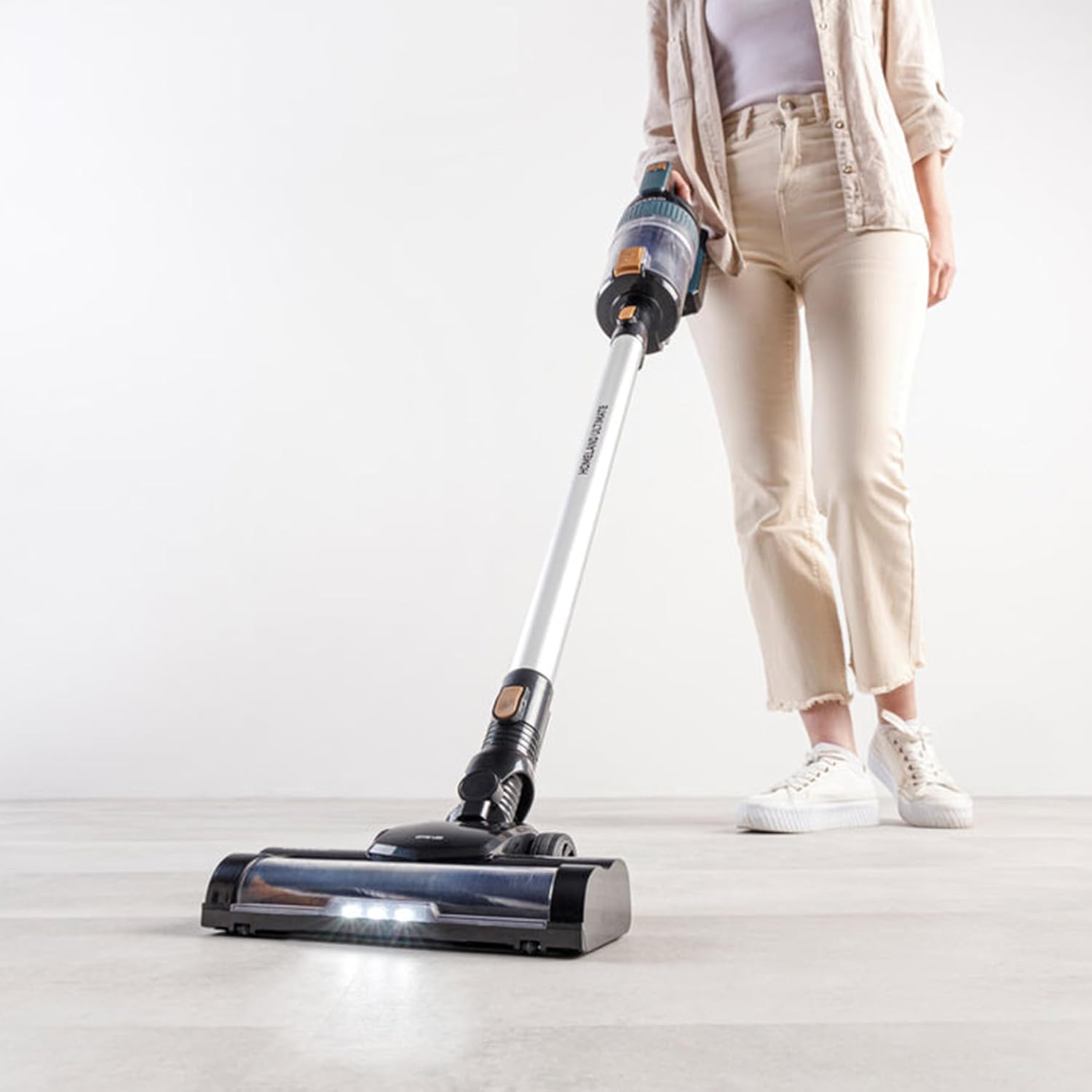
Image: A hand inserting the blue fuzzy roller into the brush head.

Image: A hand inserting the black and brown helix roller into the brush head.
Wall Bracket Installation (Optional):
Choose a suitable location near a power outlet. Secure the wall bracket to the wall using appropriate screws and anchors (not included). This allows for convenient storage and charging.
Operating Instructions
Power On/Off:
Press the power button located on the main unit handle to turn the vacuum cleaner on or off.
Adjusting Suction Power:
The vacuum features 2 speeds: Eco and Max. Use the mode selection button (refer to diagram in product components) to switch between these modes. The digital display will indicate the current power setting and battery level.

Image: A close-up of the vacuum's handle showing the digital display with battery percentage.
Vacuuming:
Move the vacuum cleaner slowly and steadily over the surface to be cleaned. The motorized brush is effective for both parquet and hard floors, as well as carpets (with appropriate roller). The LED lights on the brush head illuminate the cleaning path.

Image: A person using the Taurus vacuum cleaner on a light-colored floor, demonstrating its maneuverability.
Using the Water Tank and Mop (Wet Cleaning):
Attach the water tank and mop attachment to the motorized floor brush. Fill the water tank with clean water. The mop function allows for simultaneous vacuuming and wet cleaning of hard floors. Do not use on carpets or rugs.

Image: A hand pouring water into the integrated water tank on the motorized brush head for the mopping function.
Battery Life:
The vacuum offers an autonomy of 40-50 minutes depending on the power mode used. The digital display shows the remaining battery percentage. Recharge the battery when the indicator is low.
Maintenance and Cleaning
Regular maintenance ensures optimal performance and extends the life of your vacuum cleaner.
Emptying the Dustbin:
The dustbin has a 600ml capacity. Empty the dustbin after each use or when the MAX fill line is reached. To empty, detach the dustbin from the main unit (refer to product components diagram) and open the bottom flap over a waste bin.
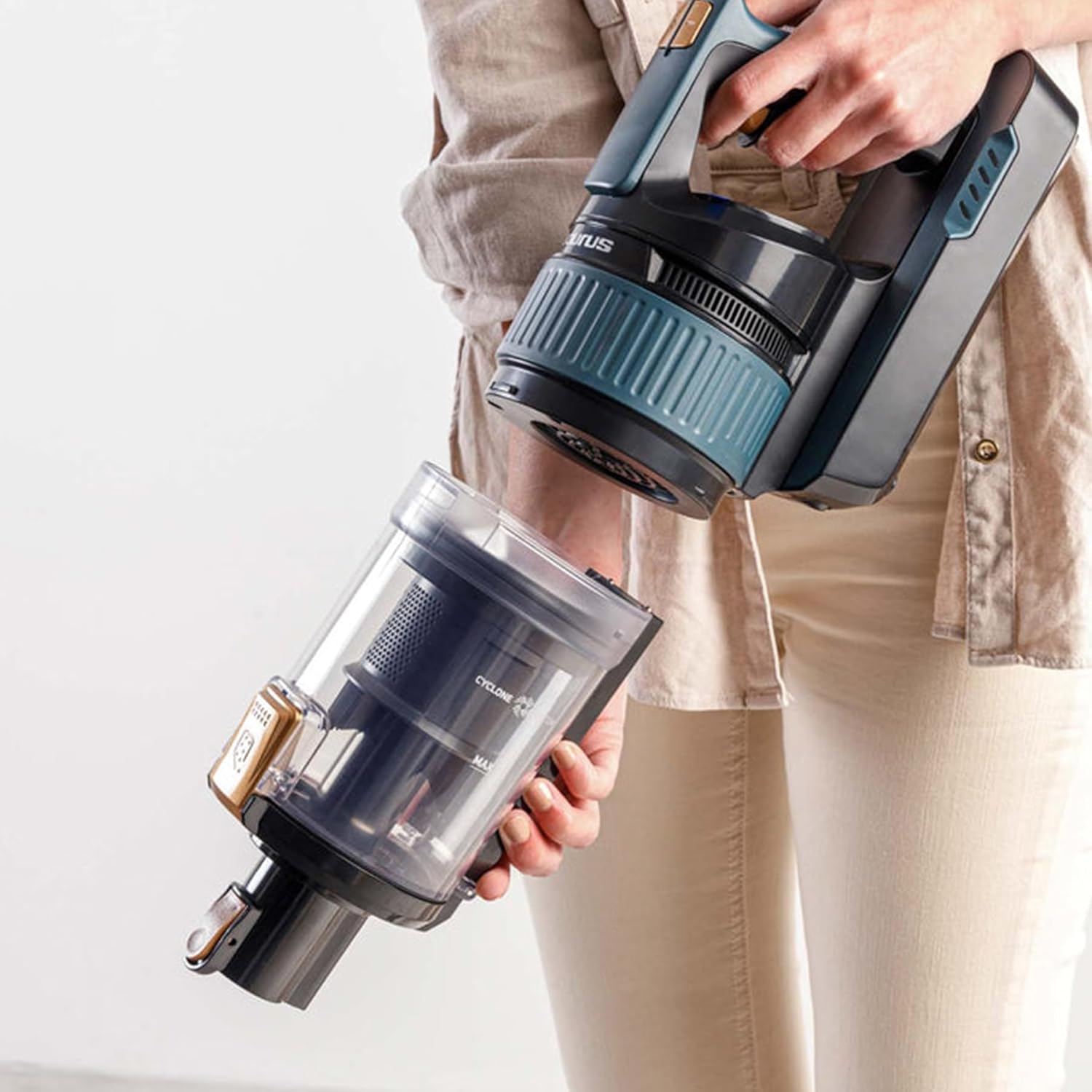
Image: A hand detaching the transparent dustbin from the main vacuum unit.
Cleaning Filters:
The vacuum features triple advance filtration with a HEPA filter. Regularly clean the filters to maintain suction power. Tap out loose dirt from the pre-filter and HEPA filter. The HEPA filter can be gently rinsed with cold water; ensure it is completely dry before re-installing. Do not wash other filter components unless specified.

Image: An exploded view showing the various components of the vacuum's multi-stage filtration system, including the HEPA filter.
Cleaning Brush Rollers:
Remove the brush roller from the motorized floor brush by unlocking the side latch. Remove any tangled hair, threads, or debris. The rollers can be wiped clean with a damp cloth. Ensure they are dry before re-inserting.
Cleaning the Water Tank and Mop Pad:
After wet cleaning, empty any remaining water from the tank. Rinse the tank and mop pad with clean water. The mop pad can be machine washed or hand washed. Allow all parts to air dry completely before reassembly and storage.
External Cleaning:
Wipe the exterior of the vacuum cleaner with a soft, damp cloth. Do not use abrasive cleaners or solvents.
Troubleshooting
Before contacting customer service, please refer to the following common issues and solutions.
| Problem | Possible Cause | Solution |
|---|---|---|
| Vacuum does not turn on. | Battery is not charged or not properly installed. | Ensure battery is fully charged and securely clicked into place. |
| Loss of suction. | Dustbin is full; Filters are clogged; Blockage in nozzle/tube/brush head. | Empty dustbin. Clean or replace filters. Check for and remove any blockages. |
| Brush roller not spinning. | Debris tangled in brush roller; Brush roller not properly installed. | Remove brush roller and clear any obstructions. Re-install brush roller correctly. |
| Short battery life. | Battery not fully charged; Using Max power mode excessively; Battery degradation. | Ensure full charge. Use Eco mode for longer runtime. If battery life significantly decreases, consider battery replacement. |
| Water not dispensing from mop tank. | Water tank empty; Nozzle clogged. | Refill water tank. Check and clear any clogs in the water dispensing nozzle. |
Product Specifications
- Model: HVCA7298B (Homeland Ultimate Digital)
- Power: 400W
- Motor Speed: 80000 RPM (Brushless Digital Driver Motor)
- Battery: Detachable Lithium Battery 29.6V 2200mAh
- Suction Power: 20000PA (20KPA), 140AW
- Dustbin Capacity: 600 ml
- Autonomy: 40-50 minutes (depending on speed)
- Speeds: 2 (Eco, Max)
- Filtration: Triple Advance Filtration with HEPA Filter
- Weight: Approximately 2 kg (main unit), 8.05 kg (packaged)
- Dimensions: 12 x 23 x 120 cm (Product)
- Material: Plastic
- Color: Black/Silver
- Special Features: Cordless, Smart LED Display, Electric Floor Brush with LED, Water Tank and Mop
Warranty and Support
Your Taurus Homeland Ultimate Digital Wash Cordless Rechargeable Vacuum Cleaner comes with a 2-Year Warranty (1 Year Retail + 1 Year Extended). To activate your extended warranty and for further support, please visit the official Taurus Appliances website.
For customer service inquiries, technical support, or spare parts, please contact Taurus customer support through their official channels. Always provide your model number (HVCA7298B) and purchase date when seeking assistance.

Image: A circular graphic indicating a "2 Year Warranty" with details for retail and extended warranty, and a website address for registration.
You can find more information and register your product at: taurusappliances.co.za
Related documentsHVCA7298B


Ask a question about this manual
Ask about setup, troubleshooting, compatibility, parts, safety, or missing instructions. Manuals+ will review the question and use this page’s manual context to help answer it.