
TACTACAM RV-TC-XPRO3
Contents
TACTACAM Reveal Pro 3.0 LTE Cellular Trail Camera
Model: RV-TC-XPRO3 | Brand: TACTACAM
Introduction
The TACTACAM Reveal Pro 3.0 LTE Cellular Trail Camera is designed for reliable and high-quality surveillance in outdoor environments. Featuring 4K photo quality, no-glow flash, and cellular connectivity for AT&T and Verizon networks, this camera provides advanced monitoring capabilities for hunting, security, and general surveillance. Its robust design ensures performance in various conditions, making it an essential tool for capturing critical moments.

Figure 1: The TACTACAM Reveal Pro 3.0 LTE Cellular Trail Camera, a high-performance device for outdoor monitoring.
What's in the Box
- TACTACAM Reveal Pro 3.0 Camera
- Battery Tray
- Antenna
- Tree Strap
Setup
Setting up your TACTACAM Reveal Pro 3.0 is designed to be straightforward. The camera offers versatile mounting options and an intuitive interface for quick deployment.
Battery Installation
The camera utilizes a convenient battery tray system. To install or replace batteries, locate the battery compartment, typically accessible by opening the camera's front panel. Insert the required batteries into the tray, ensuring correct polarity. The battery tray is designed for easy insertion and removal.

Figure 2: Camera with open compartment, revealing the screen and control buttons. The battery tray is visible below the screen.
Mounting the Camera
The Reveal Pro 3.0 can be mounted using the included tree strap or screws for a more permanent fixture. The mounting system is designed for ease of use and secure attachment to trees or posts.
- Using the Tree Strap: Thread the provided tree strap through the designated slots on the camera's back. Securely wrap the strap around a tree or post at the desired height and tighten it to prevent movement.
- Using Screws: For a more stable installation, the camera can be screwed directly into a tree or wooden post. Ensure the mounting surface is stable and use appropriate screws (not included) for secure attachment.

Figure 3: A user's hands securing the TACTACAM Reveal Pro 3.0 to a tree using the provided strap, demonstrating the ease of installation.

Figure 4: The TACTACAM Reveal Pro 3.0 camera securely mounted on a tree, blending into the natural environment.
Antenna Attachment
Attach the included antenna to the designated port on the camera. Ensure it is securely fastened to optimize cellular signal reception.
Operating Instructions
The TACTACAM Reveal Pro 3.0 offers advanced features for capturing high-quality photos and videos, with convenient remote management.
Powering On and Initial Configuration
Once batteries are installed, power on the camera. Use the internal LCD screen and control buttons for initial setup, including time, date, and basic capture settings. The screen allows for immediate review of captured media and precise positioning.

Figure 5: A user interacting with the TACTACAM Reveal Pro 3.0 camera and its companion smartphone application, highlighting remote control capabilities.
App Control and Remote Monitoring
Download the official TACTACAM Reveal app to your smartphone (compatible with iOS and Android). Link your camera to the app to enable remote monitoring, adjust settings, and receive instant photo and video alerts. The app provides comprehensive control over your camera's functions from anywhere with cellular service.
Photo and Video Capture
The camera captures 4K photo quality images and 1080p Full HD video. It features a no-glow infrared flash for stealthy night vision, ensuring animals are not spooked. Fast trigger speeds and a 3-shot burst mode ensure you capture every moment of activity.
- Video Lengths: Selectable video lengths of 10, 15, and 30 seconds are available to suit your specific monitoring needs.
- Internal Storage: The camera includes built-in internal storage, eliminating the immediate need for an SD card. An optional SD card slot is available for expanded storage if desired.

Figure 6: Key features of the TACTACAM Reveal Pro 3.0, including no-glow flash, internal multi-carrier SIM and storage, and 4K photo quality.
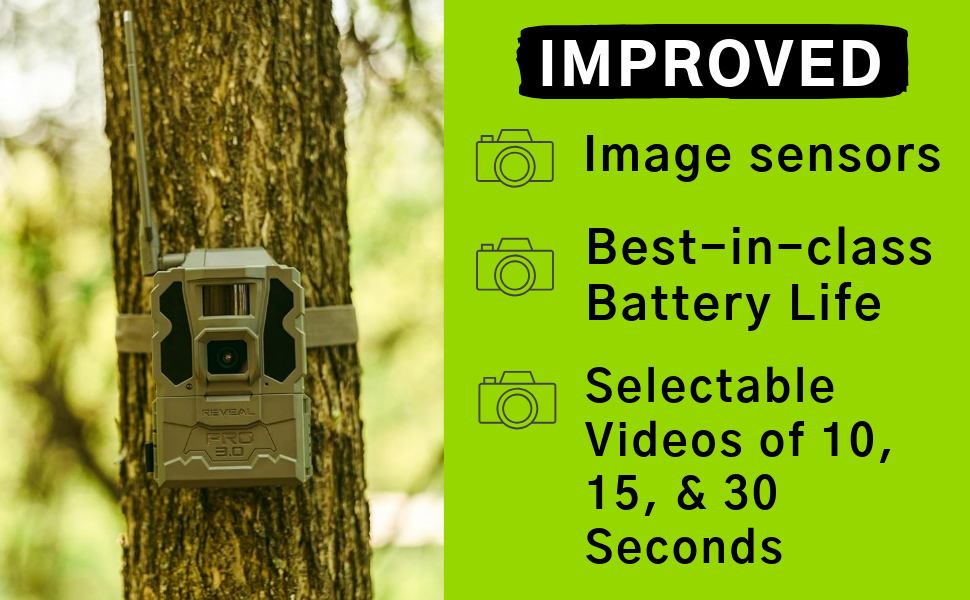
Figure 7: Overview of improved features for the Reveal Pro 3.0, including enhanced image sensors, best-in-class battery life, and selectable video lengths.
Maintenance
Proper maintenance ensures the longevity and optimal performance of your TACTACAM Reveal Pro 3.0.
Battery Management
While the camera is battery-powered, consider using rechargeable batteries for cost-effectiveness and environmental benefits. Monitor battery levels regularly via the app to ensure continuous operation. For extended deployment, especially in remote areas, consider external power solutions like solar panels (sold separately) to maintain charge without frequent visits.
Weather Resistance
The Reveal Pro 3.0 is built to withstand various outdoor conditions. Ensure all compartments are securely closed to maintain its weather-resistant integrity. Periodically check for any debris or moisture accumulation around seals and clean as necessary.
Troubleshooting
If you encounter issues with your TACTACAM Reveal Pro 3.0, refer to the following common troubleshooting tips:
- No Signal/Poor Connectivity: Ensure the antenna is securely attached and fully extended. Check your cellular plan status and signal strength in the camera's deployment area. Relocating the camera to an area with better cellular coverage may resolve the issue.
- Images/Videos Not Sending: Verify that your cellular data plan is active and has sufficient data. If using internal memory, ensure successful transmission as images/videos may not be retrievable via other means if cellular transmission fails. Consider using an SD card for local storage backup.
- GPS Tracking Issues: Ensure the camera has a clear view of the sky for optimal GPS signal reception. If the camera is stolen, the built-in GPS can help track its location, but continuous cellular connectivity is required for real-time updates.
- Battery Drain: Check battery type and quality. Ensure all settings are optimized for power saving (e.g., trigger interval, video length). Extreme temperatures can affect battery performance.
Specifications
| Feature | Detail |
|---|---|
| Model Name | Tactacam REVEAL Pro 3.0 (RV-TC-XPRO3) |
| Indoor/Outdoor Usage | Outdoor |
| Connectivity Protocol | Cellular, Wi-Fi |
| Controller Type | Verizon, AT&T |
| Video Capture Resolution | 1080p Full HD |
| Photo Quality | 4K |
| Night Vision Range | 96 Feet |
| Light Source Type | Infrared (No Glow Flash) |
| Field Of View | 50 Degrees |
| Control Method | App, Touch (on-camera screen) |
| Power Source | Battery Powered (Batteries Required: Yes) |
| Item Dimensions (L x W x H) | 3.75 x 4 x 11.9 inches |
| Item Weight | 1.7 pounds |
| Manufacturer | Tactacam |
Warranty and Support
The TACTACAM Reveal Pro 3.0 comes with a one-year comprehensive protection warranty, ensuring peace of mind regarding your investment. TACTACAM is known for its strong customer support, ready to assist with any inquiries or issues you may encounter.

Figure 8: Visual representation of the one-year comprehensive protection warranty offered with the TACTACAM Reveal Pro 3.0.
For further assistance, please visit the official TACTACAM website or contact their customer service directly. You can also find additional resources and FAQs on the product's Amazon page.
Documents and downloads
Ask a question about this manual
Ask about setup, troubleshooting, compatibility, parts, safety, or missing instructions. Manuals+ will review the question and use this page’s manual context to help answer it.