
1. Introduction
Thank you for choosing the goobay Magnetic Wireless Power Bank. This device is designed to provide convenient and efficient charging for your mobile devices, both wirelessly and via USB-C. Please read this manual carefully before using the product to ensure safe and optimal performance. Keep this manual for future reference.
2. Safety Instructions
- Do not expose the power bank to extreme temperatures, direct sunlight, or high humidity.
- Do not disassemble, modify, or attempt to repair the device. This will void the warranty and may cause damage or injury.
- Keep out of reach of children.
- Use only certified charging cables and adapters.
- Avoid dropping or subjecting the power bank to strong impacts.
- Do not place metal objects or magnetic cards between the power bank and your device during wireless charging, as this may interfere with charging or damage the magnetic strip.
- Dispose of the product responsibly according to local regulations for electronic waste.
3. Package Contents
- goobay Magnetic Wireless Power Bank 5,000 mAh
- USB-C to USB-C Charging Cable (approx. 0.3 m)
- User Manual
4. Product Overview

Figure 4.1: Front view of the goobay Magnetic Wireless Power Bank, showing the USB-C port at the top and LED indicators on the side.

Figure 4.2: Key features of the power bank, highlighting its readiness for use, super-compact design, check-in friendliness for travel, and Power Delivery fast charging mode.

Figure 4.3: Dimensions of the power bank: 96 mm length, 66 mm width, 9.5 mm height, and a weight of 124 grams, illustrating its compact and portable design.
The power bank features a sleek, compact design with a USB-C port for charging and discharging, and LED indicators to show the battery level. The back of the power bank has a magnetic ring for secure attachment to MagSafe-compatible devices.
5. Setup
5.1 Initial Charging of the Power Bank
- Connect the supplied USB-C to USB-C cable to the USB-C port on the power bank.
- Connect the other end of the cable to a compatible USB-C power adapter (not included). For optimal charging speed, use an 18W or higher Power Delivery adapter.
- The LED indicators on the side of the power bank will illuminate to show the charging progress. All LEDs will be solid white when fully charged.
It is recommended to fully charge the power bank before first use.
6. Operating Instructions
6.1 Charging Devices Wirelessly

Figure 6.1: The power bank magnetically attaching to the back of a smartphone, illustrating the secure connection for wireless charging without obstructing the camera.
- Ensure your device is MagSafe-compatible (e.g., Apple iPhone 12 series or newer) or has a magnetic case that supports wireless charging.
- Align the power bank with the back of your device. The magnets will automatically snap it into place, ensuring proper alignment for wireless charging.
- Wireless charging will begin automatically. The LED indicators on the power bank will show its remaining charge.
- The power bank is designed not to cover the camera module on most compatible smartphones, allowing for simultaneous charging and phone usage.
6.2 Charging Devices via USB-C

Figure 6.2: Detailed view of the power bank's charging capabilities, showing wireless output up to 15W, USB-C Power Delivery input/output up to 20W, and the battery status button.
- Connect one end of a USB-C cable (supplied or compatible) to the USB-C port on the power bank.
- Connect the other end of the cable to your device's charging port.
- Charging will begin automatically. The power bank supports Power Delivery (PD) for fast charging compatible devices up to 20W.
6.3 Checking Battery Level
Press the small button on the side of the power bank to activate the LED indicators, which will show the current battery level. Each illuminated LED typically represents approximately 25% of the battery capacity.
6.4 Compatibility
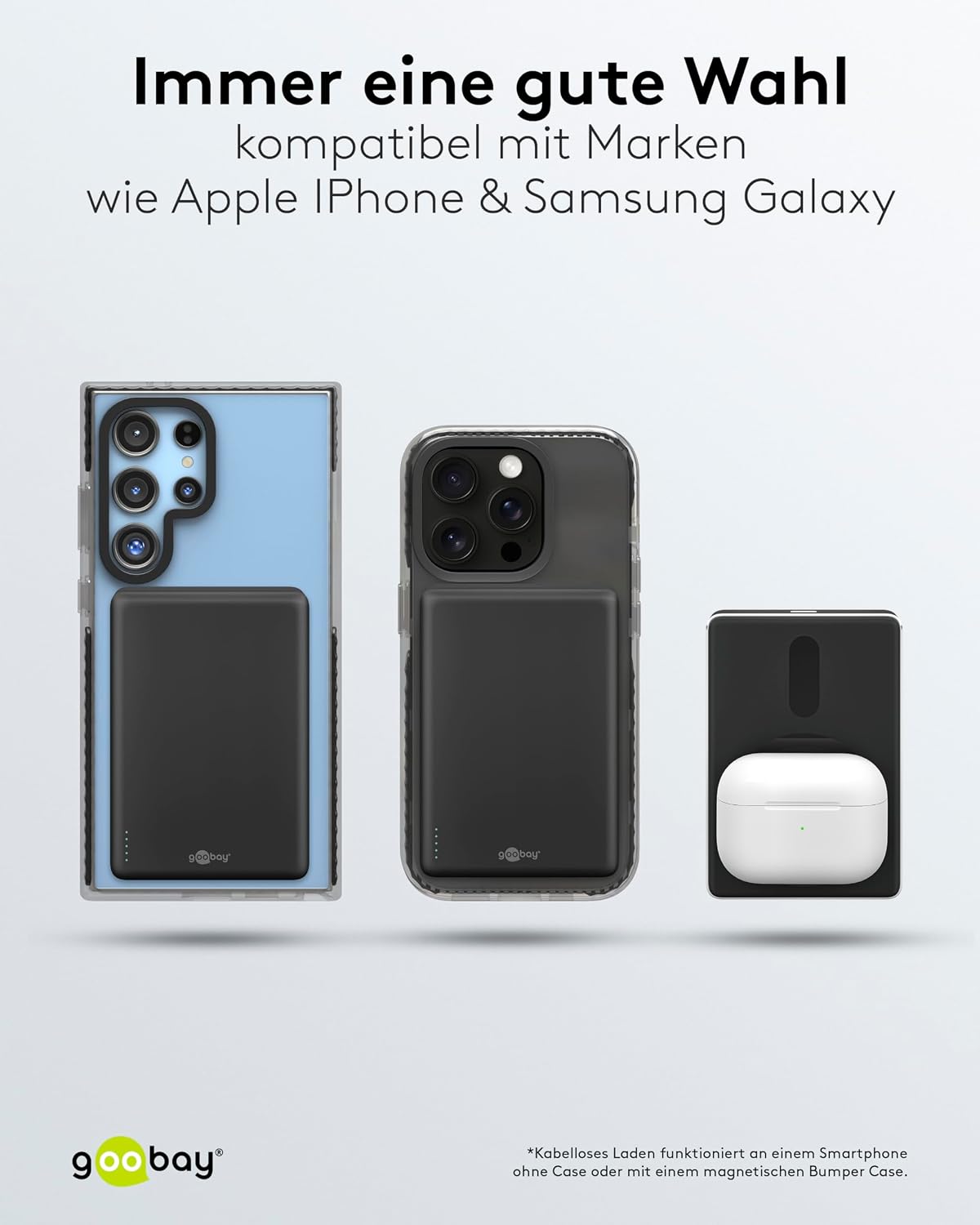
Figure 6.3: The power bank shown with various compatible devices, including a Samsung Galaxy phone, an Apple iPhone, and Apple AirPods, demonstrating its versatility.
The goobay Magnetic Wireless Power Bank is compatible with MagSafe-enabled devices such as Apple iPhone 15/14/13/12 Series (Mini/Pro/Pro Max), Apple AirPods, and other Qi-enabled smartphones and accessories. For non-MagSafe devices, wireless charging may still be possible if the device supports Qi wireless charging, but magnetic attachment will not occur. The USB-C port provides universal compatibility for wired charging of most modern smartphones, tablets, and other USB-C powered devices.
7. Maintenance
7.1 Cleaning
Wipe the power bank with a soft, dry cloth. Do not use abrasive cleaners or solvents, as these may damage the surface.
7.2 Storage
Store the power bank in a cool, dry place away from direct sunlight and extreme temperatures. If storing for an extended period, charge the power bank to approximately 50% capacity every three months to maintain battery health.
8. Troubleshooting
| Problem | Possible Cause | Solution |
|---|---|---|
| Power bank not charging | Cable or adapter faulty; power bank fully charged; charging port dirty. | Try a different cable and adapter. Check if LEDs indicate full charge. Clean the USB-C port gently. |
| Device not charging wirelessly | Misalignment; foreign object between devices; device not Qi-compatible; thick phone case. | Ensure proper alignment. Remove any foreign objects. Verify device supports Qi wireless charging. Remove thick phone case. |
| Device not charging via USB-C | Cable faulty; device charging port faulty; power bank battery low. | Try a different USB-C cable. Check device's charging port. Ensure power bank has sufficient charge. |
| Slow charging speed | Using non-PD adapter for power bank; device not supporting fast charging; cable quality. | Use a Power Delivery (PD) compatible adapter for charging the power bank. Ensure your device supports fast charging. Use a high-quality USB-C cable. |
9. Specifications
| Feature | Specification |
|---|---|
| Battery Technology | Lithium-Polymer (LiPo) |
| Capacity | 5,000 mAh (5 Ah) |
| USB-C Input | 5.0 V / 2.0 A (10.0W), 9.0 V / 2.0A (18.0W), 12.0 V / 1.5 A (18.0 W) |
| USB-C Output (Power Delivery) | 20.0 W max. |
| Wireless Output | 5.0 W, 7.5 W, 10.0 W, 15.0 W max. |
| Max. Total Output Power | 15.0 W (when using both outputs simultaneously, power is distributed) |
| Dimensions (L x W x H) | 96 mm x 66 mm x 9.5 mm |
| Weight | 124 g |
| Color | Black |
| Certifications | CE, WEEE, BattG |
10. Warranty and Support
goobay products are manufactured with care and undergo strict quality control. For warranty information and support, please refer to the warranty card included with your purchase or visit the official goobay website. If you encounter any issues not covered in this manual, please contact goobay customer support for assistance.
For more information, visit: www.mygoobay.com


