1. Introduction
Thank you for purchasing the Sejoy KJ100F HEPA Air Purifier. This device is designed to improve indoor air quality by filtering out various airborne particles and odors. Please read this manual thoroughly before operating the air purifier to ensure proper use, maintenance, and safety.
2. Important Safety Instructions
To reduce the risk of fire, electric shock, or injury, please observe the following safety precautions:
- Always unplug the air purifier before moving it, opening the grille, changing filters, or performing any cleaning.
- Do not operate the unit if the power cord or plug is damaged. Contact customer support for assistance.
- Keep the air purifier away from water or other liquids. Do not use it in wet environments like bathrooms.
- Do not insert fingers or foreign objects into any openings of the air purifier.
- Ensure the air intake and outlet are not blocked.
- Place the air purifier on a firm, level surface.
- This appliance is not intended for use by persons (including children) with reduced physical, sensory, or mental capabilities, or lack of experience and knowledge, unless they have been given supervision or instruction concerning use of the appliance by a person responsible for their safety.
- Children should be supervised to ensure that they do not play with the appliance.
3. Product Overview
The Sejoy KJ100F is a compact air purifier designed for bedrooms and other small to medium-sized rooms. It features a 3-stage filtration system, multiple fan speeds, a quiet sleep mode, and an ambient night light.
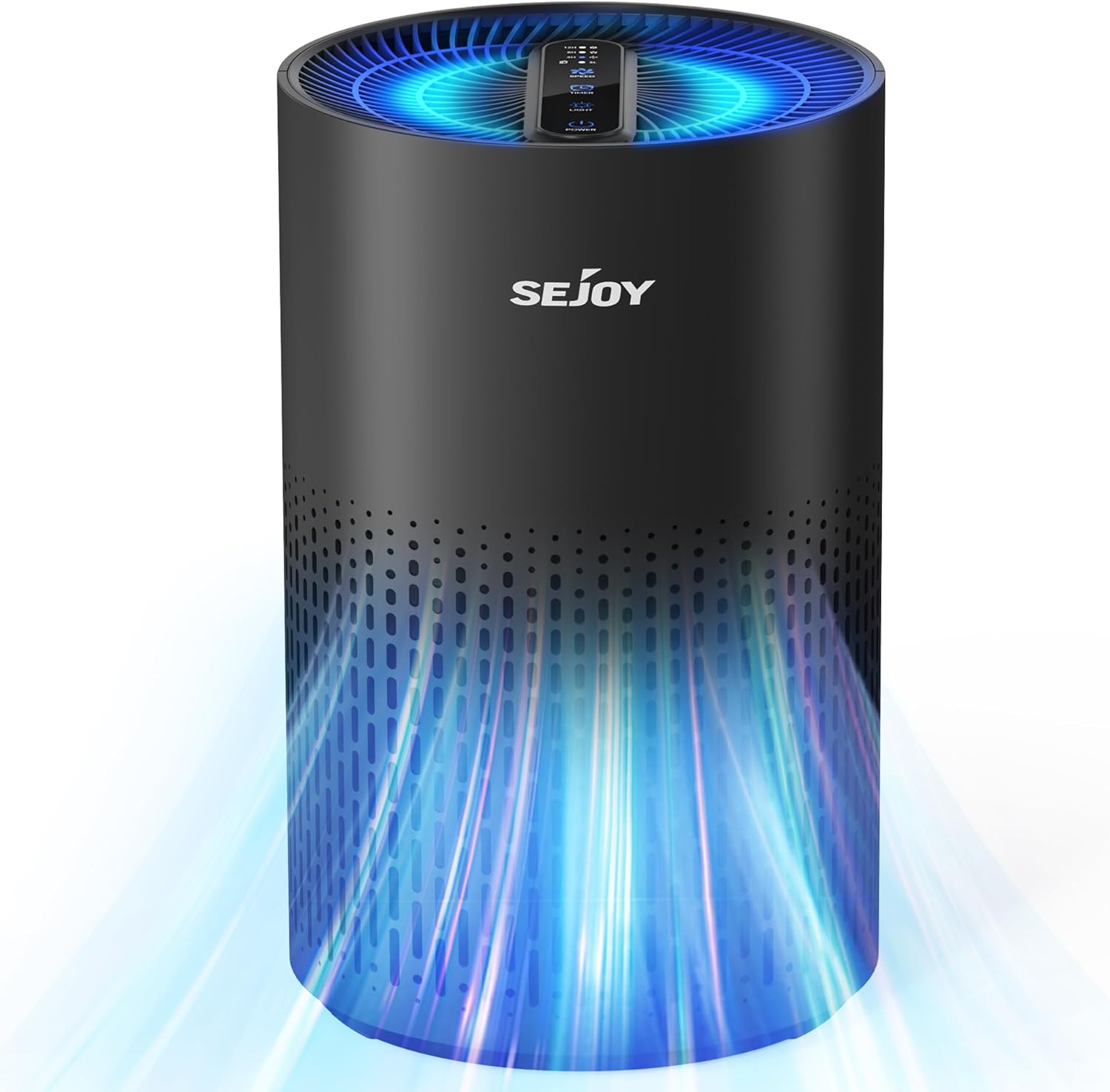
The Sejoy KJ100F Air Purifier, shown in black, features a cylindrical design with air intake vents around the lower body and an illuminated top panel indicating air purification.
3.1 Filtration System
The KJ100F utilizes a 3-stage filtration system to capture various airborne particles:
- Pre-filter: Captures larger particles such as dust, lint, and pet hair.
- True HEPA Filter: Filters particles as small as 0.3 microns, including pollen, pet dander, and smoke.
- Activated Carbon Filter: Absorbs odors from pets, cooking, and smoke.

This diagram illustrates the three-stage filtration process: a pre-filter for large particles, an efficient HEPA filter for bacteria and mold, and an activated carbon filter for odors and fumes.
4. Setup
- Unpack: Carefully remove the air purifier from its packaging.
- Remove Filter Packaging: Before first use, the filter must be removed from the unit and its protective plastic packaging removed. To do this:
- Turn the air purifier upside down.
- Twist the base cover counter-clockwise to unlock and remove it.
- Gently pull out the filter.
- Remove all plastic packaging from the filter.
- Reinsert the filter into the air purifier.
- Replace the base cover and twist clockwise to lock it securely.

This image details the internal filter assembly, consisting of a HEPA filter and an activated carbon layer, which should be replaced periodically.
- Placement: Place the air purifier on a flat, stable surface. Ensure there is at least 15 cm (6 inches) of space around the unit for optimal air circulation.
- Power Connection: Plug the power cord into a standard electrical outlet.
5. Operation
The control panel is located on the top of the air purifier.

The control panel on top of the air purifier allows users to set a timer for 4, 8, or 12 hours, manage fan speeds, and activate the night light.
5.1 Power On/Off
- Press the Power Button once to turn the unit on. The default fan speed will activate.
- Press the Power Button again to turn the unit off.
5.2 Fan Speed Adjustment
- With the unit powered on, press the Fan Speed Button to cycle through the available speeds: Low (1), Medium (2), High (3).
- The indicator light on the control panel will show the currently selected speed.
5.3 Sleep Mode
- Press the Sleep Mode Button to activate sleep mode. The fan speed will automatically switch to the lowest setting, and the operating noise will be reduced to approximately 20dB.
- Press the Sleep Mode Button again or the Fan Speed Button to exit sleep mode.

The air purifier operates at a low noise level of 20dB in sleep mode, and offers three distinct fan speed settings for varying air purification needs.
5.4 Timer Function
- Press the Timer Button to set the operating time. You can choose between 4, 8, or 12 hours.
- The air purifier will automatically turn off once the set time has elapsed.
- To cancel the timer, press the Timer Button until no timer indicator light is illuminated.
5.5 Night Light
- Press the Light Button to turn on the ambient night light.
- Press the Light Button repeatedly to cycle through different color options or to turn the light off.

The air purifier includes a night light feature with multiple color options, allowing users to customize the ambiance.
6. Maintenance
Regular maintenance ensures optimal performance and extends the lifespan of your air purifier.
6.1 Cleaning the Exterior
- Always unplug the unit before cleaning.
- Wipe the exterior surface with a soft, dry cloth.
- Do not use abrasive cleaners or solvents.
6.2 Filter Replacement
The filter should be replaced every 3-6 months, depending on usage and air quality. A filter replacement indicator light will illuminate when it's time to change the filter.
- Unplug the air purifier from the power outlet.
- Turn the unit upside down and twist the base cover counter-clockwise to unlock and remove it.
- Remove the old filter and dispose of it properly.
- Insert a new Sejoy KJ100F replacement filter (Model: B0F247X9TH) into the unit. Ensure it is seated correctly.
- Replace the base cover and twist clockwise to lock it securely.
- Plug in the air purifier. To reset the filter replacement indicator, press and hold the Filter Reset Button (often combined with another function button, refer to control panel diagram) for 3-5 seconds until the light turns off.
Replacement filters can be found by searching for "B0F247X9TH air purifier filter" on Amazon.
7. Troubleshooting
| Problem | Possible Cause | Solution |
|---|---|---|
| Air purifier does not turn on. | Not plugged in. Power outlet malfunction. Filter not installed correctly or plastic not removed. | Ensure the power cord is securely plugged into a working outlet. Check if the filter's plastic packaging has been removed and the filter is correctly installed. |
| Reduced airflow or poor purification. | Filter is dirty or clogged. Air intake/outlet blocked. | Replace the filter. Ensure nothing is obstructing the air intake or outlet vents. |
| Unusual noise. | Unit not on a level surface. Foreign object inside. | Place the unit on a flat, stable surface. Unplug and check for any foreign objects inside the unit. |
| Filter replacement indicator remains on after changing filter. | Filter reset not performed. | After replacing the filter, press and hold the Filter Reset Button for 3-5 seconds to reset the indicator. |
8. Specifications
- Model: KJ100F
- Product Dimensions: 7.1"D x 7.1"W x 11.4"H (18 x 18 x 29 cm)
- Weight: 3.19 Pounds (1.45 kg)
- Rated Power: 12 Watts
- CADR (Clean Air Delivery Rate): 110 m³/h
- Coverage Area: Up to 263.5 sq ft (24.5 m²)
- Filtration: 3-Stage (Pre-filter, True HEPA, Activated Carbon)
- Noise Level (Sleep Mode): As low as 20dB
- Certifications: EPA Certified, ETL Certified, FCC Certified
9. Warranty and Support
For warranty information or technical support, please refer to the documentation included with your purchase or visit the official Sejoy store on Amazon. You can find the Sejoy Store by clicking on the brand name on the product page.


