
Important Safety Information
Always read and follow the instructions manual. Do not use if pregnant, with open wounds or infections. Be cautious with the heat function to avoid burns. Keep the chair dry and away from water. Unplug the chair when not in use. Do not use if the power cord is damaged. Consult a doctor before use if you have any health conditions or concerns.
Product Overview
The MYTHIA A303 Massage Chair is designed to provide a comprehensive full-body massage experience. It features an iRest System with a 53.15-inch SL track, zero-gravity recline, auto body scan, heat therapy, foot rollers, and integrated Bluetooth speakers.
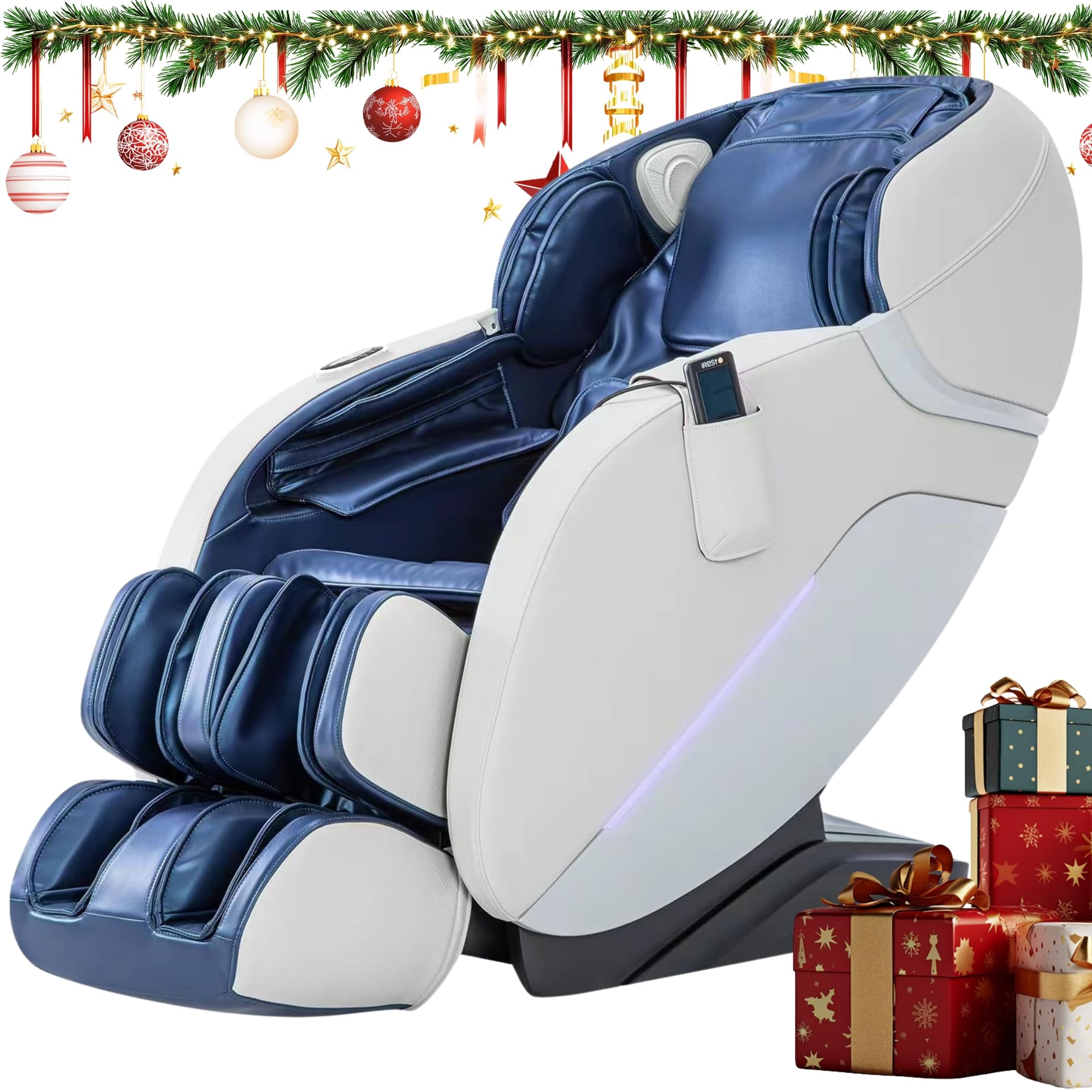
Image: The MYTHIA A303 Massage Chair, showcasing its design and presence in a home environment.
Video: An overview of the MYTHIA A303 Massage Chair's features and user experience.
Setup and Assembly
Unpacking and Placement
Carefully remove the massage chair from its packaging. Ensure you have adequate space for the chair, considering its dimensions of 50.39"D x 29.92"W x 46.46"H. The chair is designed for indoor use on hard floor surfaces. It is recommended for users up to 6 feet tall and weighing up to 260 lbs.

Image: Visual guide illustrating the dimensions of the MYTHIA A303 Massage Chair and recommended user height and weight.
Footrest Assembly
The footrest requires minimal assembly. Follow these steps:
- Connect the white terminals and air hose.
- Remove the screws holding the footrest in place, then open the buckles. Keep the screws for reassembly.
- Hang the footrest onto the main chair unit, close the buckles, and secure them with the previously removed screws.
Video: Step-by-step guide for assembling the footrest of the MYTHIA A303 Massage Chair.
Connecting Power
Plug the power cord into a suitable electrical outlet. Ensure the power switch on the chair is in the 'On' position.
Operating Instructions
Basic Controls
The chair can be operated using the LCD handheld remote control or the armrest shortcut keys. The remote allows for detailed program selection and adjustments, while the armrest keys provide quick access to common functions.

Image: Close-up of the remote control and armrest shortcut buttons for the MYTHIA A303 Massage Chair.
Auto Body Scan
Upon starting a massage program, the chair automatically scans your shoulders and back. This feature adapts the massage path to your individual height and body shape, ensuring precise and tailored coverage from neck to waist.
Image: Illustration depicting the automatic body scan system of the MYTHIA A303 Massage Chair.
Auto Programs and Massage Techniques
Select from 8 pre-set auto programs:
- Comfort
- Relax
- Neck & Shoulder
- Back & Waist
- Energy
- Fatigue Recovery
- Hip Care
- Sleep
Combine these with 5 massage techniques:
- Shiatsu
- Kneading
- Tapping
- Knocking
- Kneading-with-Tapping
Adjustable Intensity and Targeted Relief
Customize your massage by adjusting speed, width, and air pressure (3 levels). Target specific areas including full back, upper back, lower back, a partial zone, or a fixed point for pinpoint accuracy.
Zero-Gravity Recline
Recline into one of three zero-gravity positions to alleviate pressure on your spine and enhance the massage experience.

Image: The MYTHIA A303 Massage Chair fully reclined in a zero-gravity position.
Heat Function and Foot Rollers
Activate the soothing carbon-fiber lumbar heat to help loosen tight muscles. Under-foot rollers provide relief for tired soles.

Image: Close-up of the extendable footrest and foot rollers of the MYTHIA A303 Massage Chair.
Bluetooth Speakers
Connect your device via Bluetooth to enjoy audio through the integrated speakers during your massage session.
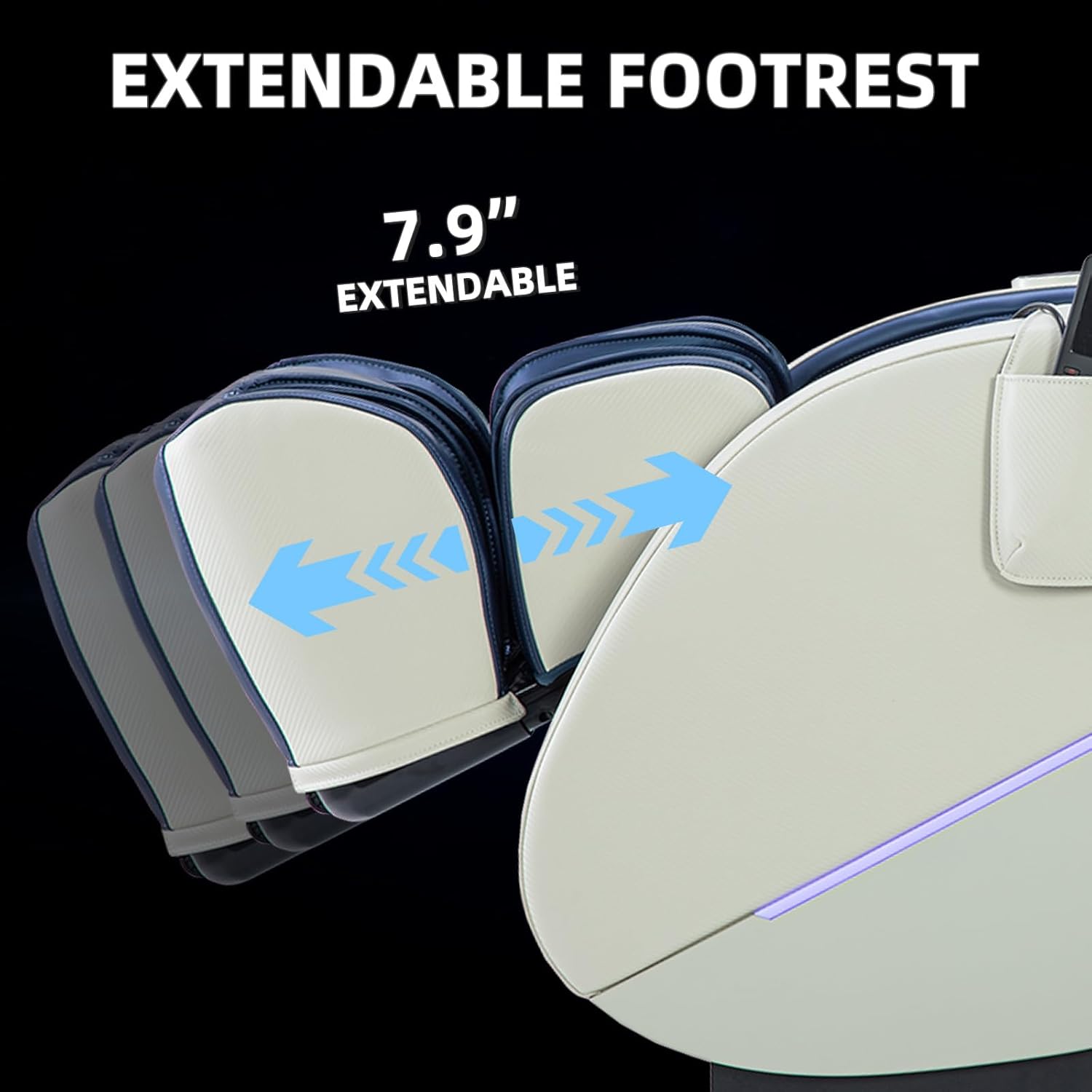
Image: Detail of the integrated Bluetooth speakers on the MYTHIA A303 Massage Chair.
Maintenance
Cleaning
Wipe the faux leather surfaces with a soft, damp cloth. Avoid using harsh chemicals or abrasive cleaners. Ensure the chair is unplugged before cleaning.
General Care
Keep the chair away from direct sunlight and heat sources to prevent material degradation. Avoid placing heavy objects on the chair. Regularly check for any loose connections or wear and tear.
Troubleshooting
No Power
- Check if the power cord is securely plugged into both the chair and the wall outlet.
- Ensure the power switch on the chair is in the 'On' position.
- Verify that the wall outlet is functioning by plugging in another appliance.
Massage Not Functioning Correctly
- Ensure you are seated properly, with your back and neck firmly against the backrest for accurate body scan detection.
- Check the remote control for error messages or specific program settings.
- Restart the chair by turning it off and on again.
Unusual Noises
Minor operational sounds are normal. If you hear loud or unusual noises, turn off the chair immediately and contact customer support.
Specifications
| Feature | Detail |
|---|---|
| Brand | MYTHIA |
| Model Name | A303 |
| Material | Faux Leather, Foam (Fill) |
| Product Dimensions (D x W x H) | 50.39" x 29.92" x 46.46" |
| Seat Depth | 20.08 inches |
| Recommended User Height | < 6 ft |
| Recommended User Weight | < 260 lbs |
| SL Track Length | 53.15 inches |
| Zero Gravity Positions | 3 |
| Air Pressure Levels | 3 |
| Heat Function | Carbon-fiber lumbar heat |
| Connectivity | Bluetooth Speakers |
| Control Method | LCD Handheld Remote, Armrest Shortcut Keys |
| Assembly Required | Yes |
| UPC | 850036151463 |
Warranty and Support
MYTHIA stands by its commitment to reliability through a 3-Year Expert Support. For any issues or inquiries, please refer to your purchase documentation for contact information or visit the official MYTHIA website.