1. Introduction
This manual provides detailed instructions for the safe and efficient assembly, operation, and maintenance of your XINLEI Universal Swivel TV Stand Base (Model TS204). Please read this manual thoroughly before installation and retain it for future reference. This stand is designed to accommodate 32 to 75-inch flat or curved televisions and monitors, supporting a maximum weight of 99 lbs (45 kg) and VESA patterns from 200x100mm to 600x400mm.
2. Safety Information
WARNING: Failure to read and follow all instructions may result in property damage, serious injury, or death. If you do not understand these instructions or have doubts about the safety of the installation, please contact customer support.
- Do not exceed the maximum weight capacity of 99 lbs (45 kg).
- Ensure your TV's VESA pattern is compatible (200x100mm to 600x400mm).
- Always use the provided hardware. If any parts are missing or defective, contact customer support.
- Do not install on unstable surfaces. The stand must be placed on a flat, stable surface.
- Keep children away from the TV stand during assembly and operation.
- Periodically check all connections to ensure they remain secure.
3. Package Contents
Verify that all components are present and undamaged before beginning assembly. Refer to the included hardware pack for specific screw sizes and quantities.
Included Hardware:
- Various screws (M4, M6, M8) for TV mounting.
- Spacers and washers.
- Allen wrench and open-end wrench.

Image: All components of the XINLEI TV stand laid out on a surface, including the tempered glass base, metal support column, VESA mounting brackets, and various screws and tools in plastic bags.
4. Specifications
| Feature | Description |
|---|---|
| Brand | XINLEI |
| Model | TS204 |
| Compatible TV Sizes | 32 to 75 inches |
| Max Weight Capacity | 99 lbs (45 kg) |
| VESA Compatibility | 200x100mm to 600x400mm |
| Swivel Range | +/- 30 degrees |
| Height Adjustment | 12 levels (3 on hook, 4 on pillar) |
| Base Dimensions | 10.24 x 15.75 inches |
| Material | Alloy Steel, Tempered Glass |
| Color | Black |

Image: A diagram illustrating the stand's compatibility with TV sizes from 32 to 75 inches, VESA patterns up to 600x400mm, and a maximum weight capacity of 99 lbs.
5. Setup & Installation
Follow these steps carefully to assemble your XINLEI Universal Swivel TV Stand Base.
5.1. Assemble the Base and Support Column
- Attach the main support column to the tempered glass base using the provided screws and tools. Ensure all connections are tight and secure.
- Place the non-slip foam feet on the bottom of the tempered glass base to prevent scratching and increase stability.
5.2. Attach VESA Brackets to Your TV
- Identify the correct VESA mounting holes on the back of your TV.
- Select the appropriate screws (M4, M6, or M8) and spacers from the hardware kit that fit your TV's mounting holes.
- Attach the two vertical VESA mounting brackets to the back of your TV. Ensure they are securely fastened and evenly aligned.
5.3. Mount TV to the Stand
- Carefully lift your TV and hook the attached VESA brackets onto the horizontal mounting plate of the stand.
- Secure the TV to the stand using the safety screws or locking mechanisms provided.
5.4. Height Adjustment
The stand offers 12 levels of height adjustment. You can adjust the height by selecting different positions on the hook and pillar. The maximum height from the center of the TV to the base is approximately 23 inches (pillar height 21.26 inches).
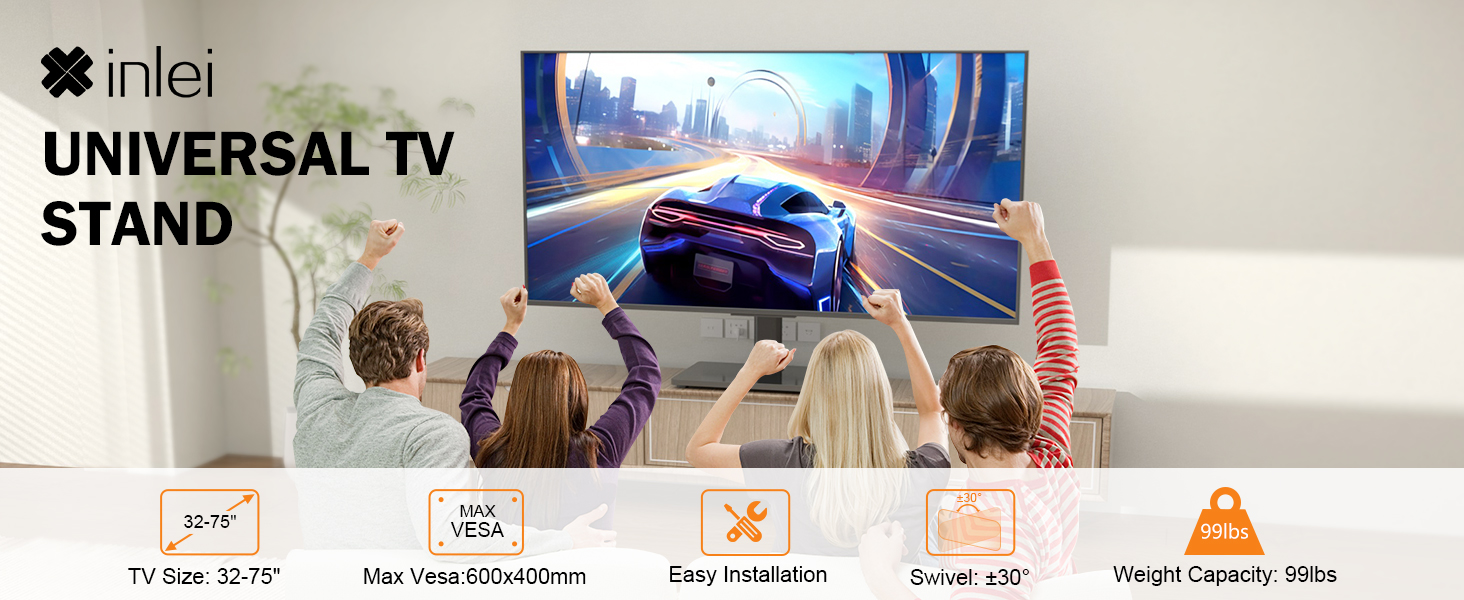
Image: Visual representation of the 12 height adjustment options, demonstrating how the TV can be positioned at various levels on the stand.
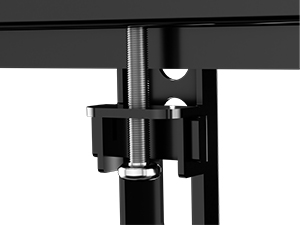
Image: A close-up view of the screw and slot mechanism used for adjusting the TV's height on the stand's pillar.
5.5. Cable Management
Utilize the integrated cable management clips on the support column to keep your cables organized and out of sight, ensuring a tidy setup.

Image: The TV stand with cables neatly routed down the central support column, demonstrating the cable management feature.
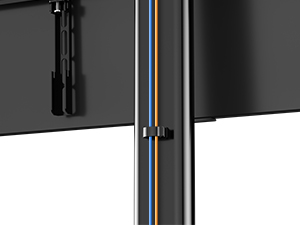
Image: A detailed view of the cable clips attached to the stand's support column, designed to keep power and data cables organized.
5.6. No Drilling Required
This tabletop TV stand does not require drilling holes in your wall, offering flexible placement options in various rooms such as bedrooms, living rooms, offices, or classrooms.

Image: A visual cue indicating that no drilling is necessary for the installation of this TV stand.
5.7. Stable Design
The stand features a premium steel construction and a heavy-duty tempered glass base (10.24x15.75 inches) for enhanced stability. Four non-slip foam feet are included to increase friction and prevent tipping.
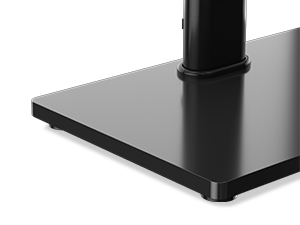
Image: A close-up of the tempered glass base, highlighting its sturdy construction and the non-slip rubber feet for stability.
5.8. Installation Video
For a visual guide on the installation process, please watch the official XINLEI installation video:
Video: Official XINLEI installation guide for the TS204 swivel TV stand, demonstrating step-by-step assembly.
6. Operating Instructions
6.1. Swivel Function
The TV stand allows for a +/- 30-degree swivel, enabling you to adjust the viewing angle for optimal comfort from various positions in the room. Gently push the TV to the desired angle.

Image: A TV mounted on the stand, demonstrating its ability to swivel left and right for flexible viewing angles.

Image: A diagram highlighting the 30-degree swivel range of the TV stand, indicating increased viewing flexibility.
6.2. Height Adjustment
To adjust the TV's height, you will need to temporarily unmount the TV from the stand. Re-position the VESA brackets on the support column to one of the 12 available height options, then re-mount the TV securely.
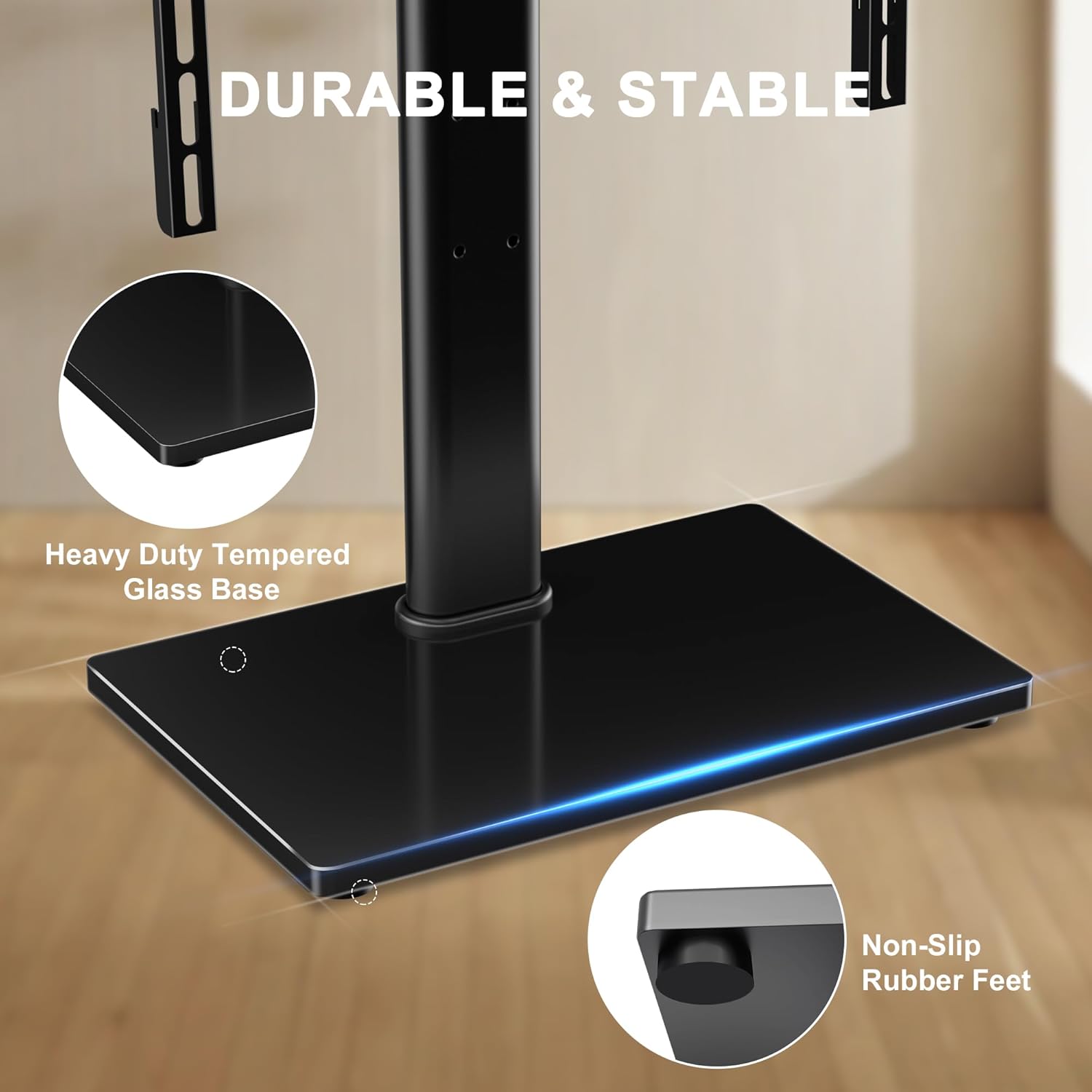
Image: A person adjusting the height of a TV on the stand, illustrating the multiple height options available.
6.3. Swivel Display Video
Observe the swivel functionality of the TV stand in action:
Video: A demonstration of the XINLEI swivel TV stand's smooth rotation, showcasing its ability to adjust viewing angles.
7. Maintenance
- Cleaning: Use a soft, damp cloth to clean the glass base and metal components. Avoid abrasive cleaners or solvents that could damage the finish.
- Inspection: Periodically check all screws and connections to ensure they are tight. Re-tighten if necessary.
- Weight Limit: Do not place items exceeding the stand's weight capacity on the base or mount.
8. Troubleshooting
- TV is not level: Ensure the VESA brackets are installed evenly on the back of the TV and securely attached to the stand. Check the base for level placement on your surface.
- Stand feels unstable: Verify that all screws are tightened. Ensure the stand is on a flat, solid surface and the non-slip feet are properly positioned. Do not exceed the maximum weight capacity.
- Difficulty swiveling: Check for any obstructions around the base or TV. Ensure the swivel mechanism is clean and free of debris.
- Missing parts: If any parts are missing from the package, please contact XINLEI customer support for assistance.
9. Warranty & Support
The XINLEI Universal Swivel TV Stand Base (TS204) comes with a 3-year warranty. For warranty claims, technical support, or any questions regarding your product, please refer to the contact information provided in your product packaging or visit the official XINLEI website.
Manufacturer: XINLEI


