
1. Product Overview
The NBCP Wireless Guitar Hero Controller is designed to provide an immersive musical gaming experience on both PC and PlayStation 3 platforms. This controller features a detachable neck, an adjustable strap, and responsive fret buttons for optimal gameplay.

Figure 1: NBCP Wireless Guitar Hero Controller (White Model)
2. Package Contents
- Wireless Guitar Hero Controller
- USB 2.4G RF Receiver
- Adjustable Guitar Strap
3. Setup Instructions
3.1 Assembly
- Attach the Guitar Neck: Align the neck of the guitar with the body. Gently slide the neck into the slot until it clicks securely into place. Ensure the connection is firm.
- Attach the Guitar Strap: Locate the strap buttons on the guitar body. Attach one end of the adjustable strap to the button near the base of the guitar and the other end to the button on the upper horn. Adjust the strap length for comfortable playing.

Figure 2: Detachable Guitar Neck and Adjustable Strap
3.2 Wireless Connection
The controller uses 2.4G RF wireless technology for connection.
- Insert the USB Receiver: Plug the included USB 2.4G RF receiver into an available USB port on your PC or PlayStation 3 console.
- Power On the Guitar: Turn on the guitar controller. The controller should automatically pair with the USB receiver. An indicator light on the guitar will confirm a successful connection.
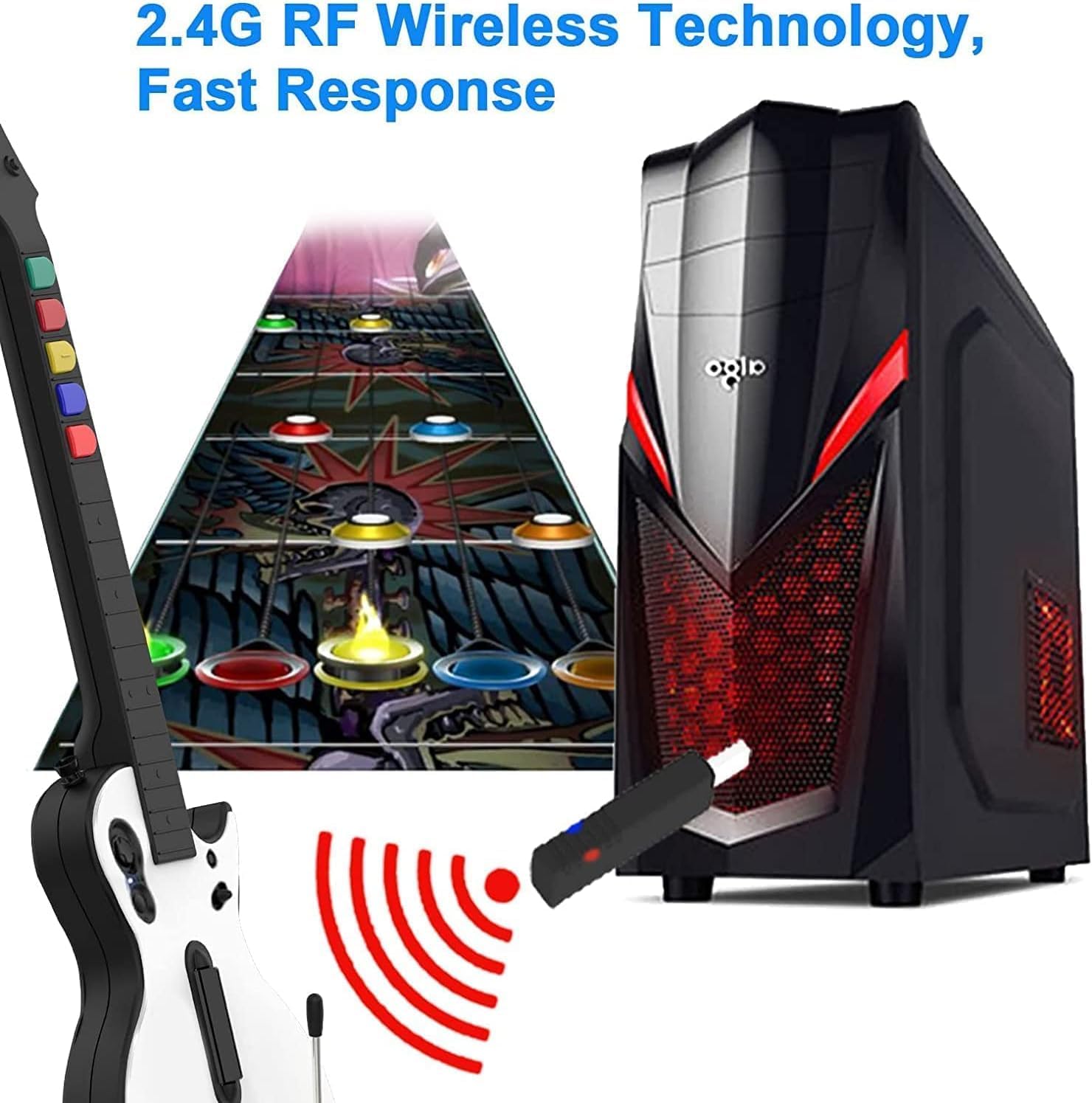
Figure 3: Wireless Connection via 2.4G RF USB Receiver
4. Operating Instructions
4.1 Compatible Games and Platforms
This wireless guitar controller is compatible with the following games and platforms:
- PC Platform: Guitar Hero 3, Guitar Hero 3 Legends Of Rock, Guitar Hero World Tour.
- PS3 Platform: Guitar Hero 3, Guitar Hero 4, Guitar Hero 5, Rock Band 1, Rock Band 2.

Figure 4: Compatible Game Titles
4.2 Controller Layout and Functions
Familiarize yourself with the buttons and controls on your guitar controller:

Figure 5: Guitar Hero Controller Button Layout
- Fret Buttons: Located on the neck (Green, Red, Yellow, Blue, Orange). Press these buttons in conjunction with the strum bar to hit notes.
- Strum Bar: Located on the body. Strum up or down while holding fret buttons to play notes.
- Whammy Bar: Located on the body. Use to bend notes for expressive play.
- SELECT (minus) / START (plus) Buttons: For game menu navigation and pausing.
- Control Stick: For menu navigation and other in-game actions.

Figure 6: Colorful 5-Key Fret Button Design
4.3 Gameplay Modes
The guitar supports various gameplay modes, including single-player and practice modes. When playing, the colored buttons on the guitar will correspond to rhythmic notes displayed on screen. Incorrect key presses or strums will produce incorrect sounds within the game.

Figure 7: Engaging in Guitar Hero Gameplay
5. Maintenance
To ensure the longevity and optimal performance of your guitar controller, follow these maintenance guidelines:
- Cleaning: Regularly wipe the surface of the guitar with a soft, dry cloth. Avoid using harsh chemicals or abrasive cleaners.
- Button Contact Points: If a guitar button becomes unresponsive over prolonged use, it may be due to oxidation of the device's contact points. To resolve this, carefully disassemble the neck (if applicable) and gently wipe the contact points with a small amount of rubbing alcohol on a cotton swab or use a pencil eraser. Ensure the area is completely dry before reassembling.

Figure 8: Cleaning Button Contact Points
6. Troubleshooting
If you encounter issues with your NBCP Wireless Guitar Hero Controller, please refer to the following common solutions:
- Controller Not Connecting:
- Ensure the USB 2.4G RF receiver is securely plugged into a working USB port on your PC or PS3.
- Verify the guitar controller is powered on.
- Try unplugging and re-plugging the USB receiver, then power cycle the guitar controller.
- Confirm that the USB receiver was included in your package. If missing, contact customer support.
- Buttons Unresponsive:
- Refer to the Maintenance section (Section 5) for instructions on cleaning button contact points, as oxidation can cause unresponsiveness.
- Ensure the guitar neck is fully and securely attached to the body.
- PC Specific Issue (Space Bar Clicking):
- Some PC systems may interpret the guitar's input as a constant space bar press upon connection. It is recommended to configure or program the button mappings within your game (e.g., Clone Hero) before plugging in the USB receiver to avoid this behavior.
- Incorrect Color Received:
- If you received a different color than ordered, please contact the seller or customer support for assistance.
7. Specifications
| Feature | Detail |
|---|---|
| Model Number | B0D7H3QSVF |
| Brand | NBCP |
| Connectivity | 2.4G RF Wireless |
| Compatible Platforms | PC, PlayStation 3 |
| Parcel Dimensions | 44.1 x 34.5 x 8.4 cm |
| Item Weight | 1.38 kg |
| Manufacturer | NBCP |
| Country of Origin | China |
| Release Date | August 14, 2024 |
8. Warranty and Support
For warranty information or technical support, please contact NBCP customer service through the retailer where the product was purchased. Keep your purchase receipt as proof of purchase.