
Introduction
The WOPET Automatic Pet Feeder is designed to provide convenient and reliable feeding for your cats and dogs. With smart APP control, you can remotely manage meal times and portions, ensuring your pet is well-fed even when you're away. This manual will guide you through the setup, operation, and maintenance of your new feeder.
Product Components
Before assembly, ensure all components are present:

Image: WOPET Automatic Pet Feeder (White WiFi model) with its accompanying mobile application interface.

Image: All components included with the WOPET CA10 feeder, laid out on a white surface.
- Hopper
- Feeder Base
- Lid
- Bowl Rack
- Food Bowl (Stainless Steel)
- Power Plug
- Desiccant
- Power Cable (Type-C)
- Instructions (this manual)
Setup
Follow these steps to set up your WOPET Automatic Pet Feeder.
Video Guide: How to Install the WOPET CA10
Video: A step-by-step guide demonstrating the installation process of the WOPET CA10 Automatic Pet Feeder.
- Install the Hopper: Carefully place the transparent food hopper onto the feeder base. Ensure it is securely seated.

Image: A person installing the clear food hopper onto the black feeder base.
- Prepare the Lid: Open the security lock on the lid. Insert the desiccant bag into its designated compartment inside the lid to keep food fresh. Close the security lock.

Image: Diagram showing the twist-lock design of the lid and the placement of the desiccant bag to seal food freshness.
- Attach the Lid: Place the lid onto the hopper and press down firmly until it clicks into place, ensuring a secure seal.
- Assemble the Bowl: Snap the bowl rack onto the bottom of the feeder. Then, place the stainless steel food bowl onto the bowl rack.
- Install Batteries (Optional but Recommended): Open the battery cover at the bottom of the feeder. Insert three D-size batteries. This provides backup power in case of an outage, ensuring continuous feeding. Close the battery cover.

Image: The WOPET feeder showing both power adapter connection and the battery compartment for dual power supply.
- Connect Power: Connect the Type-C power cable to the feeder and plug the adapter into a wall outlet.
Operating Instructions
Smart APP Control
The WOPET Automatic Pet Feeder is controlled via the WOPET Life App, available for iOS and Android devices.

Image: The WOPET feeder alongside a smartphone displaying the WOPET Life App, highlighting precise portion control.
- Remote Feeding: Set 1-10 meals per day and up to 8 portions of dry food per meal. This allows for customized feeding schedules based on your pet's needs.
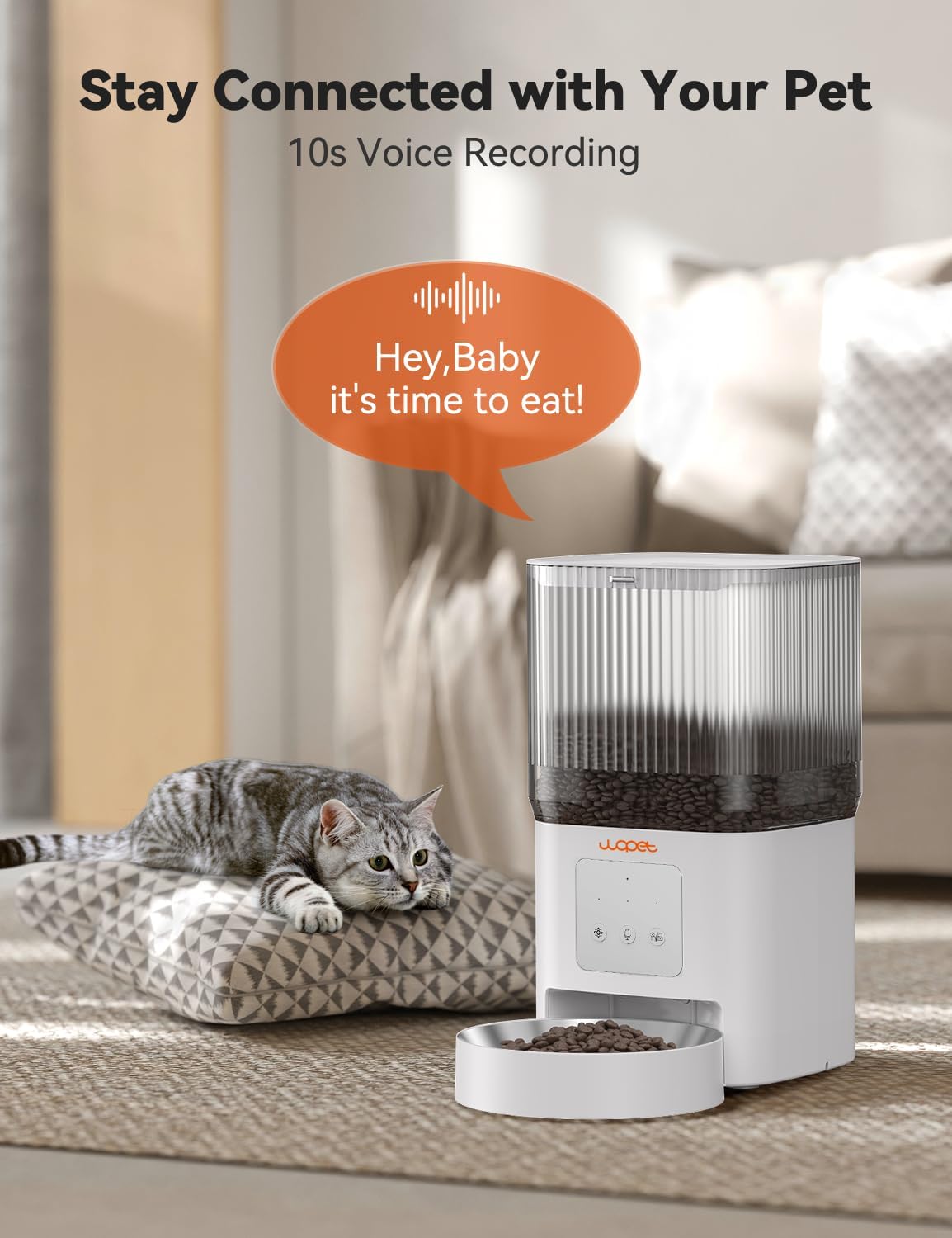
Image: The WOPET feeder with a smartphone showing the remote app control interface for customizing meal plans and adding extra feedings.
- 10-Second Voice Meal Call: Record a personalized 10-second voice message that plays at meal times. This familiar sound can help alleviate your pet's anxiety when you are not around.

Image: The WOPET feeder with a cat, illustrating the 10-second voice recording feature for meal calls.
- Real-Time Notifications: Receive instant updates on your phone regarding feeding completion, tank jams, low battery, and other important alerts.

Image: The WOPET feeder with a smartphone displaying real-time notifications about meal reminders and feeder status.
- Personalized Meal Recommendations: The app can provide meal recommendations based on pet nutrition alliance data, helping you ensure your pet receives optimal nutrition.

Image: The WOPET feeder with a smartphone displaying the app's personalized meal recommendation feature, including daily calorie requirements.
Maintenance
Proper maintenance ensures the longevity and hygiene of your WOPET Automatic Pet Feeder.
- Cleaning: The food hopper and stainless steel bowl are detachable and dishwasher-safe for easy cleaning. Regularly clean these components to maintain a hygienic feeding environment.

Image: Exploded view of the WOPET feeder showing the detachable food hopper and stainless steel bowl, indicating they can be washed with running water.
- Food Storage: The feeder features a 4L (17 cup) capacity and a unique twist-lock lid to securely store dry kibble (sized 0.07-0.47in / 2-12mm in diameter). This design preserves food crunchiness and flavor while keeping it safe from pets.

Image: A puppy attempting to open the WOPET feeder, highlighting the secure twist-lock design that prevents pets from opening it.

Image: Diagram illustrating the internal mechanism of the WOPET feeder designed to prevent food blocking, showing recommended kibble types and sizes.
- Pest Proofing: When not dispensing food, the dispenser seals to keep pests out and ensure the food remains dry and fresh.

Image: Diagram showing the pest-proof sealing mechanism of the WOPET feeder's dispenser when not in use.
- Material Quality: The feeder is made from safe ABS material, and the food bowl is 304 stainless steel, ensuring pet health and food hygiene.

Image: Close-up of the WOPET feeder's stainless steel bowl, emphasizing SGS certification for safe materials.
Troubleshooting
If you encounter issues with your WOPET Automatic Pet Feeder, please refer to the following common problems and solutions:
| Problem | Possible Cause | Solution |
|---|---|---|
| Feeder not dispensing food | Food hopper empty, food blockage, or power issue. | Check food level. Clear any blockages in the dispenser. Ensure power cable is securely connected and batteries (if used) are charged. |
| App connectivity issues | Incorrect Wi-Fi password, 5G Wi-Fi network, or weak signal. | Ensure you are connecting to a 2.4G Wi-Fi network. Verify Wi-Fi password. Move the feeder closer to the router during initial setup. |
| Scheduled meals not dispensing | Incorrect schedule settings in the app, or power interruption. | Double-check your meal schedule in the WOPET Life App. Ensure continuous power supply (use batteries as backup). |
| Pet accessing food outside of scheduled times | Lid not securely closed. | Ensure the twist-lock lid is properly secured and clicked into place. |
Specifications
| Feature | Detail |
|---|---|
| Model | CA10-White |
| Capacity | 4L (17 cups) |
| Material | BPA Free ABS, 304 Stainless Steel Bowl |
| Connectivity | 2.4G WiFi |
| Meals Per Day | 1-10 |
| Portions Per Meal | Up to 8 |
| Voice Recording | 10 seconds |
| Power Supply | Power Adapter (Type-C) and 3 x D-size Batteries (backup) |
| Recommended Kibble Size | 0.07-0.47 inches (2-12mm) |
| Dimensions (LxWxH) | 8 x 6 x 6 inches |
| Item Weight | 3.05 pounds |
Note: 1 portion ≈ 10g ≈ 0.35 oz (ounces) ≈ 0.67 fl oz (fluid ounces) ≈ 20 ml ≈ 1/12 cup ≈ 4 Tsp ≈ 4/3 Tbsp. This table is for reference only and actual measurements may vary slightly due to the unique characteristics of each pet food.

Image: A conversion chart detailing approximate measurements for one portion of pet food dispensed by the feeder.
Warranty and Support
For warranty information or technical support, please contact WOPET customer service. Refer to the contact details provided in your product packaging or visit the official WOPET website.
WOPET Store: Visit the WOPET Store on Amazon