
Studebaker SB3720
User Manual
Studebaker SB3720 Portable Stereo Bluetooth CD Player
Model: SB3720
Product Overview

The Studebaker SB3720 is a portable stereo system featuring a CD player, Bluetooth connectivity, FM radio, and USB playback. It is designed for versatile audio enjoyment with a built-in rechargeable battery for portability.
The SB3720 combines classic audio playback with modern features. It supports standard audio CDs, MP3 CDs, and CD-R/RW discs. Bluetooth functionality allows for wireless streaming from compatible devices. The integrated FM stereo radio provides access to your favorite stations, while the USB port enables playback of MP3 files from a USB drive. An auxiliary input and headphone jack offer additional connectivity options. Its compact design and rechargeable battery make it suitable for use in various settings.
Components and Controls

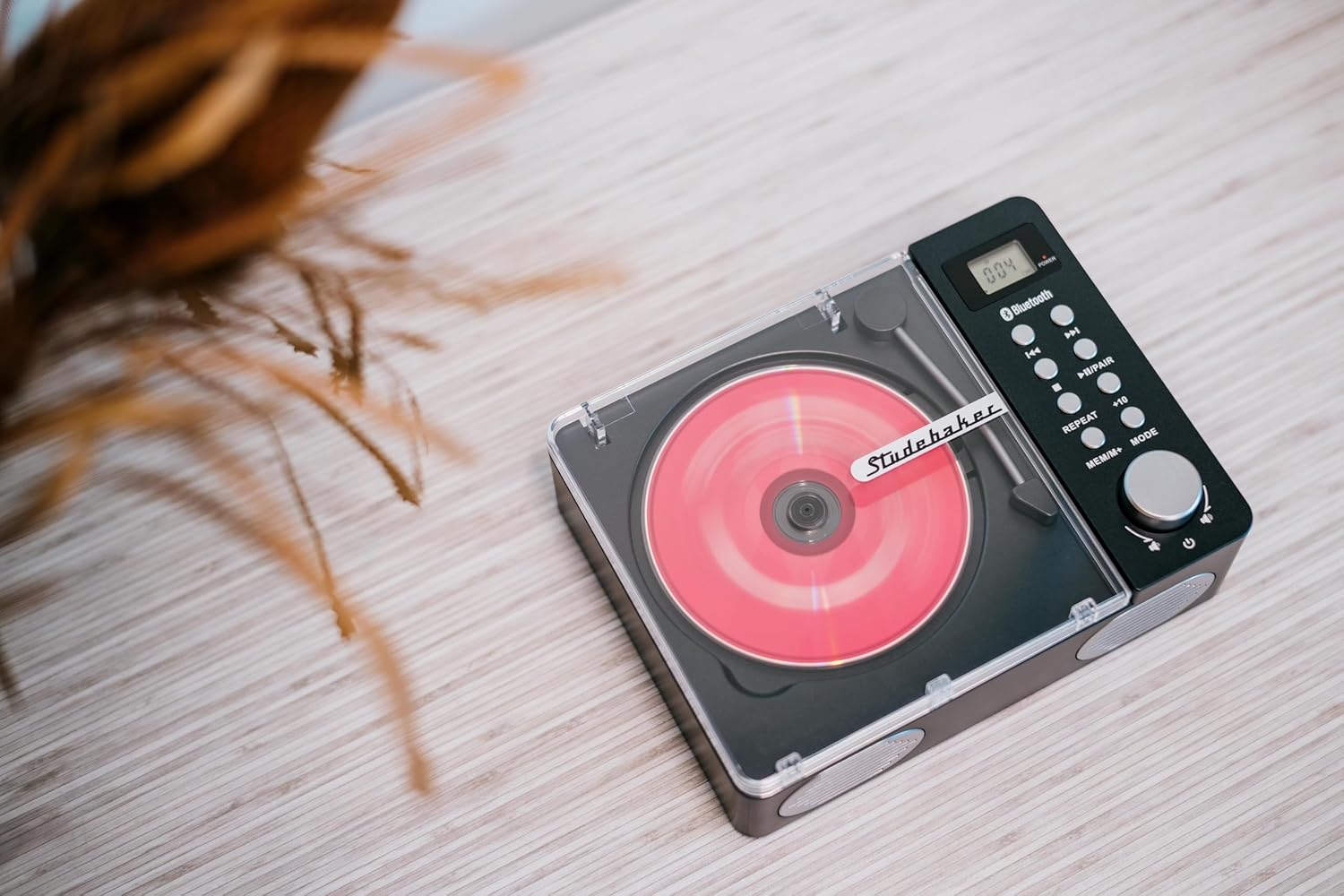
Front view of the unit with the CD compartment lid open, showing the CD spindle and the tone arm.
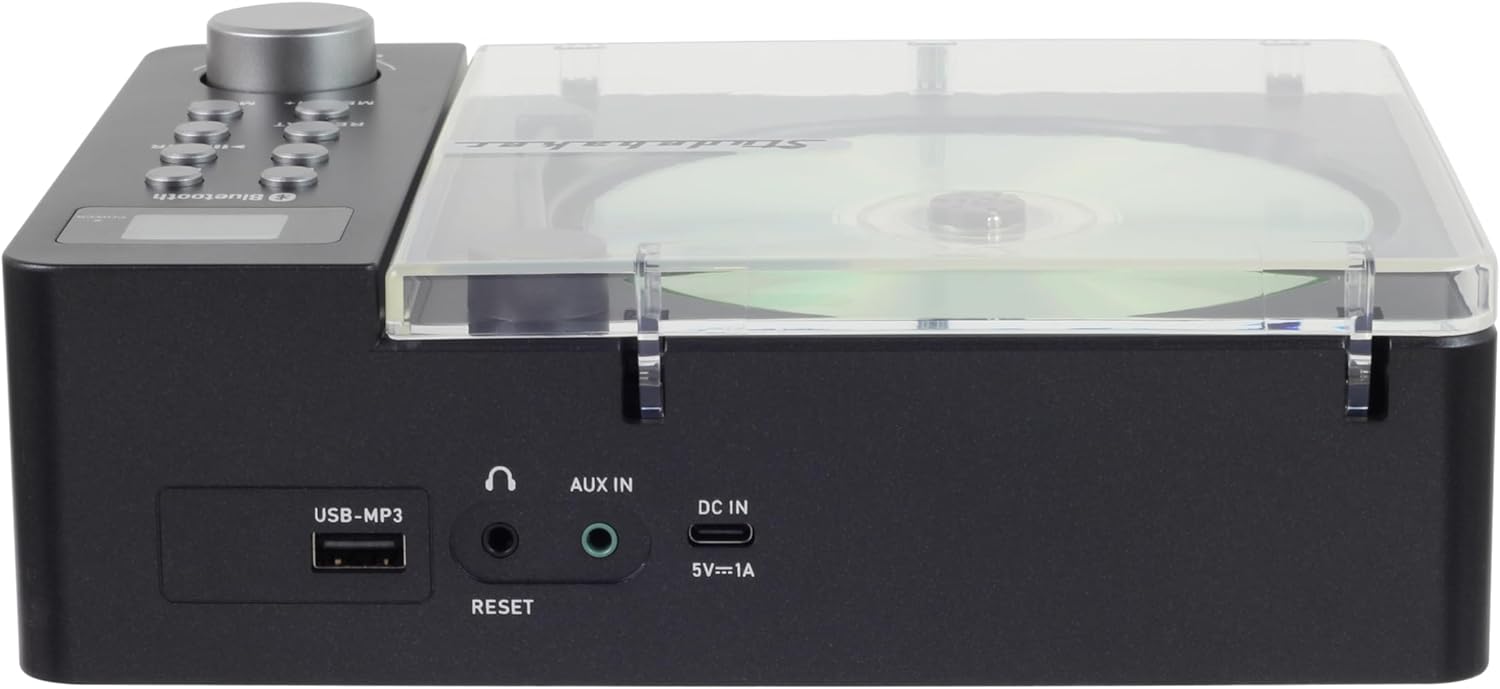
Rear panel of the unit, highlighting the USB-MP3 port, AUX IN jack, and DC IN (5V=1A) port.
Front Panel Controls:
- LCD Display: Shows current mode, track number, time, and FM frequency.
- Power Button: Turns the unit on or off.
- Volume Knob: Adjusts the audio output level.
- Previous/Rewind Button (◀◀): Skips to the previous track or rewinds within a track. In FM mode, tunes to the previous station.
- Next/Fast Forward Button (▶▶): Skips to the next track or fast forwards within a track. In FM mode, tunes to the next station.
- Play/Pause/Pair Button (▶⏸ / PAIR): Plays or pauses playback. In Bluetooth mode, initiates pairing.
- Repeat Button (REPEAT): Repeats the current track or all tracks.
- +10 Button: Skips forward by 10 tracks during CD/USB playback.
- Memory/Mode Button (MEM/MODE): Switches between CD, Bluetooth, FM, USB, and AUX modes. In FM mode, saves radio stations.
Rear Panel Connections:
- USB-MP3 Port: For connecting USB flash drives to play MP3 audio files.
- AUX IN Jack: For connecting external audio devices via a 3.5mm audio cable.
- DC IN (5V=1A) Port: For connecting the included Type-C charging cable and USB-C adaptor to power the unit or charge the internal battery.
- RESET Button: A small button to reset the unit if it becomes unresponsive.
- Headphone Jack: For private listening with headphones (located on the side/front, not visible in rear image but mentioned in features).
Setup
1. Charging the Built-in Battery
Before first use, fully charge the unit's built-in rechargeable battery. Connect the supplied Type-C charging cable to the DC IN (5V=1A) port on the rear of the unit and the USB-C adaptor to a standard wall outlet. The charging indicator on the unit will illuminate during charging and turn off when fully charged. A full charge typically takes several hours.
The included Type-C charging cable and USB-C adaptor for powering and charging the unit.
2. Powering On/Off
- To turn the unit ON, press the Power button. The LCD display will light up.
- To turn the unit OFF, press and hold the Power button until the display turns off.
3. Initial Placement
Place the unit on a stable, flat surface. Ensure adequate ventilation around the unit. Avoid placing it near heat sources, direct sunlight, or in excessively humid environments.
Operating Instructions
1. CD Playback
- Press the Power button to turn on the unit.
- Press the MEM/MODE button repeatedly until "CD" mode is selected on the LCD display.
- Gently lift the transparent CD compartment lid.
- Place a CD (audio CD, MP3 CD, or CD-R/RW) onto the center spindle with the label side facing up.
- Close the CD compartment lid. The unit will automatically begin reading the disc and playback will start.
- Use the ◀◀ and ▶▶ buttons to skip tracks. Press and hold to fast forward or rewind.
- Press the ▶⏸ button to pause or resume playback.
- Press the REPEAT button to cycle through repeat modes (e.g., repeat one track, repeat all tracks).
- Press the +10 button to skip forward by 10 tracks (for MP3 CDs with many tracks).
- Adjust the volume using the Volume knob.
2. Bluetooth Pairing and Streaming
- Press the Power button to turn on the unit.
- Press the MEM/MODE button repeatedly until "BT" (Bluetooth) mode is selected on the LCD display. The unit will enter pairing mode, indicated by a flashing Bluetooth icon on the display.
- Enable Bluetooth on your mobile device (smartphone, tablet, etc.) and search for available devices.
- Select "SB3720" from the list of devices. Once paired, the Bluetooth icon on the unit's display will stop flashing and remain solid.
- You can now stream audio wirelessly from your device to the SB3720. Use your device's controls or the unit's ◀◀, ▶▶, and ▶⏸ buttons to control playback.
- Adjust the volume using the Volume knob on the unit or your connected device.
3. FM Radio Operation
- Press the Power button to turn on the unit.
- Press the MEM/MODE button repeatedly until "FM" mode is selected on the LCD display.
- To auto-scan and save stations: Press and hold the ▶⏸ button. The unit will scan for and automatically save strong FM stations.
- To manually tune: Briefly press the ◀◀ or ▶▶ buttons to tune step-by-step. Press and hold to auto-scan to the next strong station.
- To recall saved stations: Briefly press the MEM/MODE button to cycle through saved stations.
- Adjust the volume using the Volume knob.
4. USB MP3 Playback
- Insert a USB flash drive containing MP3 audio files into the USB-MP3 port on the rear of the unit.
- Press the MEM/MODE button repeatedly until "USB" mode is selected on the LCD display.
- The unit will automatically detect and begin playing the MP3 files from the USB drive.
- Use the ◀◀ and ▶▶ buttons to skip tracks.
- Press the ▶⏸ button to pause or resume playback.
- Press the REPEAT button to cycle through repeat modes.
- Press the +10 button to skip forward by 10 tracks.
- Adjust the volume using the Volume knob.
5. Auxiliary Input (AUX IN) Usage
- Connect one end of a 3.5mm audio cable (not included) to the AUX IN jack on the rear of the SB3720.
- Connect the other end of the audio cable to the headphone jack or audio output jack of your external audio device (e.g., smartphone, MP3 player).
- Press the MEM/MODE button repeatedly until "AUX" mode is selected on the LCD display.
- Start playback on your external audio device. The audio will be routed through the SB3720 speakers.
- Adjust the volume using the Volume knob on the SB3720 and/or the volume control on your external device.
6. Headphone Usage
For private listening, plug a pair of headphones (not included) into the headphone jack. The sound from the speakers will be muted automatically. Adjust the volume using the Volume knob.
Maintenance
Cleaning the Unit
- Always unplug the unit from the power source before cleaning.
- Use a soft, dry cloth to wipe the exterior surfaces.
- For stubborn stains, dampen the cloth slightly with water. Do not use abrasive cleaners, waxes, or solvents as they may damage the finish.
- To clean the CD lens, use a commercially available CD lens cleaner disc. Do not touch the lens directly.
Storage
When not in use for extended periods, store the unit in a cool, dry place, away from direct sunlight and extreme temperatures. Ensure the CD compartment lid is closed to prevent dust accumulation.
Troubleshooting
| Problem | Possible Cause | Solution |
|---|---|---|
| Unit does not power on. | Battery is depleted or power cable is not connected. | Charge the unit's battery or connect the Type-C charging cable and USB-C adaptor to a power outlet. |
| CD does not play or skips. | CD is dirty, scratched, or inserted incorrectly. Unit is in the wrong mode. | Clean the CD with a soft cloth. Ensure the CD is inserted correctly. Press MEM/MODE to select "CD" mode. |
| Bluetooth device cannot pair. | Unit is not in pairing mode or device is too far. | Ensure the unit is in "BT" mode and the Bluetooth icon is flashing. Move your device closer to the unit (within 30 feet). |
| Poor FM radio reception. | Weak signal or interference. | Adjust the unit's position. Try auto-scanning again to find stronger stations. |
| No sound from speakers. | Volume is too low, unit is muted, or headphones are connected. | Increase the volume. Disconnect headphones if plugged in. Ensure the correct mode is selected. |
| Unit is unresponsive. | Temporary software glitch. | Locate the RESET button on the rear panel and press it gently with a thin, pointed object (e.g., a paperclip). This will restart the unit. |
Specifications
- Model: SB3720
- Power Source: Built-in Rechargeable Battery / DC 5V=1A via USB-C
- Connectivity: Bluetooth, USB (MP3 playback), AUX IN (3.5mm), Headphone Out (3.5mm)
- CD Compatibility: CD, CD-R/RW, MP3 CD
- Radio Frequency: FM Stereo
- Speaker System: 2.0 Stereo
- Dimensions (L x W x H): 8.27 x 6.3 x 2.75 inches (21 x 16 x 7 cm)
- Weight: 2.1 pounds (0.95 kg)
- Manufacturer: Spectra Merchandising Intl.
Warranty and Support
For warranty information or technical support, please refer to the warranty card included with your product or contact the manufacturer directly. Keep your purchase receipt as proof of purchase for any warranty claims.
Manufacturer: Spectra Merchandising Intl.
For further assistance, please visit the official Studebaker website or contact their customer service department.
Related documentsSB3720


Ask a question about this manual
Ask about setup, troubleshooting, compatibility, parts, safety, or missing instructions. Manuals+ will review the question and use this page’s manual context to help answer it.