
1. Introduction
Thank you for choosing the K&F CONCEPT Hardshell Camera Backpack. This manual provides essential information for the proper use, setup, and maintenance of your new photography backpack. Designed for durability and versatility, this backpack offers superior protection and organization for your camera gear, laptop, and accessories.
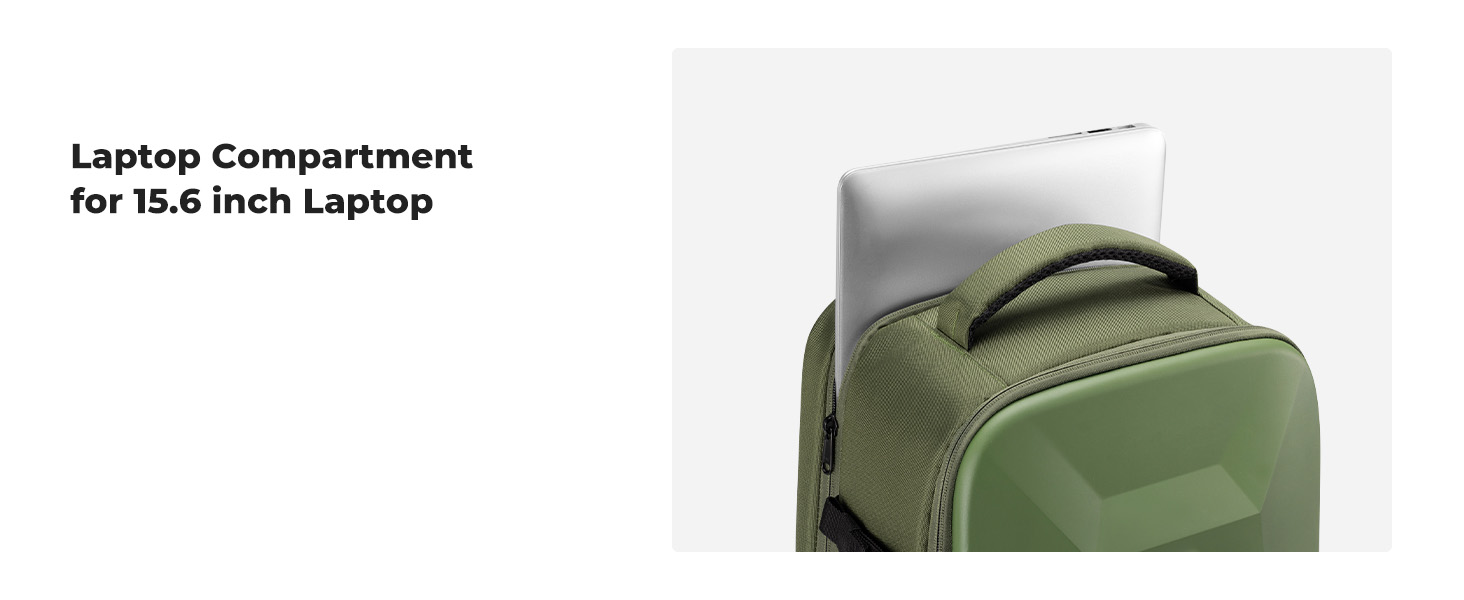
Image 1.1: The K&F CONCEPT Hardshell Camera Backpack, showcasing its professional design and robust exterior.
2. Safety Information
To ensure the longevity and proper function of your backpack, please observe the following:
- Avoid Excessive Force: Do not apply excessive force when pressing on the hardshell.
- Weight Distribution: Avoid placing heavy objects on the backpack for extended periods, as this may deform the hardshell.
- Cleaning: Refer to the Maintenance section for proper cleaning procedures.
- Storage: Store the backpack in a cool, dry place away from direct sunlight when not in use.
3. Package Contents
Please check the package to ensure all items are present:
- Camera Backpack x 1
- Long Partition x 2
- Straight Partition x 6
- Elastic Straps x 2
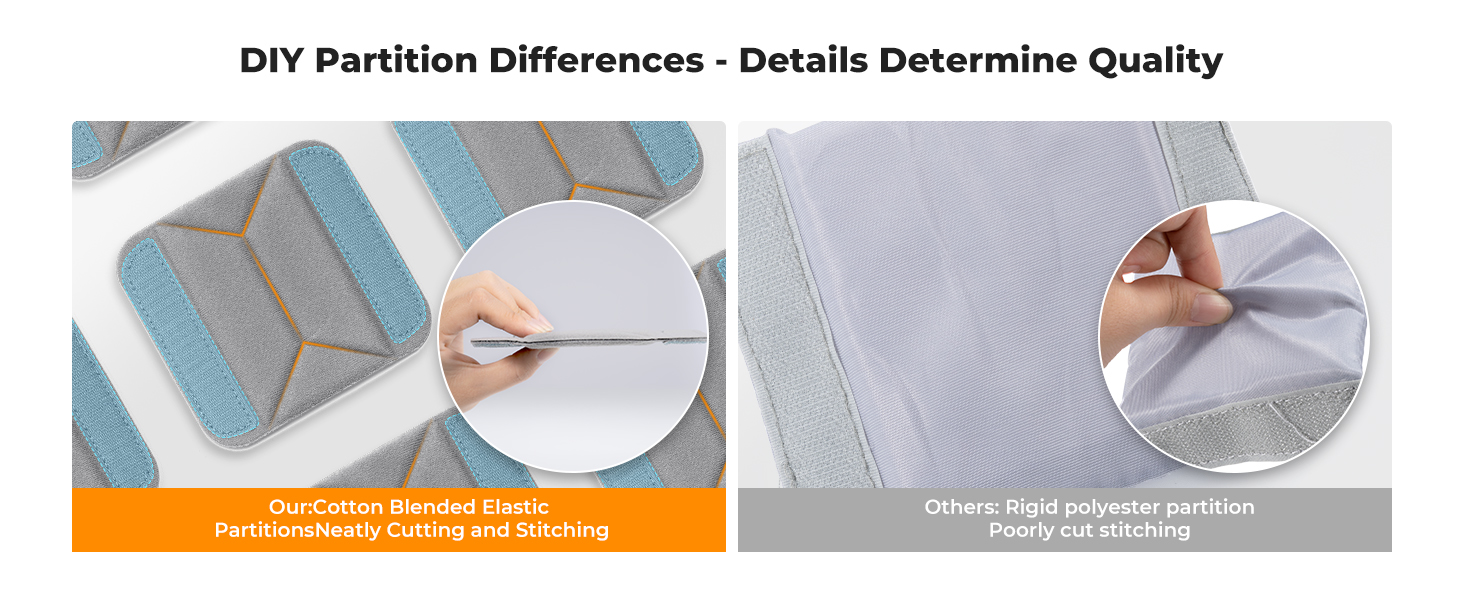
Image 3.1: Visual representation of all items included in the package.
4. Product Features
The K&F CONCEPT Hardshell Camera Backpack is engineered with several key features to protect and organize your photography equipment.
4.1 Hardshell Protection
The front of the backpack features an integrated EVA hardshell case, providing robust protection against impacts, shocks, and drops. This design safeguards your valuable camera and drone equipment.

Image 4.1: The hardshell exterior demonstrating waterproof and shockproof capabilities.
4.2 Customizable Storage
The main compartment features removable modular inserts that act as customizable dividers. These allow you to configure the interior space to perfectly fit various cameras, flashes, lenses, and other accessories.

Image 4.2: Examples of customized storage configurations for different gear setups.
4.3 Wide Opening Design
The backpack features a wide-opening front flap, allowing for easy access and organization of all your gear. This design prevents items from striking or scratching each other during retrieval.

Image 4.3: The backpack fully open, displaying its capacity for various camera bodies, lenses, drones, and accessories.
4.4 Laptop Compartment
A dedicated padded compartment at the back of the backpack can securely store laptops up to 15.6 inches.
4.5 Ergonomic Design
The backpack is designed for comfortable carrying with an ergonomically breathable padded mesh back panel and adjustable shoulder straps (20-38.9 inches). This design distributes weight evenly and reduces shoulder load.

Image 4.4: Detailed view of the breathable back system, chest buckle, luggage strap, and various pockets.
4.6 Multifunctional Pockets
- Internal Accessory Pockets: Two internal pockets for cables, SD cards, and power banks.
- Hidden Zipper Pocket: A discreet pocket on the back for phones, wallets, and other small valuables.
- Tripod Holder: A secure strap on one side for carrying a tripod.
- Side Pocket: A pocket on the other side for an umbrella or water bottle.
4.7 Travel-Friendly Features
A back trolley belt allows for convenient attachment to luggage handles, making travel easier.
5. Setup and Customization
The K&F CONCEPT Hardshell Camera Backpack offers flexible interior organization using its modular dividers.
5.1 Arranging Dividers
- Open the main compartment of the backpack.
- Identify the long and straight partitions. These partitions attach to the interior walls using Velcro.
- Plan your layout based on the size and shape of your gear (camera bodies, lenses, flashes, etc.).
- Attach the partitions firmly to the interior fabric. The interior is designed for 360° all-round attachment, allowing for maximum flexibility.
- Adjust the partitions as needed to create snug compartments for each item, ensuring they are secure and protected.
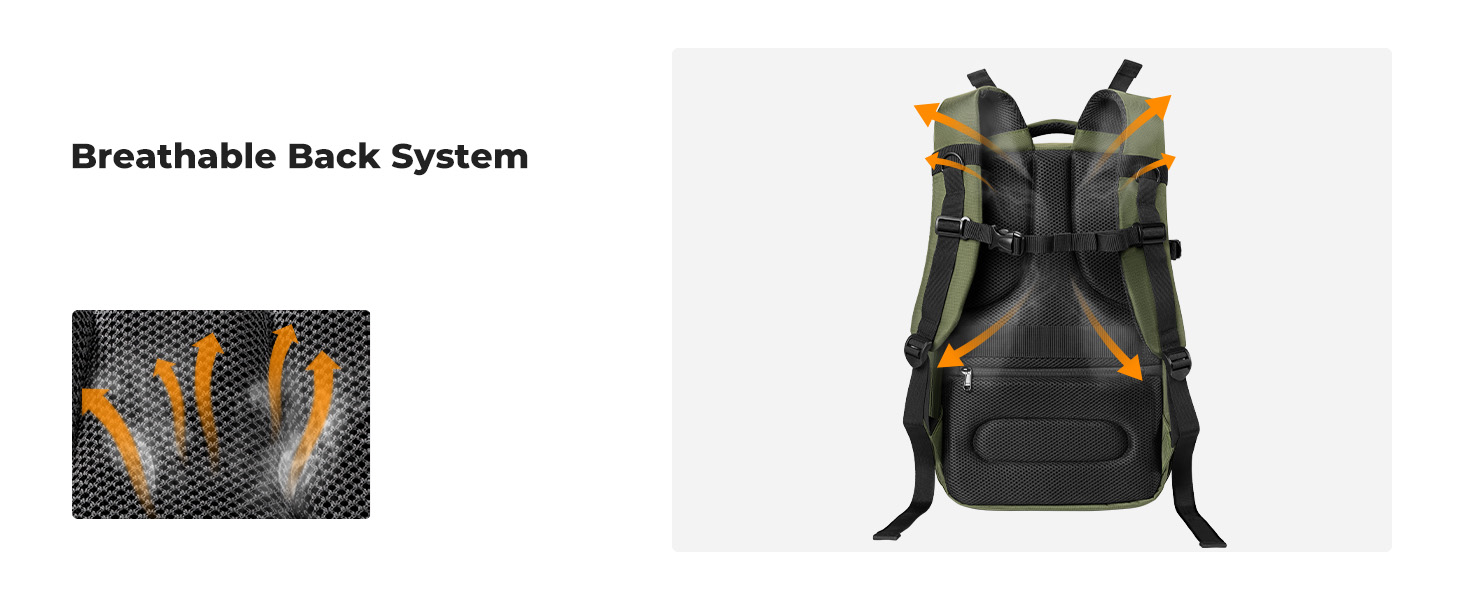
Image 5.1: Comparison showing the superior 360° Velcro attachment system for secure and flexible divider placement.
6. Operating and Usage
6.1 Packing Your Gear
- Arrange the internal dividers to create custom compartments for your camera body, lenses, and other accessories.
- Place your most delicate items, such as camera bodies and lenses, into their designated padded compartments.
- Utilize the internal accessory pockets for smaller items like batteries, memory cards, and cleaning cloths.
- Place your laptop in the dedicated rear compartment.
6.2 Adjusting Shoulder Straps
To ensure a comfortable fit, adjust the shoulder straps to your preferred length. The straps are adjustable from 20 to 38.9 inches. Use the chest buckle for added stability, especially when carrying heavier loads.
6.3 Using External Features
- Tripod Holder: Secure your tripod using the strap on the side pocket.
- Side Pocket: Store a water bottle or umbrella in the elastic side pocket.
- Luggage Strap: Slide the backpack's trolley belt over the handle of your rolling luggage for easy transport.
- Anti-theft Pocket: Use the hidden zipper pocket on the back panel for secure storage of valuables.
7. Maintenance
Proper care will extend the life and appearance of your K&F CONCEPT Hardshell Camera Backpack.
7.1 Cleaning the Exterior
- For general dirt and dust, wipe the hardshell and fabric surfaces with a soft, damp cloth.
- For stubborn stains, use a mild soap solution with a soft brush or cloth. Gently scrub the affected area and then wipe clean with a damp cloth.
- Do not use harsh chemicals, abrasive cleaners, or solvents, as these can damage the material.
7.2 Cleaning the Interior
- Remove all gear and dividers from the backpack.
- Vacuum the interior to remove dust and debris.
- For spot cleaning, use a damp cloth with a small amount of mild soap. Blot the area gently and allow it to air dry completely.
7.3 Drying
Always allow the backpack to air dry completely in a well-ventilated area, away from direct heat or sunlight, before storing or repacking gear.
8. Troubleshooting
While the K&F CONCEPT Hardshell Camera Backpack is designed for durability, here are some common concerns and solutions:
- Stuck Zipper: If a zipper becomes stiff, try rubbing a small amount of graphite (from a pencil) or zipper lubricant along the teeth.
- Deformed Hardshell: If the hardshell appears slightly deformed due to prolonged heavy pressure, empty the backpack and allow it to rest in a normal position at room temperature. Minor deformations may self-correct over time.
- Unpleasant Odor: If a new backpack has a slight odor, air it out in a well-ventilated area for a few days.
9. Specifications
Detailed specifications for the K&F CONCEPT Hardshell Camera Backpack:
| Feature | Specification |
|---|---|
| Model Number | KF13.134V3 |
| External Size | 17.3 x 11 x 7 inches (44 x 28 x 18 cm) |
| Capacity | 22 Liters |
| Material | Polyester + EVA (Hardshell) |
| Item Weight | 1.83 kg (4.03 lbs) |
| Laptop Compartment | Fits up to 15.6 inches |
| Water Resistance Level | Waterproof |
| Closure Type | Zipper |
| Number of Compartments | 5 (main, laptop, internal accessory, hidden, side) |
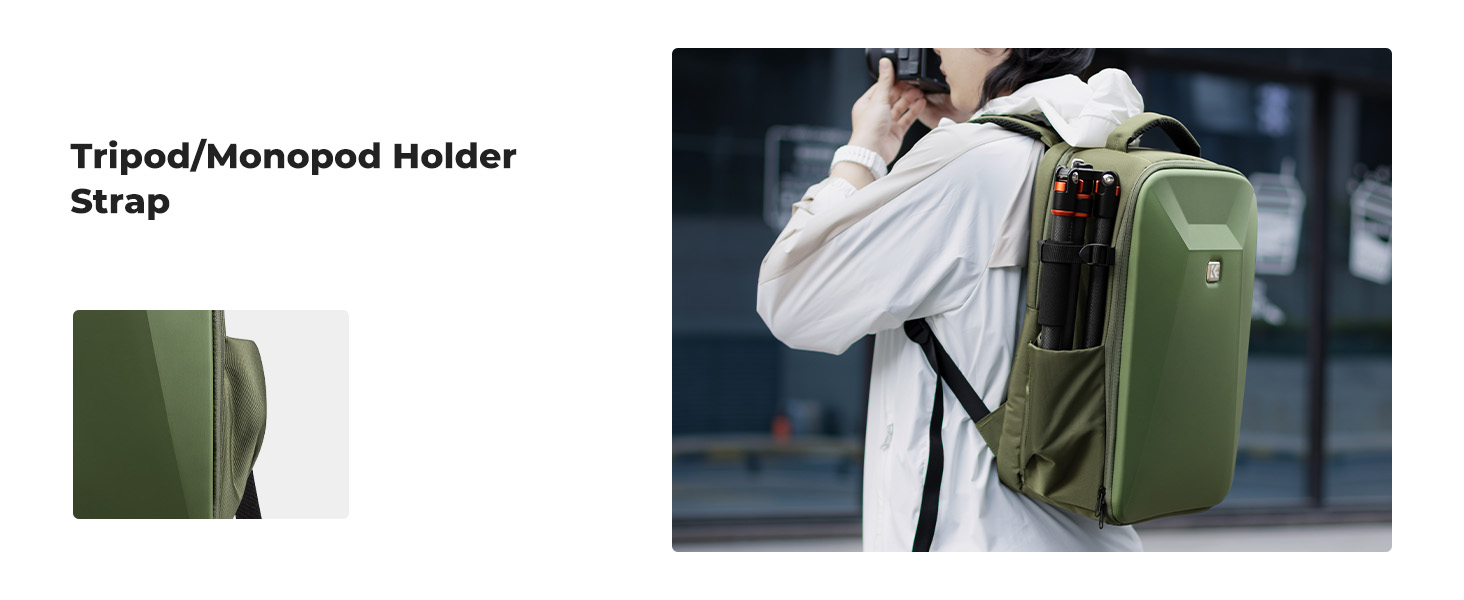
Image 9.1: Visual representation of the backpack's dimensions and material details.
10. Warranty and Support
10.1 Warranty Information
This K&F CONCEPT Hardshell Camera Backpack comes with a 6-month manufacturer's warranty from the date of purchase. This warranty covers defects in materials and workmanship under normal use. It does not cover damage caused by misuse, accidents, unauthorized modifications, or normal wear and tear.
10.2 Customer Support
If you have any questions, concerns, or require assistance with your K&F CONCEPT product, please do not hesitate to contact our customer support team. For the most up-to-date contact information, please visit the official K&F CONCEPT website or refer to your purchase documentation.