Introduction
This manual provides essential instructions for the installation, operation, and maintenance of your ASAHOM 16.4ft Extension Lights. This product is designed exclusively to extend the ASAHOM S1060 RGBCW Permanent Outdoor Lights Pro system. It is not compatible with ASAHOM S1040 series or permanent outdoor lights from other brands.
Please read this manual thoroughly before installation and retain it for future reference.
Safety Information
- Disconnect Power: Always ensure the main power supply to your ASAHOM S1060 system is disconnected before installing or performing any maintenance on the extension lights.
- Outdoor Use Only: These lights are designed for outdoor use and are waterproof (IP67 rated). Ensure all connections are securely sealed to maintain water resistance.
- Temperature Range: Operate the lights within the specified working temperature range of -4°F to 113°F (-20°C to 45°C).
- Proper Installation: Follow all installation instructions carefully. Improper installation can lead to damage or safety hazards.
- Avoid Damage: Do not cut, puncture, or excessively bend the light string. Avoid placing heavy objects on the lights or cables.
Package Contents
Verify that all items are present in your package:
- 1 x 16.4ft (5m) Extension Light String with 12 LED Lamps
- Installation Accessories (VHB gum stickers, clips, Adhesion Prep Pad)
Note: The power adapter and control box are not included with this extension kit. These components are part of the main ASAHOM S1060 RGBCW Permanent Outdoor Lights Pro system.

Setup and Installation
Follow these steps to properly install your extension lights:
- Plan Your Layout: Determine the desired path for your extension lights. The ASAHOM S1060 system can connect up to a maximum of 9 light segments, extending to a total length of 150ft.
- Disconnect Power: Before beginning installation, ensure the power supply to your existing ASAHOM S1060 system is completely disconnected.
- Prepare Surface: Clean the installation surface (e.g., eaves, garage, walls, fences) thoroughly with a tissue. Then, use the enclosed Adhesion Prep Pad to clean the surface again. This step is crucial for ensuring strong adhesion of the VHB stickers.
- Test Lights (Pre-installation): It is recommended to connect the extension lights to your main S1060 system and briefly test them to ensure they function correctly before permanent installation. Disconnect power again after testing.
- Install Lights:
- Apply the provided VHB gum stickers to the back of each light fixture.
- Secure each outdoor light using the VHB stickers and clips. Aim to install each light securely.
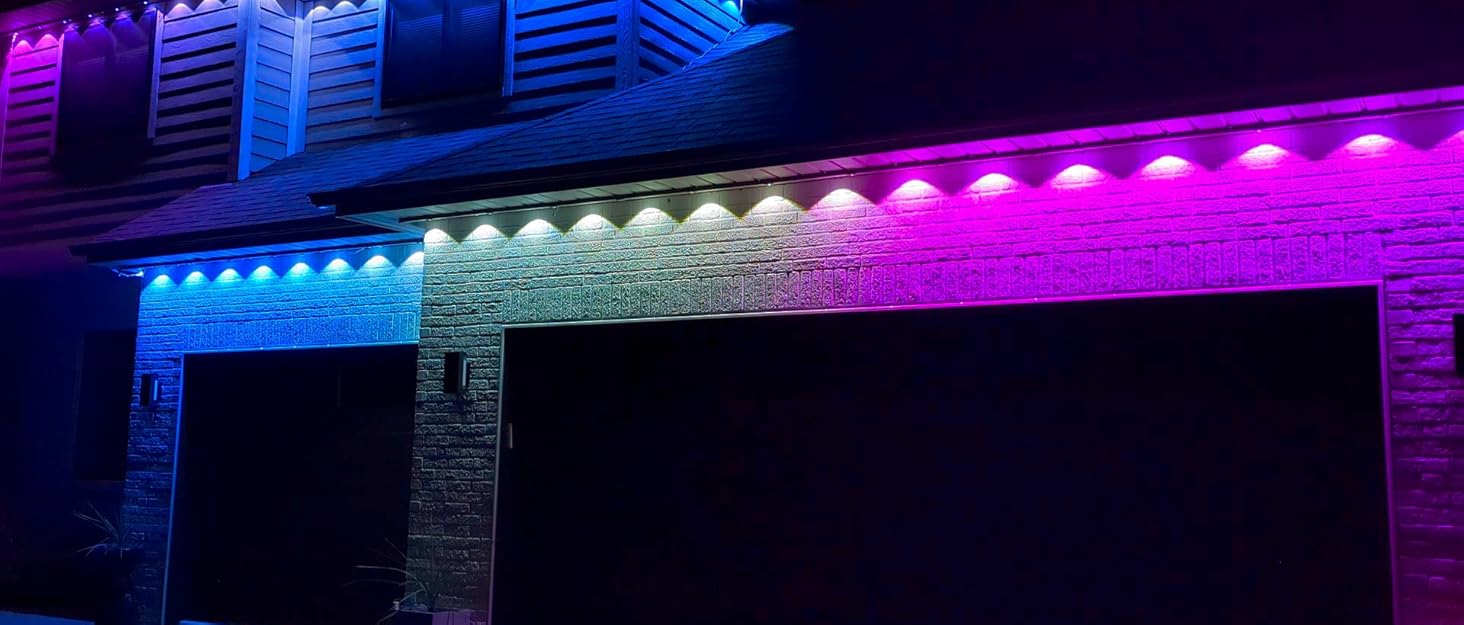
- Install the lights approximately 2-4 inches away from the wall surface for optimal illumination.
- Splice the extension light string through the waterproof joints every 16.4ft (5m) to connect it to your existing S1060 system or other extension segments. Ensure all connections are tight and waterproof.

Operation
Once the extension lights are physically installed and connected to your main ASAHOM S1060 system, you may need to update the system's settings to recognize the new segment.
- Connect to App: Ensure your main ASAHOM S1060 system is connected to the ASAHOM app on your smartphone.
- Refresh Light Number Setting: In the app interface, locate and click the "..." icon (usually in the right corner).
- Select "Light Number Setting" from the options.
- Click "Refresh". This action will allow the app to detect the newly added extension segment, and the entire light strand should illuminate correctly.
For detailed operation of light modes, colors, scheduling, and other features, please refer to the user manual provided with your main ASAHOM S1060 RGBCW Permanent Outdoor Lights Pro system.
Maintenance
Regular maintenance helps ensure the longevity and optimal performance of your extension lights.
- Cleaning: Periodically clean the light fixtures and cables with a soft, damp cloth to remove dirt and debris. Avoid using harsh chemicals or abrasive cleaners.
- Inspect Connections: Annually, or as needed, inspect all waterproof connections for tightness and signs of wear or damage. Ensure they remain securely sealed.
- Check Mounting: Verify that all lights are still securely mounted to the surface. Re-secure any loose fixtures using additional clips or VHB stickers if necessary.
- Cable Integrity: Check the cables for any signs of fraying, cuts, or damage. If damage is found, contact ASAHOM support for assistance. Do not attempt to repair damaged cables yourself.
Troubleshooting
If you encounter issues with your ASAHOM extension lights, consider the following:
| Problem | Possible Cause | Solution |
|---|---|---|
| Extension lights do not illuminate. |
|
|
| Lights display incorrect colors or patterns. |
|
|
| Lights fall off mounting surface. |
|
|
For further assistance, please refer to the comprehensive troubleshooting guide in your main ASAHOM S1060 system manual or contact ASAHOM customer support.
Specifications
| Feature | Detail |
|---|---|
| Model Number | A1007 |
| Length | 16.4 ft (5 meters) |
| Number of LED Lamps | 12 |
| Compatibility | ASAHOM S1060 RGBCW Permanent Outdoor Lights Pro series only |
| Light Type | RGBCW LED (Red, Green, Blue, Cool White, Warm White) |
| Indoor/Outdoor Usage | Outdoor |
| Water Resistance | IP67 Waterproof |
| Working Temperature | -4°F to 113°F (-20°C to 45°C) |
| Lifespan | Up to 50,000 hours |
| Material | Plastic |
| Item Weight | 12.32 ounces |
Warranty and Support
ASAHOM products are designed for quality and reliability. For specific warranty information regarding your ASAHOM S1060 RGBCW Permanent Outdoor Lights Pro system and its accessories, please refer to the documentation included with your main product purchase or visit the official ASAHOM website.
If you require technical assistance, have questions about installation, or need to report a defect, please contact ASAHOM customer support through their official channels. You can often find support contact information on the product packaging, the main system's user manual, or the ASAHOM brand store on Amazon: ASAHOM Store.


