
Introduction
Thank you for choosing the Oraimo Traveler 22.5 PD 20000mAh Power Bank. This manual provides essential information for safe and efficient use of your device. Please read it carefully before operation and retain it for future reference.
Product Overview
The Oraimo Traveler 22.5 PD is a high-capacity portable power bank designed for fast and efficient charging of multiple devices. Key features include:
- 20000mAh High Capacity: Provides multiple charges for smartphones and other portable devices.
- 22.5W Super Fast Charging: Supports PD3.0 and QC3.0 for rapid power delivery.
- AniFast Technology: Intelligently identifies device charging settings for optimized speed.
- Triple Output Ports: Charge up to three devices simultaneously.
- Dual Input Ports: Type-C and Micro-USB for recharging the power bank.
- Integrated LED Torch with SOS Function: Provides illumination and emergency signaling.
- Multi-layer Smart Protection: Ensures safety against overcharge, over-discharge, short-circuit, and more.
- Low Current Mode: Safely charges low-power devices like wireless earbuds and smartwatches.
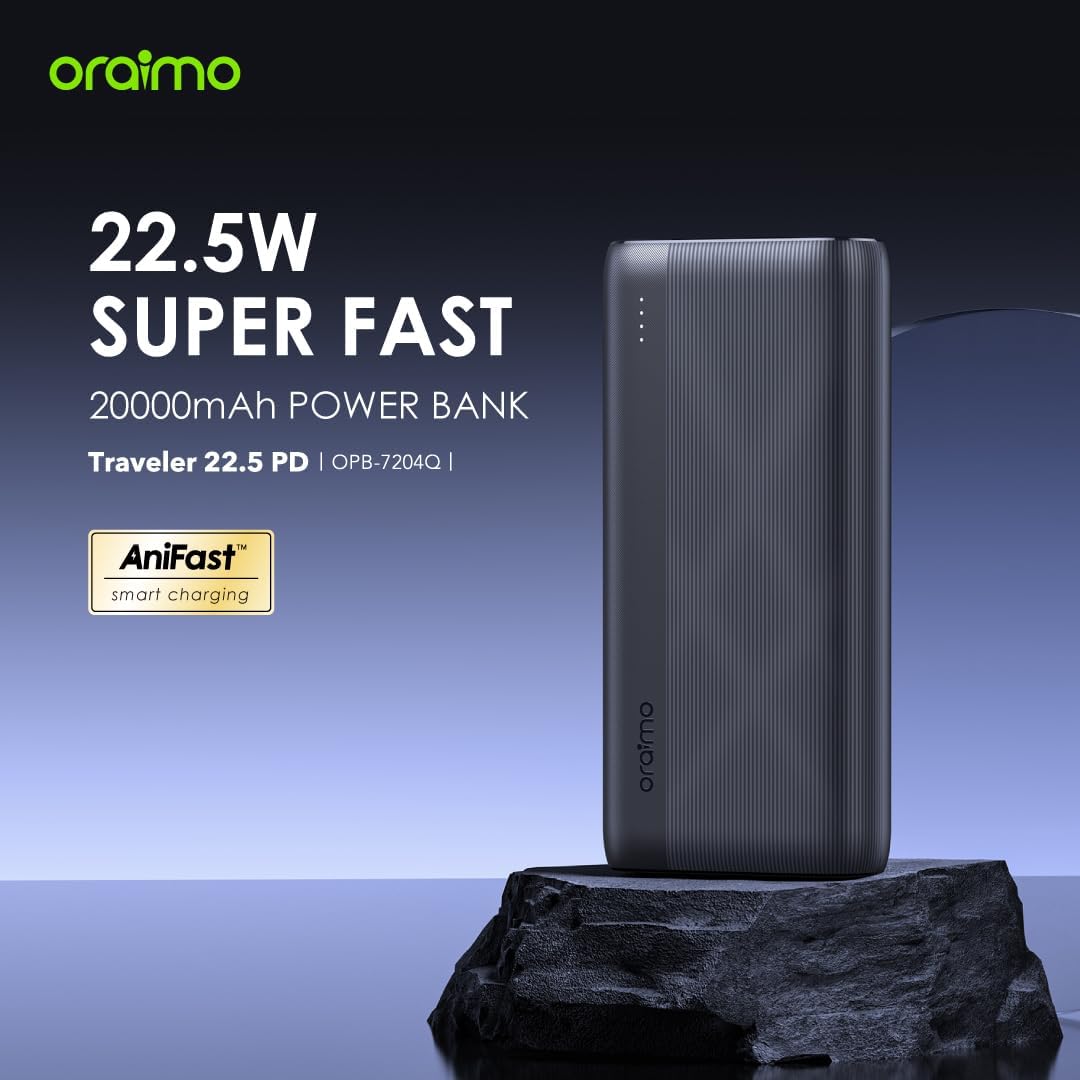
Image: Front view of the Oraimo Traveler 22.5 PD 20000mAh Power Bank, highlighting its 22.5W Super Fast Charging capability and AniFast technology.

Image: Side view of the Oraimo Traveler 22.5 PD Power Bank, illustrating its compact and travel-friendly design with dimensions (Length: 142mm, Width: 68mm, Thickness: 27.9mm, Weight: 420g).
Setup
- Unboxing: Carefully remove the power bank and any accessories from the packaging.
- Initial Charge: For optimal performance, fully charge the power bank before first use. Connect the power bank to a compatible wall charger using a Type-C or Micro-USB cable. The LED indicators will show the charging progress.
- Check Battery Level: Press the power button once to check the current battery level indicated by the LED lights.
Operating Instructions
Charging the Power Bank
To recharge your Oraimo Traveler 22.5 PD power bank:
- Connect a compatible charging cable (Type-C or Micro-USB) to one of the input ports (IN1/OUT3 or IN2).
- Connect the other end of the cable to a wall adapter or a power source.
- The LED indicators will illuminate to show the charging status. When all LEDs are solid, the power bank is fully charged.

Image: The power bank being recharged via its Type-C input port, demonstrating full-speed recharging. It shows that with an 18W high-speed charger, it takes 6 hours to fully recharge, compared to 16 hours with a 10W charger.
Charging Your Devices
The power bank features multiple output ports to charge your devices:
- USB-A Outputs (OUT1, OUT2): Use a standard USB-A to your device's charging cable. These ports support 22.5W and 18W fast charging.
- Type-C Input/Output (IN1/OUT3): Use a Type-C to Type-C or Type-C to Lightning cable. This port supports 20W PD fast charging.
- Connect your device to any available output port. The power bank will automatically begin charging.
- You can charge up to three devices simultaneously.

Image: The power bank connected to multiple devices (smartphone, tablet, wireless earbuds) via its Type-C and USB-A output ports, demonstrating its multi-device charging capability. An inset diagram details the input/output specifications for each port.

Image: The power bank's ports with examples of how many times it can charge various devices, such as iPhone 8 (8.5 times), Samsung S8 (5.5 times), iPhone 15 Pro (4.3 times), and others, showcasing its 20000mAh high capacity.
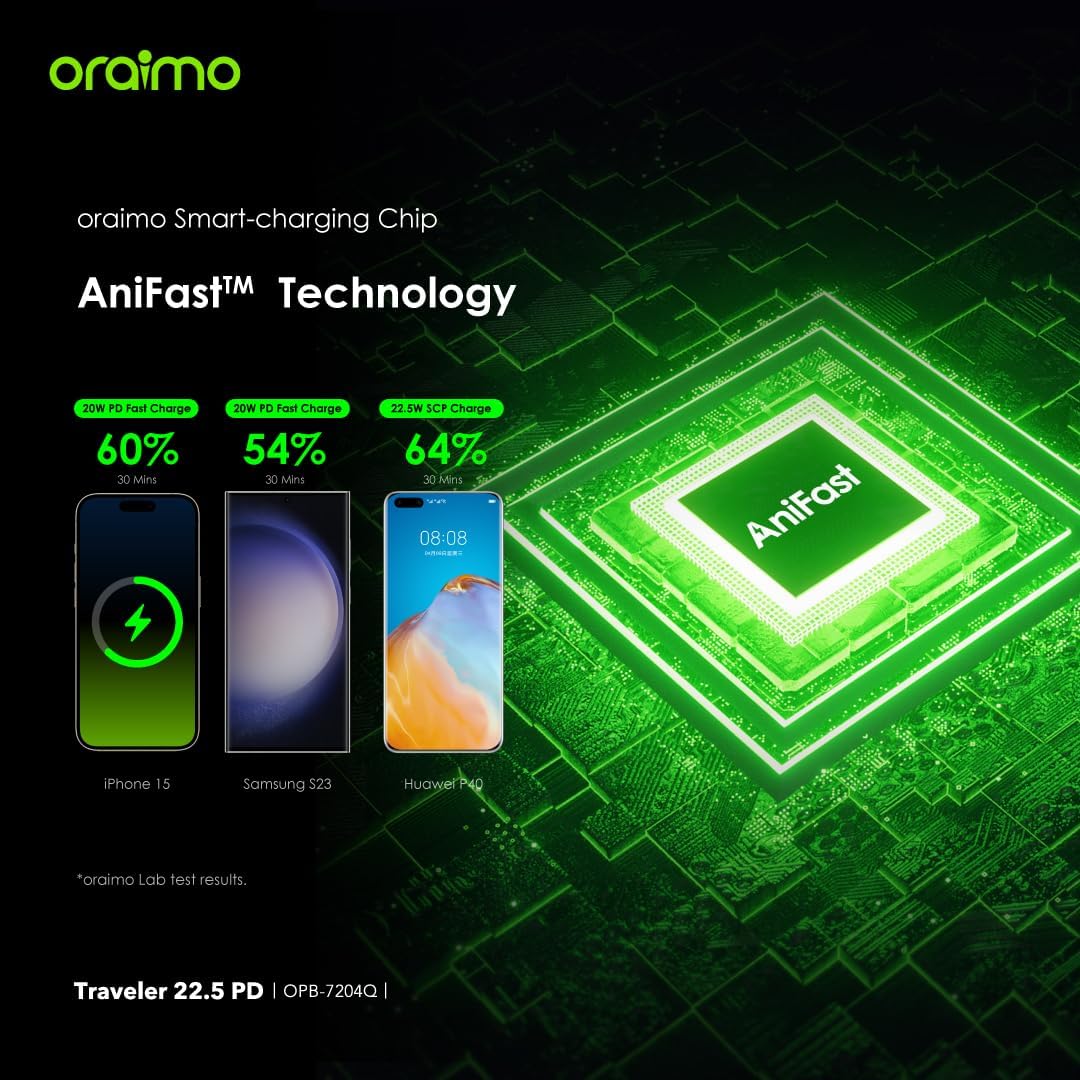
Image: A diagram illustrating the Oraimo AniFast™ Technology, showing fast charging speeds for different phone models (e.g., iPhone 15 to 60% in 30 minutes, Samsung S23 to 54% in 30 minutes, Huawei P40 to 64% in 30 minutes).
LED Indicators
The LED lights on the power bank indicate the remaining battery level. Refer to the product's physical markings for specific interpretations (e.g., 4 LEDs for 100%, 3 for 75%, etc.).
LED Torch and SOS Function
The power bank includes a built-in LED torch for illumination and an SOS signaling function:
- To turn on/off the torch: Double-press the power button.
- To activate SOS lighting: While the torch is on, double-press the power button again. The light will flash in an SOS pattern.
- To turn off SOS lighting: Double-press the power button once more.

Image: The power bank with its LED torch activated, demonstrating the steps to switch on the torch, activate SOS lighting, and turn off the lights using the power button.
Maintenance
- Keep the power bank dry and away from moisture.
- Avoid extreme temperatures (hot or cold).
- Clean the device with a soft, dry cloth. Do not use harsh chemicals or abrasive materials.
- Store the power bank with approximately 50% charge if not used for extended periods to prolong battery life.
- Avoid dropping or subjecting the power bank to strong impacts.
Troubleshooting
| Problem | Possible Cause | Solution |
|---|---|---|
| Power bank not charging | Charging cable or adapter is faulty; power bank is fully charged; input port issue. | Try a different cable and adapter. Check LED indicators. Ensure cable is fully inserted. |
| Device not charging from power bank | Power bank battery is depleted; device cable is faulty; device is incompatible; power bank is in low current mode. | Recharge the power bank. Try a different cable. Ensure your device is compatible. Check if low current mode is accidentally activated (though it's usually automatic). |
| Slow charging | Cable or adapter not supporting fast charging; device does not support fast charging; multiple devices charging simultaneously. | Use a fast-charging compatible cable and adapter. Ensure your device supports fast charging. Charging multiple devices may reduce individual charging speeds. |
| LED torch not working | Power bank battery is too low; incorrect operation. | Recharge the power bank. Double-press the power button to activate/deactivate. |
If problems persist, please contact customer support.
Specifications
| Brand | Oraimo |
| Model Name | Traveler 22.5 PD |
| Model Number | OPB-7204Q |
| Battery Capacity | 20000mAh |
| Product Dimensions | 15.5 x 7.3 x 3 cm |
| Item Weight | 200 grams |
| Connector Type | USB Type-C, USB Type-A |
| Color | Black |
| Battery Cell Composition | Lithium Ion |
| Power Source | Battery Powered |
| Voltage | 28 Volts |
| Special Features | Charge 60% in 30 minutes, Multi-layer smart protection, LED light with SOS alarm, Low current mode for IoT devices, Up to 78 hours extra usage time. |
Safety Information
Please observe the following safety guidelines to prevent damage to the product or injury to yourself:
- Do not disassemble, open, or shred the battery pack or cells.
- Do not expose the power bank to heat or fire. Avoid storage in direct sunlight.
- Do not short-circuit the battery pack or cells.
- Do not expose the power bank to mechanical shock.
- In case of a battery leak, do not allow the liquid to come into contact with skin or eyes. If contact has occurred, wash the affected area with copious amounts of water and seek medical advice.
- Keep the power bank out of reach of children.
- Use only chargers and cables recommended by Oraimo.
- Dispose of the power bank responsibly according to local regulations.
Warranty and Support
The Oraimo Traveler 22.5 PD Power Bank comes with a 365-day warranty from the date of purchase, covering manufacturing defects. Please retain your proof of purchase for warranty claims.
For technical support, troubleshooting assistance, or warranty inquiries, please visit the official Oraimo website or contact their customer service department. Contact information can typically be found on the product packaging or the Oraimo brand store online.
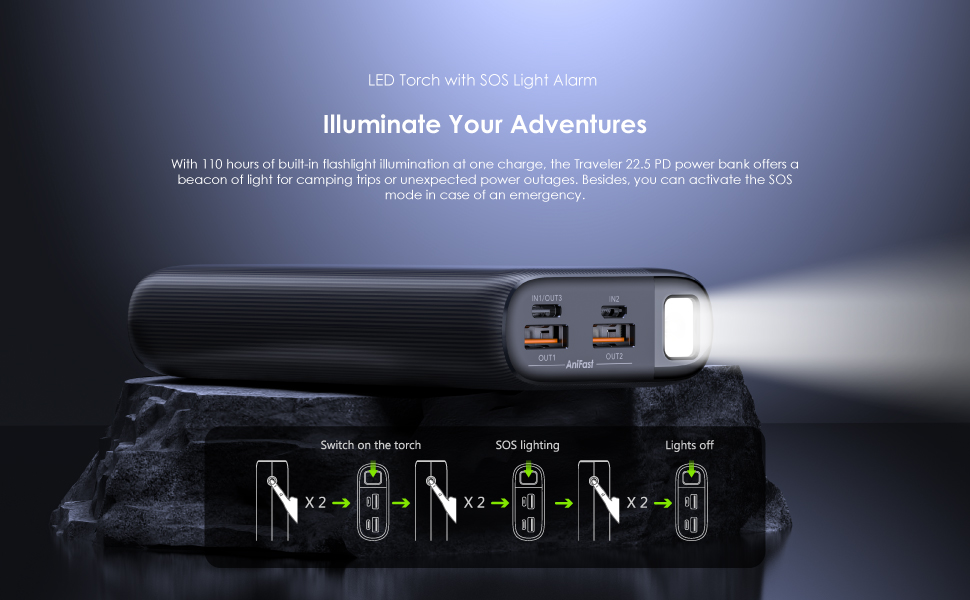
Image: A visual representation of the Oraimo 365-day warranty, indicating product quality and customer assurance.
