1. Introduction
This manual provides instructions for the safe and efficient use of your Oraimo Slice Link Pro 10000mAh Power Bank. Please read this manual thoroughly before using the product and retain it for future reference.
The Oraimo Slice Link Pro is a portable power bank designed for charging various electronic devices. It features a 10000mAh capacity, 22.5W super fast charging capabilities, and includes three built-in charging cables for universal compatibility.

Image: The Oraimo Slice Link Pro power bank, showcasing its compact design and integrated charging cables (USB-C, Lightning, Micro-USB).
2. Product Overview
2.1 Key Features
- 10000mAh Capacity: Provides multiple charges for smartphones and other small devices.
- 22.5W Super Fast Charging: Supports rapid charging for compatible devices.
- Integrated Charging Cables: Includes built-in Type-C, Micro-USB, and Lightning cables.
- Universal Compatibility: Designed to work with a wide range of devices.
- Multi-Layer Protection: Incorporates safety features against overcharging, overheating, and short circuits.
- Dual Recharging Modes: Can be recharged via Type-C or Micro-USB input ports.
2.2 Components
The power bank includes:
- Oraimo Slice Link Pro Power Bank
- Built-in Type-C Output Cable
- Built-in Micro-USB Output Cable
- Built-in Lightning Output Cable
- USB-A Output Port
- Type-C Input Port
- Micro-USB Input Port
- LED Indicator Lights

Image: A top-down view of the Oraimo Slice Link Pro power bank, highlighting the integrated Type-C and Lightning cables, suitable for various devices.
3. Setup
3.1 Initial Charging of the Power Bank
- Before first use, fully charge the power bank.
- Connect a compatible charging cable (Type-C or Micro-USB) to one of the power bank's input ports.
- Connect the other end of the cable to a USB wall adapter (not included) or a computer's USB port.
- The LED indicator lights will illuminate to show the charging status. All lights will be solid when fully charged.
A full recharge using PD fast charging takes approximately 4.5 hours.

Image: The Oraimo power bank connected to a wall adapter for recharging, illustrating the dual recharging modes and estimated charging time.
4. Operating Instructions
4.1 Charging Devices
The power bank offers multiple output options to charge your devices:
- Using Built-in Cables:
- Identify the correct built-in cable (Type-C, Micro-USB, or Lightning) for your device.
- Gently pull out the desired cable from its storage slot.
- Connect the cable to your device's charging port.
- The power bank will automatically begin charging.
- Using the USB-A Output Port:
- Connect your device's charging cable (USB-A end) to the USB-A output port on the power bank.
- Connect the other end of your cable to your device.
- The power bank will automatically begin charging.
The power bank supports simultaneous charging of up to four devices using its three built-in cables and one USB-A port.

Image: The Oraimo power bank actively charging a smartphone, earbuds, and a tablet simultaneously, demonstrating its multi-device charging capability.

Image: A close-up of the Oraimo power bank, emphasizing its 10000mAh capacity and providing examples of how many times it can charge various devices like AirPods Pro, iPhone 15 Pro, Samsung S10, TECNO CAMON 20 Pro, and Infinix NOTE 30.
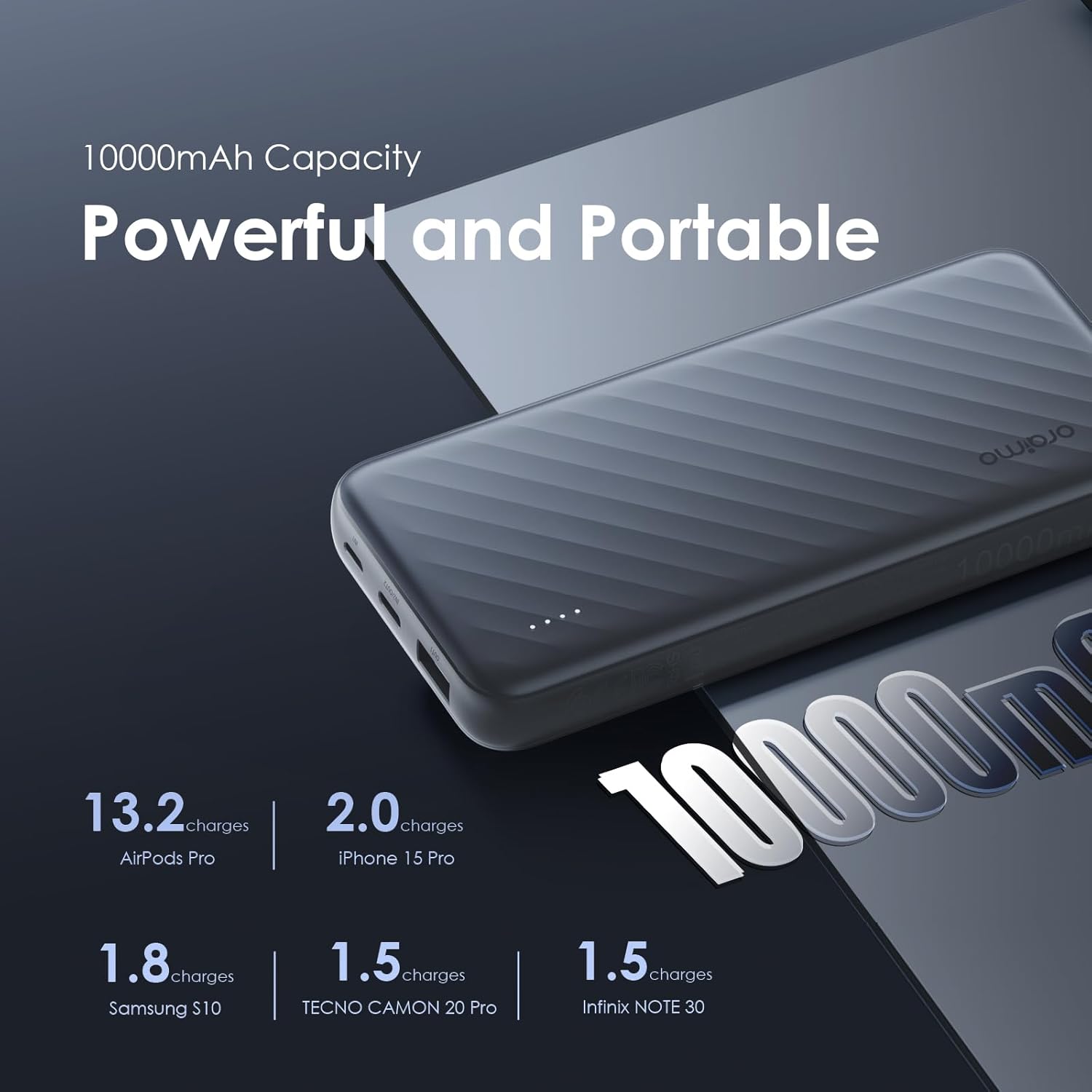
Image: The Oraimo power bank positioned among a variety of electronic devices, including a tablet, keyboard, smartphone, and game controller, illustrating its broad compatibility.
5. Maintenance
- Cleaning: Use a soft, dry cloth to clean the power bank. Avoid liquid cleaners or abrasive materials.
- Storage: Store the power bank in a cool, dry place away from direct sunlight and extreme temperatures.
- Battery Care: To prolong battery life, fully charge the power bank at least once every three months if not in regular use. Avoid completely draining the battery frequently.
- Cable Care: Ensure the built-in cables are properly stored in their slots when not in use to prevent damage. Avoid excessive bending or pulling.

Image: A visual representation of the Oraimo power bank's durable construction, detailing features like rugged built-in cables, an intelligent charging chip, and high-quality copper wiring for efficient power transfer.
6. Troubleshooting
- Power bank not charging:
- Ensure the charging cable is securely connected to both the power bank's input port and the power source.
- Verify that the wall adapter or USB port is functional.
- Try a different charging cable or power source.
- Device not charging from power bank:
- Check if the power bank has sufficient charge (indicated by LED lights).
- Ensure the built-in cable or your external cable is correctly and securely connected to your device.
- Confirm that your device is compatible with the power bank's output specifications.
- Try a different output port or cable.
- Slow charging:
- Ensure both the power bank and your device support fast charging protocols.
- Using multiple output ports simultaneously may reduce individual charging speeds.
- Verify that the charging cable used is capable of fast charging.
7. Specifications
| Feature | Specification |
|---|---|
| Model Name | Slice Link Pro |
| Item Model Number | OPB-P7101 |
| Battery Capacity | 10000mAh |
| Input (Type-C) | PD Fast Charging |
| Input (Micro-USB) | Standard Charging |
| Output (Built-in Type-C Cable) | QC 18W + FCP 22.5W Fast Charging |
| Output (Built-in Micro-USB Cable) | 15W Fast Charging |
| Output (Built-in Lightning Cable) | PD20W Fast Charging |
| Output (USB-A Port) | Standard/Fast Charging (varies by device) |
| Battery Type | Lithium Polymer |
| Product Dimensions | 20.5 x 3 x 11 cm |
| Item Weight | 200 g |
8. Safety Information
To ensure safe operation and prevent damage to the device or injury to yourself, please observe the following safety guidelines:
- Do not expose the power bank to extreme temperatures (above 60°C/140°F or below 0°C/32°F), direct sunlight, or fire.
- Do not immerse the power bank in water or other liquids.
- Avoid dropping, hitting, or disassembling the power bank.
- Keep out of reach of children.
- Do not use the power bank if it is damaged, swollen, or leaking.
- Use only certified charging cables and adapters.
- Dispose of the power bank according to local regulations. Do not dispose of it with household waste.

Image: An illustration detailing the comprehensive safety mechanisms integrated into the Oraimo power bank, including temperature resistance, short circuit protection, output overvoltage protection, protection from overcharge and over discharge, input overvoltage protection, and output overcurrent protection.
9. Warranty and Support
The Oraimo Slice Link Pro Power Bank comes with a 365-day warranty from the date of purchase, covering manufacturing defects. Please retain your proof of purchase for warranty claims.
For technical support, warranty inquiries, or further assistance, please visit the official Oraimo website or contact their customer service through the retailer where the product was purchased.
You can also visit the Oraimo Store on Amazon for more information and support resources.


