
Introduction
This manual provides essential instructions for the installation, operation, and maintenance of your ETENTOUS 3D Replacement Shaver Head. Please read this manual thoroughly before use to ensure proper function and longevity of the product.
Product Overview
The ETENTOUS 3D Replacement Shaver Head is designed to replace worn or damaged shaver heads on compatible electric razors. It features a 3D floating head design for contour adaptation and is constructed with durable stainless steel blades.

Image: The ETENTOUS 3D Replacement Shaver Head, featuring three rotary blades.

Image: Diagram illustrating the elastic design, 360-degree floating shaving capability, and sharp cutting blades of the 3D floating head.
Compatibility
This replacement shaver head is compatible with ETENTOUS 3D electric razors for men, specifically designed for the RQ8870 series and models with a matching aperture. It is not compatible with 7D electric razors.
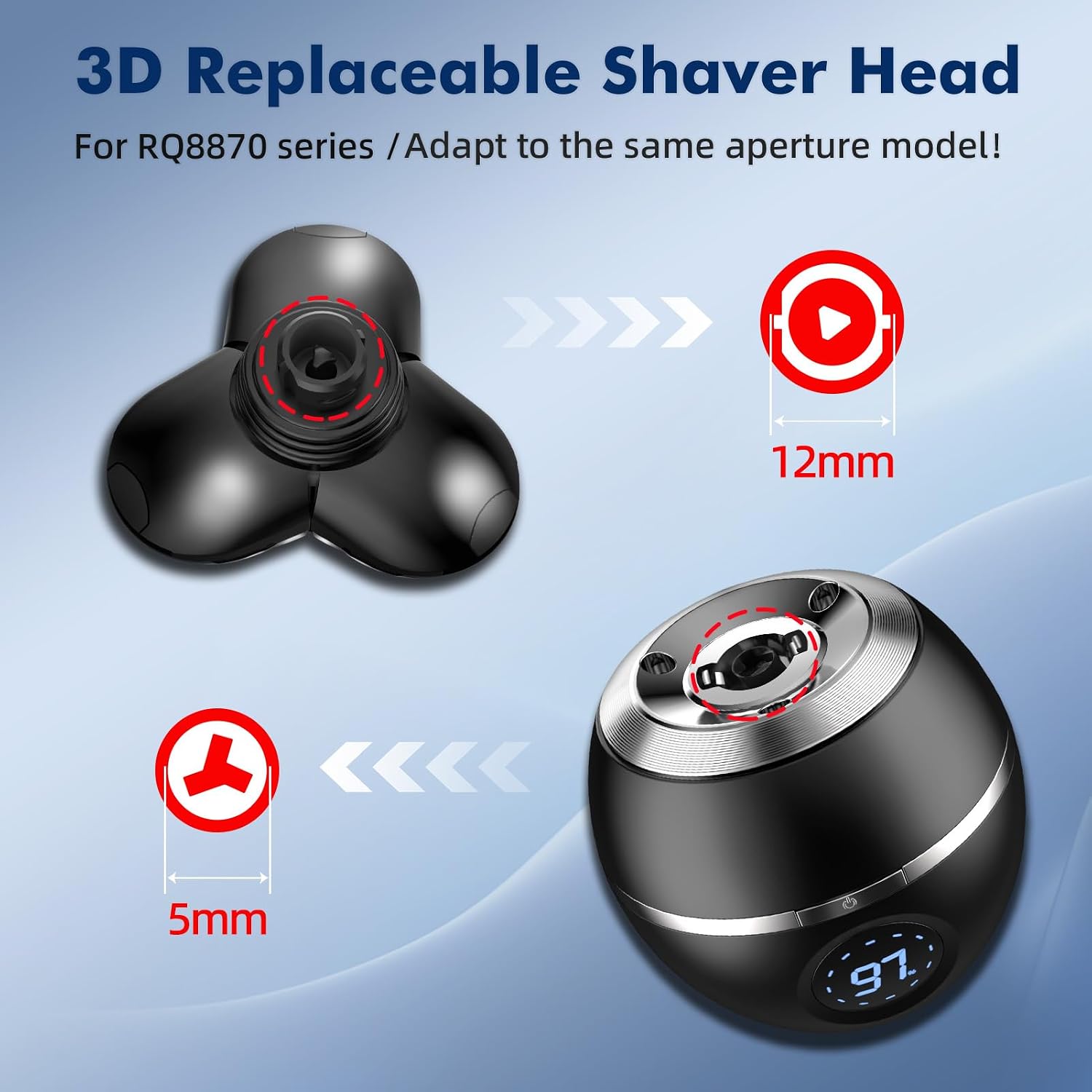
Image: Visual guide showing the 3D replacement shaver head and its compatibility with a shaver body, indicating a 12mm aperture for the head and a 5mm pin on the shaver.

Image: The 3D replacement shaver head with dimensions of 60mm by 60mm, confirming compatibility with the RQ8870 series and ease of disassembly and replacement.
Setup and Installation
To replace your shaver head, follow these steps:
- Ensure the electric shaver is turned off and disconnected from any power source.
- Carefully remove the old or broken shaver head from the shaver body.
- Align the new 3D replacement shaver head with the corresponding hole on the shaver body.
- Gently press down until you hear a click, indicating that the head is securely fixed in place.

Image: A hand demonstrating the installation process, aligning the replacement shaver head with the central pin on the shaver body.
Operating Instructions
The replacement shaver head is designed for effective shaving. It supports both wet and dry shaving methods.
- Dry Shaving: For a quick shave, ensure your face is clean and dry.
- Wet Shaving: For a more comfortable shave, you may use shaving cream or gel. The IPX6 waterproof rating allows for use in the shower.
Move the shaver in small, circular motions across your skin, applying gentle pressure. The multi-blade design facilitates a close shave while aiming to minimize skin irritation.
Maintenance
Regular cleaning of the shaver head is crucial for maintaining performance and hygiene.
- Daily Cleaning: After each use, detach the shaver head and rinse it thoroughly under running water. The IPX6 waterproof design allows for direct rinsing.
- Deep Cleaning: Periodically, you may use a small brush (not included) to remove any accumulated hair or debris from the blades.
- Replacement: For optimal shaving performance, it is recommended to replace the shaver head every 6-12 months, depending on usage.

Image: An electric shaver with the 3D replacement head being rinsed under running water, demonstrating its waterproof design.
Troubleshooting
- Poor Shaving Performance: Ensure the shaver head is clean and free of debris. If performance does not improve, the blades may be dull and require replacement.
- Head Not Attaching Securely: Verify that the shaver head is correctly aligned with the shaver body and pressed firmly until it clicks into place. Check for any obstructions.
- Compatibility Issues: Confirm that your shaver model is compatible with the ETENTOUS 3D Replacement Shaver Head (RQ8870 series). This head is not compatible with 7D razors.
Specifications
| Brand | ETENTOUS |
| Model Name | 3D |
| Head Type | Rotary |
| Blade Material | Stainless Steel |
| Waterproof Rating | IPX6 |
| Compatibility | ETENTOUS 3D razors (RQ8870 series); Not compatible with 7D razors |
| Dimensions (approx.) | 60mm x 60mm (head) |
Warranty and Support
For information regarding product warranty or customer support, please refer to the original product packaging or contact the manufacturer directly. Specific warranty terms may vary.