
1. Introduction and Overview
The Dazzle Bright HB-300COI Smart RGB LED String Lights are designed to enhance your indoor and outdoor decorations with vibrant, customizable lighting. These lights feature 300 LEDs across a 98.5 ft string, with a total length of 115 ft including the 16.5 ft power line. They offer 16 million colors and various modes, controllable via a Bluetooth app or a 44-key remote.
Key features include music synchronization, multiple scene settings, and a durable, IP44 water-resistant design suitable for diverse environments.

Image: Dazzle Bright Smart RGB LED String Lights displayed in various holiday and daily settings, showcasing their versatility.
Video: A demonstration of Dazzle Bright lights transforming a room into a Christmas wonderland, highlighting their festive appeal.
2. Package Contents
Verify that all items are present in the package:
- 1 x Dazzle Bright HB-300COI Smart RGB LED String Lights (98.5 ft, 300 LEDs)
- 1 x Power Adapter (UL certified, low-voltage)
- 1 x 44-Key Remote Control
- 1 x User Manual
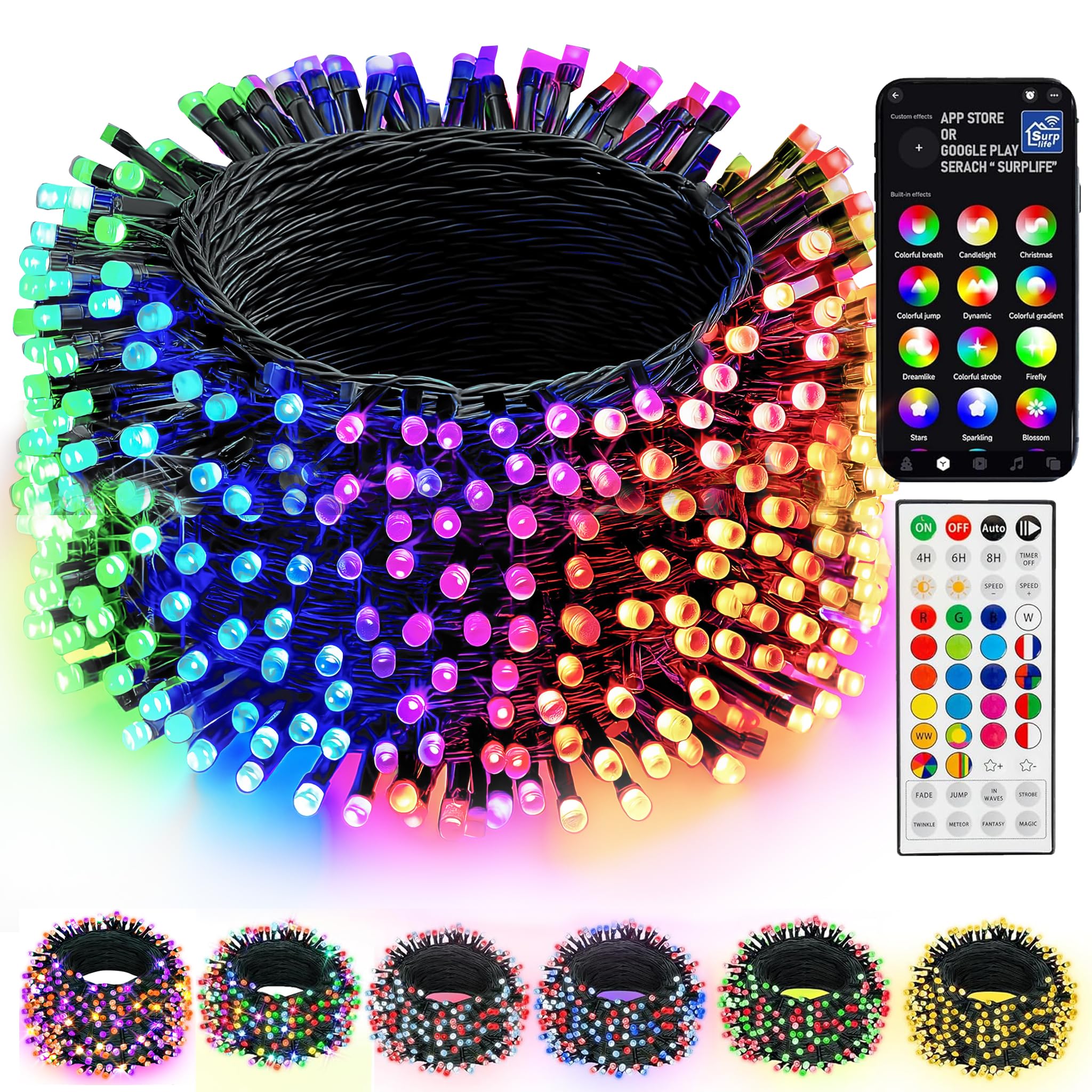
Image: The Dazzle Bright Smart RGB LED String Lights coiled, showing the compact form factor and the attached power adapter.
3. Safety Information
Please read and understand all safety instructions before using the product. Failure to follow these instructions may result in electric shock, fire, or serious injury.
- UL Certification: This product is UL certified, ensuring it meets high safety standards.
- Low-Voltage Power: Operates on low voltage for enhanced safety.
- IP44 Water Resistance: Suitable for both indoor and outdoor use, including exposure to light rain. Do not submerge in water.
- Power Source: Use only the provided power adapter. Do not connect to other power sources.
- Installation: Ensure proper installation to prevent damage to the lights or electrical hazards. Avoid sharp objects or excessive pulling on the string.
- Non-Replaceable LEDs: The LEDs are non-replaceable. Do not attempt to remove or replace individual bulbs.
- Connection: Multiple string lights can be added to the same group for integrated control via the app, but the strings cannot be connected end-to-end physically.
4. Setup
4.1 Physical Installation
- Uncoil the Dazzle Bright LED string lights carefully to avoid tangling.
- Connect the power adapter to the main string light connector. Ensure a secure connection.
- Position the lights in your desired indoor or outdoor location. Use appropriate fasteners (not included) if hanging or securing them.
- Plug the power adapter into a standard electrical outlet.
4.2 App Download and Connection
- Download the "Surplife" app from your device's App Store (iOS) or Google Play Store (Android). Alternatively, scan the QR code provided in the manual or on the product packaging.
- Register or log in to your Surplife account. You may also proceed as a guest.
- Ensure your device's Bluetooth function is enabled.
- Open the "Surplife" app and tap "Add Device" or the "+" icon to begin the device pairing process.
- Follow the on-screen prompts to connect your Dazzle Bright Smart RGB LED String Lights.
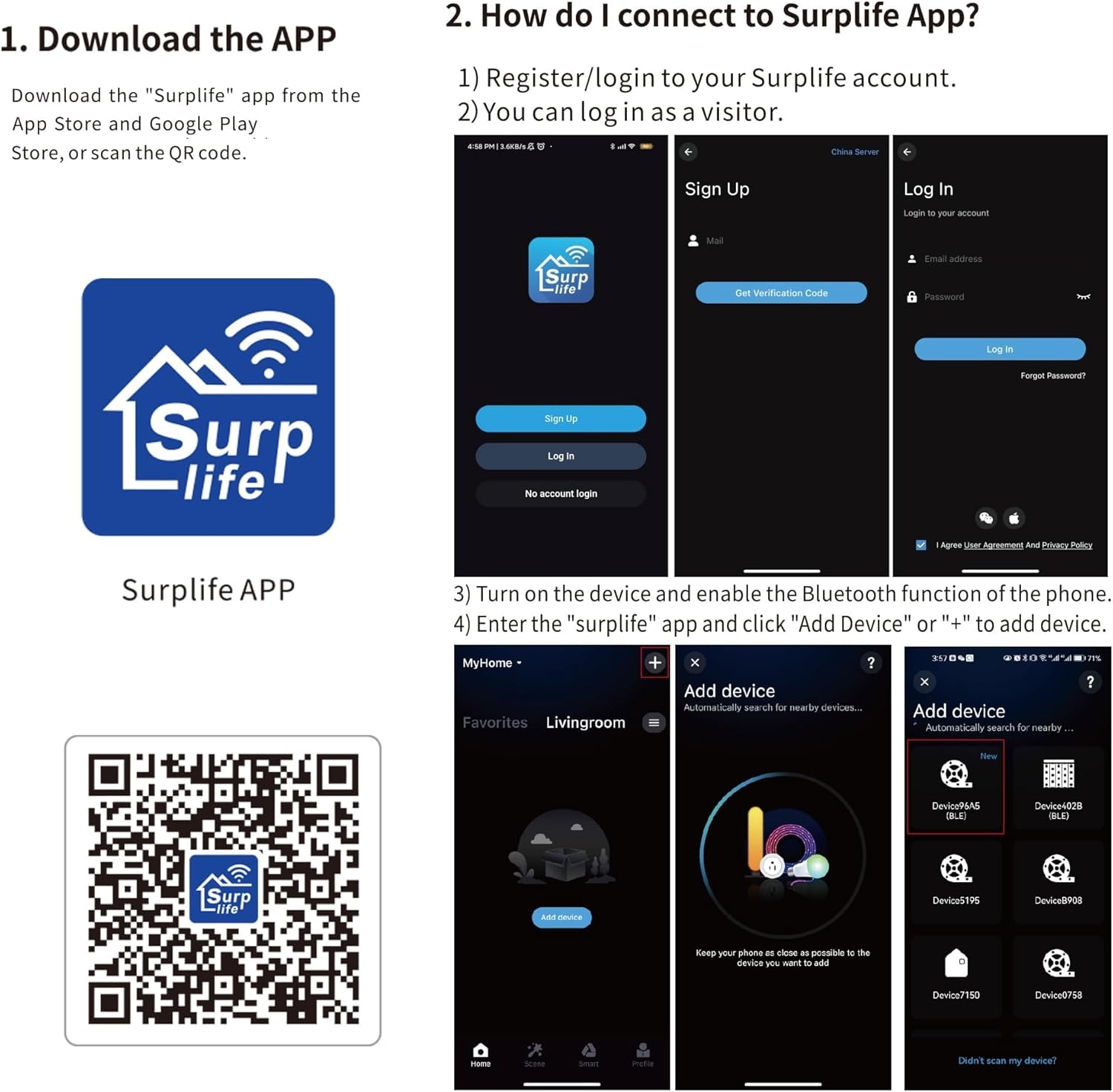
Image: Step-by-step guide for downloading the Surplife app and connecting the smart string lights via Bluetooth.
Download Surplife App5. Operating Instructions
5.1 Using the 44-Key Remote Control
The included 44-key remote control allows for convenient adjustment of light settings.
- ON/OFF: Power the lights on or off.
- Color Selection: Choose from various preset colors (Red, Green, Blue, White, etc.).
- Brightness/Speed Adjustment: Increase or decrease light brightness or mode speed.
- Mode Selection: Cycle through different lighting modes such as Fade, Jump, In Waves, Strobe, Twinkle, Meteor, Fantasy, and Magic.
- Timer: Set a timer for the lights to automatically turn off after a specified duration (e.g., 4H, 6H, 8H).
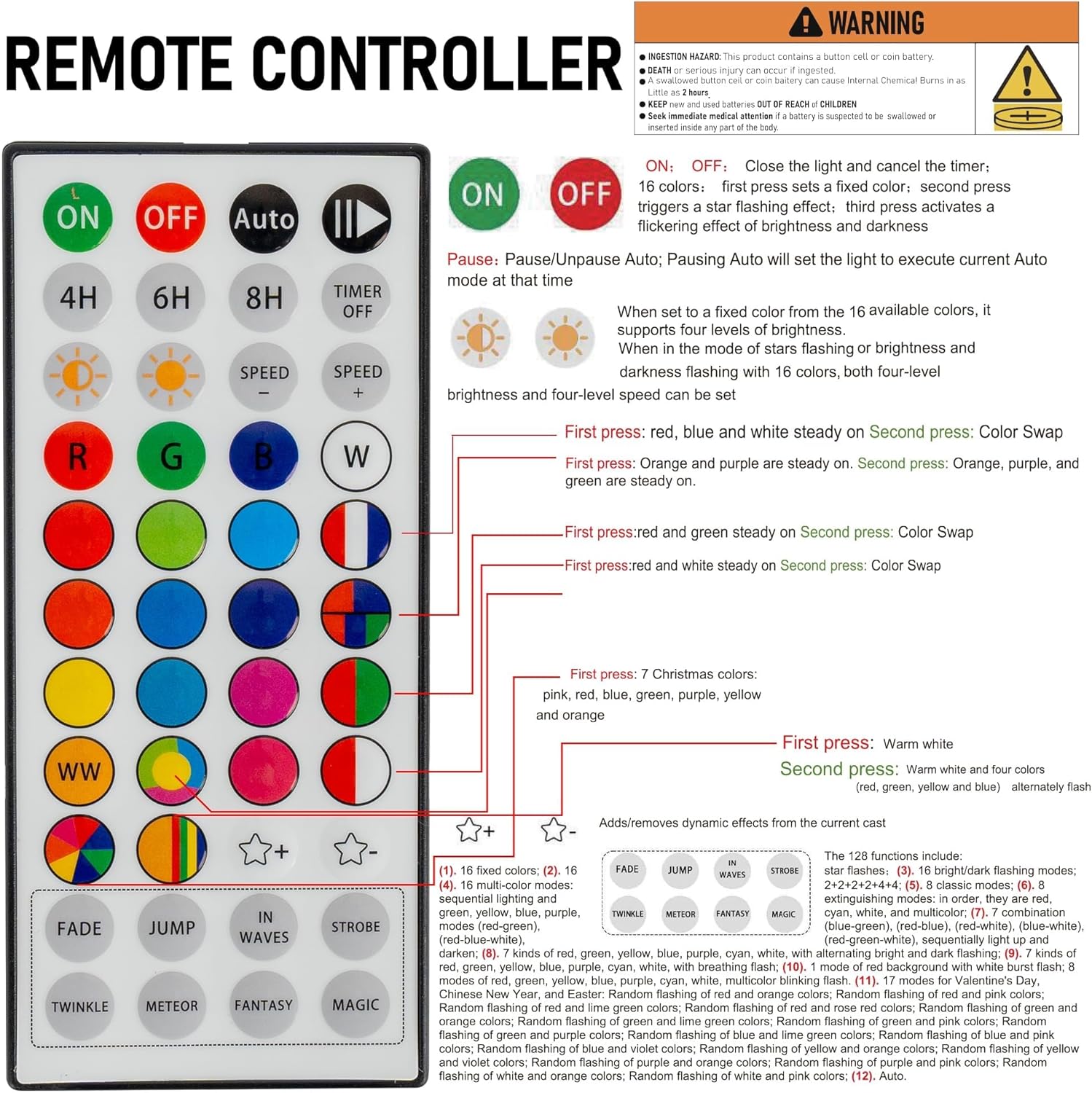
Image: A detailed view of the 44-key remote control, illustrating its various buttons and their corresponding functions for light control.
Video: A demonstration of the string lights changing colors and modes using the remote control, showcasing the visual effects.
5.2 Using the Bluetooth App
The "Surplife" app provides advanced control and customization options:
- 16 Million Colors: Access a full spectrum of colors for precise customization.
- DIY Customization: Create and save your own unique lighting effects and color sequences.
- Scene Settings: Choose from a variety of preset scenes or create custom ones for different occasions.
- Music Synchronization: Utilize the built-in high-sensitivity microphone to sync lights with music, creating dynamic audio-visual displays.
- Microphone Mode: Lights respond to ambient sounds picked up by your device's microphone.
- Timers: Program schedules for automatic on/off times.
- Group Control: Control multiple Dazzle Bright string lights simultaneously if they are added to the same group within the app.
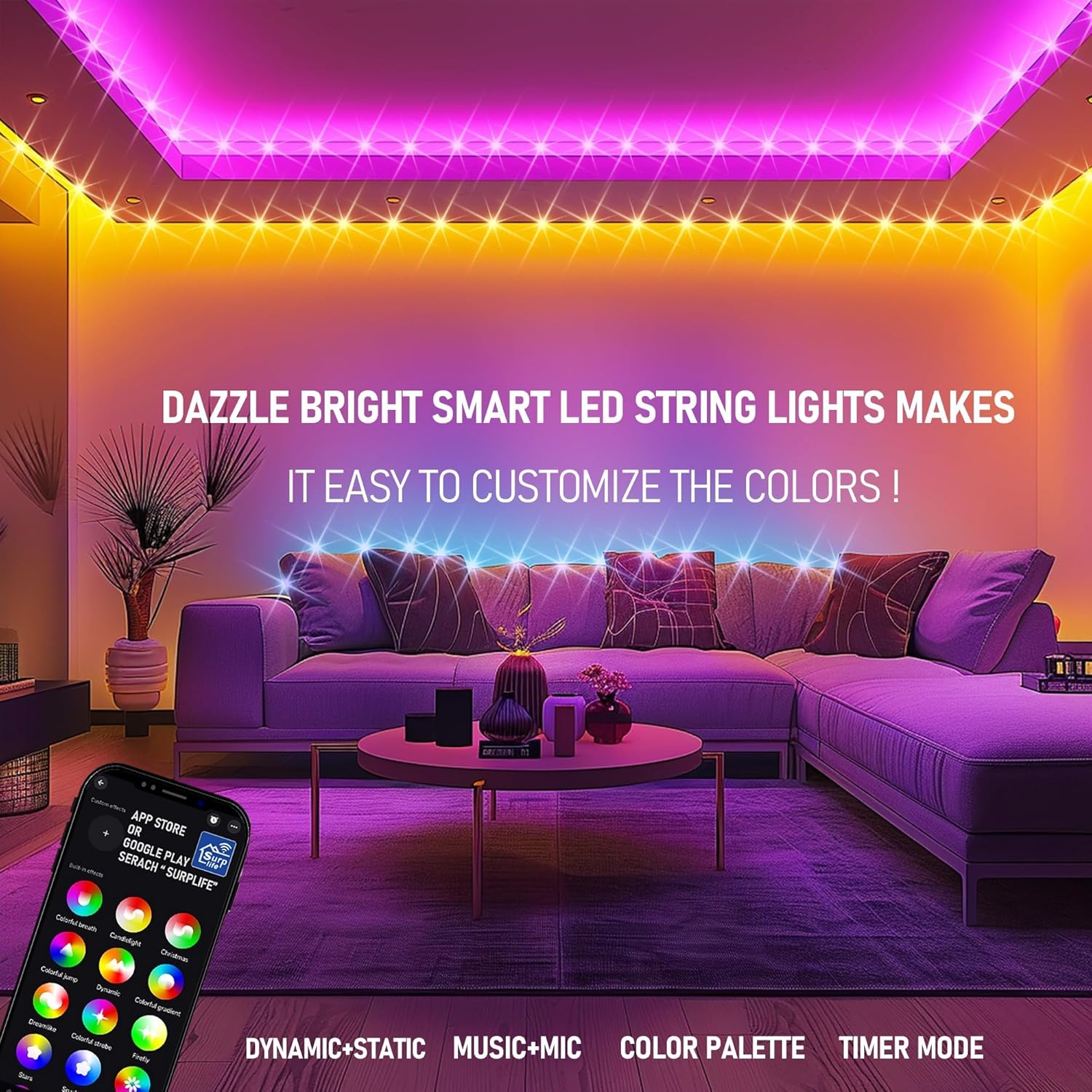
Image: The Surplife app interface, displaying options for color customization, scene selection, and other smart features.
Video: A user demonstrating the app control for Dazzle Bright Smart Color Changing Lights, including tips and tricks for synchronization.
6. Maintenance
Proper maintenance ensures the longevity and optimal performance of your Dazzle Bright LED String Lights.
- Cleaning: Gently wipe the lights with a soft, damp cloth. Do not use harsh chemicals or abrasive cleaners. Ensure the power is disconnected before cleaning.
- Storage: When not in use, carefully coil the lights and store them in a cool, dry place away from direct sunlight and extreme temperatures. The original packaging is ideal for storage.
- Inspection: Periodically inspect the power cord, adapter, and light string for any signs of damage (e.g., frayed wires, cracked casings). Discontinue use if damage is found and contact support.
7. Troubleshooting
If you encounter issues with your Dazzle Bright LED String Lights, refer to the following common solutions:
- Lights Not Turning On:
- Ensure the power adapter is securely plugged into both the lights and the electrical outlet.
- Check if the outlet is functional by plugging in another device.
- Verify the ON button on the remote or app has been pressed.
- Remote Control Not Responding:
- Ensure the remote control has working batteries.
- Point the remote directly at the receiver on the power adapter.
- Remove any obstructions between the remote and the receiver.
- App Connectivity Issues:
- Confirm Bluetooth is enabled on your mobile device.
- Ensure your device is within close proximity to the lights.
- Restart the "Surplife" app and attempt to reconnect.
- If issues persist, try unpairing and re-pairing the device in the app.
- Lights Not Syncing with Music:
- Ensure the microphone mode is activated in the "Surplife" app.
- Increase the volume of the music source.
- Move your mobile device closer to the music source.
8. Specifications
| Feature | Description |
|---|---|
| Model Number | HB-300COI |
| Brand | Dazzle Bright |
| Light Source Type | LED (300 LEDs) |
| Light Color | RGB (Red, Green, Blue) - Multicolor (16 Million Colors via App) |
| Item Length (Light String) | 98.5 ft |
| Power Line Length | 16.5 ft |
| Total Length | 115 ft |
| Bulb Spacing | 3.9 inches |
| Power Source | Corded Electric (Low-Voltage) |
| Indoor/Outdoor Usage | Indoor, Outdoor |
| Water Resistance Level | IP44 Water Resistant |
| Control Method | App (Bluetooth), Remote Control (44-Key) |
| Material Type | Polyvinyl Chloride |
| Certifications | UL Certified |
9. Warranty and Support
The Dazzle Bright HB-300COI Smart RGB LED String Lights come with a 1-year manufacturer's warranty from the date of purchase. This warranty covers defects in materials and workmanship under normal use.
For warranty claims, technical support, or any questions regarding your product, please contact Dazzle Bright customer service through the retailer's platform or the official Dazzle Bright website.
Please retain your proof of purchase for warranty validation.