
Introduction
The JUSTPRO 15W Mini Guitar Amp (Model GA-ONE) is a portable and versatile amplifier designed for both acoustic and electric guitars. Featuring a built-in rechargeable battery, wireless Bluetooth connectivity, and multiple effects like Reverb, Chorus, and Delay, it provides a comprehensive solution for practice, recording, and small performances. Its compact size and robust sound make it an ideal companion for musicians on the go or for desktop use.
What's in the Box
- JUSTPRO 15W Mini Guitar Amp (Model GA-ONE)
- USB Charging Cable
Product Features
The JUSTPRO Mini Guitar Amp offers a range of features designed for versatile practice and performance:
- 4 EFX Volume Adjustment: Includes Reverb (Room/Hall), Chorus, and Delay effects for sound customization.
- Rechargeable & Portable: 15-watt output with a built-in rechargeable battery providing approximately 4 hours of playtime on a full charge.
- Rich Interfaces: Supports AUX input, REC output, OTG live streaming, and headphone output for diverse connectivity.
- Wireless Audio Design: Bluetooth connectivity allows pairing with mobile devices for audio playback.
- Compact & Lightweight: Small footprint (7x4x6 inches) for easy transport and placement.
- Bass and Treble Control: Independent knobs for precise tone shaping.
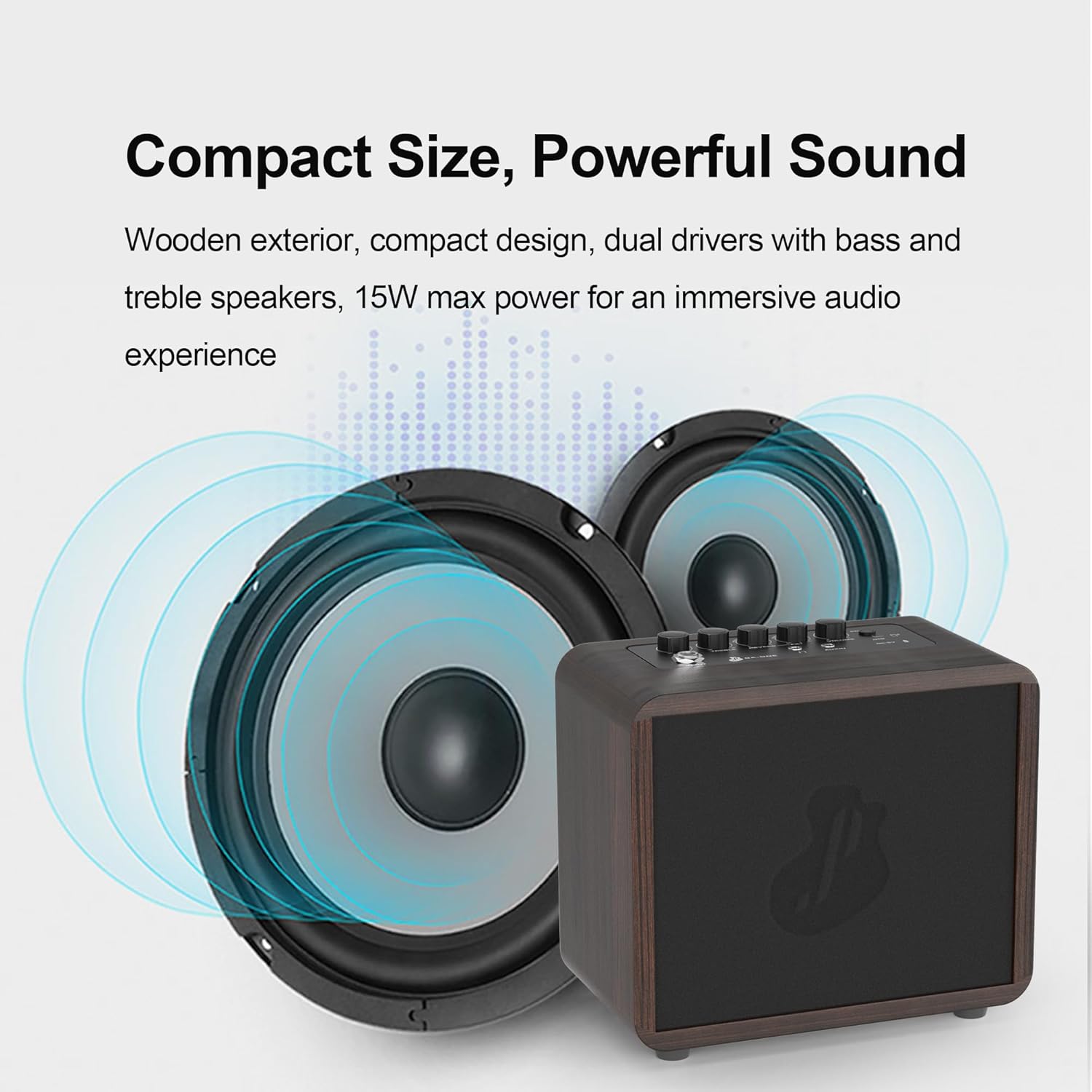
The compact design of the JUSTPRO Mini Guitar Amp delivers powerful sound, suitable for various practice environments.
Official product video demonstrating the features and sound capabilities of the JUSTPRO Mini Guitar Amp.
Setup Guide
1. Charging the Amplifier
Before first use, fully charge the amplifier. Connect the provided USB charging cable to the DC-5V/OTG port on the amplifier and the other end to a standard USB power adapter (not included) or a computer USB port. The charging indicator light will show the charging status.
2. Initial Power On
Press and hold the POWER/BT button located on the top panel to turn the amplifier on or off.
3. Connecting to a Guitar
Insert your guitar's 6.35mm (1/4 inch) instrument cable into the INPUT jack on the amplifier's top panel.

The amplifier and its USB charging cable, essential for initial setup and power.
Operating Instructions
Controls Overview

Detailed view of the amplifier's top panel controls and input/output ports.
- POWER / BT: Power On/Off button. Short press to switch between modes (Guitar/Bluetooth). Long press to power on/off.
- VOLUME: Adjusts the overall output volume of the amplifier.
- CHORUS / DELAY (FX-): Controls the intensity of the Chorus and Delay effects.
- R-ROOM / R-HALL (REVERB): Selects and adjusts the Reverb effect (Room or Hall).
- TREBLE: Adjusts the high-frequency tone of your sound.
- BASS: Adjusts the low-frequency tone of your sound.
- DC-5V / OTG: USB-C port for charging and OTG (On-The-Go) live streaming/recording.
- AUX IN: 3.5mm input for connecting external audio sources like phones or MP3 players.
- HEADPHONE: 3.5mm output for private practice with headphones.
- INPUT: 6.35mm (1/4 inch) input for connecting your guitar.
Connecting Your Instrument
After plugging in your guitar to the INPUT jack, ensure the amplifier is powered on. Adjust the VOLUME knob to your desired listening level. Use the BASS and TREBLE knobs to shape your guitar's tone.
Using Bluetooth Audio
- Power on the amplifier.
- Short press the POWER/BT button to switch to Bluetooth mode. The Bluetooth indicator light will blink, indicating it's ready for pairing.
- On your mobile device (smartphone, tablet, etc.), enable Bluetooth and search for "JUSTPRO GA-ONE".
- Select "JUSTPRO GA-ONE" to pair. Once paired, the Bluetooth indicator light will become solid.
- You can now play audio from your device through the amplifier.
Applying Effects (Reverb, Chorus, Delay)
The amplifier includes built-in effects to enhance your sound:
- Reverb (R-ROOM / R-HALL): Turn the REVERB knob to select between Room and Hall reverb types and adjust their intensity.
- Chorus / Delay (FX-): Turn the FX- knob to apply and adjust the intensity of Chorus or Delay effects.

The amplifier's control knobs allow for free adjustment of tone and effects.
Maintenance
- Cleaning: Use a soft, dry cloth to clean the amplifier's exterior. Avoid using abrasive cleaners or solvents.
- Storage: Store the amplifier in a cool, dry place away from direct sunlight and extreme temperatures.
- Battery Care: To prolong battery life, avoid fully discharging the battery frequently. If storing for extended periods, charge the battery to about 50% every few months.
- Handling: Handle the amplifier with care to prevent damage to internal components or the wooden casing.
Troubleshooting
| Problem | Possible Cause | Solution |
|---|---|---|
| No sound from guitar. | Amplifier is off, volume is too low, guitar cable is faulty, or guitar volume is off. | Ensure amplifier is powered on and charged. Increase amplifier and guitar volume. Check guitar cable connection and try a different cable if necessary. |
| Bluetooth not connecting. | Amplifier not in Bluetooth mode, device Bluetooth is off, or device is too far. | Short press POWER/BT button to enter Bluetooth mode. Ensure Bluetooth is enabled on your device. Move device closer to the amplifier (within 10 meters). |
| Effects (Reverb/Chorus/Delay) not working. | Effect knobs are set to minimum or not properly engaged. | Rotate the REVERB and FX- knobs clockwise to increase effect intensity. Ensure the correct effect type is selected if applicable. |
| Amplifier not charging. | Faulty USB cable, power adapter, or charging port. | Try a different USB cable and power adapter. Ensure the USB-C cable is fully inserted into the DC-5V/OTG port. If the issue persists, contact customer support. |
Specifications
| Brand | JUSTPRO |
| Model Number | GA-ONE |
| Output Wattage | 15 Watts |
| Product Dimensions | 4 x 7 x 6 inches |
| Item Weight | 3.45 pounds |
| Power Source | Battery Powered (1 Lithium Ion battery included) |
| Material Type | Wood |
| Compatible Devices | Acoustic/Electric Guitar |
| Connector Type | 3.5mm Jack, 6.35mm Jack |
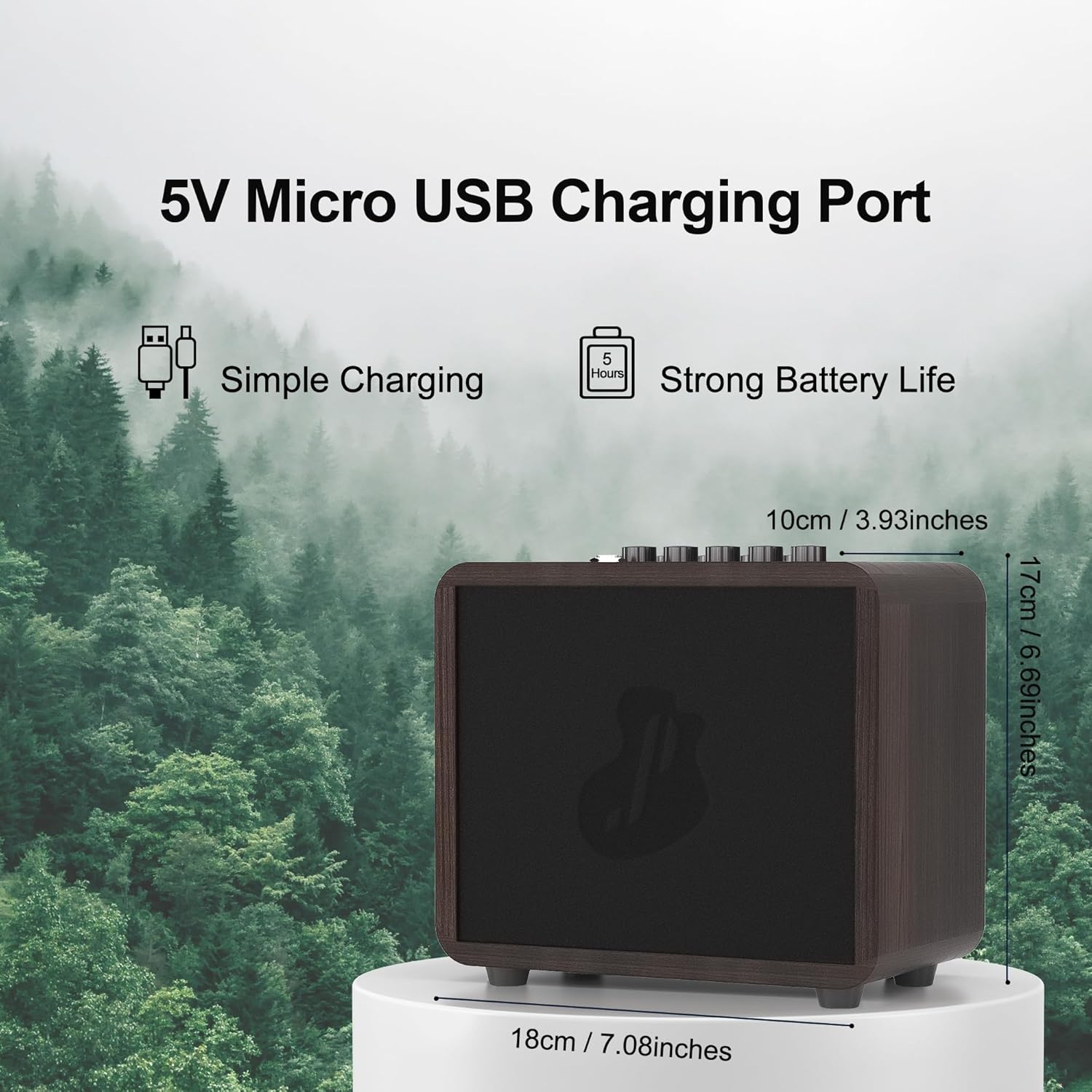
Dimensions of the JUSTPRO Mini Guitar Amp, highlighting its compact and portable design.
Warranty and Support
For detailed warranty information and customer support, please refer to the documentation included with your purchase or visit the official JUSTPRO website. You can also contact the seller directly through the platform where you purchased the product for assistance.
For additional resources and product updates, visit the JUSTPRO Store on Amazon.