1. Introduction
The ChunHee Motion Sensor Alarm is designed to provide enhanced security and deterrence for outdoor areas such as gardens, yards, homes, and farms. This device features adjustable sound levels, multiple operating modes, and the ability to record custom voice messages. It is solar-powered with a USB charging option, ensuring continuous operation.
This manual provides detailed instructions for the proper setup, operation, and maintenance of your motion sensor alarm to ensure optimal performance and longevity.
2. Product Overview
Familiarize yourself with the components and features of your ChunHee Motion Sensor Alarm and its remote control.

Figure 2.1: Multi-function Motion Sensor Alarm
This image highlights the alarm's key features including solar charging, USB charging, 3 volume levels, 3 working modes, high/low sensitivity, voice switching, 1000mAh built-in battery, 8 types of voice ringtones, and 120dB alarm sound.

Figure 2.2: Motion Alarm and Remote Control Parts
Detailed view of the motion alarm components (solar charging panel, speaker, detection window, alarm lights, rotating bracket, installation bracket groove, volume adjust button, mode switching button) and the remote control functions (Disarm, SOS, Arm, Volume Up/Down, 24-hour mode, Daytime mode, Night mode, High/Low Sensitivity, Voice Switching).
3. Setup
Before initial use, ensure the device is adequately charged. Then, power on the device and familiarize yourself with the basic controls.
3.1 Powering On
To power on the device, locate the power button on the back of the alarm unit. Press and hold this button for 3 seconds until you hear a confirmation sound. The device will then be ready for operation.
Video 3.1: Power On and Initial Setup
This video demonstrates how to power on the device by pressing and holding the button on the back for 3 seconds. (Relevant segment: 1:54 - 2:02)
4. Charging the Device
The ChunHee Motion Sensor Alarm supports two charging methods: solar power and USB charging.
4.1 Solar Charging
The device is equipped with a solar panel on top. Place the alarm in an area where it can receive direct sunlight for optimal charging. When charging via solar power, the alarm light will be slightly on.
4.2 USB Charging
For faster charging or when sunlight is limited, use the provided USB cable to connect the device to a 5V USB power adapter. The USB charging port is located on the back of the unit, protected by a blue cover.
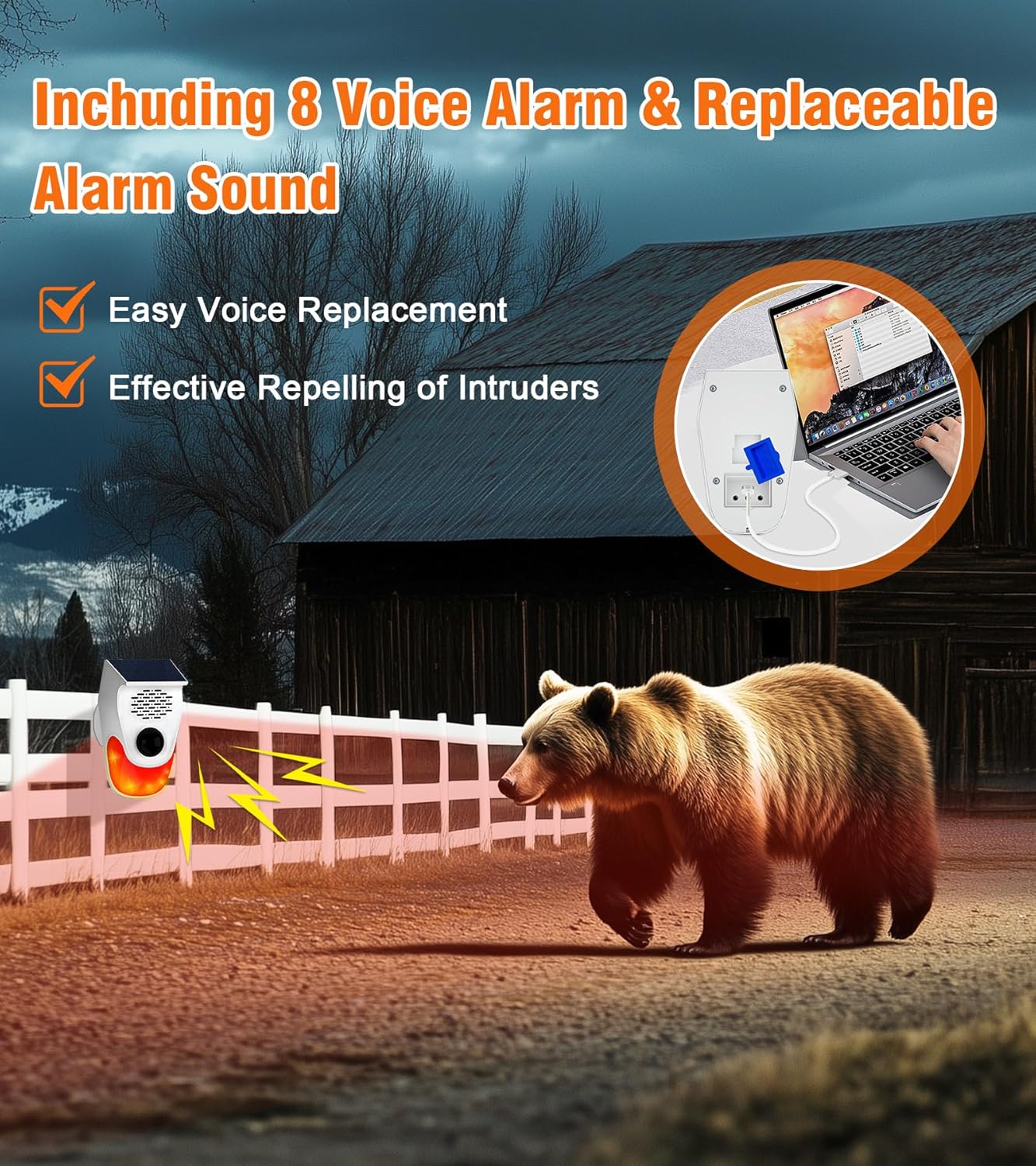
Figure 4.1: Rechargeable with Large Battery Capacity
This image illustrates the 1000mAh battery capacity and the two charging methods: solar charging (over 24 hours for full charge) and USB charging (over 8 hours for full charge), providing up to 7 days of battery life.
Video 4.1: Solar and USB Charging Demonstration
This video shows the solar charging process and how to connect the USB cable for charging. (Relevant segment: 1:45 - 1:53)
Important: Ensure the solar strobe light charges under the sun for at least 1 day before initial installation to ensure sufficient power.
5. Operating Modes
The alarm offers three distinct working modes to suit different security needs. You can switch between these modes using the button on the back of the product or via the remote control.
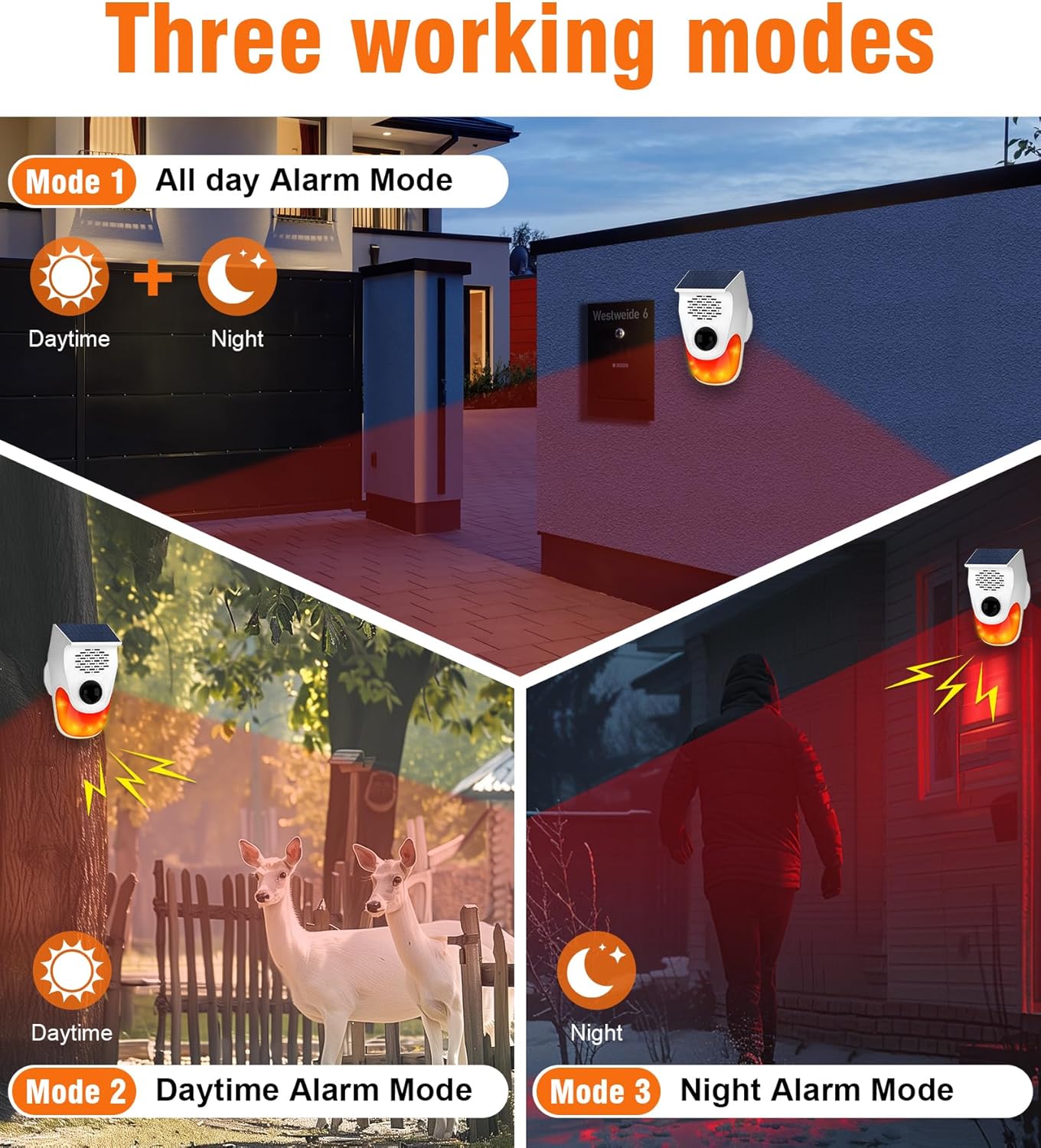
Figure 5.1: Three Working Modes Overview
This image illustrates the three available working modes: All-day Alarm Mode (Daytime + Night), Daytime Alarm Mode, and Night Alarm Mode.
5.1 Mode 1: 24-Hour Working Mode
In this mode, the alarm is active both day and night. When motion is detected, the alarm will sound and lights will flash. You can activate this mode by pressing the '24-hour alarm mode' button on the remote control or by cycling through modes using the button on the back of the unit.
Video 5.1: 24-Hour Working Mode Demonstration
This video demonstrates the 24-hour working mode, showing the alarm activating upon motion detection during both day and night. (Relevant segment: 2:34 - 2:52)
5.2 Mode 2: Daytime Working Mode
This mode activates the alarm only during daylight hours. It will not trigger at night. Activate this mode using the 'Daytime alarm mode' button on the remote control or by cycling through modes on the unit.
Video 5.2: Daytime Working Mode Demonstration
This video illustrates the daytime working mode, showing the alarm activating during the day but remaining inactive at night. (Relevant segment: 3:00 - 3:09)
5.3 Mode 3: Night Working Mode
This mode activates the alarm only during nighttime hours. It will not trigger during the day. Activate this mode using the 'Night alarm mode' button on the remote control or by cycling through modes on the unit.
Video 5.3: Night Working Mode Demonstration
This video demonstrates the night working mode, showing the alarm activating upon motion detection at night but remaining inactive during the day. (Relevant segment: 3:19 - 3:28)
5.4 Arm and Disarm
Use the remote control to arm or disarm the alarm. Press the Arm button to enter alert mode, where it will broadcast a voice message upon human body detection. Press the Disarm button to release the device from alert mode; no voice will be played when sensing human movement.
Video 5.4: Arm and Disarm Functionality
This video demonstrates how to arm and disarm the alarm using the remote control. (Relevant segment: 2:14 - 2:33)
6. Volume and Voice Settings
The alarm allows for adjustment of volume levels and switching between different voice prompts.
6.1 Adjusting Volume
The alarm features three adjustable volume levels: high, medium, and low. You can adjust the volume using the dedicated buttons on the back of the product or via the remote control.

Figure 6.1: Three Level Volume
This image shows the three volume levels: 40-45dB (low), 80-85dB (medium), and 110-120dB (high), indicating the alarm's sound output.
Video 6.1: Adjusting Volume Levels
This video demonstrates how to adjust the volume to high, medium, or low using both the product's button and the remote control. (Relevant segment: 3:29 - 3:44)
6.2 Switching Voice Prompts
The alarm comes with 8 built-in voice ringtones. You can switch between these voices using the button on the back of the product or the 'Voice Switching' button on the remote control. The device also supports custom recording and replacement of voice content by connecting it to a computer.

Figure 6.2: Voice Alarm & Replaceable Sound
This image highlights the feature of 8 voice alarms and the ability for easy voice replacement, which is effective for repelling intruders.
Video 6.2: Switching Voice Prompts
This video demonstrates how to switch between different voice prompts using the product's button and the remote control. (Relevant segment: 3:44 - 4:04)
7. Installation
The ChunHee Motion Sensor Alarm is designed for easy wall mounting. Choose a location that provides optimal coverage for motion detection and sufficient sunlight for solar charging.
7.1 Mounting Steps
- Select a suitable wall or post for installation.
- Use the provided mounting accessories (screws and wall anchors) to secure the rotating bracket to the chosen surface.
- Slide the alarm unit onto the installation bracket groove on the rotating bracket until it clicks securely into place.
- Adjust the angle of the alarm unit using the rotating bracket to optimize the detection area. The PIR motion sensor detects movement within a 110-degree arc.
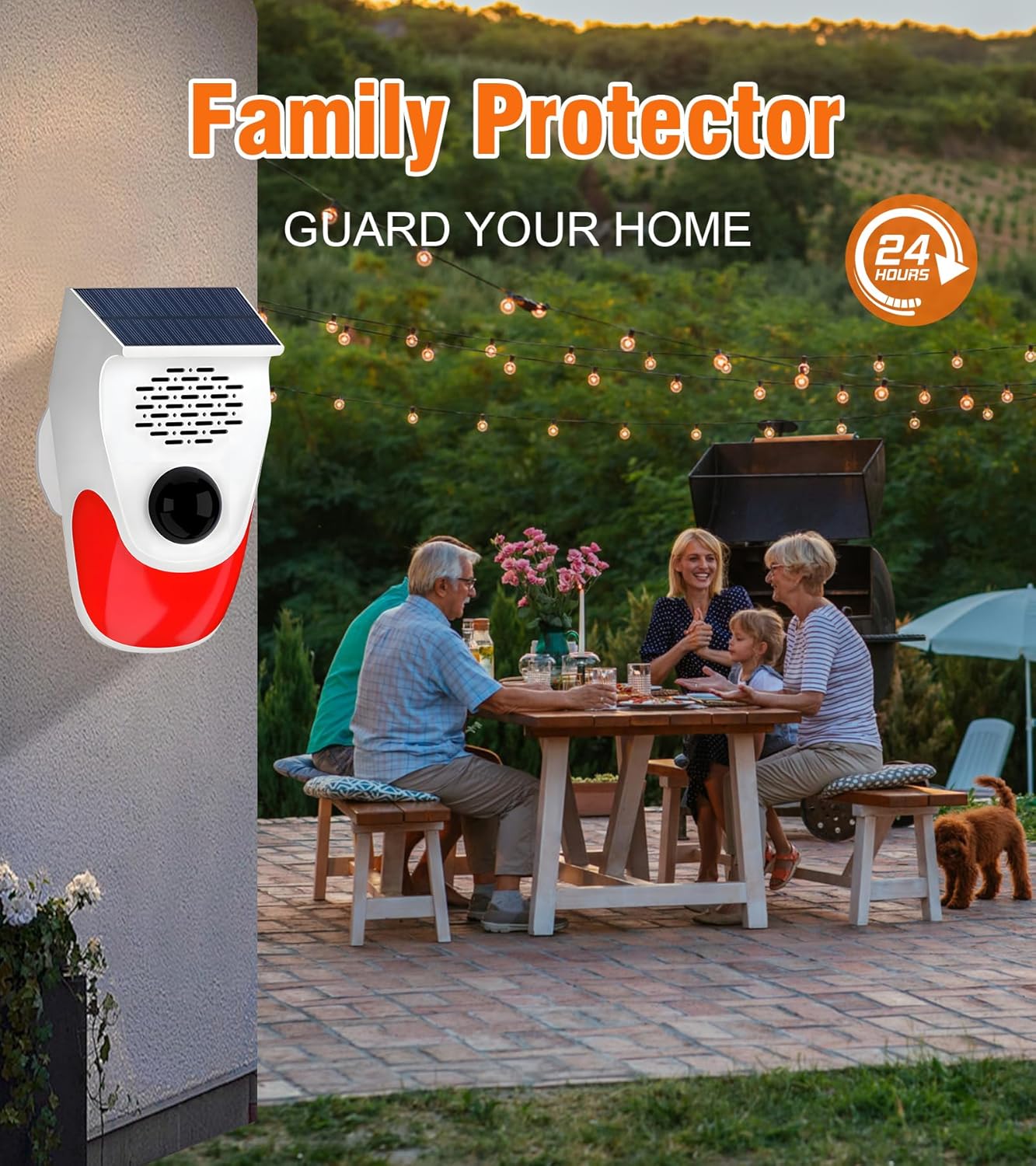
Figure 7.1: Wall Mounted Alarm
This image shows the motion sensor alarm mounted on an exterior wall, providing security for a family gathering in a backyard.
Video 7.1: Fixed Installation Guide
This video provides a visual guide on how to install the motion sensor alarm using the provided mounting hardware. (Relevant segment: 2:03 - 2:13)
7.2 Adjustable Sensitivity
The motion alarm offers 2 levels of sensing distance (High Sensitivity: 9-12 meters / 29.5-39.3ft; Low Sensitivity: 5-8 meters / 16.4-26.2ft) to reduce false alarms. Adjust the sensitivity based on your environment to prevent unwanted triggers from small animals or distant movements.
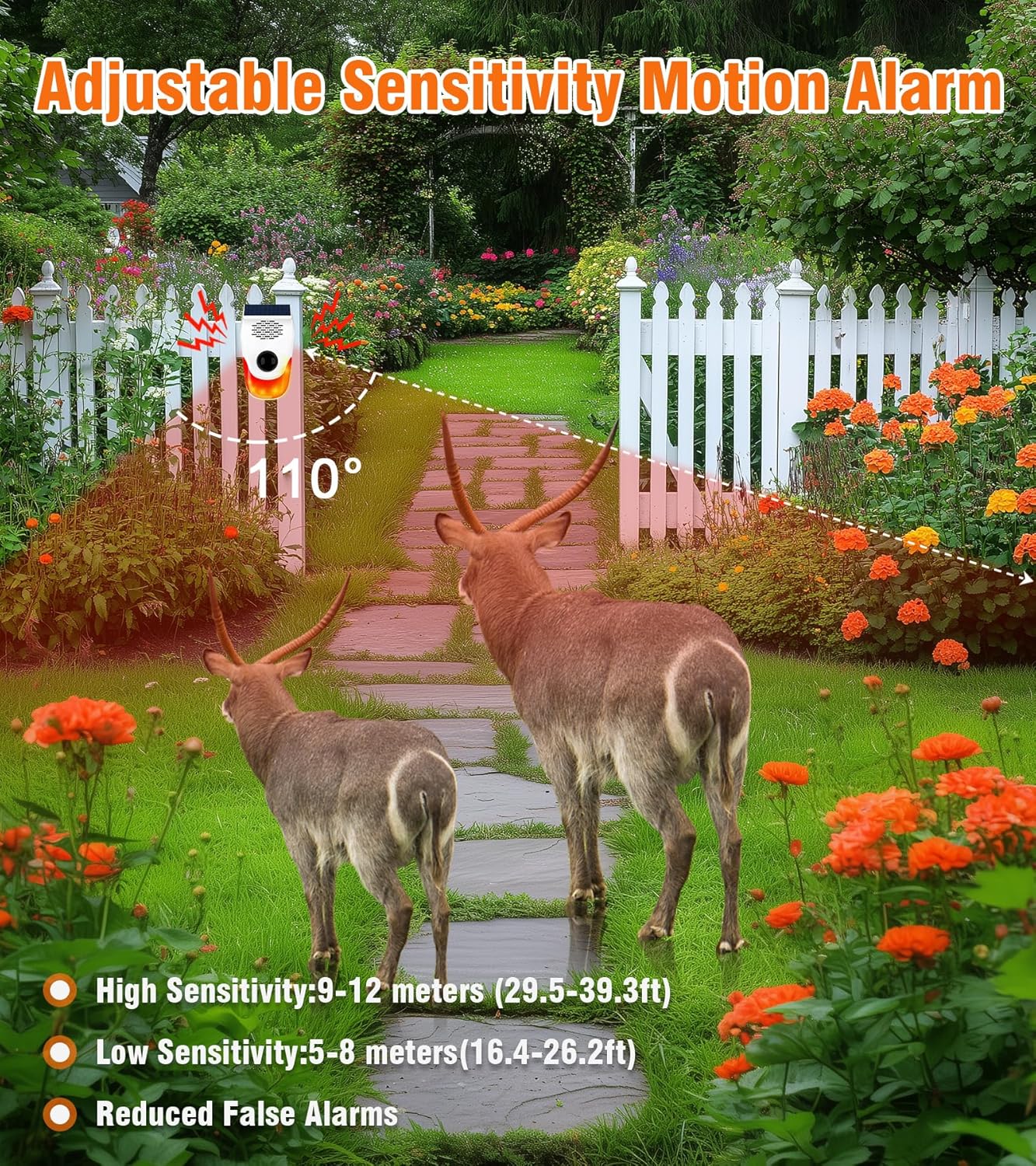
Figure 7.2: Adjustable Sensitivity Motion Alarm
This image illustrates the 110-degree detection range and the two sensitivity settings: High (9-12 meters) and Low (5-8 meters), designed to reduce false alarms.
8. Maintenance
To ensure the long-term performance and reliability of your ChunHee Motion Sensor Alarm, follow these maintenance guidelines:
- Cleaning: Periodically wipe the solar panel and the detection window with a soft, damp cloth to remove dust, dirt, or debris that may obstruct sunlight or sensor functionality.
- Battery Care: While the device is solar-powered, ensure it receives adequate sunlight. If stored for extended periods, fully charge the device via USB before use.
- Environmental Factors: Avoid placing the device in areas prone to heavy shading, extreme temperatures, or direct impact, which could affect its performance or lifespan.
9. Troubleshooting
If you encounter issues with your ChunHee Motion Sensor Alarm, refer to the following common problems and solutions:
- Device not powering on: Ensure the device is fully charged. Press and hold the power button on the back for 3 seconds.
- Alarm not triggering: Check if the device is in the correct operating mode (24-hour, Daytime, or Night). Verify the sensitivity setting is appropriate for the detection area. Ensure the detection window is clear of obstructions.
- False alarms: Adjust the sensitivity to a lower setting. Reposition the device to avoid triggering by small animals, moving branches, or other environmental factors.
- Remote control not working: Ensure the remote control is aligned with the alarm unit for operation. Check the remote control's battery.
- Low volume or unclear voice: Adjust the volume settings. Ensure the speaker is not obstructed.
If the issue persists after attempting these solutions, please contact customer support.
10. Specifications
| Feature | Specification |
|---|---|
| Brand | ChunHee |
| Model Number | SL20-US-2 |
| Power Source | Solar Powered |
| Item Weight | 0.46 Kilograms (1.01 pounds) |
| Mounting Type | Wall Mount |
| Product Dimensions | 6 x 6 x 8 inches |
| Detection Angle | 110-degree arc |
| Sensing Distance | Adjustable: 5-12 meters (16.4-39.3 ft) |
| Alarm Sound Level | Up to 120dB |
| Battery Capacity | 1000mAh (Built-in) |
| Included Components | Manual, Mounting Accessories, Remote Control, Solar Alarm, USB Cable |
11. Warranty and Support
For warranty information, technical support, or any inquiries regarding your ChunHee Motion Sensor Alarm, please refer to the product packaging or contact ChunHee customer service directly. Keep your purchase receipt for warranty claims.
Manufacturer: CHUNHEE


