
HawkSpy K18
HawkSpy K18 Hidden Camera Detector User Manual
Model: K18
1. Product Overview
The HawkSpy K18 is a professional multi-functional detector designed to safeguard your privacy by identifying hidden cameras, wireless eavesdropping devices, and GPS trackers. Its compact and portable design makes it an essential tool for various environments, ensuring peace of mind.
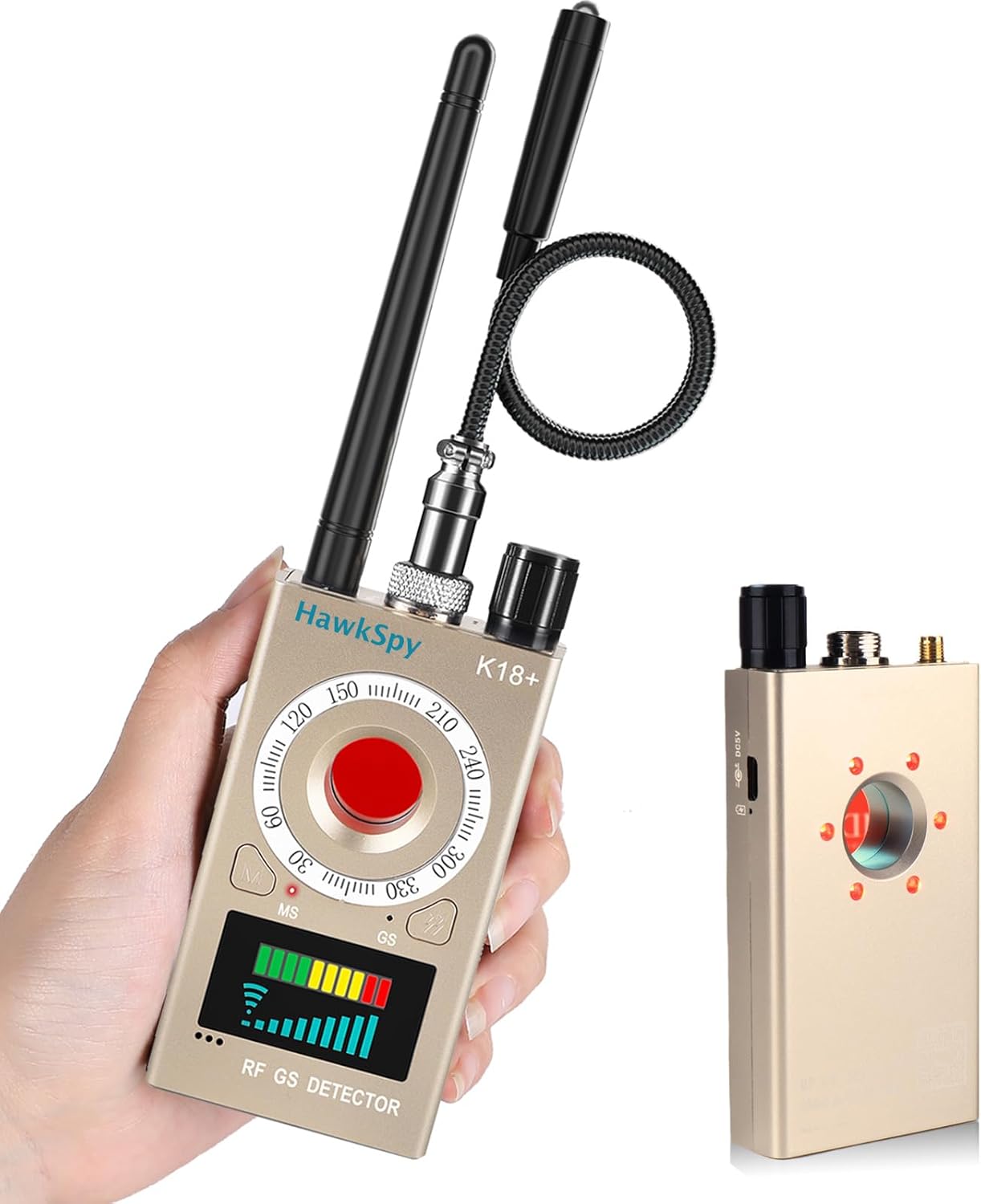
Figure 1: HawkSpy K18 Detector with RF Antenna and GS Probe
The HawkSpy K18 detector, shown held in hand, features an RF antenna and a flexible GS probe. The device has a clear display for signal strength and mode indicators.
Key Features:
- Comprehensive Privacy Protection: Detects hidden cameras, wireless eavesdropping devices, and GPS trackers.
- Dual Alarm Modes: Equipped with sound and vibration alerts for discreet or audible notifications.
- Enhanced LED Infrared Detection: Visually locates hidden camera lenses, even those disguised.
- Compact & Portable: Lightweight design with a built-in rechargeable battery, ideal for travel.
- Easy to Use: User-friendly operation requiring no technical expertise.

Figure 2: K18 Multifunctionality Overview
This image highlights the K18's multifunctionality, including a 5-25m² detection range, sound/vibration alarm, adjustable sensitivity, and portability.
2. What's in the Box
Upon unpacking your HawkSpy K18 detector, please ensure all components are present:
- Main Detector Unit
- RF Antenna
- GS Probe (Magnetic Field Detector)
- Charging Cable (USB-A to DC-barrel jack)
- User Manual (this document)
3. Setup
Follow these steps to prepare your HawkSpy K18 for use:
- Charge the Device: Connect the provided charging cable to the detector and a USB power source. The device has a built-in rechargeable lithium battery.
- Attach RF Antenna: Screw the RF antenna into the designated port on the top of the detector. This antenna is used for RF signal detection.
- Attach GS Probe: Connect the GS probe (magnetic field detector) to the second port on the top of the detector. This probe is flexible and used for magnetic detection.
Video 1: K18+ Product Overview
An overview video demonstrating the features and usage of the HawkSpy K18+ detector, including its components and various detection modes, such as attaching the antennas.
4. Operating Instructions
The HawkSpy K18 offers three primary detection modes:
4.1. RF Signal Detection (Bug Sweeper)
This mode detects hidden surveillance devices emitting radio frequencies, such as covert listening devices, SIM card bugs, wireless location trackers, Wi-Fi routers, and cell phones.
- Turn On: Rotate the knob on the detector to turn it on.
- Select Mode: Long press the mode selection button to enter RF signal detection mode.
- Adjust Sensitivity: Use the knob to adjust the sensitivity. Start with lower sensitivity and gradually increase it. The signal strength indicator (green, amber, red bars) will show detected signals.
- Scan Area: Slowly sweep the detector across the area you wish to scan. As you approach a signal source, the indicator bars will rise, and an alarm (sound or vibration) will activate.
- Pinpoint Source: Reduce sensitivity as you get closer to the source to pinpoint its exact location.

Figure 3: RF Signal Detection in Use
The K18 is depicted in a meeting room, indicating its effectiveness in detecting various signal-emitting devices such as covert listening devices, SIM card bugs, wireless location trackers, Wi-Fi routers, and cell phones.
4.2. Magnetic Field Detection (GPS Tracker Finder)
This mode is used to identify magnetic objects, particularly hidden GPS trackers often attached to vehicles or other metallic surfaces.
- Select Mode: Long press the mode selection button until the magnetic detection mode is active (indicated by "MS" on the display).
- Scan Surfaces: Use the flexible GS probe to scan surfaces, especially under vehicles, in wheel wells, or other areas where magnetic trackers might be hidden.
- Locate Magnet: The device will alert you (sound/vibration) when it detects a magnetic field. The probe also has a bright white LED light to illuminate dark areas.
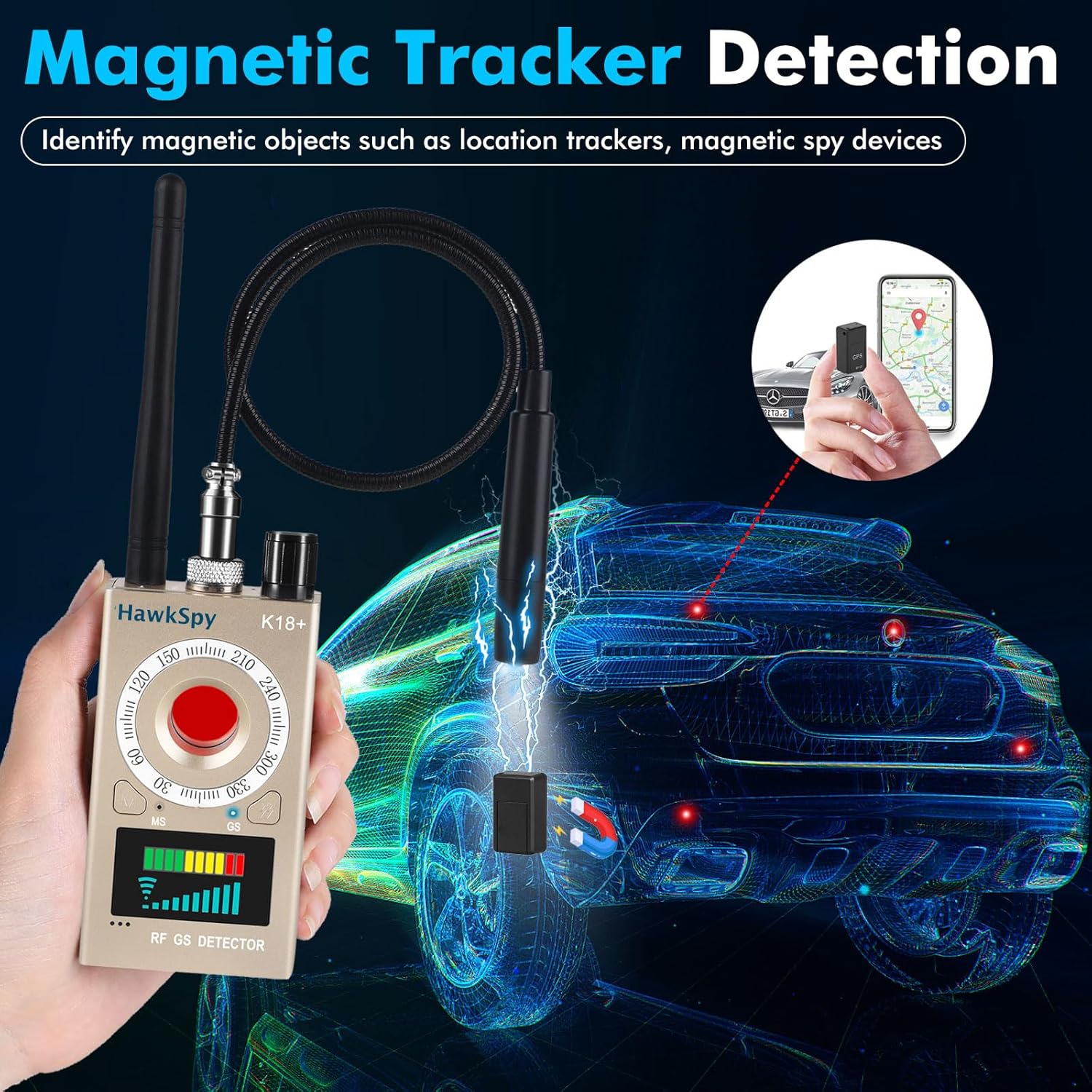
Figure 4: Magnetic Field Detection in Use
This image demonstrates the K18's magnetic tracker detection capability, showing the device's probe being used to locate a magnetic GPS tracker attached to a vehicle.
4.3. Hidden Camera Lens Detection
This feature uses advanced infrared LED technology to visually locate hidden camera lenses by detecting their reflections.
- Activate IR LEDs: Short press the right button on the detector to turn on the camera detection mode. The red infrared LEDs on the back of the device will illuminate.
- Scan Room: Look through the viewing port on the front of the device. Slowly scan the room, paying close attention to common hiding spots like smoke detectors, air vents, picture frames, and electrical outlets.
- Identify Lenses: Hidden camera lenses will appear as bright red dots when viewed through the port, due to the reflection of the infrared light.

Figure 5: Hidden Camera Lens Detection
The K18 detector is shown in a room setting, illustrating its ability to detect various hidden cameras, including pinhole, stealth, and infrared types, through its lens detection feature.
4.4. Alarm Modes
The K18 offers two alarm modes:
- Sound Alarm: Provides an audible alert when a signal or magnetic field is detected.
- Vibration Alarm: Offers a discreet vibration alert, suitable for sensitive environments.
To switch between sound and vibration alarm modes, short press the sound/vibration selection button.
5. Maintenance
- Cleaning: Use a soft, dry cloth to clean the device. Do not use liquid cleaners or abrasive materials.
- Storage: Store the detector in a cool, dry place away from direct sunlight and extreme temperatures.
- Battery Care: For optimal battery life, charge the device regularly, even if not in frequent use. Avoid fully discharging the battery for extended periods.
6. Troubleshooting
| Problem | Possible Cause | Solution |
|---|---|---|
| Device not turning on. | Low battery. | Charge the device fully using the provided charging cable. |
| Frequent false alarms in RF detection mode. | High sensitivity or presence of common wireless signals (Wi-Fi, Bluetooth, cell phones). | Reduce the sensitivity using the knob. Move away from known signal sources. The device is designed to detect all RF signals, including common ones. |
| Cannot detect hidden cameras. | Incorrect usage of lens detection mode; camera is not infrared or too well hidden. | Ensure the infrared LEDs are on and you are looking through the viewing port. Scan slowly and thoroughly. Note that this mode detects lens reflections, not RF signals from cameras. |
| Magnetic detection not working. | GS probe not properly connected or magnetic object is too far. | Ensure the GS probe is securely attached. Bring the probe closer to the suspected magnetic object (detection range is up to 5 inches). |
7. Specifications
| Feature | Detail |
|---|---|
| Model Name | K18 (HS18) |
| Brand | HawkSpy |
| Dimensions (L x W x H) | 3.94 x 2.17 x 0.79 inches |
| Item Weight | 5.1 ounces (0.32 Pounds) |
| Power Source | Battery Powered (1 Lithium Ion battery included) |
| Voltage | 3.7 Volts |
| Wattage | 4.07 watts |
| Material | Acrylonitrile Butadiene Styrene (ABS) |
| Detection Range (RF) | 5-25m² (approximate, varies with environment) |
| Magnetic Detection Range | Up to 5 inches (depending on magnet strength) |
| Connectivity Technology | Wireless (for detection of Wi-Fi, etc.) |
| Special Features | Built-in Light, Motion Sensor, Portable |
| UPC | 635401972917 |
8. Warranty and Support
HawkSpy is committed to delivering high-quality products and exceptional assistance to our customers. While specific warranty details are not provided in this manual, we offer round-the-clock support for any questions or assistance you may need.
Please refer to the contact information provided with your product packaging or on the official HawkSpy website for support inquiries.
Our specialists are always ready to assist you with product operation, troubleshooting, or any other concerns.