What's in the Box
- (1) Stomp™ XL Party Speaker
- (1) Corded Microphone
- (1) 6ft. Power Cord
- (1) User Manual

Image: The Skullcandy Stomp XL speaker shown with its included corded microphone, power cord, and user manual.
Model: 2SKSK185
Welcome to the Skullcandy Stomp XL Bluetooth Speaker user manual. This guide provides essential information for setting up, operating, maintaining, and troubleshooting your new portable speaker. Please read this manual thoroughly before using your device to ensure optimal performance and safety.
Image: The Skullcandy Stomp XL speaker shown with its included corded microphone, power cord, and user manual.

Image: An infographic highlighting key features such as 12-hour battery life, Bluetooth 5.3 connectivity, IPX5 water resistance, LED light show, included microphone, and Multi-Link capability.

Image: The Stomp XL speaker demonstrating its charge-out feature, powering a smartphone via its USB-A port, indicating on-the-go charging.
Before first use, fully charge your Stomp XL speaker to ensure maximum battery life and performance.
Press and hold the Power button located on the control panel for a few seconds to turn the speaker on or off.
Insert the microphone cable's plug into the designated microphone input jack on the speaker. Ensure it is fully inserted for proper operation.
Once paired via Bluetooth, audio from your connected device will play through the Stomp XL speaker.
The Multi-Link feature allows you to connect up to 99 Skullcandy Bluetooth speakers for a synchronized and immersive audio experience.
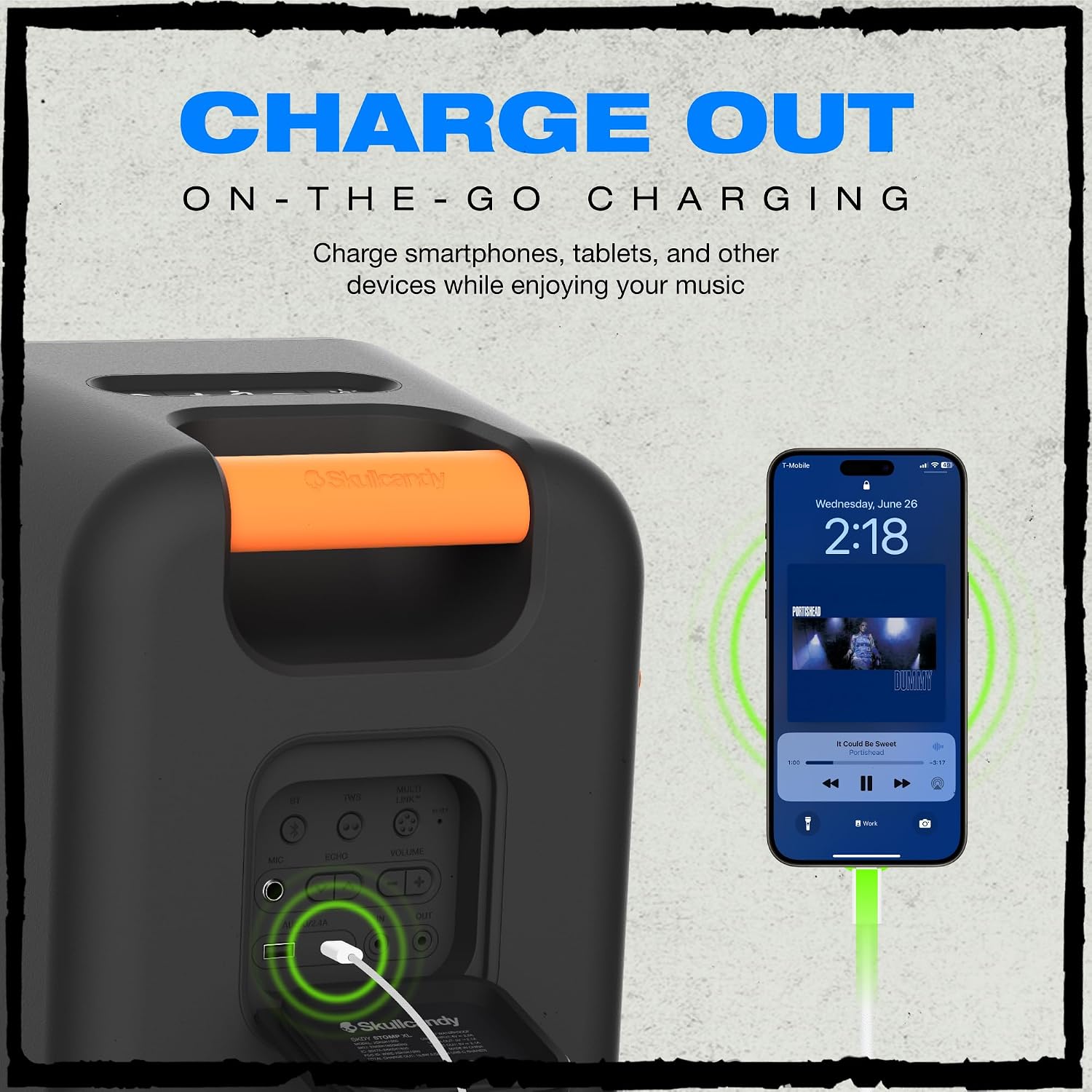
Image: Two Stomp XL speakers demonstrating the Multi-Link feature, showing them wirelessly connected for expanded sound coverage.
The Stomp XL features an integrated LED light bar and strobe light that syncs with the music.
Press the Light Mode button to cycle through different light patterns and effects.
When the microphone is connected, its audio will be amplified through the speaker, ideal for announcements or singing.

Image: A detailed view of the speaker's control panel, showing buttons for power, volume, light modes, and input ports for microphone and charging.

Image: The Stomp XL speaker shown in a rainy environment, illustrating its IPX7 waterproof capability, suitable for outdoor use.
| Problem | Possible Cause | Solution |
|---|---|---|
| Speaker does not power on. | Low battery. | Charge the speaker using the provided power cord. Ensure the power outlet is functional. |
| Cannot pair via Bluetooth. | Speaker not in pairing mode; device Bluetooth off; too far from speaker; interference. | Ensure speaker is in pairing mode (flashing light). Turn device Bluetooth off/on. Move device closer to speaker (within 30 feet). Reduce interference from other wireless devices. |
| No sound. | Volume too low; speaker not connected; incorrect audio source selected on device. | Increase volume on speaker and connected device. Re-pair Bluetooth. Check audio output settings on your device to ensure Stomp XL is selected. |
| Multi-Link not working. | Speakers not in Multi-Link mode; too many speakers; out of range. | Ensure all speakers are in Multi-Link pairing mode. Check proximity between speakers (within recommended range). Ensure no more than 99 speakers are linked. |
| Microphone not working. | Microphone not fully plugged in; microphone volume too low; faulty microphone. | Ensure microphone is securely connected to the correct input. Increase microphone volume on the speaker. Test with another microphone if available. |
This Skullcandy Stomp XL speaker comes with a Limited Warranty. Please refer to the warranty card included in your packaging or visit the official Skullcandy website for detailed terms and conditions regarding coverage and duration.
For technical assistance, troubleshooting, or warranty claims, please contact Skullcandy Customer Support:
You can also visit the Skullcandy Store on Amazon for more product information and support resources.
 |
Skullcandy Stomp XXL Wireless Party Speaker Quick Start Guide Get started with the Skullcandy Stomp XXL wireless party speaker. This guide covers setup, functions, troubleshooting, and specifications for the Model 2SKSK1852, enabling you to enjoy your music with powerful sound and portability. |
 |
Skullcandy STOMP XL Portable Party Speaker Quick Start Guide A comprehensive guide to setting up and using the Skullcandy STOMP XL portable party speaker, covering its features, functions, connectivity options, charging, troubleshooting, and specifications. |
 |
Skullcandy Stomp Mini Portable Bluetooth Speaker Quick Start Guide Quick start guide for the Skullcandy Stomp Mini portable Bluetooth speaker, covering functions, charging, troubleshooting, and specifications. Learn how to connect, play, and manage your speaker. |
 |
Skullcandy Terrain XL 2 Wireless Speaker: Quick Start Guide and Features Comprehensive guide to the Skullcandy Terrain XL 2 Wireless Speaker, covering setup, functions, charging, troubleshooting, and specifications. Learn how to pair, use TWS, Multi-link, and more. |
 |
Skullcandy Barrel & Barrel XT Portable Bluetooth Speaker Quick Start Guide A concise guide to setting up and using your Skullcandy Barrel and Barrel XT portable Bluetooth speakers, covering functions, charging, troubleshooting, and specifications. |
 |
Skullcandy Smokin' Buds User Guide User guide for Skullcandy Smokin' Buds, covering pairing, controls, charging, and EQ modes. |