
Introduction
This manual provides detailed instructions for setting up, operating, and maintaining your IOWODO W50 Smartwatch. Please read this manual thoroughly before using the device to ensure proper function and longevity.
Package Contents
Upon opening the package, verify that all items are present:
- IOWODO W50 Smartwatch
- Watch Straps (Silicone and Fabric)
- Charging Cable
- User Manual (this document)
Setup
1. Charging the Smartwatch
Before initial use, fully charge your smartwatch. Connect the charging cable to the charging port on the back of the watch and to a USB power source. A full charge takes approximately 2.5 hours. The battery capacity is 370 mAh, providing up to 7 days of typical use and 25 days in standby mode.
2. Installing the Straps
The IOWODO W50 comes with two interchangeable straps (silicone and fabric). To attach a strap, align the spring bar with the lug holes on the watch case and slide it into place. Ensure both ends of the spring bar are securely seated.
3. Pairing with Your Smartphone
- Download the companion application (e.g., "GloryFit" or similar, as implied by app support) from your smartphone's app store (Android or iOS).
- Ensure Bluetooth is enabled on your smartphone.
- Open the application and follow the on-screen instructions to create an account and add your device.
- Select "IOWODO W50" from the list of available devices in the app to initiate pairing.
- Confirm the pairing request on both your smartphone and the smartwatch.
Once paired, the watch will synchronize time and data with your phone.
Operating Instructions
Basic Navigation
The IOWODO W50 features a 1.39-inch TFT touchscreen display for interaction. Swipe across the screen to navigate through menus and tap to select options. Physical buttons on the side may also be used for specific functions like power on/off or returning to the home screen.
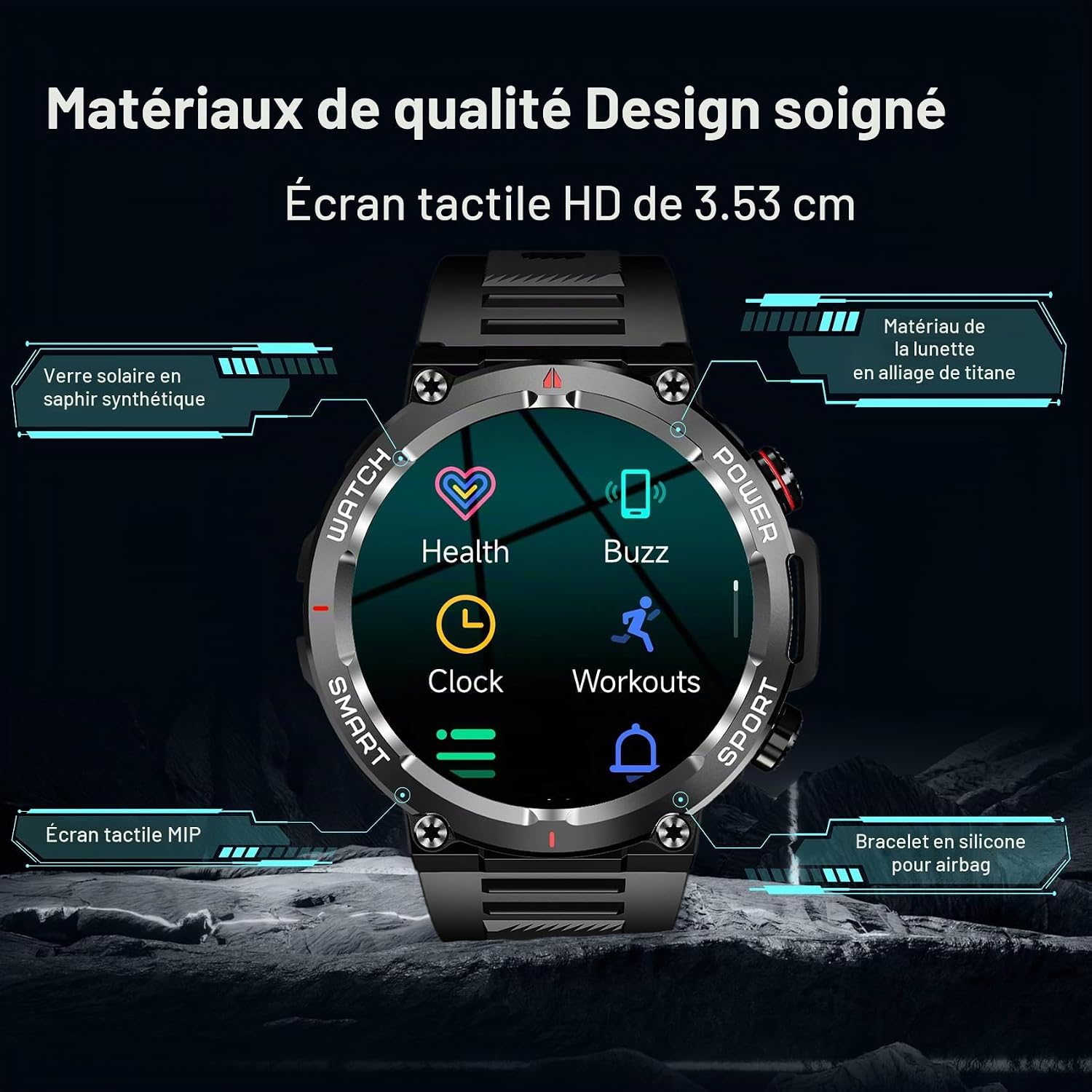
Image: The IOWODO W50 Smartwatch display, highlighting its 1.39-inch HD touchscreen, sapphire-resistant glass, titanium alloy bezel, and silicone strap. Icons for Health, Buzz, Clock, and Workouts are visible.
Bluetooth Calling
The smartwatch includes a built-in microphone and speaker, allowing you to make and answer calls directly from your wrist. Ensure the watch is connected to your smartphone via Bluetooth. You can synchronize up to 50 contacts and view recent calls on the watch.

Image: The IOWODO W50 Smartwatch demonstrating its Bluetooth call features, including an incoming call display, external audio output, and the ability to synchronize contacts from a smartphone.
Notifications
After connecting and synchronizing with your smartphone, the watch can display notifications from various applications such as WhatsApp, Twitter, Facebook, LinkedIn, Line, Instagram, Snapchat, and Skype. Enable desired app notifications within the companion app settings.
Sport Modes
The smartwatch offers over 100 sport modes to track your physical activities. Select your preferred sport mode from the watch menu to record data such as heart rate, steps, distance, and calories burned. The watch's IP68 rating allows for use in various weather conditions.

Image: The IOWODO W50 Smartwatch showcasing its '100+ Training Modes' feature, with examples like running, outdoor activities, cycling, ice and snow sports, indoor workouts, and ball games.
Health Monitoring
The IOWODO W50 provides 24/7 health monitoring features, including:
- Heart Rate Monitoring: Tracks your heart rate continuously.
- SpO2 Monitoring: Measures blood oxygen levels.
- Sleep Analysis: Monitors sleep patterns and quality.
- Blood Pressure Monitoring: Provides blood pressure readings.
- Respiratory Rate: Tracks your breathing rate.
Note: This smartwatch is not a medical device. Health data provided is for reference only and should not be used for medical diagnosis or treatment. Consult a healthcare professional for medical advice.

Image: The IOWODO W50 Smartwatch highlighting its health data features, including heart rate monitoring, blood oxygen monitoring, sleep monitoring, blood pressure monitoring, respiratory rate tracking, and weather forecasts.
GPS Functionality
The smartwatch supports GPS tracking via your smartphone. When connected to your phone, it can utilize your phone's GPS to accurately record routes and distances during outdoor activities. It supports Galileo satellite navigation system.
Customizable Watch Faces
Personalize your smartwatch with a variety of watch faces available through the companion application. You can choose from pre-installed designs or download new ones to match your style.

Image: The IOWODO W50 Smartwatch showcasing a selection of customizable watch faces, demonstrating different styles and data displays available through the synchronization interface.
Maintenance
Cleaning Your Smartwatch
- Wipe the screen and watch body with a soft, lint-free cloth.
- For stubborn dirt, slightly dampen the cloth with water. Avoid using harsh chemicals or abrasive materials.
- Clean the charging contacts regularly to ensure efficient charging.
Water Resistance
The IOWODO W50 Smartwatch has an IP68 rating, meaning it is resistant to dust and can withstand immersion in water up to 1.5 meters for 30 minutes. It is suitable for daily use, hand washing, and light rain. However, it is not recommended for swimming, diving, or exposure to hot water/steam (e.g., showers, saunas) as this can compromise the seal.

Image: The IOWODO W50 Smartwatch emphasizing its robust design, high quality, resistance to heat and cold, shock resistance, and IP68 water resistance.
Battery Care
- Avoid fully discharging the battery frequently.
- Do not expose the watch to extreme temperatures (very hot or very cold) as this can degrade battery life.
- Use only the provided charging cable.
Troubleshooting
Common Issues and Solutions:
- Watch not turning on: Ensure the watch is fully charged. Connect it to the charger for at least 10 minutes.
- Cannot pair with smartphone:
- Ensure Bluetooth is enabled on your phone and the watch.
- Make sure the watch is within range of your phone.
- Restart both your phone and the smartwatch.
- Try unpairing and re-pairing through the companion app.
- Inaccurate health data:
- Ensure the watch is worn snugly on your wrist, not too tight or too loose.
- Clean the optical sensor on the back of the watch.
- Remember that environmental factors and movement can affect readings.
- Notifications not appearing:
- Check notification settings in the companion app and on your smartphone.
- Ensure the watch is connected via Bluetooth.
- Verify that the companion app has necessary permissions on your phone.
- Short battery life:
- Reduce screen brightness.
- Disable continuous heart rate monitoring if not needed.
- Limit the number of active notifications.
- Ensure the watch is fully charged each time.
If you encounter issues not listed here, refer to the companion application's help section or contact customer support.
Specifications
| Feature | Specification |
|---|---|
| Model Name | W50 |
| Display | 1.39-inch TFT Touchscreen |
| Resolution | 240 x 280 pixels |
| Brightness | 600 NIT (Max) |
| Connectivity | Bluetooth |
| Battery Capacity | 370 mAh Lithium-ion |
| Charging Time | Approx. 2.5 hours |
| Battery Life (Typical Use) | Up to 7 days |
| Battery Life (Standby) | Up to 25 days |
| Water Resistance | IP68 (1.5 meters for 30 minutes) |
| Operating System | Wear OS |
| Health Monitoring | Heart Rate, SpO2, Sleep, Blood Pressure, Respiratory Rate |
| Sport Modes | 100+ modes |
| GPS | Via smartphone (Galileo supported) |
| Compatible Devices | Smartphones with Bluetooth (Android/iOS) |
| Case Material | Stainless Steel |
| Band Material | Silicone or Fabric |
| UPC | 755824985544 |
Warranty Information
The IOWODO W50 Smartwatch comes with a Lifetime Warranty as specified by the manufacturer. Please retain your proof of purchase for warranty claims. For detailed terms and conditions, refer to the official IOWODO website or contact customer support.
Customer Support
For further assistance, technical support, or warranty inquiries, please visit the official IOWODO website or contact their customer service department. Contact information can typically be found on the product packaging or the brand's official online presence.
Online Resources:
- IOWODO Brand Store: IOWODO on Amazon


