
HOTO QWLDM002
Contents
HOTO 12V Cordless Rotary Tool Kit Pro
Brand: HOTO | Model: QWLDM002
1. Introduction
The HOTO 12V Cordless Rotary Tool Kit Pro is a versatile and powerful tool designed for a wide range of DIY and professional tasks, including engraving, cutting, sanding, grinding, polishing, and more. Its compact design, brushless motor, and variable speed control make it an essential addition to any workshop. This manual provides detailed instructions for safe and effective use, setup, operation, and maintenance of your new rotary tool.

Image: The HOTO 12V Cordless Rotary Tool Kit Pro, showcasing the main unit, four accessory storage boxes, USB-C cable, dust cover, and a variety of 37 rotary tool accessories including sanding bands, cutting discs, grinding stones, polishing wheels, and various bits.
2. Key Features
- Compact Design: Weighing only 0.93 pounds, this tool offers superior workshop control for carving, sanding, and other tasks. The textured rubber soft-grip ensures a secure hold, making it ideal for both beginners and experts.
- Powerful Brushless Motor: Equipped with a high-performance brushless motor for increased power, extended runtime, and enhanced durability. This makes it an excellent choice for craft enthusiasts and is ideal for engraving on various materials like wood, metal, glass, and plastic.
- Variable Speed Control: Offers continuously adjustable speed up to 35,000 RPM, providing precise control for various operations and materials in daily life.
- Maximum Versatility: Includes 37 rich rotary tool kit accessories for the widest range of applications, such as cutting, sanding, drilling, cleaning, grinding, and sharpening.
- Safe & Stable Performance: Features a one-key lock button with a dust cover for safety, easy one-key start, and fast heat dissipation for stable operation. An LED ring shadowless fill light illuminates your workspace for precision in dim environments.
- Type-C Charging & Longer Running Time: Equipped with a 3,000mAh battery for extended use. The Type-C port allows sharing charging cables with mobile phones and other 3C electronic devices.

Image: A detailed diagram illustrating the high-performance brushless motor of the HOTO rotary tool, emphasizing its powerful 35000RPM capability for challenging tasks.
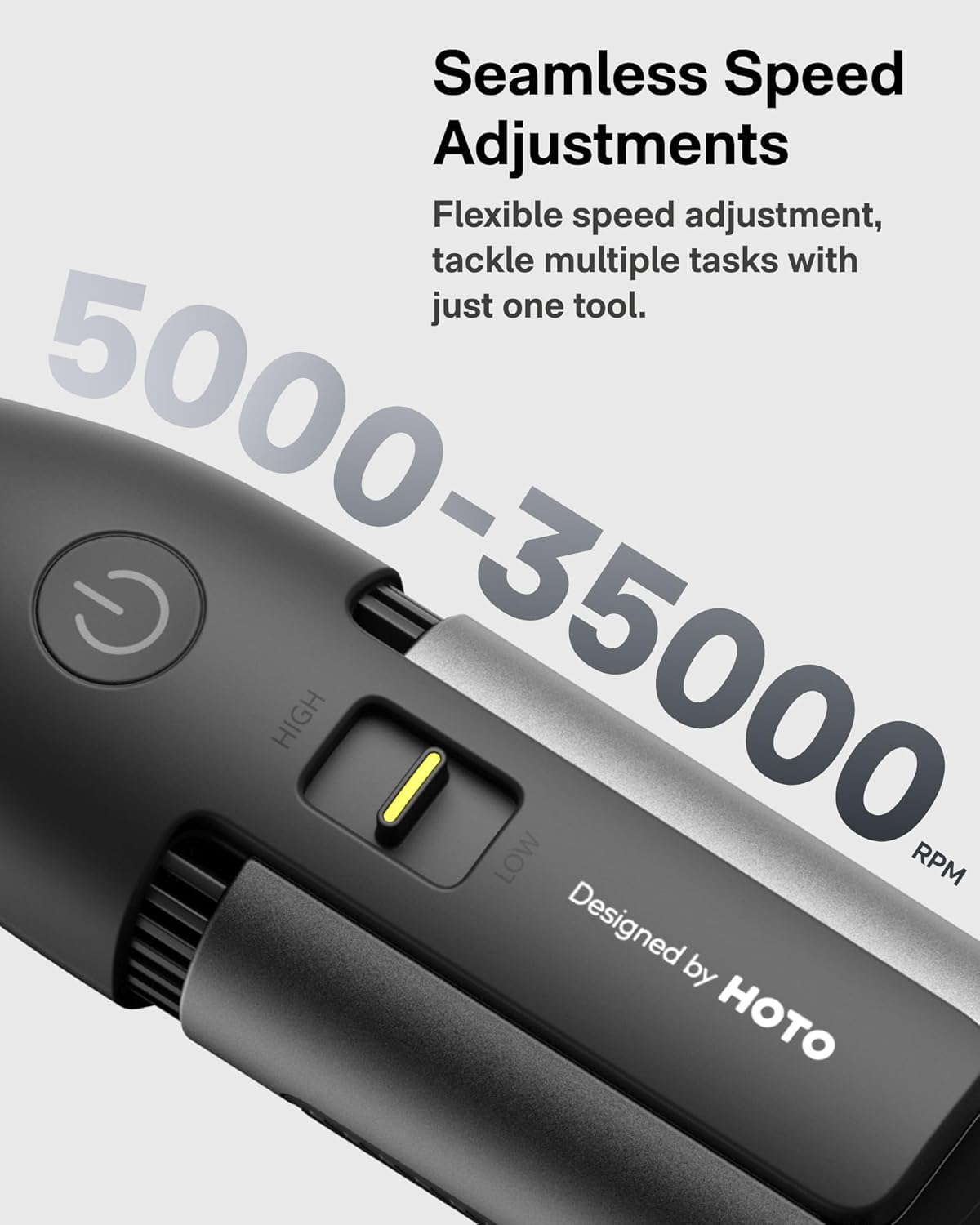
Image: A close-up view of the HOTO rotary tool's speed adjustment slider, indicating a range from 5000 to 35000 RPM for seamless speed adjustments.

Image: A comprehensive layout of the 37 accessories included in the HOTO rotary tool kit, categorized by function such as sanding, cutting, carving, grinding, cleaning/polishing, and drilling.

Image: The HOTO rotary tool in use, demonstrating its beginner-friendly features including the LED light and a clear dust cover for safer operation.
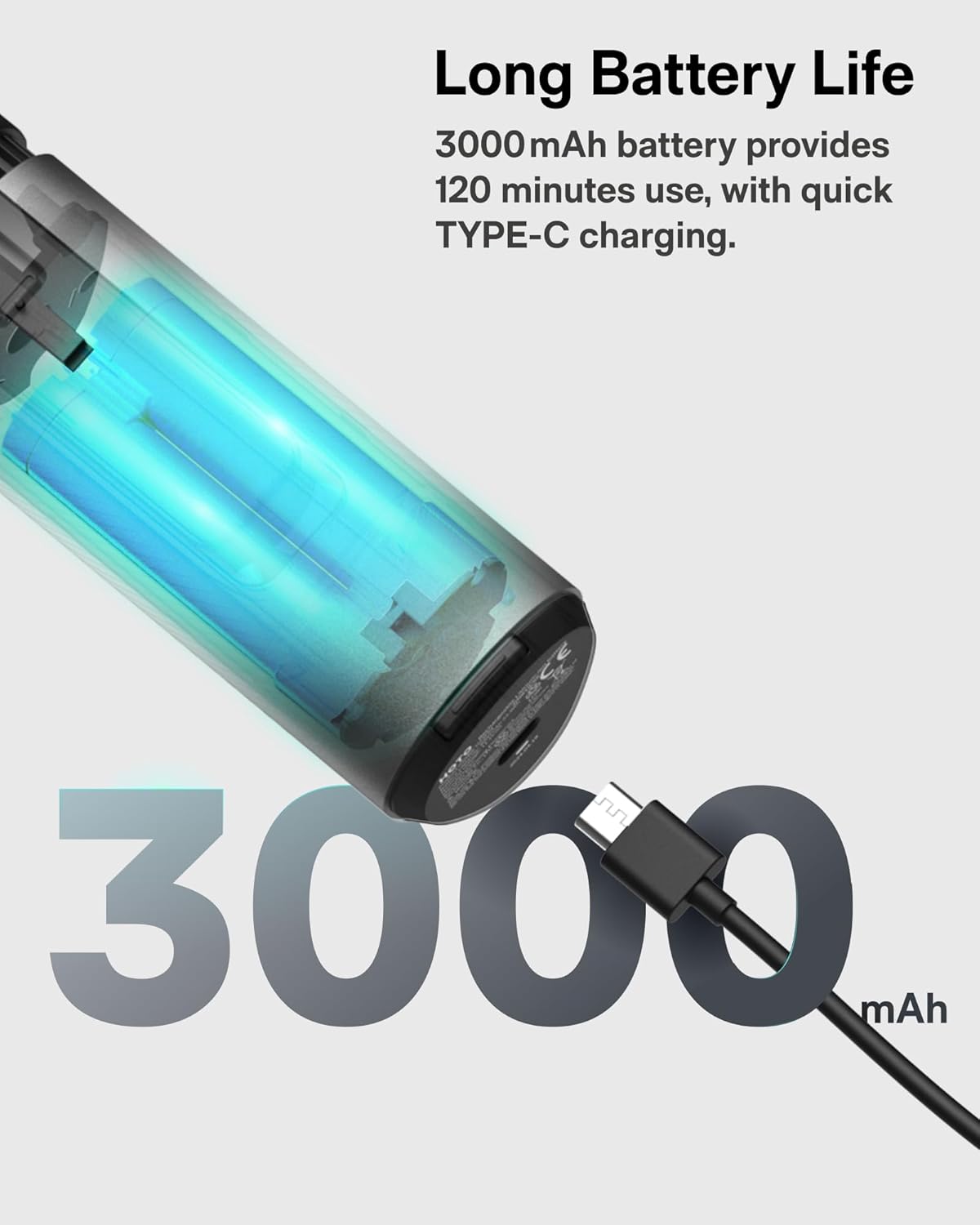
Image: A transparent view of the HOTO rotary tool's internal battery being charged via a USB-C cable, highlighting its 3000mAh capacity for long battery life.
3. Setup
3.1 Charging the Tool
Before first use, fully charge your HOTO 12V Cordless Rotary Tool. Connect the provided USB-C cable to the charging port at the base of the tool and plug the other end into a compatible USB power source (e.g., laptop, power bank, wall adapter). The power button LED will indicate charging status. Note: The tool is not designed to operate while charging.
3.2 Installing Accessories
The HOTO rotary tool comes with 37 accessories for various tasks. To install or change an accessory:
- Ensure the tool is powered off.
- Press and hold the lock button located near the chuck. This locks the shaft to prevent rotation.
- While holding the lock button, use the provided wrench (or your fingers for larger bits) to loosen the chuck by turning it counter-clockwise.
- Insert the desired accessory bit into the chuck.
- Tighten the chuck by turning it clockwise until the bit is securely fastened. Release the lock button.
- Optionally, attach the clear dust cover by snapping it onto the front of the tool for added safety and to keep your workspace clean during operation.
Video: An official HOTO TOOLS US video demonstrating how to operate the cordless rotary tool, including the process of changing accessories and using the speed control.
4. Operating the Tool
4.1 Power On/Off
To turn the tool on, long-press the power button (marked with a circle and vertical line). The LED ring light will illuminate. To turn off, long-press the power button again.
4.2 Adjusting Speed
The tool features a seamless variable speed control. Use the slider switch located on the side of the tool to adjust the RPM from low (5,000 RPM) to high (35,000 RPM). Select the appropriate speed for your material and task.
4.3 Integrated LED Light
The built-in LED ring light provides shadowless illumination of your workspace, enhancing precision, especially in dimly lit environments.
4.4 Common Applications
The HOTO rotary tool is suitable for a variety of applications:
- Engraving: Use fine bits for detailed work on wood, metal, glass, or plastic.
- Sanding: Attach sanding bands or discs for smoothing surfaces.
- Cutting: Use cutting discs for precise cuts on various materials.
- Polishing: Apply polishing pads for a smooth, shiny finish.
- Grinding: Utilize grinding stones for shaping and deburring.
- Drilling: Insert drilling bits for creating small holes.

Image: A visual demonstration of the HOTO rotary tool's versatility, illustrating its use for engraving, grinding, sanding, cutting, polishing, and drilling on different materials.
5. Maintenance
To ensure the longevity and optimal performance of your HOTO rotary tool, follow these maintenance guidelines:
- Cleaning: After each use, clean the tool and accessories to remove dust and debris. Use a soft, dry cloth. For stubborn residue, a slightly damp cloth can be used, ensuring no moisture enters the tool's internal components.
- Storage: Store the tool and its accessories in a dry, clean environment. The provided accessory boxes are ideal for organizing and protecting the bits.
- Battery Care: Avoid leaving the machine uncharged for long periods, as this may cause malfunction. For optimal battery life, charge the tool regularly, even if not in frequent use.
- Overheating: The brushless motor and typhoon port design help reduce overheating. However, avoid long periods of continuous operation without breaks to prevent excessive heat buildup.
6. Troubleshooting
If you encounter issues with your HOTO 12V Cordless Rotary Tool, refer to the following common solutions:
| Problem | Possible Cause | Solution |
|---|---|---|
| Tool does not turn on. | Low battery; Tool malfunction. | Ensure the battery is fully charged. If the issue persists after charging, contact customer support. |
| Accessory bit is loose or falls out. | Chuck not tightened properly; Incorrect bit size for chuck. | Ensure the chuck is tightened securely after inserting the bit. Verify the bit shank diameter is compatible with the chuck. |
| Tool overheats during use. | Prolonged continuous operation; Blocked ventilation. | Allow the tool to cool down. Avoid continuous operation for extended periods. Ensure ventilation ports are clear of debris. |
| Reduced power or speed. | Low battery; Excessive pressure on workpiece. | Recharge the battery. Reduce pressure applied to the workpiece. |
7. Specifications
| Specification | Value |
|---|---|
| Brand | HOTO |
| Model Number | QWLDM002 |
| Voltage | 12 Volts |
| Power Source | Battery Powered (1 Lithium Ion battery included) |
| Maximum Rotational Speed | 35000 RPM |
| Minimum Speed | 5000 RPM |
| Item Weight | 14.9 ounces |
| Included Components | HOTO 12V Rotary Kit Pro × 1; USB-C Cable × 1; Accessory Boxes × 4; Rotary Tool Accessories × 37 |
| Material | Plastic, Metal |
| Special Features | LED Light, Variable Speed, Cordless, Multi-Use, Compact |
8. Warranty and Support
For warranty claims, technical support, or any inquiries regarding your HOTO 12V Cordless Rotary Tool Kit Pro, please contact HOTO TOOLS US directly. Refer to the product packaging or the official HOTO website for the most up-to-date contact information and warranty policy details.
Ask a question about this manual
Ask about setup, troubleshooting, compatibility, parts, safety, or missing instructions. Manuals+ will review the question and use this page’s manual context to help answer it.