
1. Safety Information
WARNING: CHOKING HAZARD - Small parts. Not suitable for children under 37 months.
This product contains small parts. Keep children away during assembly. Adult supervision is required at all times when the vehicle is in use. Ensure the child wears appropriate safety gear, such as a helmet, when operating the ride-on car. Do not operate the vehicle near stairs, steep inclines, public roads, or swimming pools. Always ensure the seat belt is securely fastened before operation.
2. Product Overview
The ELEMARA Licensed Lamborghini Ride On Car (Model QLS-8603) offers an authentic driving experience for children. This electric car features a sleek design, functional scissor doors, LED lights, and a versatile control console. It is equipped with a 12V battery and two 35W motors, providing speeds of 1.9 to 3.1 mph. The car supports both manual operation by the child and remote control by a parent for enhanced safety.

Figure 2.1: The ELEMARA Licensed Lamborghini Ride On Car with its distinctive scissor doors.

Figure 2.2: Comparison of the ride-on car with a full-size Lamborghini, showcasing design accuracy.
3. Setup
3.1. Assembly
Refer to the included detailed manual for step-by-step assembly instructions. Ensure all components are securely attached before initial use. The package includes the ride-on car, remote control, and a manual.

Figure 3.1: Illustration of key replaceable parts for assembly and maintenance.
3.2. Charging the Battery
- Locate the charging port on the vehicle.
- Connect the provided charger to the charging port and then to a standard wall outlet.
- The charging time is approximately 8 to 12 hours for a full charge. Do not overcharge the battery.
- Disconnect the charger once charging is complete.
A fully charged battery provides approximately 30 to 45 minutes of use time, depending on terrain and usage.
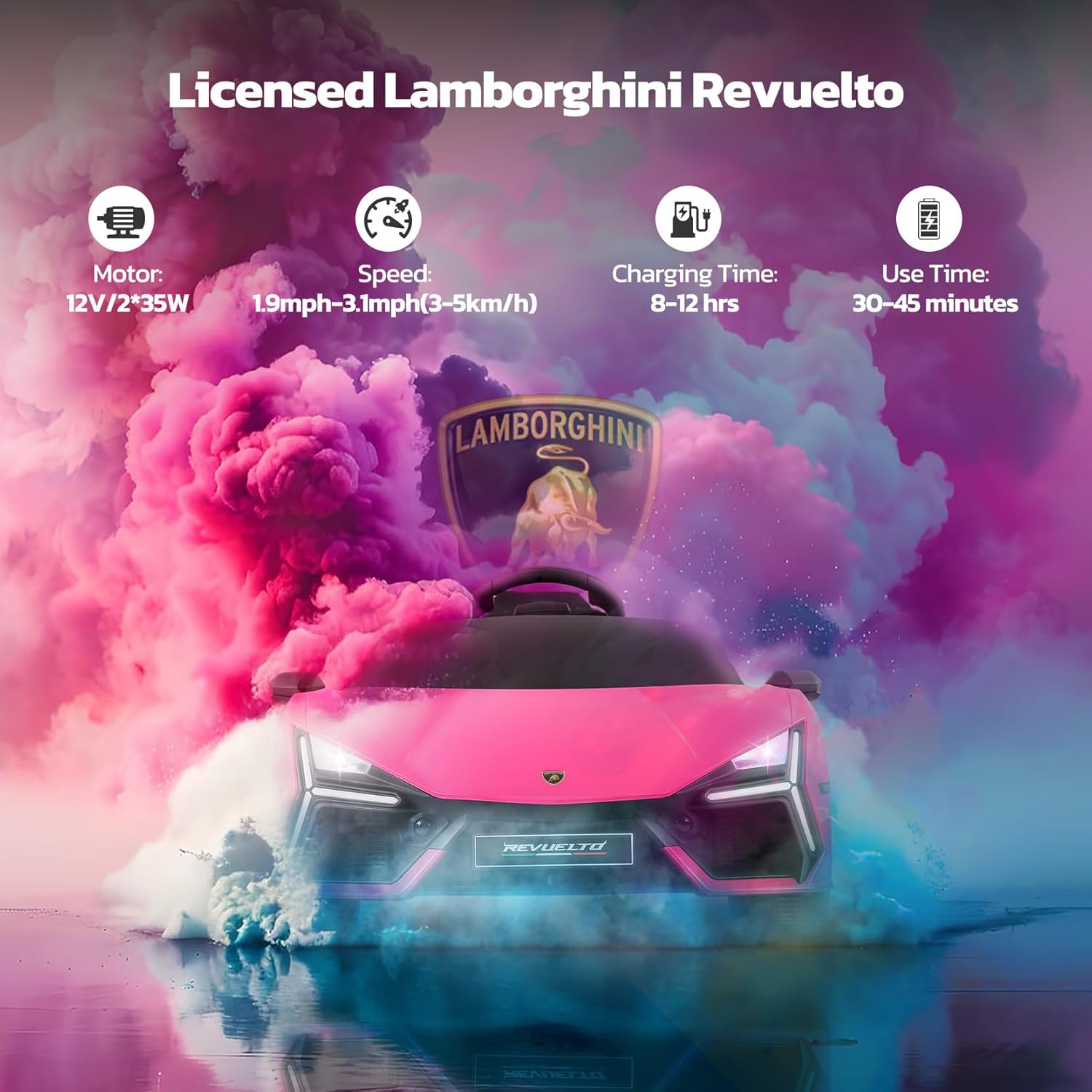
Figure 3.2: Performance specifications including charging and usage times.
3.3. Remote Control Pairing
To pair the remote control with the vehicle:
- Ensure the vehicle is turned off.
- Insert batteries into the remote control (if not already installed).
- Press and hold the pairing button on the remote control (refer to the remote control diagram in the main manual for exact location).
- While holding the pairing button, turn on the vehicle.
- Release the pairing button once the indicator light on the remote control stops flashing and remains solid, indicating successful pairing.
4. Operating Instructions
4.1. Driving Modes
The vehicle offers two primary driving modes:
- Manual Control: The child operates the vehicle using the steering wheel and foot pedal.
- Remote Control: A parent can control the vehicle's movement and speed using the provided remote control, overriding manual input for safety.

Figure 4.1: Depiction of manual and remote control driving options.
4.2. Basic Controls
- Power Button: Turns the vehicle on or off.
- Foot Pedal: Press to accelerate in manual mode. Release to brake.
- Steering Wheel: Turn left or right to steer the vehicle in manual mode.
- Gear Selector: Switches between forward, neutral, and reverse gears.
- Speed Button (on remote): Adjusts the speed setting (low/medium/high).
4.3. Multimedia Features
The vehicle includes an integrated multimedia player for entertainment:
- Bluetooth Connectivity: Pair a compatible device to play audio.
- USB Port: Insert a USB drive with MP3 audio files.
- MP3 Player: Play pre-loaded music or audio stories.

Figure 4.2: Multimedia options for an enjoyable ride.
4.4. Special Features
- Scissor Doors: Manually open and close the doors upwards for an authentic Lamborghini experience.
- LED Lights: Functional LED headlights and taillights enhance realism and visibility.

Figure 4.3: Functional LED headlights and taillights.
5. Maintenance
5.1. Battery Care
- Always recharge the battery after each use.
- If the vehicle is not used for an extended period, charge the battery at least once a month to maintain its lifespan.
- Do not store the battery in extreme temperatures.
5.2. Cleaning
Wipe the vehicle with a soft, damp cloth. Avoid using harsh chemicals or abrasive cleaners that could damage the finish or electronic components. Do not spray water directly onto the vehicle.
5.3. Storage
Store the vehicle in a dry, sheltered area away from direct sunlight and moisture. If the battery is low, the car can be easily towed using the small wheels located at the rear.

Figure 5.1: Towing the vehicle using the rear wheels.
6. Troubleshooting
This section addresses common issues you might encounter with your ride-on car.
| Problem | Possible Cause | Solution |
|---|---|---|
| Vehicle does not move | Low battery; Loose battery connection; Blown fuse; Motor issue | Charge battery; Check battery terminals; Replace fuse; Contact customer support |
| Remote control not working | Unpaired remote; Dead remote batteries | Re-pair remote control (Section 3.3); Replace remote batteries |
| Short operating time | Insufficient charging; Old battery; Overloaded vehicle | Ensure full charge (8-12 hours); Replace battery if old; Reduce load |
| Vehicle makes unusual noises | Loose parts; Gear issue | Check for loose components; Contact customer support |
The vehicle is equipped with a battery depletion warning system. When the battery is low, the car can be pulled home using the built-in small wheels at the rear.

Figure 6.1: Battery depletion warning system and tow feature.
7. Specifications
| Feature | Detail |
|---|---|
| Model Number | QLS-8603 |
| Product Dimensions | 41.3 x 23.6 x 15.7 inches |
| Item Weight | 25 pounds |
| Recommended Age | 3 - 8 years |
| Motor | 12V/2*35W |
| Speed | 1.9 - 3.1 mph (3-5 km/h) |
| Charging Time | 8 - 12 hours |
| Use Time | 30 - 45 minutes |
| Weight Capacity | 66 lbs |

Figure 7.1: Product dimensions and recommended age range.

Figure 7.2: The vehicle is suitable for various road surfaces.
8. Warranty and Support
8.1. Warranty Information
Specific warranty details are typically provided with the product packaging or can be obtained from the retailer at the time of purchase. Please retain your proof of purchase for any warranty claims.
8.2. Customer Support
For further assistance, technical support, or inquiries regarding replacement parts, please contact ELEMARA customer service. Refer to the contact information provided in your product packaging or visit the official ELEMARA website. You can also visit the ELEMARA Store on Amazon for more information.


