
PTHRAOUTA SY003
PTHRAOUTA SY003 Portable Dehumidifier User Manual
Model: SY003 | Brand: PTHRAOUTA
1. Introduction
Thank you for choosing the PTHRAOUTA SY003 Portable Dehumidifier. This compact and efficient appliance is designed to reduce humidity levels in various indoor spaces, helping to prevent mold, mildew, and musty odors. Please read this manual thoroughly before operating the dehumidifier to ensure safe and optimal performance. Keep this manual for future reference.

Figure 1.1: PTHRAOUTA SY003 Portable Dehumidifier
2. Product Features
- High Efficient Dehumidification: Designed for spaces up to 850 sq ft, capable of removing up to 34oz of moisture daily (at 86°F and 80%RH).
- Dual Drainage Options: Features a 50oz water tank for manual emptying and a continuous drain hose connection for extended operation.
- Multi-functional: Not only reduces humidity but also helps in odor removal, contributing to a healthier indoor environment.
- Auto Shut-Off Protection: Automatically stops operation when the water tank is full or incorrectly positioned, preventing overflow. The indicator light turns red when the tank is full.
- Energy Efficient: Operates at only 60W with high-speed brushless turbo blades, ensuring energy savings.
- Ambiance Lighting: Offers five color options for the night light (Blue, Orange, Purple, Green, Yellow), which can be customized or turned off.
- Two Dehumidifier Modes: Includes a powerful mode for efficient humidity reduction and a quiet sleep mode (below 30 dB) for undisturbed operation.
- Portable Design: Compact size (7.12"W x 4.84"D x 10.59"H) makes it easy to move and suitable for various small spaces like bathrooms, bedrooms, RVs, and closets.
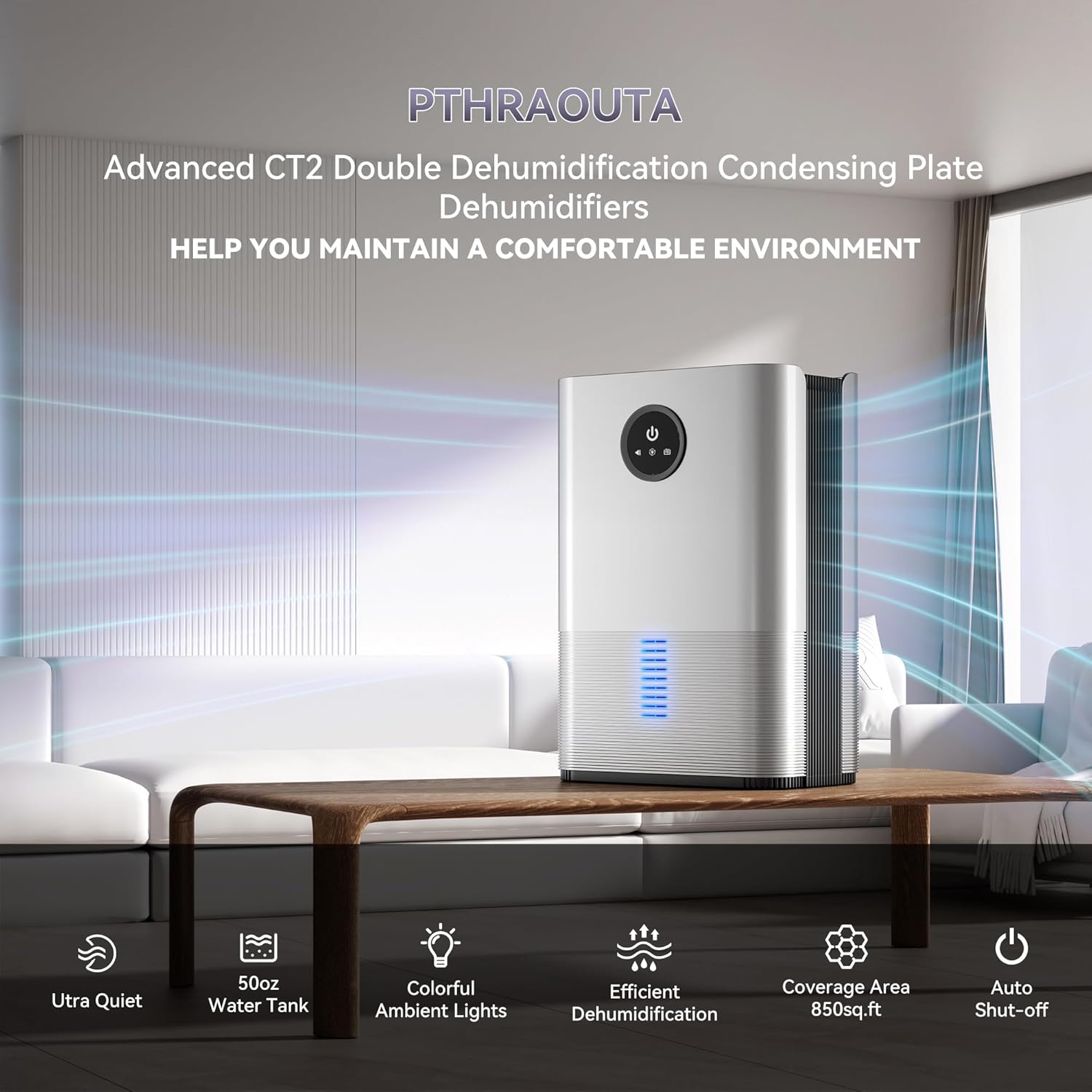
Figure 2.1: Key Features Overview
3. Package Contents
Please check the package contents upon unboxing to ensure all items are present and undamaged:
- 1 × PTHRAOUTA SY003 Dehumidifier
- 1 × Drain Hose
- 1 × Instruction Manual (this document)
4. Setup
- Unpack the Dehumidifier: Carefully remove the dehumidifier and all accessories from the packaging.
- Placement: Place the dehumidifier on a flat, stable surface in the desired location. Ensure there is at least 8 inches (20 cm) of space around the unit for proper airflow. Avoid placing it directly against walls or furniture.
- Power Connection: Plug the power cord into a suitable electrical outlet.
- Water Tank Installation: Ensure the water tank is correctly inserted into the unit. The dehumidifier will not operate if the tank is not properly seated.
- Optional Continuous Drainage: For continuous operation without manual emptying, connect the provided drain hose to the drainage port at the back of the unit. Ensure the hose is routed downwards to a suitable drain or container, allowing gravity to facilitate water flow.

Figure 4.1: Dehumidifier Dimensions and Drain Hose Connection
5. Operating Instructions
5.1 Power On/Off
- Press the Power Button on the control panel to turn the dehumidifier on or off.
5.2 Dehumidification Modes
- Powerful Mode: The default mode for efficient and rapid humidity reduction.
- Sleep Mode: Press the Mode Button to switch to Sleep Mode. In this mode, the unit operates quietly (below 30 dB) for undisturbed use, especially during sleep.
5.3 Ambiance Night Light
- To activate the night light, press and hold the Power Button for 5 seconds until the light starts flashing.
- Press the Power Button again to cycle through the five available colors (Blue, Orange, Purple, Green, Yellow) or to turn the light off.

Figure 5.1: Ambiance Night Light Options
5.4 Auto Shut-Off Function
- The dehumidifier is equipped with an auto shut-off feature for safety. When the water tank reaches its full capacity or is not correctly installed, the unit will automatically stop operating.
- The indicator light on the unit will turn red to alert you that the water tank needs to be emptied or re-positioned.

Figure 5.2: Auto Shut-Off Protection
6. Maintenance
6.1 Emptying the Water Tank
- When the water tank is full, the dehumidifier will stop operating, and the indicator light will turn red.
- Carefully pull out the water tank from the front of the unit.
- Remove the tank cover and pour out the collected water.
- Replace the tank cover and slide the water tank back into the dehumidifier until it clicks into place. The unit will resume operation.
6.2 Continuous Drainage (Optional)
- To enable continuous drainage, locate the drainage port at the back of the unit.
- Unplug the lower corner plug of the water tank and save the plug for future use if you wish to revert to manual emptying.
- Insert the provided drain hose into the drainage hole. Ensure the hose is securely connected and routed downwards to a floor drain or a large container, allowing gravity to drain the water.
6.3 Cleaning the Dehumidifier
- Always unplug the dehumidifier from the power outlet before cleaning.
- Wipe the exterior of the unit with a soft, damp cloth. Do not use abrasive cleaners or solvents.
- Clean the water tank regularly to prevent mold and mildew growth. Rinse it with clean water and mild detergent if necessary. Ensure it is completely dry before reinserting.
- Periodically check the air intake and outlet grilles for dust accumulation. Use a soft brush or vacuum cleaner attachment to remove any debris.
7. Troubleshooting
Before contacting customer support, please refer to the following troubleshooting guide for common issues:
| Problem | Possible Cause | Solution |
|---|---|---|
| Dehumidifier does not turn on. |
|
|
| Dehumidifier is running but not collecting water. |
|
|
| Unit is noisy. |
|
|
| Indicator light is red. |
|
|
8. Specifications
| Attribute | Value |
|---|---|
| Brand | PTHRAOUTA |
| Model Name | SY003 |
| Color | Silver |
| Product Dimensions (D x W x H) | 4.84"D x 7.1"W x 10.6"H |
| Item Weight | 4.84 pounds |
| Floor Area Coverage | 850 Square Feet |
| Water Tank Capacity | 50 Fluid Ounces |
| Dehumidification Capacity | 34 Pints per Day (at 86°F and 80%RH) |
| Wattage | 60 watts |
| Operation Mode | Comfort (includes Powerful and Sleep modes) |
| Special Features | Anti-Spill, with Drain Hose, Automatic Shutoff, Colorful Lights, Portable, Ultra Quiet |
| Material | Plastic |
| UPC | 731052873716 |

Figure 8.1: Semiconductor Double Condensation Technology

Figure 8.2: Humidity Reduction Performance
9. Warranty and Support
PTHRAOUTA is committed to providing high-quality products and excellent customer service. While specific warranty details are not provided in this manual, we encourage you to contact our customer support team for any questions, concerns, or issues you may encounter with your dehumidifier.
Please refer to the product packaging or the retailer's website for the most up-to-date warranty information and contact details. When contacting support, please have your product model number (SY003) and purchase information ready.
Ask a question about this manual
Ask about setup, troubleshooting, compatibility, parts, safety, or missing instructions. Manuals+ will review the question and use this page’s manual context to help answer it.