
1. Important Safety Information
Please read and understand this entire manual before attempting to assemble, operate, or install the product. Failure to follow these instructions could result in electric shock, fire, or serious personal injury.
- All electrical connections must be in accordance with local codes, ordinances, and the National Electric Code (NEC).
- Consult a qualified electrician if you are unfamiliar with installing electrical wiring.
- Ensure the installation site allows the fan blades to rotate without obstruction. Maintain a minimum clearance of 7 feet (2.1 meters) from the floor to the blade trailing edge.
- The outlet box and support structure must be securely mounted and capable of reliably supporting a minimum of 35 lbs (15.9 kg). Use only UL Listed outlet boxes marked "FOR FAN SUPPORT."
- Do not operate the fan if any part is damaged.
- Turn off power at the circuit breaker or fuse box before beginning installation or performing any maintenance.
2. Package Contents
Carefully unpack your fan and check the contents. You should have the following items:
- 1 x 52-Inch 6-Blade Ceiling Fan (Black/Walnut)
- 1 x Remote Control
- 2 x Down Rods (5-inch and 10-inch)
- 1 x User Manual
- Mounting Hardware Kit
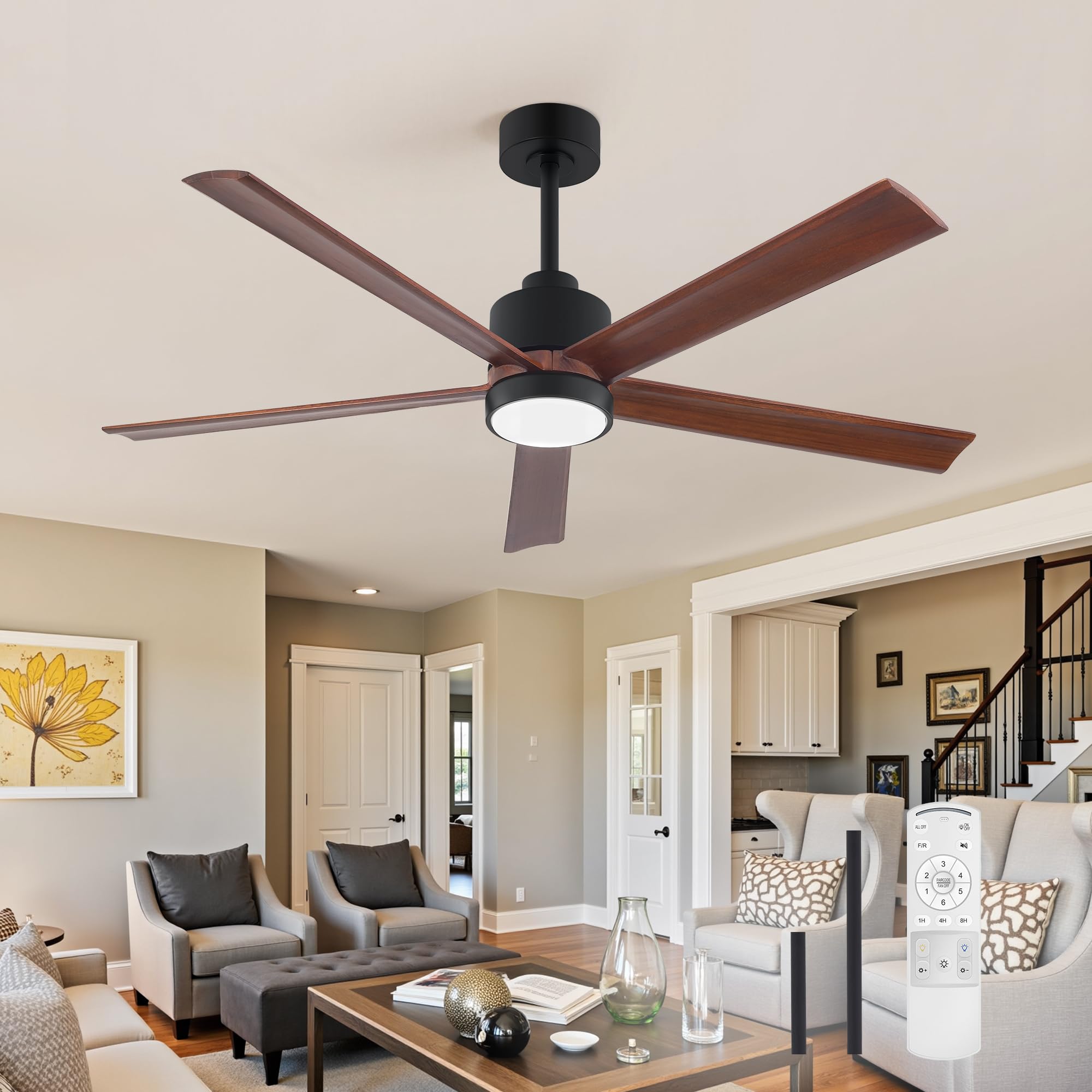
Image: Breezary 52 Inch Walnut Ceiling Fan, showing the main unit with five walnut-finished blades and a matte black motor housing with an integrated LED light.
3. Product Features
- Design: 52-inch fan with five genuine Paulownia solid wood blades in a walnut finish, paired with matte black hardware.
- Lighting: Integrated 1700 lumens LED light with 3 Color Temperature (CCT) options (3000K Warm White, 4500K Natural White, 6500K Cool White). Dimmable from 10% to 100% with memory function.
- Motor: Ultra-quiet reversible DC motor with noise levels as low as 30 dB. Offers 6 fan speeds.
- Control: Dual control via included remote controller or mobile application.
- Installation Versatility: Includes 5-inch and 10-inch downrods. Supports flat, vaulted, and sloped ceilings up to 15 degrees.
- Application: Suitable for indoor and outdoor covered spaces.

Image: Illustration of the 3 CCT dimmable LED light feature, showing the fan light in 3000K Warm White, 4500K Natural White, and 6500K Cool White settings, with a brightness slider.

Image: Close-up of the fan's real solid Paulownia wood blades, highlighting the natural wood grain and durable construction.
4. Setup and Installation
This section provides general guidance. Refer to the detailed installation instructions included in your package for specific steps and diagrams.
- Preparation: Turn off power at the circuit breaker. Ensure the mounting location is suitable and the outlet box is rated for fan support.
- Mounting Bracket Installation: Secure the mounting bracket to the ceiling outlet box.
- Downrod Assembly: Choose either the 5-inch or 10-inch downrod based on your ceiling height and desired fan position. Attach the downrod to the motor housing.
- Wiring: Connect the fan's electrical wires to the household wiring according to the provided wiring diagram. Ensure all connections are secure.
- Fan Body Installation: Carefully lift the fan assembly and hang it on the mounting bracket. Secure the fan to the bracket.
- Blade Attachment: Attach the five solid wood blades to the motor housing.
- Light Kit Installation: Connect and secure the LED light kit to the fan.
- Power On: Restore power at the circuit breaker and test the fan and light functions.

Image: Diagram showing the fan's dimensions (52-inch diameter, 14.2/19.2-inch height with different downrods) and illustrating dual mount types (downrod mount and sloped ceiling mount up to 15 degrees).
5. Operating Instructions
Your Breezary ceiling fan can be controlled using the included remote control or a compatible mobile application.
5.1 Remote Control Functions
The remote control allows you to manage all fan and light settings:
- ALL OFF: Turns off both fan and light.
- F/R (Forward/Reverse): Changes the direction of blade rotation for summer (downdraft) or winter (updraft) modes.
- Buzzer Mute: Toggles the remote's audible feedback.
- Fan Speed (1-6): Selects one of six fan speeds, from gentle breeze to powerful circulation.
- Timer (1H, 4H, 8H): Sets the fan to turn off automatically after 1, 4, or 8 hours.
- Light On/Off: Toggles the LED light.
- Warm Light: Sets the light color temperature to 3000K Warm White.
- Cold Light: Sets the light color temperature to 6500K Cool White.
- Natural Light: Sets the light color temperature to 4500K Natural White.
- Brightness +/-: Adjusts the light brightness from 10% to 100%.

Image: Diagram of the remote control, labeling each button and its corresponding function for fan speed, direction, light color, brightness, and timer settings.
5.2 Reversible Motor Function
- Summer Mode (Forward Rotation): Press the F/R button to set the blades to rotate counter-clockwise, creating a downdraft that provides a cooling effect.
- Winter Mode (Reverse Rotation): Press the F/R button to set the blades to rotate clockwise, creating an updraft that circulates warm air near the ceiling, helping to maintain balanced comfort.

Image: Illustration showing the fan operating in Summer Forward (downward cooling airflow) and Winter Reverse (upward air circulation) modes, emphasizing quiet operation.
6. Maintenance
Regular maintenance ensures optimal performance and extends the life of your ceiling fan.
- Cleaning: To clean the fan, wipe with a soft, damp cloth. Do not use abrasive cleaners or solvents, as these may damage the finish or electrical components.
- Blade Cleaning: Dust the fan blades regularly to prevent dust buildup, which can affect airflow and balance.
- Tightness Check: Periodically check all screws and connections for tightness. Due to natural movement, some connections may become loose over time.
- No Lubrication Required: The DC motor is permanently lubricated and does not require oiling.
- Light Source: The LED light source is designed for long life. If replacement is ever needed, contact customer support.
7. Troubleshooting
If you experience issues with your fan, refer to the following common problems and solutions:
| Problem | Possible Cause | Solution |
|---|---|---|
| Fan does not start | No power to the fan; Loose wire connections; Remote control battery low. | Check circuit breaker/fuse; Ensure all wiring is secure; Replace remote control batteries. |
| Light does not work | Loose wire connection to light kit; LED driver issue. | Check light kit wiring; Contact customer support if LED driver is suspected. |
| Fan wobbles | Loose blades or mounting hardware; Unbalanced blades. | Ensure all blade screws and mounting screws are tight; Use a blade balancing kit (not included) if necessary. |
| Noisy operation | Loose screws; Motor housing rubbing; Incorrect installation. | Check all screws for tightness; Ensure no parts are rubbing; Re-check installation steps. |
| Remote control not working | Low battery; Remote not paired with fan. | Replace remote batteries; Refer to remote pairing instructions in the full manual. |
If you encounter a problem not listed here or the suggested solutions do not resolve the issue, please contact Breezary customer support.
8. Specifications
| Brand | Breezary |
| Model Number | 24038-VA |
| Size | 52 Inch |
| Product Dimensions (D x W x H) | 52"D x 52"W x 19.17"H (with 10" downrod) |
| Item Weight | 10.6 pounds |
| Color | Black (Matte Black finish) |
| Material | ABS Plastic, Alloy Steel, Metal, Paulownia Wood |
| Number of Blades | 5 |
| Blade Length | 24.8 inches |
| Motor Type | DC Motor |
| Number of Speeds | 6 |
| Noise Level | 35 dB (approx.) |
| Air Flow Capacity | 5300 CFM |
| Speed | 155 RPM (Max) |
| Wattage | 40 watts |
| Voltage | 120 volts |
| Power Source | DC (Hardwired) |
| Light Type | Integrated LED |
| CCT Options | 3000K, 4500K, 6500K |
| Control Method | Remote Control, Mobile App |
| Indoor/Outdoor Usage | Indoor, Outdoor (Covered) |
| Sloped Ceiling Compatible | Yes, up to 15° |
| Certifications | ETL, Energy Star Compliant, UL Listed |
9. Warranty and Support
9.1 Warranty Information
Breezary products are manufactured to high-quality standards and are warranted against defects in materials and workmanship. Please refer to the warranty card included in your package for specific terms, conditions, and duration of your product's warranty.
Keep your purchase receipt as proof of purchase for warranty claims.
9.2 Customer Support
If you have any questions, require assistance with installation, or need to report a defect, please contact Breezary customer support. Our team is available to help you with any inquiries regarding your ceiling fan.
For support, please visit the official Breezary store or contact us through the platform where you purchased the product.
Breezary Store: Visit Breezary Store on Amazon