
XHDATA D-220-O
XHDATA D220 Portable Radio Instruction Manual
Model: D-220-O | Brand: XHDATA
1. Introduction
The XHDATA D220 is a compact and lightweight portable radio designed for easy carrying and use. It supports AM, FM, and Shortwave (SW) bands, providing access to a wide range of broadcasts. Featuring a DSP chip for enhanced reception and a built-in speaker for clear audio, this radio is suitable for various environments, from home to outdoor activities. It operates on two AA batteries, ensuring portability and convenience.
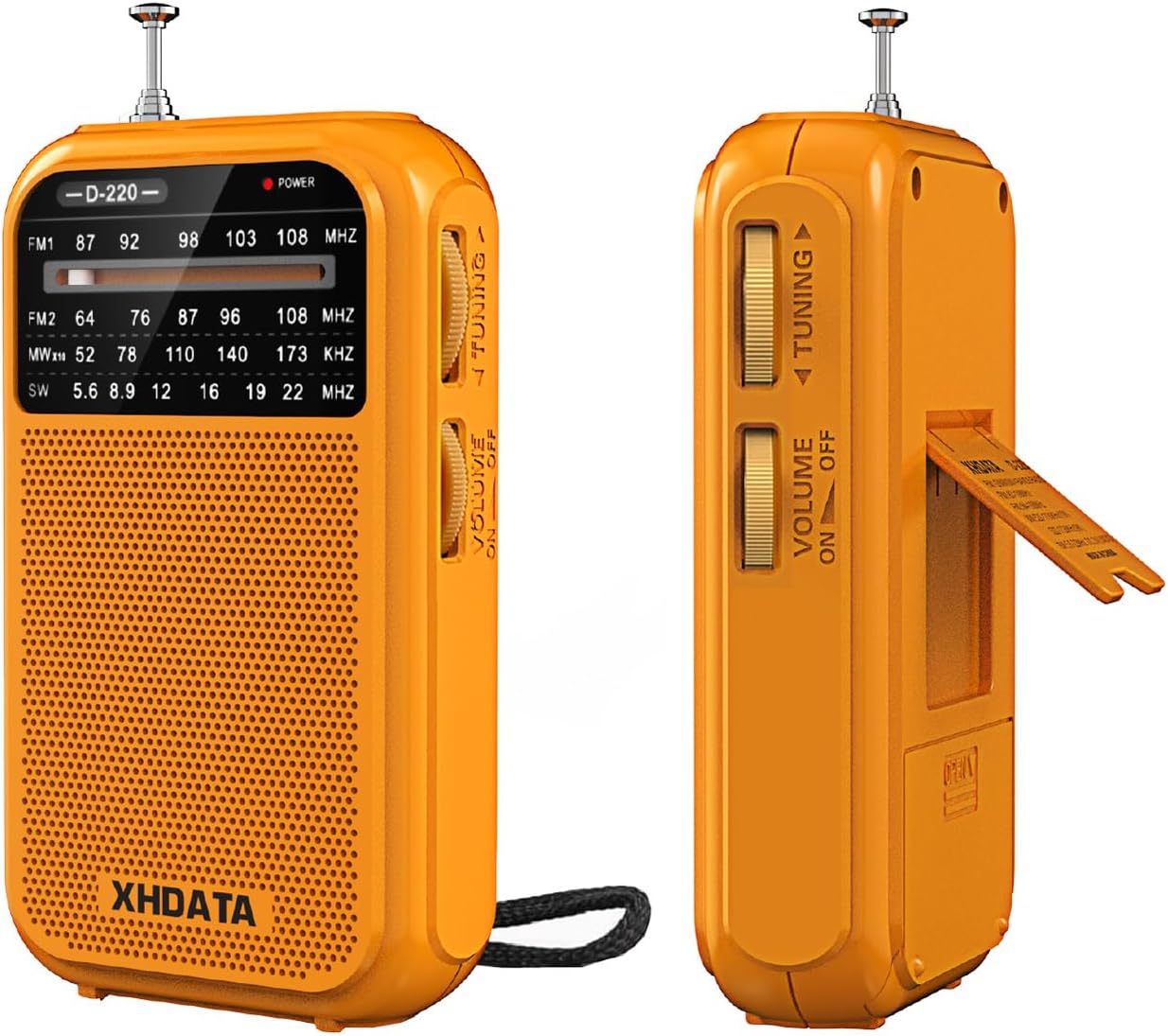
Figure 1.1: Front and side view of the XHDATA D220 Portable Radio in orange.

Figure 1.2: The compact size of the D220 radio, highlighting its portability and dimensions (125mm x 72mm x 28mm).
2. Setup
2.1 Battery Installation
The XHDATA D220 radio operates on two (2) AA batteries (not included). Follow these steps to install the batteries:
- Locate the battery compartment cover on the back of the radio.
- Slide the cover downwards to open the compartment.
- Insert two AA batteries, ensuring the correct polarity (+ and -) as indicated inside the compartment.
- Close the battery compartment cover by sliding it upwards until it clicks into place.

Figure 2.1: Rear view of the D220 radio, illustrating the battery compartment and control layout.

Figure 2.2: Proper insertion of two AA batteries into the radio's battery compartment.
3. Operating Instructions
3.1 Power On/Off and Volume Control
To power on the radio, rotate the Volume/Power switch located on the side of the unit clockwise. Continue rotating to increase the volume. To turn off the radio, rotate the switch counter-clockwise until it clicks and the sound ceases.
3.2 Band Selection
The D220 supports multiple frequency bands. Use the Band Switch located on the side of the radio to select your desired band:
- FM1: 87-108 MHz (Standard FM band)
- FM2: 64-108 MHz (Extended FM band)
- AM: 520-1730 KHz (Medium Wave)
- SW: 5.6-22.0 MHz (Shortwave)
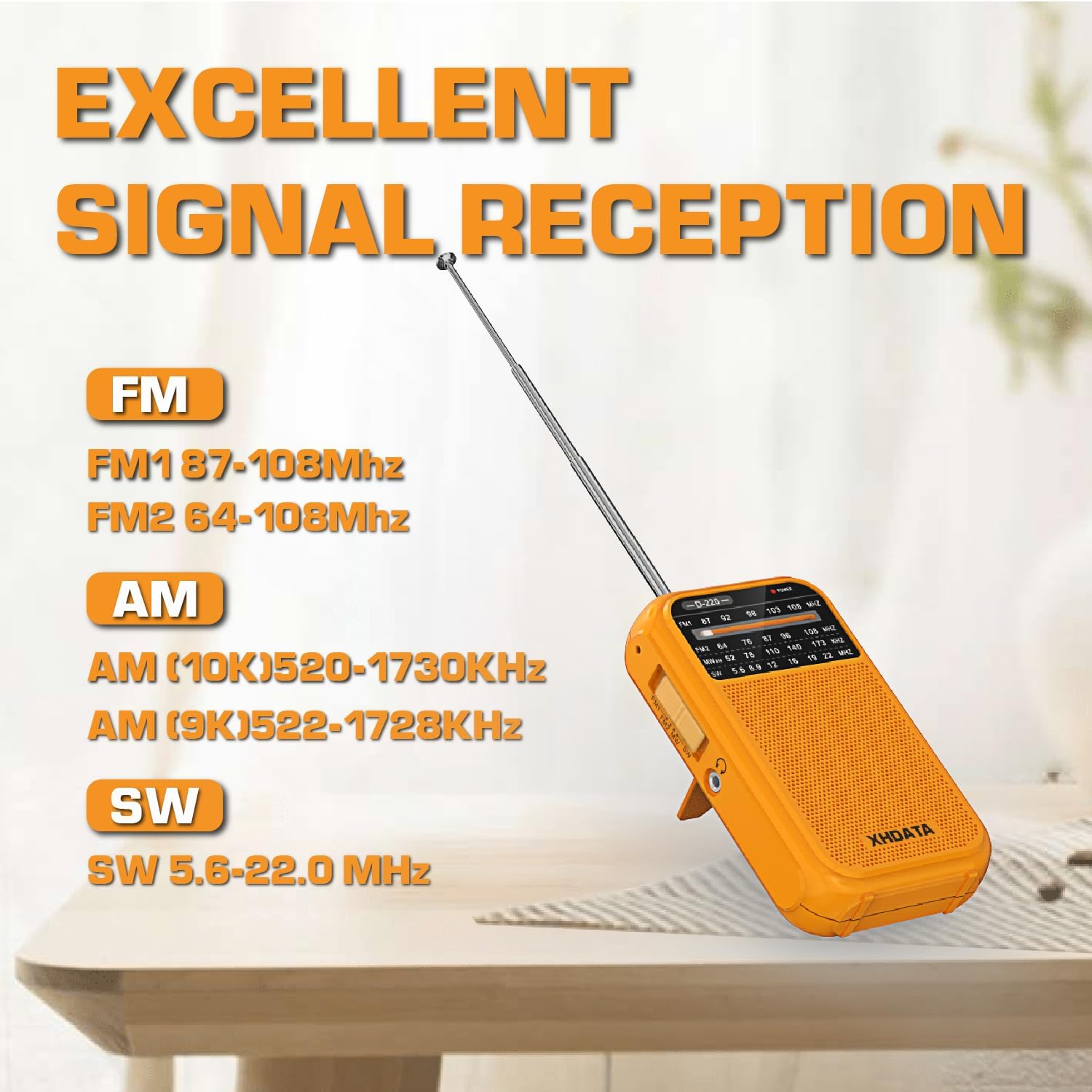
Figure 3.1: The D220 radio with its antenna extended, illustrating the supported frequency bands for optimal signal reception.
3.3 Tuning to a Station
Once a band is selected, use the Tuning Knob to scan for stations. Rotate the knob slowly to fine-tune to a clear signal. The frequency display on the front panel will indicate the approximate frequency.
- For FM and SW reception, extend the telescopic antenna fully for best results.
- For AM reception, the radio uses a built-in ferrite bar antenna. Rotate the radio for optimal signal strength.
3.4 Using Headphones
The D220 radio is equipped with a 3.5mm headphone jack. Insert standard 3.5mm headphones into this jack to listen privately. When headphones are connected, the built-in speaker will automatically mute.

Figure 3.2: A user enjoying audio through headphones connected to the D220 radio.
4. Maintenance
- Cleaning: Wipe the radio with a soft, dry cloth. Do not use abrasive cleaners or solvents, as they may damage the surface.
- Battery Care: If the radio will not be used for an extended period, remove the batteries to prevent leakage and corrosion.
- Storage: Store the radio in a cool, dry place away from direct sunlight, extreme temperatures, and high humidity.
- Antenna Care: Handle the telescopic antenna gently to avoid bending or breaking. Do not force it.
5. Troubleshooting
| Problem | Possible Cause | Solution |
|---|---|---|
| No power / Radio does not turn on. | Batteries are dead or incorrectly inserted. | Replace with new AA batteries, ensuring correct polarity. |
| Poor reception / Static. | Weak signal, antenna not extended, or interference. | Extend the telescopic antenna fully (for FM/SW). Rotate the radio for AM. Try moving to a different location away from electronic devices. Fine-tune the tuning knob. |
| No sound from speaker. | Volume is too low or headphones are connected. | Increase the volume. Disconnect headphones if you wish to use the speaker. |
| Sound is distorted. | Volume too high or weak signal. | Decrease the volume. Try to fine-tune the station or move to a better reception area. |
6. Specifications
- Model: D-220-O
- Product Dimensions: 2.8 x 1.1 x 4.9 inches (125 x 74 x 30 mm)
- Item Weight: 6.7 ounces (125g without batteries)
- Power Source: 2 x AA Batteries (not included)
- Tuner Technology: AM/FM/SW with DSP chip
- Radio Bands Supported:
- FM1: 87-108 MHz
- FM2: 64-108 MHz
- AM: 520-1730 KHz
- SW: 5.6-22.0 MHz
- Connectivity Technology: 3.5mm Audio Jack
- Special Features: Built-In AM Antenna, Dust Resistant, Lightweight, Portable, Shockproof
7. Warranty and Support
7.1 Warranty Information
XHDATA provides a 1-year after-sales service for the D220 Portable Radio. Additionally, a 30-day return policy is available from the date of purchase. Please retain your proof of purchase for warranty claims.
7.2 Customer Support
For any questions, technical assistance, or warranty inquiries, please contact XHDATA customer support. Refer to the contact information provided in your product packaging or visit the official XHDATA website for further details.
This product includes an Owner's Manual. Please consult it for additional information and detailed instructions.
Ask a question about this manual
Ask about setup, troubleshooting, compatibility, parts, safety, or missing instructions. Manuals+ will review the question and use this page’s manual context to help answer it.