
1. Introduction
Thank you for purchasing the AODK L-Shaped Gaming Desk. This desk is designed to provide a versatile and ergonomic workspace for both gaming and office tasks. It features integrated power outlets, USB ports, customizable RGB LED lighting, a monitor stand, and ample storage solutions. Please read this manual carefully before assembly and use to ensure proper installation and safe operation.
2. Safety Information
- Always ensure all electrical connections are secure and properly insulated before use.
- Do not overload the integrated power outlets. Refer to the specifications for maximum load.
- Keep liquids away from all electrical components, including power outlets and LED lights, to prevent electric shock or damage.
- Assemble the desk on a soft, clean surface (e.g., a carpet or blanket) to prevent scratches to the desk components or your floor.
- For safe and efficient assembly, it is highly recommended that two people work together.
- Ensure all screws and fasteners are tightened securely, but do not overtighten, as this may damage the desk material.
- Do not stand or sit on the desk.
3. Package Contents
Please verify that all parts are present before beginning assembly. If any parts are missing or damaged, please contact customer support.
- L-shaped desktop panels (main sections)
- Desk legs and support frames
- Monitor stand
- Storage shelves (adjustable)
- Integrated power outlet unit (with AC outlets and USB ports)
- RGB LED strip with controller
- Assembly hardware (screws, bolts, nuts)
- Assembly wrench
- Instruction manual
4. Setup and Assembly
Follow these steps for proper assembly. Refer to the diagrams for visual guidance.
- Unpack and Identify Parts: Carefully unpack all components and lay them out on a clean, soft surface. Compare them with the parts list in the manual to ensure everything is present.
- Assemble the Frame: Begin by assembling the main steel frame components. Ensure that the L-shaped sections are oriented correctly for your desired left or right configuration. Pay close attention to the hole alignments.
- Attach Desktop Panels: Secure the desktop panels to the assembled frame using the provided screws.
- Install Monitor Stand: Attach the monitor stand to the designated area on the desktop. This stand helps improve ergonomics by raising your display to eye level.
- Install Storage Shelves: The storage shelves are designed to be adjustable. Position them according to your needs. One section is specifically designed to accommodate a PC tower, with an adjustable shelf for optimal placement.
- Integrate Power Outlet Unit: Secure the power outlet unit into its designated slot on the desk.
- Install LED Strip: Attach the RGB LED strip to the underside of the monitor stand or other desired locations using its adhesive backing. Connect it to the power source.
- Final Tightening: Once all components are in place, carefully tighten all screws and fasteners. Do not overtighten.
- Leveling: The desk features adjustable feet to ensure stability on uneven surfaces. Adjust as needed to prevent wobbling.
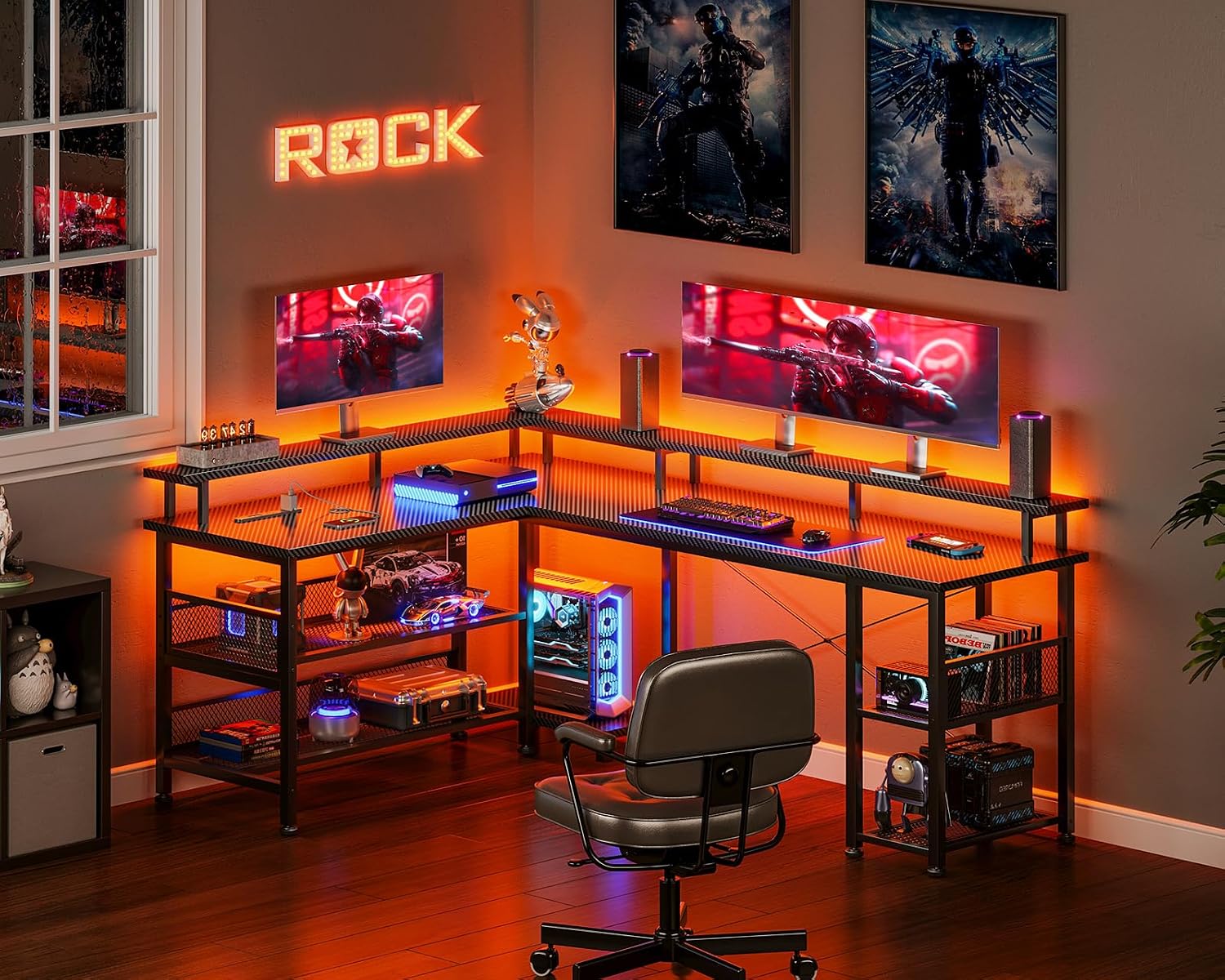
Figure 1: Desk dimensions and reversible L-shape configuration. The main rack can be installed on either the left or right side.

Figure 2: The shelf can be adjusted in height to accommodate various items, including a PC tower.
5. Operating Instructions
5.1. Power Outlets and USB Ports
The desk is equipped with a convenient power strip featuring 2 AC outlets (100-240V/15A) and 2 USB ports (5V-2A). These allow you to easily power and charge your computer, monitor, smartphone, and other electronic devices directly from your desk.
- Plug the desk's main power cord into a wall outlet.
- Connect your devices to the AC outlets or USB ports as needed.

Figure 3: Detail of the integrated power outlets and USB charging ports.
5.2. RGB LED Lighting
Enhance your gaming or work atmosphere with the integrated RGB LED lights. The lights offer 10 different lighting modes and 10 color adjustment modes.
- Connect the LED strip to its power source.
- Use the inline controller to cycle through various colors and lighting effects.
- The LED system includes a memory function that will recall your last selected mode when the lights are turned on again.

Figure 4: The desk illuminated with blue LED lighting, creating an immersive gaming environment.
6. Maintenance
- Cleaning: Wipe the desk surface with a soft, damp cloth. Avoid using harsh chemicals or abrasive cleaners, as they may damage the carbon fiber texture or finish.
- Durability: The desk's high-strength melamine laminated board is designed to be resistant to dirt, scratches, heat, and water, ensuring long-lasting use.
- Fastener Check: Periodically check all screws and connections to ensure they remain tight. Retighten if necessary to maintain stability.
7. Troubleshooting
7.1. Assembly Difficulties
If you encounter difficulties during assembly, such as misaligned holes or parts not fitting:
- Review Instructions: Double-check the assembly diagrams and steps in this manual. Ensure you are using the correct parts for each step.
- Part Orientation: Verify the orientation of each part, especially for the L-shaped sections, as incorrect placement can lead to misalignment.
- Assistance: Assembly is easier with two people. If you are assembling alone, consider asking for help.
7.2. LED Lights Not Functioning
If the RGB LED lights do not turn on or function correctly:
- Power Connection: Ensure the LED strip is securely connected to its power source and that the power source is plugged into a working outlet.
- Controller Check: Verify that the inline controller is not damaged and is properly connected.
7.3. Power Outlets/USB Ports Not Working
If the integrated power outlets or USB ports are not providing power:
- Main Power Cord: Ensure the desk's main power cord is securely plugged into a functional wall outlet.
- Overload: Check if the outlets are overloaded. Unplug some devices and try again.
- Circuit Breaker: If applicable, check the circuit breaker on the power strip or your home's electrical panel.
8. Specifications
| Feature | Specification |
|---|---|
| Model Number | OKTB02013301005JP |
| Dimensions (W x D x H) | 150 cm x 102 cm x 76 cm |
| Weight | Approx. 24.7 kg |
| Desktop Load Capacity | 50 kg |
| Material | High-strength melamine laminated board, Steel frame |
| Color | Carbon Black |
| Power Outlets | 2 AC outlets (100-240V/15A) |
| USB Ports | 2 USB ports (5V-2A) |
| LED Lighting | RGB, 10 lighting modes, 10 color adjustment modes, memory function |
| Assembly Required | Yes (Wrench included) |
| UPC | 850064516746 |
9. Warranty and Support
AODK is committed to providing high-quality products. If you encounter any defects or issues with your desk, please do not hesitate to contact our customer support team. We are here to assist you with any concerns or questions you may have.
For support, please visit our official website or contact us through the platform where you purchased the product.