
1. Introduction
Thank you for choosing the JIGUUN 1500W Pure Sine Wave Inverter. This device is designed to convert 12V DC power from your battery into stable 230V AC power, suitable for a wide range of electronic devices. It features an integrated 30A charger, mains priority function, and UPS capability for uninterrupted power supply. Please read this manual thoroughly before installation and operation to ensure safe and efficient use.

Image: The JIGUUN 1500W Pure Sine Wave Inverter shown with its included accessories, including battery cables and a wireless remote control.
2. Product Features
- Pure Sine Wave Output: Provides clean, stable 230V AC power, ideal for sensitive electronics. Continuous output of 1500W with a peak power of 3000W.
- Integrated 30A Charger: Features an advanced PFC charging function with six-level charging, ensuring efficient and optimized battery charging.
- Mains Priority & UPS Function: Automatically switches to battery power in less than 20 milliseconds during a power outage, providing an uninterrupted power supply.
- Wireless Remote Control: Allows convenient control of the inverter from a distance, especially useful in limited spaces.
- Intelligent LCD Display: Provides real-time monitoring of input/output voltages, frequencies, charging voltages, operating time, and error messages.
- Comprehensive Protection: Includes overheat shutdown, automatic overload protection, overvoltage and undervoltage protection, low voltage alarm, short circuit protection, and surge protection.
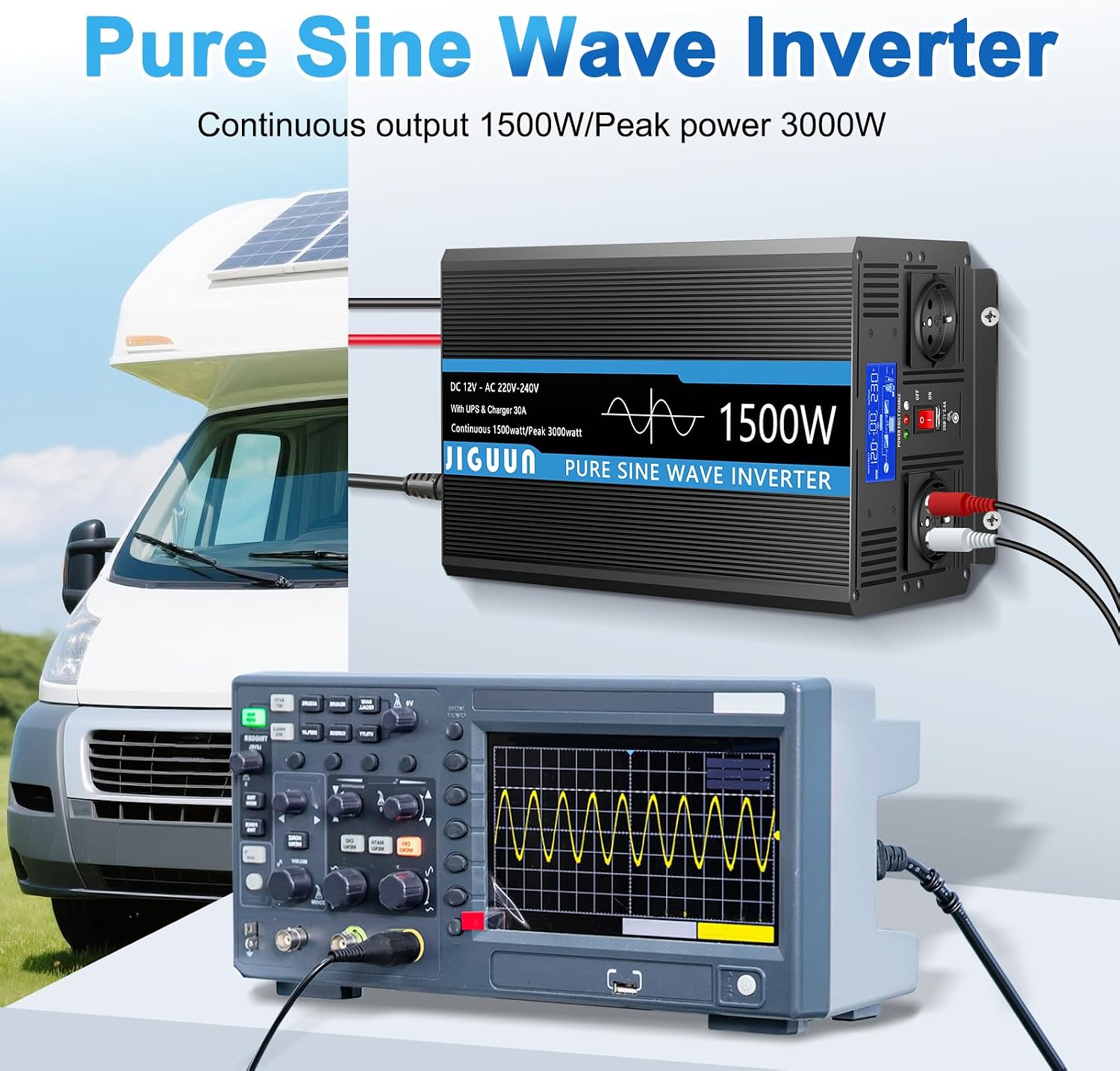
Image: Illustration demonstrating the pure sine wave output of the inverter, shown on an oscilloscope, indicating a clean and stable power form.

Image: Diagram highlighting the comprehensive protection features of the inverter, including temperature control, overload, short circuit, overvoltage, low voltage, and surge protection.
3. Package Contents
Upon opening the package, please verify that all the following items are included:
- 1 x JIGUUN 1500W 12V to 230V Pure Sine Wave Inverter
- 1 x User Manual
- 1 x Battery Cable Set (1 red, 1 black)
- 1 x Wireless Remote Control
- 1 x Ground Cable
- 1 x Wrench
- 1 x Connection Cable
- 2 x Protective Cases
- 4 x Fuse Sets

Image: A visual representation of all components included in the JIGUUN 1500W Inverter package, laid out next to the main unit.
4. Setup and Installation
Proper installation is crucial for the safe and efficient operation of your inverter. Please follow these steps carefully:
- Choose a Suitable Location: Place the inverter in a cool, dry, and well-ventilated area, away from direct sunlight, heat sources, and flammable materials. Ensure there is sufficient space around the unit for proper airflow.
- Connect to Battery: Using the provided battery cables, connect the positive (+) terminal of the inverter to the positive (+) terminal of your 12V battery, and the negative (-) terminal of the inverter to the negative (-) terminal of your battery. Ensure connections are tight and secure.
- Ground Connection: Connect the ground terminal of the inverter to a proper earth ground using the provided ground cable. This is essential for safety.
- Connect AC Input (for Charging/UPS): If using the charging or UPS function, connect the inverter's AC input to a standard 230V AC mains outlet using the connection cable.
- Connect AC Output Devices: Plug your 230V AC devices into the AC outlets on the inverter. Do not exceed the inverter's continuous power rating of 1500W.

Image: Detailed view of the inverter's front and rear panels, showing the LCD display, AC outlets, USB ports, power switch, ground connection, DC input terminals, and cooling fans.
5. Operation
Once installed, operating the JIGUUN inverter is straightforward:
- Power On: After all connections are secure, press the ON/OFF switch on the inverter to power it on. The LCD display will illuminate.
- Monitor LCD Display: The intelligent LCD display provides crucial information. You can monitor the input DC voltage from your battery, the output AC voltage and frequency, the charging current (when connected to mains), and the estimated running time.
- Using the Remote Control: The wireless remote control allows you to turn the inverter on or off from a distance, offering convenience, especially when the inverter is installed in a less accessible location.
- UPS Function: When the inverter is connected to both a battery and a mains power source, it will prioritize mains power. In the event of a mains power failure, the inverter will automatically switch to battery power within 20 milliseconds, ensuring your connected devices remain powered without interruption.
- Charging Function: When connected to mains power, the inverter will automatically begin charging the connected 12V battery. The LCD will show charging status and current.

Image: Close-up of the inverter's intelligent LCD display, showing various parameters such as input voltage, output voltage, charging status, and battery level indicators.

Image: A hand holding the wireless remote control, demonstrating its use to operate the inverter from a distance, enhancing convenience in various settings like an RV.

Image: Diagram illustrating the Uninterrupted Power Supply (UPS) function, showing the inverter connected to both a battery and a mains power source, providing seamless power to a laptop.
6. Maintenance
To ensure the longevity and optimal performance of your JIGUUN inverter, consider the following maintenance tips:
- Keep Clean: Regularly clean the exterior of the inverter with a soft, dry cloth. Ensure ventilation openings are free from dust and debris to prevent overheating.
- Check Connections: Periodically inspect all cable connections (battery, AC input, AC output, ground) to ensure they remain tight and free from corrosion. Loose connections can lead to power loss or overheating.
- Battery Health: Monitor your battery's health and charge level. Ensure the battery is properly maintained according to its manufacturer's guidelines.
- Storage: If storing the inverter for an extended period, disconnect it from all power sources and store it in a cool, dry place.
7. Troubleshooting
If you encounter issues with your inverter, refer to the LCD display for error messages and consult the table below:
| Error Code | Error Message | Possible Cause / Solution |
|---|---|---|
| 01 | Output Overload | The total power of connected devices exceeds 1500W. Reduce the load. |
| 02 | Battery Undervoltage | Battery voltage is too low. Recharge or replace the battery. |
| 03 | Output Short Circuit / Overheat | Check for short circuits in connected devices or cables. Ensure proper ventilation; allow the unit to cool down. |
| 04 | Battery Overvoltage | Battery voltage is too high. Check charging system or battery. |
If the problem persists after attempting the suggested solutions, please contact JIGUUN customer support.
8. Specifications
| Feature | Specification |
|---|---|
| Brand | JIGUUN |
| Model Number | 1500W12V |
| Model Name | 1500W12V-PR |
| Continuous Power | 1500 Watts |
| Peak Power | 3000 Watts |
| Input Voltage | 12 Volts DC |
| Output Voltage | 220 Volts AC |
| Total Power Outlets | 2 |
| Charger Current | Max 30A |
| UPS Switching Time | Less than 20ms |
| Recommended Uses | Vehicle, home, battery and inverter status monitoring |
| Power Source | Solar powered and battery powered |
9. Warranty and Support
JIGUUN is committed to providing high-quality products and excellent customer service. While specific warranty details are not provided in this manual, if you have any questions, concerns, or require assistance with your JIGUUN 1500W Pure Sine Wave Inverter, please do not hesitate to contact the JIGUUN support team via email. They are dedicated to resolving any issues you may encounter.
For the latest support information and contact details, please refer to the official JIGUUN website or your purchase documentation.
