
Cadola CD-1057-22
Cadola Buxton Automatic Watch User Manual
Model: CD-1057-22 (Marzand Red)
Introduction
Thank you for choosing the Cadola Buxton Automatic Watch. This manual provides essential information for the proper use, care, and maintenance of your timepiece. Please read it carefully to ensure optimal performance and longevity of your watch.
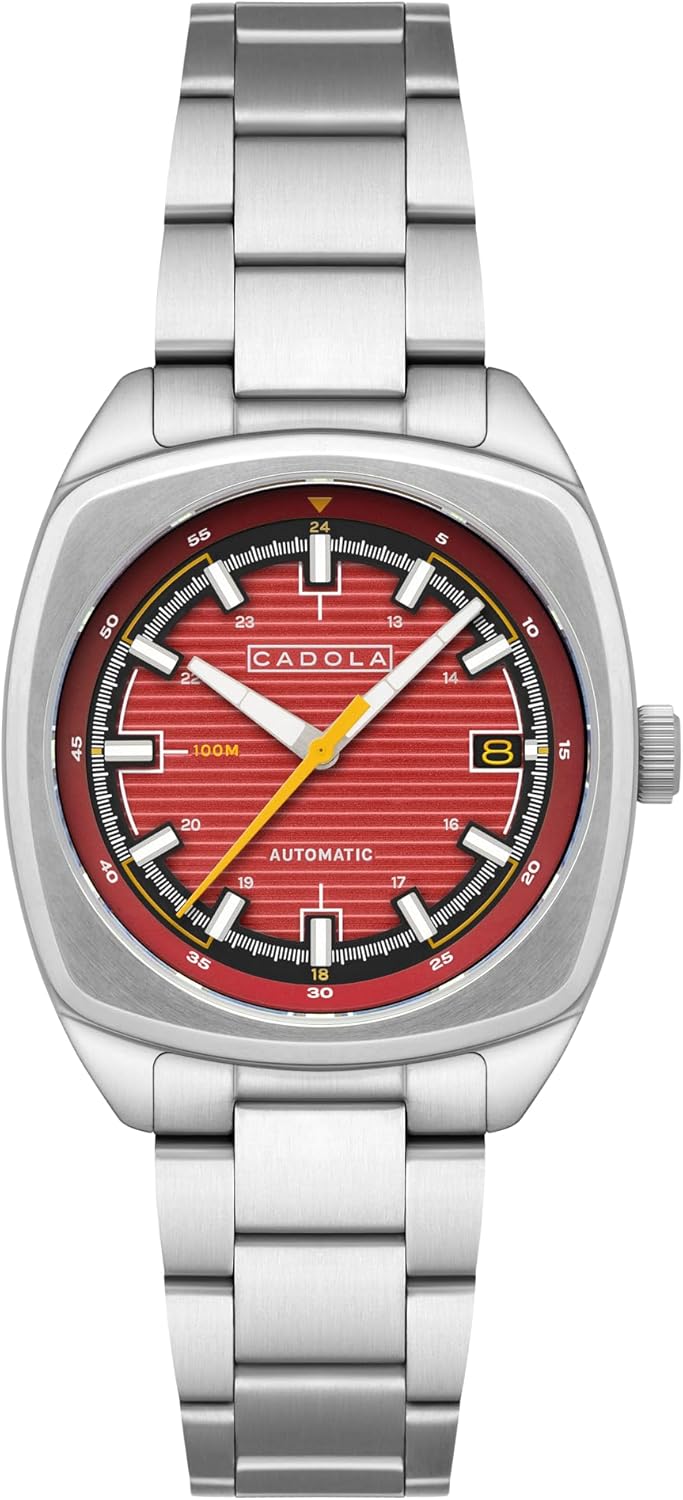
Image: Front view of the Cadola Buxton Automatic Watch in Marzand Red.
Key Features
- Movement: Powered by a Japanese TMI NH35 24 Jewels 3 hands date self-winding automatic movement.
- Case: 38mm Stainless Steel Cushion Case.
- Lens: Anti-Reflection Coated Mineral Lens.
- Water Resistance: Up to 10 ATM (100 meters).
- Band: 20mm Stainless Steel Bracelet.
- Clasp: Fold Over Buckle With Push Button.

Image: Detailed diagram highlighting key features such as lens type, crown, bezel, water resistance, movement, case size, and band.
Understanding Your Automatic Watch
Your Cadola Buxton watch is equipped with an automatic mechanical movement. This means it is powered by the natural motion of your wrist and does not require a battery. When worn regularly, the movement of your arm winds the mainspring, keeping the watch running.
Initial Winding
If the watch has stopped, it needs to be manually wound to initiate power reserve. To do this, gently rotate the crown (located on the side of the watch) clockwise approximately 20-30 times while it is in its normal, pushed-in position. This will provide enough power for the watch to start ticking and build up a power reserve as you wear it.

Image: The Cadola Buxton Automatic Watch resting on a surface, showcasing its design.
Setting the Time and Date
- Pull out the Crown: Gently pull the crown out to the first click position to set the date, or to the second click position to set the time.
- Setting the Date (First Click): Rotate the crown clockwise or counter-clockwise to adjust the date. Avoid setting the date between 9 PM and 3 AM, as this can damage the movement. If the time is within this period, first adjust the time outside this window, then set the date, and finally reset the time.
- Setting the Time (Second Click): Rotate the crown to move the hour and minute hands. Set the time to the desired hour, ensuring AM/PM is correctly accounted for if setting the date.
- Push in the Crown: Once the time and date are set, push the crown back into its normal, pushed-in position to engage the movement and ensure water resistance.
Care and Maintenance
Water Resistance
Your Cadola Buxton watch has a water resistance rating of 10 ATM (100 meters). This means it is suitable for swimming, snorkeling, and general water sports. It is not suitable for diving. Always ensure the crown is fully pushed in before any contact with water. Do not operate the crown or push buttons when the watch is wet.
General Care
- Clean your watch regularly with a soft, dry cloth. For the stainless steel bracelet, a slightly damp cloth can be used, followed by a dry one.
- Avoid exposing your watch to extreme temperatures (hot or cold), strong magnetic fields, or harsh chemicals.
- While the watch is robust, avoid dropping it or subjecting it to severe impacts.
- For optimal performance, it is recommended to have your automatic watch serviced by a qualified watchmaker every 3-5 years.
Troubleshooting
Watch Not Running or Stopping Frequently
- Insufficient Power Reserve: Automatic watches require motion to stay wound. If you don't wear the watch daily or your activity level is low, it may not build sufficient power reserve. Manually wind the watch (20-30 clockwise turns of the crown in its normal position) to give it an initial charge.
- Crown Not Pushed In: Ensure the crown is fully pushed in. If it's pulled out, the watch will not run.
- Impact: A severe impact can affect the delicate internal components. If the watch stops after an impact, it may require professional inspection.
Date Not Changing Correctly
- Incorrect Time Setting: Ensure the watch is set to the correct AM/PM. The date typically changes around midnight. If it changes at noon, you have set the time 12 hours off.
- Date Setting During Prohibited Hours: As mentioned in the "Setting the Time and Date" section, avoid setting the date between 9 PM and 3 AM. This can cause the date mechanism to malfunction.
If issues persist, please refer to the Warranty and Support section for assistance.
Technical Specifications
| Feature | Detail |
|---|---|
| Model Number | CD-1057-22 |
| Movement | Japanese TMI NH35 Automatic (24 Jewels, 3 Hands Date) |
| Case Material | Stainless Steel |
| Case Diameter | 38mm |
| Lens Material | Anti-Reflection Coated Mineral Lens |
| Band Material | Stainless Steel Bracelet |
| Band Width | 20mm |
| Clasp Type | Fold Over Buckle With Push Button |
| Water Resistance | 10 ATM (100 meters) |
| Item Weight | 8.57 ounces |
| Package Dimensions | 4.33 x 3.54 x 3.15 inches |

Image: The Cadola Buxton Automatic Watch in Marzand Red, highlighting its compact yet sturdy build.
Warranty and Support
Your Cadola Buxton Automatic Watch comes with a 2-year International Warranty. This warranty covers manufacturing defects under normal use. It does not cover damage resulting from misuse, accidents, unauthorized repairs, or normal wear and tear.
For warranty claims, technical support, or service inquiries, please contact your authorized Cadola dealer or visit the official Cadola website for contact information. Please have your watch model number (CD-1057-22) and proof of purchase ready when contacting support.
You can visit the Cadola Store on Amazon for more information: Cadola Store

Image: The Cadola watch packaging, including the outer box and inner presentation box.
Ask a question about this manual
Ask about setup, troubleshooting, compatibility, parts, safety, or missing instructions. Manuals+ will review the question and use this page’s manual context to help answer it.