
1. Product Overview
The Govee H6811 Outdoor RGBIC Smart Net Lights are designed for outdoor decorative lighting, featuring RGBIC technology for multi-color displays and smart control capabilities. This manual provides instructions for installation, operation, and maintenance.

The image displays the Govee H6811 Outdoor RGBIC Smart Net Lights in their retail packaging, alongside a section of the illuminated net lights. The packaging highlights key features such as 2.8x9.4ft dimensions, 480 LED beads, RGBIC technology, and compatibility with Alexa and Google Home.
2. Package Contents
Verify that all components are present in the package:
- Net Light x 1
- Adapter x 1
- Zip Ties x 3
- User Manual x 1
- Ground Insertion x 5
- PVC Coated Binding Wire x 1

This diagram provides a clear overview of the Govee H6811 net lights' dimensions (2.8ft x 9.4ft, 13ft power cord) and lists the included components: 1 Net Light, 1 Adapter, 3 Zip Ties, 1 User Manual, 5 Ground Insertions, and 1 PVC Coated Binding Wire.
3. Setup Instructions
- Unpack: Carefully remove all components from the packaging.
- Placement: Lay the mesh net light onto the desired outdoor surface, such as a bush, shrubbery, or other area in your yard, garden, lawn, or patio. Ensure the net is spread evenly.
- Secure: Use the provided zip ties or PVC coated binding wire to fasten the net light securely. For ground installation, use the ground insertions to anchor the net.
- Power Connection: Plug the 13ft-long power cable into a suitable outdoor power outlet. Ensure the IP44 adapter is protected from direct water immersion.
- App Connection (Optional but Recommended): Download the Govee Home App from your smartphone's app store. Follow the in-app instructions to pair your net lights for smart control.
Note: This smart net light is designed as a single unit and cannot be attached to additional sets.
4. Operating Instructions
4.1 Govee Home App Control
The Govee Home App provides comprehensive control over your net lights:
- DIY Mode: Access 64 pre-set scenes or create custom lighting patterns by uploading pictures and GIFs. The high pixel density (7cm between beads) allows for detailed effects.
- AI Light Show: Generate unique lighting effects by interacting with the Govee AI Lighting Bot or uploading images. This feature allows for creative scene generation based on various themes.
- RGBIC Lighting: Select from 16 million colors and control individual LED beads to display multiple colors simultaneously.
- Scene Modes: Choose from over 64 scene modes tailored for different holidays and occasions.
- Scheduling: Set timers for automatic on/off functions.
- Music Modes: Synchronize light effects with music.

This image illustrates the Dynamic DIY Mode of the Govee H6811 net lights. A pumpkin design is displayed on a bush, controlled via the Govee Home App interface shown on a smartphone, highlighting the customization capabilities.
The image demonstrates the AI-generated lighting effects feature of the Govee H6811 net lights. A duck pattern is displayed on a bush, with a smartphone screen showing the Govee AI Lighting Bot interface where users can request custom light effects.
4.2 Voice Control
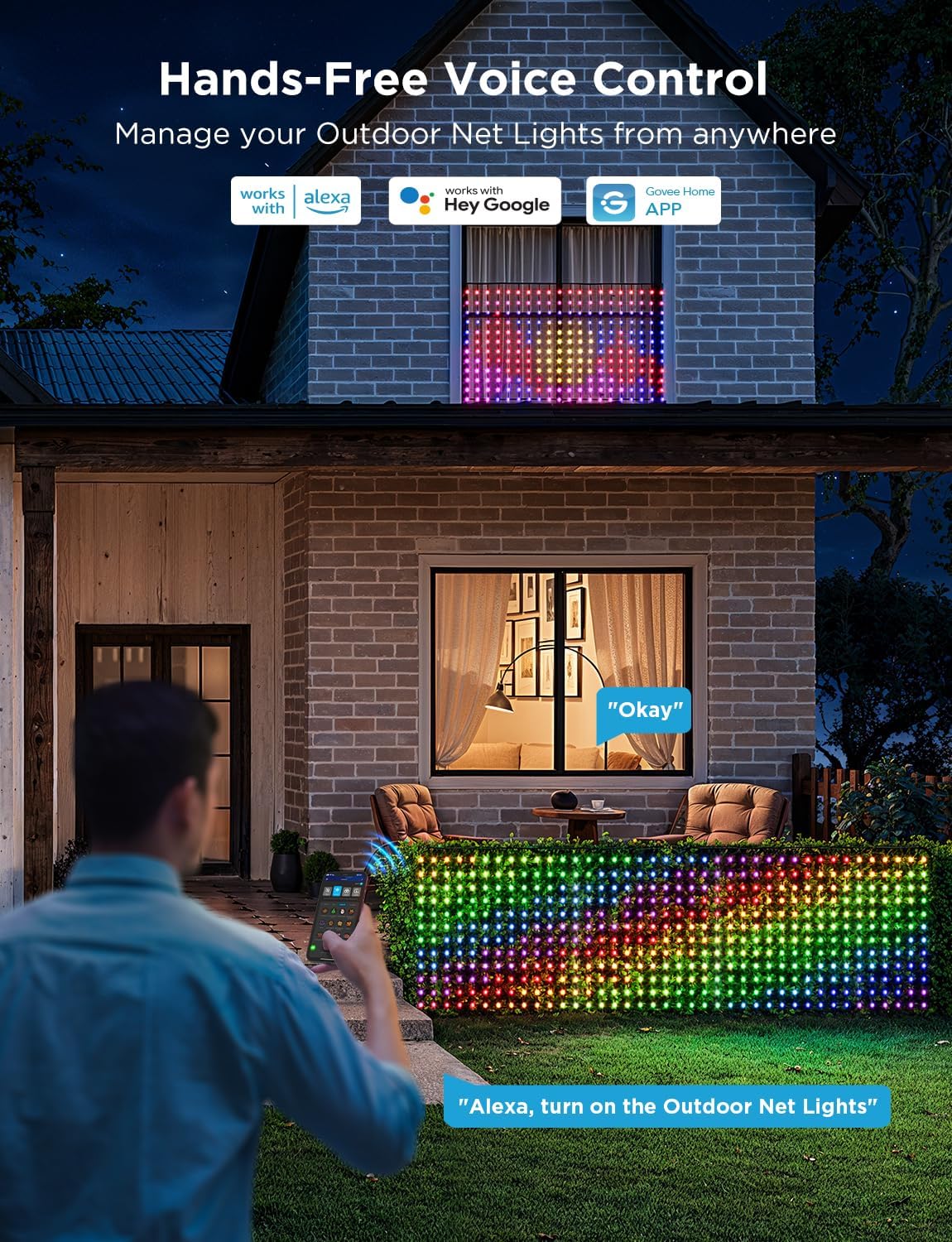
The Govee H6811 net lights are compatible with Alexa and Google Assistant for hands-free voice control. Ensure your device is linked to your smart home ecosystem through the Govee Home App.
- Example Commands:
- "Alexa, turn on the Outdoor Net Lights."
- "Hey Google, change the Net Lights to red."

A person is shown using voice commands to control the Govee H6811 net lights, which are installed on a bush and a window. The image highlights compatibility with Alexa and Google Assistant for hands-free operation.
5. Maintenance
The Govee H6811 net lights are designed for year-round outdoor use with an IP65 waterproof rating for the lights and stretch-resistant cables. The operating temperature range is -20°C to 40°C.
- Cleaning: Gently wipe the lights and cables with a soft, damp cloth as needed. Do not use harsh chemicals.
- Adapter Protection: The power adapter has an IP44 rating and should not be immersed in water. Ensure it is placed in a location protected from heavy rain or standing water.
- Storage: If storing the lights for an extended period, ensure they are clean and dry. Coil them loosely to prevent tangling or damage to the wires.
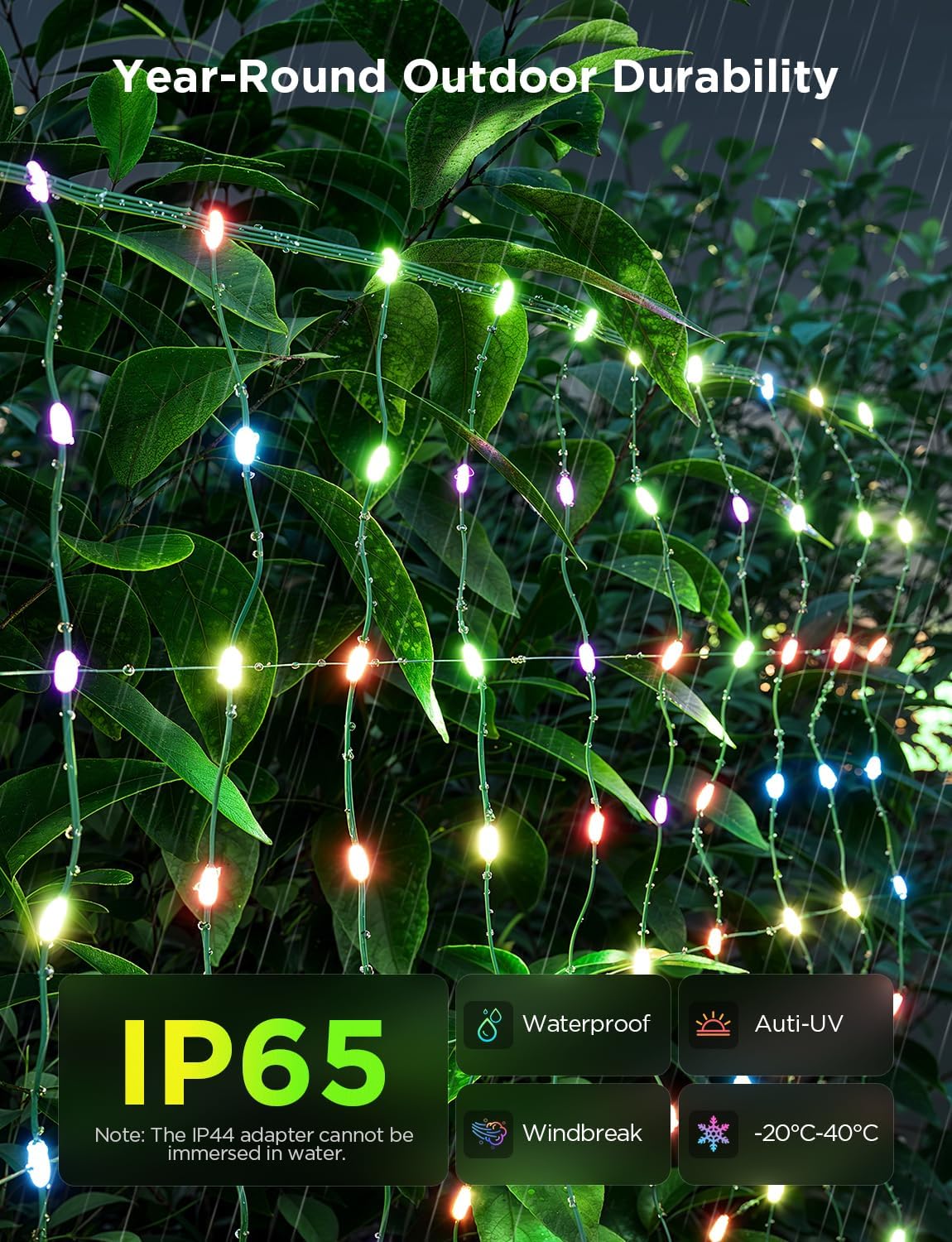
A detailed view of the Govee H6811 net lights integrated into outdoor foliage, emphasizing their IP65 waterproof rating, anti-UV, windbreak, and temperature resistance (-20°C to 40°C) for year-round outdoor use. Note: The IP44 adapter cannot be immersed in water.
6. Troubleshooting
This section addresses common issues you might encounter with your Govee H6811 net lights.
- Lights Not Turning On:
- Ensure the power adapter is securely plugged into a working outlet.
- Check for any visible damage to the power cable or adapter.
- Verify that the lights are not set to a very low brightness or off in the Govee Home App.
- App Connectivity Issues:
- Ensure your smartphone's Bluetooth is enabled and you are within range of the lights.
- Restart the Govee Home App.
- Unplug the lights for 10 seconds and plug them back in to reset.
- Confirm your Wi-Fi network is 2.4GHz if connecting via Wi-Fi.
- Voice Control Not Responding:
- Ensure your Govee account is correctly linked to Alexa or Google Assistant.
- Check your internet connection.
- Verify the device name used in voice commands matches the name set in the Govee Home App.
- Inconsistent Light Patterns/Colors:
- Ensure the net lights are spread out without excessive folding or overlapping, which can distort patterns.
- Recalibrate the light orientation in the Govee Home App if available.
7. Specifications
| Feature | Detail |
|---|---|
| Model Number | H6811 |
| Dimensions | 2.8ft x 9.4ft |
| Number of LEDs | 480 |
| Light Source Type | LED |
| Light Color | Multicolor (RGBIC) |
| Power Source | Corded Electric |
| Wattage | 5 watts |
| Indoor/Outdoor Usage | Outdoor |
| Water Resistance Level | IP65 (Lights), IP44 (Adapter) |
| Operating Temperature | -20°C to 40°C |
| Control Method | App, Voice (Alexa, Google Assistant) |
| Material | Plastic |
| UPC | 810088349294 |
8. Warranty and Support
Govee products are designed for reliability and performance. For specific warranty details, please refer to the documentation included with your product or visit the official Govee website.
Return Policy: This product is eligible for a refund or replacement within 30 days of purchase, subject to the retailer's return policy.
Customer Support: If you encounter any issues or require assistance, please contact Govee customer service. Contact information can typically be found in the Govee Home App or on the official Govee website.