1. Getting Started
This section provides instructions for the initial setup of your FOSSIBOT F105 Rugged Smartphone.
1.1 What's in the Box
- F105 Rugged Smartphone
- Power Adapter
- USB-C Charging Cable
- SIM Tray Ejector

Figure 1.1: FOSSIBOT F105 Package Contents
1.2 SIM Card and Storage Installation
The FOSSIBOT F105 supports dual Nano SIM cards or one Nano SIM card and one TF (microSD) card for expandable storage up to 128GB.
- Locate the SIM tray on the side of the device.
- Insert the SIM tray ejector tool into the small hole next to the tray and press gently until the tray pops out.
- Place your Nano SIM card(s) and/or TF card into the designated slots on the tray. Ensure the cards are correctly oriented.
- Carefully reinsert the tray into the device until it clicks into place.
1.3 Initial Power On and Basic Setup
To power on your device, press and hold the Power button located on the side until the FOSSIBOT logo appears. Follow the on-screen prompts to complete the initial setup, including selecting your language, connecting to a Wi-Fi network, and setting up your Google account.

Figure 1.2: Android 14 Initial Setup Screen
1.4 Product Overview Video
Video 1.1: An overview of the FOSSIBOT F105 Rugged Smartphone, showcasing its design, features, and durability tests.
2. Operating Instructions
This section details the basic operation of your FOSSIBOT F105 Smartphone.
2.1 Android 14 Operating System
The FOSSIBOT F105 runs on Android 14, offering enhanced security, improved accessibility, and personalization options. Navigate the interface using gestures or the traditional navigation bar. Access settings, notifications, and quick toggles by swiping down from the top of the screen.

Figure 2.1: Android 14 User Interface
2.2 Camera Functions
The device features a 20MP rear camera and an 8MP front camera. Open the Camera application to access various shooting modes, including standard photo, video, beauty, and underwater modes. Tap the screen to focus and press the shutter button to capture images or start/stop video recording.

Figure 2.2: Dual AI Camera System
2.3 Battery Management and OTG Charging
The F105 is equipped with a 10300mAh battery, providing extended usage times. To charge, connect the USB-C cable to the device and the power adapter. The device also supports OTG (On-The-Go) reverse charging, allowing you to use your smartphone as a power bank to charge other compatible devices.
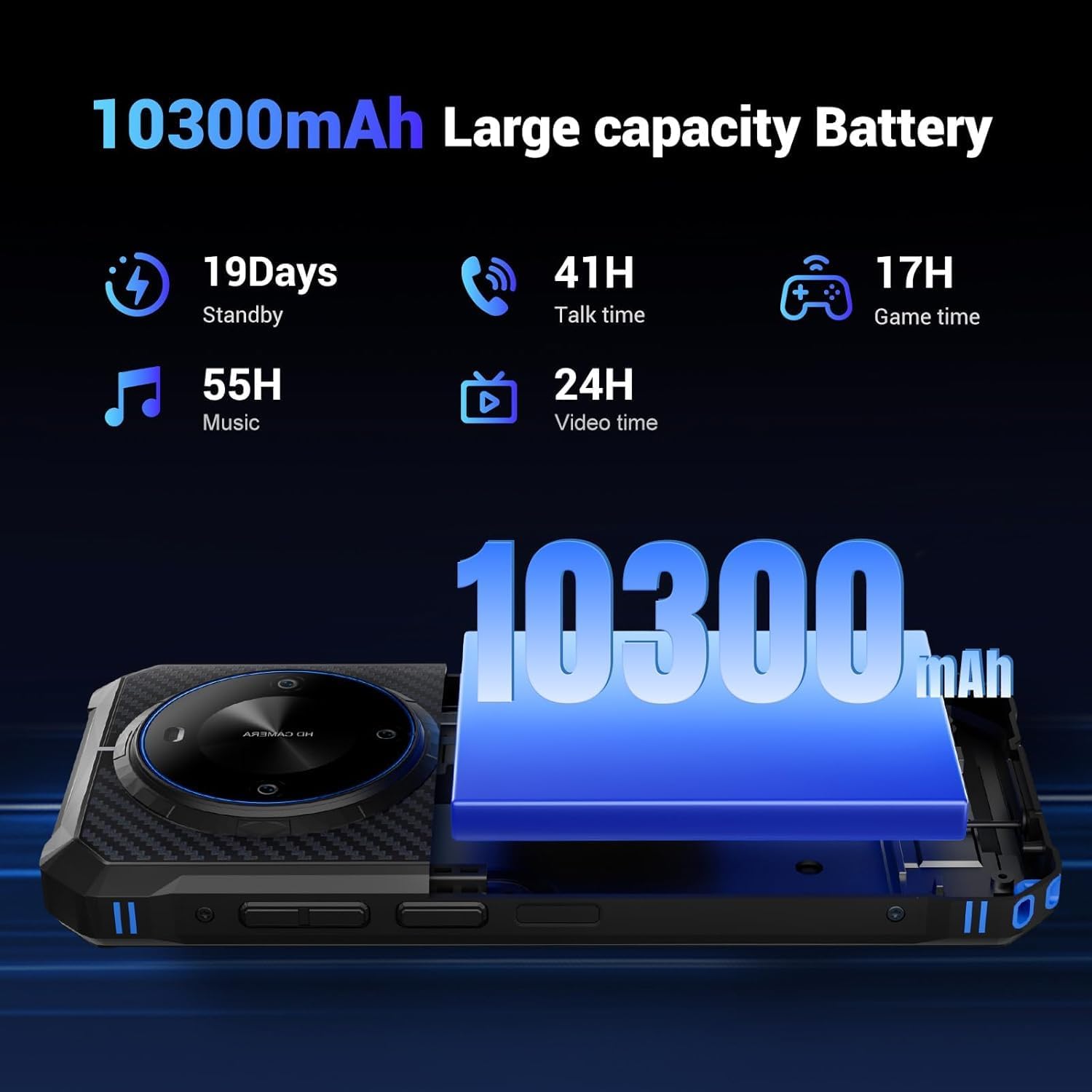
Figure 2.3: 10300mAh Battery Capacity
3. Care and Maintenance
Proper care ensures the longevity and optimal performance of your FOSSIBOT F105.
3.1 Ruggedness and Durability
The F105 is designed to be rugged, with IP68/IP69K ratings for water and dust resistance, and MIL-STD-810H certification for drop resistance. It can withstand immersion in 1.5m of water for 30 minutes and drops from 1.5m. Always ensure the dust-proof seal on the charging port is fully closed to maintain water resistance.

Figure 3.1: Rugged Features (IP68/IP69K & MIL-STD-810H)
3.2 Cleaning and Storage
To clean the device, use a soft, damp cloth. Avoid harsh chemicals or abrasive materials. Store the phone in a cool, dry place away from direct sunlight and extreme temperatures (-20°C to 65°C operating range).
4. Troubleshooting
This section addresses common issues you might encounter with your FOSSIBOT F105.
4.1 Device Not Powering On
- Ensure the battery is charged. Connect the device to the power adapter and allow it to charge for at least 15 minutes before attempting to power on again.
- Press and hold the Power button for 10-15 seconds to perform a forced restart.
4.2 Connectivity Issues (Wi-Fi/Cellular)
- For Wi-Fi, ensure you are within range of the network and have entered the correct password. Try restarting your router.
- For cellular data, verify your SIM card is correctly installed and your mobile plan is active. Check network settings to ensure mobile data is enabled.
- Note: This device is not compatible with AT&T, Cricket, Verizon, Sprint, etc. Please confirm band compatibility with your carrier before purchasing.
4.3 Slow Performance
- Close unnecessary background applications.
- Clear cache and data for frequently used apps.
- Ensure sufficient storage space is available. The device has 64GB ROM, expandable to 128GB.
- Restart the device periodically.
5. Technical Specifications
Detailed specifications for the FOSSIBOT F105 Rugged Smartphone.
| Feature | Specification |
|---|---|
| Model Name | F105 |
| Operating System | Android 14 |
| Processor | MT8768 Octa-Core (8*Cortex-A53 2.0GHz + 1.5GHz) |
| RAM | 4GB (expandable to 12GB virtual RAM) |
| Internal Storage | 64GB (expandable to 128GB via TF card) |
| Screen Size | 6.745 Inches HD+ |
| Resolution | 720 x 1600 |
| Battery Capacity | 10300mAh |
| Rear Camera | 20MP |
| Front Camera | 8MP |
| Water/Dust Resistance | IP68 / IP69K |
| Drop Resistance | MIL-STD-810H (1.5m drop) |
| Connectivity | 4G Dual SIM, USB-C, Wi-Fi, Bluetooth |
| Navigation | GPS, Glonass, Beidou, Galileo, QZSS |
| Special Features | OTG Reverse Charging, Fingerprint/Face Unlock, Expandable Memory, Rugged Body |
6. Warranty and Support
FOSSIBOT is committed to providing reliable products and customer service.
6.1 Warranty Information
The FOSSIBOT F105 comes with a 30-day free return guarantee and a 2-year free long-term warranty. This warranty covers manufacturing defects and ensures peace of mind for your purchase.
6.2 Customer Support
For any inquiries or assistance, FOSSIBOT offers year-round customer support and 24-hour online customer service. Please refer to the contact information provided in your warranty card or visit the official FOSSIBOT website for support.
Video 6.1: A video showcasing the FOSSIBOT F105 Rugged Phone running Android 14, highlighting its features and user experience.