1. Introduction
Thank you for choosing the UNIWEIGH Digital Bathroom Scale, model UNI-BS012B. This manual provides essential information for the safe and effective use of your new scale. Please read it thoroughly before use and retain it for future reference.
The UNIWEIGH Digital Bathroom Scale is designed for accurate body weight measurement, featuring a sturdy tempered glass platform, a clear LED display, and a compact design. It offers precise readings up to 440 lbs (200 kg) and includes convenient features such as automatic on/off and unit conversion.
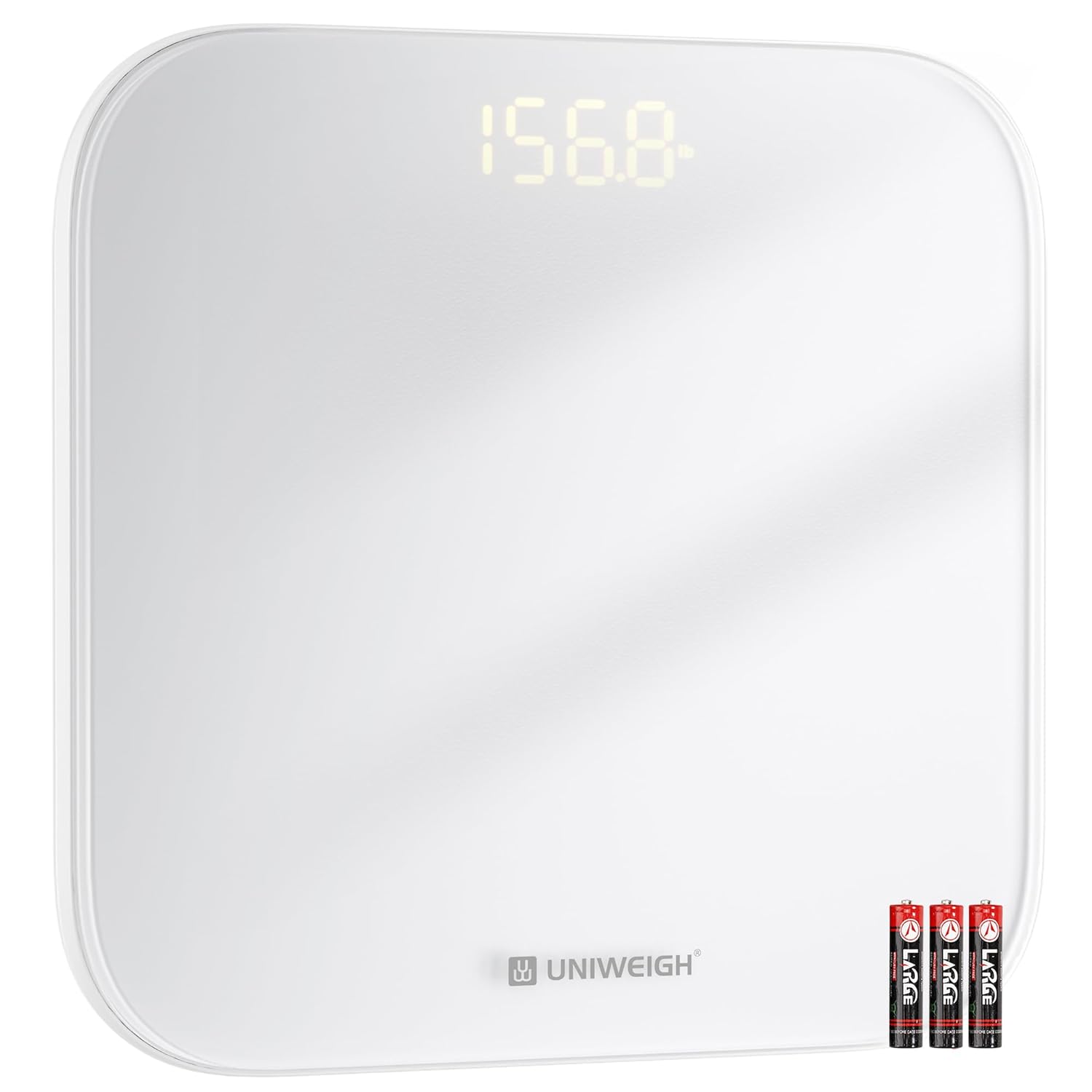
Image 1.1: The UNIWEIGH Digital Bathroom Scale UNI-BS012B, showing its sleek white design and LED display.
2. Safety Information
To ensure safe operation and prevent injury or damage, please observe the following precautions:
- Always place the scale on a hard, flat, and stable surface. Using it on soft surfaces like carpet can affect accuracy.
- The scale's surface is made of tempered glass. It can be slippery when wet. Ensure the surface is dry before stepping on.
- Do not jump on the scale or subject it to sudden impacts, as this may damage the internal sensors or cause the glass to break.
- Keep the scale away from water and extreme temperatures.
- This scale is designed for personal body weight measurement. Do not use it for commercial purposes.
- Keep batteries out of reach of children.
3. Package Contents
Verify that all items are present in the package:
- 1 x UNIWEIGH Digital Bathroom Scale (Model: UNI-BS012B)
- 3 x AAA Batteries
4. Setup
Follow these steps to set up your scale for first use:
- Install Batteries: Open the battery compartment on the underside of the scale. Insert the three included AAA batteries, ensuring correct polarity (+/-). Close the compartment securely.
- Place the Scale: Position the scale on a hard, flat, and level surface. Avoid placing it on carpets, rugs, or uneven flooring, as this can lead to inaccurate readings.
- Select Unit of Measurement: On the underside of the scale, locate the unit conversion button. Press this button to cycle through the available units: kilograms (kg), pounds (lb), and stone-pounds (st:lb). Select your preferred unit.

Image 4.1: Location of the unit conversion button on the underside of the scale.
5. Operating Instructions
The UNIWEIGH Digital Bathroom Scale features 'Step-on' technology for immediate readings.
- Initial Calibration (First Use or After Moving): For the most accurate first reading, gently step on the scale until the display lights up, then step off. The display will show '0.0' or 'CAL' and then turn off. This calibrates the scale.
- Taking a Measurement: Step onto the center of the scale with bare, dry feet. Stand still and evenly distribute your weight. The scale will automatically turn on and display your weight.
- Reading Lock: The scale will display your weight for a few seconds and then lock the reading, indicated by a stable number. You can then step off the scale.
- Automatic Shut-off: The scale will automatically turn off after approximately 10 seconds of inactivity to conserve battery life.

Image 5.1: Step onto the scale with bare feet for an accurate reading.

Image 5.2: The large, bright LED display provides clear and easy-to-read weight measurements.
6. Maintenance
Proper care will ensure the longevity and accuracy of your scale.
- Cleaning: Wipe the scale surface with a soft, damp cloth. Do not use abrasive cleaners or immerse the scale in water.
- Battery Replacement: When the 'Lo' indicator appears on the display, it signifies low battery. Replace all three AAA batteries simultaneously with new ones, ensuring correct polarity.
- Storage: Store the scale in a cool, dry place. Avoid storing it vertically for extended periods, as this may affect accuracy.

Image 6.1: The scale features a low battery indicator ('Lo') for timely battery replacement.
7. Troubleshooting
If you encounter issues with your scale, refer to the following common problems and solutions:
| Problem | Possible Cause | Solution |
|---|---|---|
| 'Lo' displayed | Low battery power. | Replace all three AAA batteries with new ones. |
| 'O-Ld' displayed | Overload. The weight exceeds the maximum capacity. | Step off the scale immediately. The maximum weight capacity is 440 lbs (200 kg). |
| Inaccurate readings / Inconsistent readings |
|
|
| Scale does not turn on |
|
|
8. Specifications
| Feature | Specification |
|---|---|
| Model | UNI-BS012B |
| Brand | UNIWEIGH |
| Weight Capacity | Up to 440 lbs (200 kg / 28 st:lb) |
| Accuracy | 0.2 lb / 0.05 kg |
| Units of Measurement | kg / lb / st:lb |
| Display Type | LED |
| Platform Material | 5mm Tempered Glass |
| Platform Dimensions | 11.2 x 11.2 inches |
| Power Source | 3 x AAA Batteries (included) |
| Special Features | Auto Shut Off, Step-on Technology, High Weight Capacity, Large Display |

Image 8.1: Internal components of the scale, including high-precision sensors, LED display, and anti-slip pads.

Image 8.2: The scale supports a large capacity of up to 400 lbs (180 kg).
9. Warranty and Support
Warranty information for the UNIWEIGH Digital Bathroom Scale UNI-BS012B is not provided in this manual. For details regarding warranty coverage, returns, or technical support, please contact UNIWEIGH customer service directly or refer to the product packaging and purchase documentation.
Manufacturer: UNIWEIGH


