
HOMSURE ChaxianLY-AirConditioner80002Q
HOMSURE 8000 BTU Portable Air Conditioner User Manual
Model: ChaxianLY-AirConditioner80002Q
1. Introduction
Thank you for choosing the HOMSURE 8000 BTU Portable Air Conditioner. This manual provides important information regarding the safe operation, installation, maintenance, and troubleshooting of your new appliance. Please read this manual thoroughly before using the product and retain it for future reference.
This 3-in-1 unit offers cooling, dehumidifying, and fan modes, designed for rooms up to 350 square feet. It features a quiet operation, remote control, and a 24-hour timer for convenience and energy efficiency.

Figure 1.1: The HOMSURE Portable Air Conditioner effectively cooling a living space, demonstrating its 8000 BTU capacity for areas up to 350 square feet. This image illustrates the unit's cooling reach within a typical room setting.

Figure 1.2: The HOMSURE Portable Air Conditioner operating quietly, indicated by a noise level of 53dB, suitable for a peaceful sleeping environment. This image emphasizes the unit's low noise output, ideal for bedrooms.
2. Important Safety Information
Always follow basic safety precautions when using electrical appliances to reduce the risk of fire, electric shock, and injury to persons.
- Read all instructions before using this appliance.
- Connect to a properly grounded outlet only.
- Do not operate the unit with a damaged cord or plug.
- Do not block air inlets or outlets.
- Keep the unit on a flat, stable surface.
- Unplug the unit before cleaning or servicing.
- Do not use in wet areas like bathrooms.
3. Parts Identification
Familiarize yourself with the components of your portable air conditioner.

Figure 3.1: Front view of the HOMSURE Portable Air Conditioner with a hand holding the remote control. This image shows the main unit, its air vents, and the included remote control, highlighting the compact design and ease of use.

Figure 3.2: Detailed view of the control panel display on top of the HOMSURE Portable Air Conditioner. This image illustrates the various buttons and indicators, including Timer, Fan Speed, Swing, Sleep, Mode, and Power buttons, along with their functions.
The unit typically consists of the main air conditioner body, an exhaust hose, a window sealing kit, and a remote control. The control panel is located on the top of the unit for easy access.
4. Setup and Installation
Proper installation is crucial for the efficient operation of your portable air conditioner. This unit is designed for easy setup with the included window kit.
4.1 Unpacking
- Carefully remove the unit and all accessories from the packaging.
- Check for any shipping damage. If damaged, do not operate and contact customer support.
- Retain the original packaging for future storage or transport.
4.2 Choosing a Location
- Place the unit on a flat, stable surface near a window.
- Ensure there is at least 20 inches (50 cm) of space around the unit for proper airflow.
- The unit must be within reach of a grounded electrical outlet.
4.3 Window Kit Installation
The included window kit is designed for vertical or horizontal sliding windows with an opening range of 26.5 to 48.5 inches.

Figure 4.1: Visual guide demonstrating the assembly of the exhaust hose and its connection to the window kit and the portable air conditioner unit. This image shows the process of attaching the hose to the unit and securing the window panel in place, ensuring proper ventilation.
- Assemble the exhaust hose by twisting it onto the hose adapter.
- Connect the hose adapter to the window slide kit.
- Open the window and place the window slide kit into the window opening. Extend the kit to fit the window width/height and secure it.
- Attach the other end of the exhaust hose to the exhaust port on the back of the air conditioner unit.
- Ensure all connections are secure to prevent air leakage.
5. Operating Instructions
Your HOMSURE portable air conditioner can be operated using the control panel on the unit or the included remote control.
5.1 Control Panel Overview
Figure 5.1: An annotated image of the control panel, detailing the function of each button: Timer, Fan Speed, Swing Mode, Up/Down Arrows, Sleep Mode, Modes Button (Cool, Dry, Fan), and Power Button. This visual aid helps users understand the unit's interface.
| Button | Function |
|---|---|
| POWER | Turns the unit On or Off. |
| MODE | Selects operating mode: Cool, Dehumidify (Dry), or Fan. |
| FAN SPEED | Adjusts fan speed (Low, Medium, High) in Cool or Fan mode. |
| TIMER | Sets the auto-on or auto-off timer (1-24 hours). |
| SLEEP | Activates Sleep mode for quiet, energy-efficient operation during sleep. |
| SWING | Controls the automatic oscillation of the air louvers. |
| UP/DOWN Arrows | Adjusts temperature settings or timer duration. |
5.2 Remote Control Operation
The remote control provides convenient access to all functions from a distance.
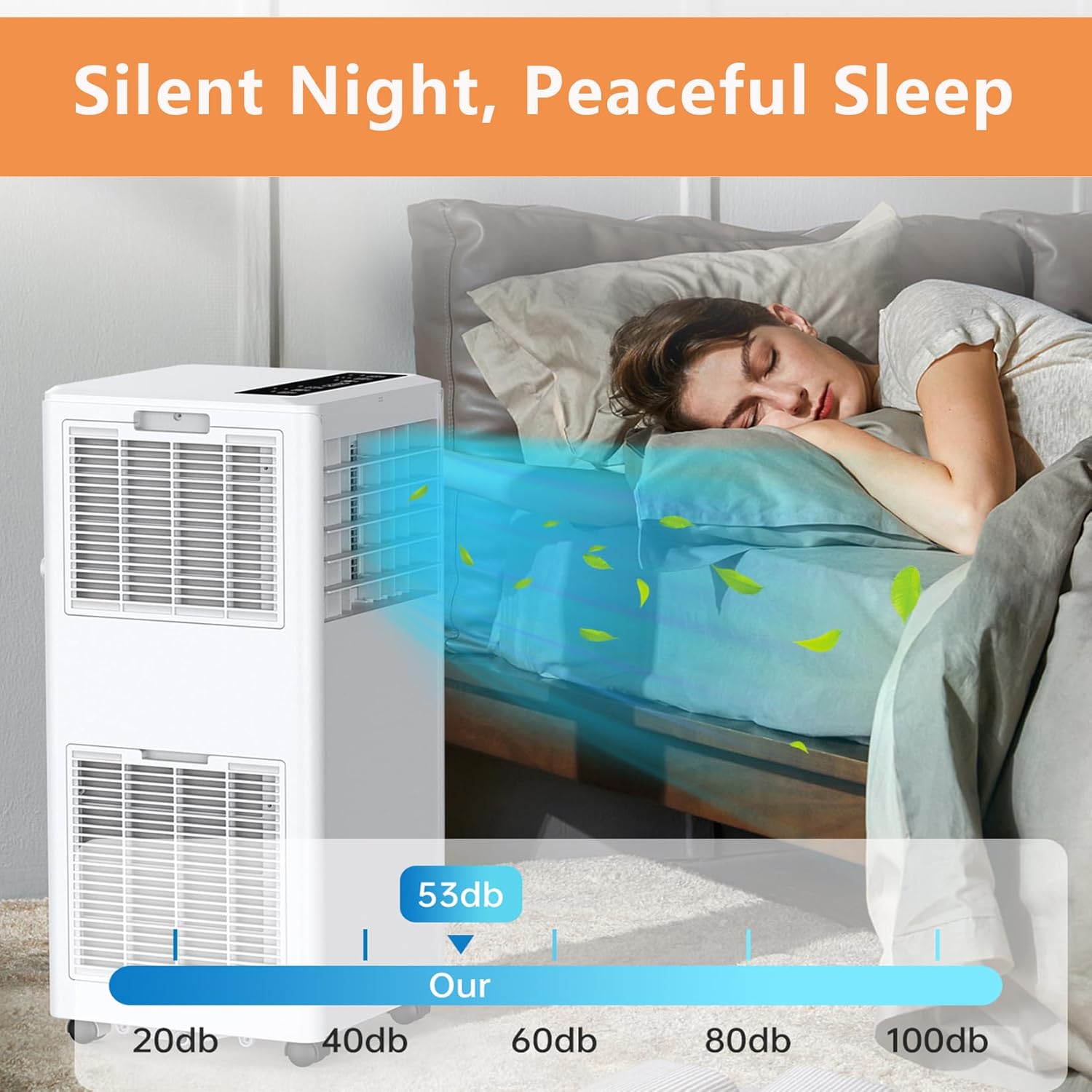
Figure 5.2: An image showing a person comfortably operating the HOMSURE Portable Air Conditioner with its remote control from a sofa. This highlights the convenience of remote operation in a typical home environment.
Ensure the remote control has working batteries. Point the remote control directly at the receiver on the unit. The buttons on the remote control correspond to the functions described for the control panel.
5.3 Operating Modes
- Cool Mode: Provides cooling. Set desired temperature using the Up/Down arrows.
- Dehumidify (Dry) Mode: Removes moisture from the air. Fan speed is automatically controlled.
- Fan Mode: Circulates air without cooling. Adjust fan speed as desired.
6. Maintenance
Regular maintenance ensures optimal performance and extends the lifespan of your air conditioner.
6.1 Cleaning the Air Filter
The air filter should be cleaned every two weeks or more frequently depending on usage and air quality.
- Unplug the unit from the power outlet.
- Locate and remove the air filter from the back or side of the unit.
- Wash the filter with warm, soapy water. Rinse thoroughly.
- Allow the filter to air dry completely before reinserting it. Do not use hot water or harsh chemicals.
6.2 Draining Water
The unit has an internal water collection tank. When the tank is full, the unit will stop operating and display an indicator. Drain the water as follows:
- Unplug the unit.
- Place a shallow pan or tray under the drain port at the bottom rear of the unit.
- Remove the drain plug to allow water to flow out.
- Once drained, replace the drain plug securely.
For continuous drainage in high humidity environments, you can connect a drain hose (not included) to the continuous drain port.
6.3 Cleaning the Unit Exterior
- Wipe the exterior with a soft, damp cloth.
- Do not use abrasive cleaners or solvents.
6.4 Seasonal Storage
- Drain all water from the unit.
- Clean the air filter.
- Run the unit in Fan mode for a few hours to dry the interior.
- Unplug the power cord and coil it neatly.
- Store the unit in a cool, dry place, preferably in its original packaging.
7. Troubleshooting Guide
Before contacting customer service, please refer to the following table for common issues and their solutions.
| Problem | Possible Cause | Solution |
|---|---|---|
| Unit does not turn on. | No power; Power cord not plugged in; Circuit breaker tripped; Full water tank. | Check power supply; Plug in cord; Reset breaker; Drain water tank. |
| Unit does not cool. | Air filter dirty; Exhaust hose blocked or disconnected; Room too large; Doors/windows open. | Clean filter; Check hose connections; Ensure room size is within capacity; Close doors/windows. |
| Unit is noisy. | Unit not on a flat surface; Air filter dirty; Obstruction in fan. | Place on flat surface; Clean filter; Check for obstructions. |
| Water leakage. | Drain plug loose; Unit tilted; Continuous drain hose not properly connected. | Secure drain plug; Ensure unit is level; Check continuous drain hose connection. |
| Remote control not working. | Batteries dead; Obstruction between remote and unit; Remote not pointed correctly. | Replace batteries; Remove obstructions; Point remote directly at unit. |
8. Product Specifications
Detailed technical specifications for your HOMSURE Portable Air Conditioner.
| Feature | Specification |
|---|---|
| Model Number | ChaxianLY-AirConditioner80002Q |
| Cooling Capacity | 8000 BTU |
| Coverage Area | Up to 350 sq. ft. |
| Product Dimensions (D x W x H) | 11.3 x 11.8 x 27.4 inches |
| Item Weight | 50.7 pounds |
| Noise Level | ≤54 dB |
| Voltage | 115V |
| Wattage | 699W |
| Installation Type | Window (Portable) |
| Window Kit Compatibility | 26.5" - 48.5" |
| Included Components | Air Conditioner, Remote Control, Window Kit, Exhaust Hose |
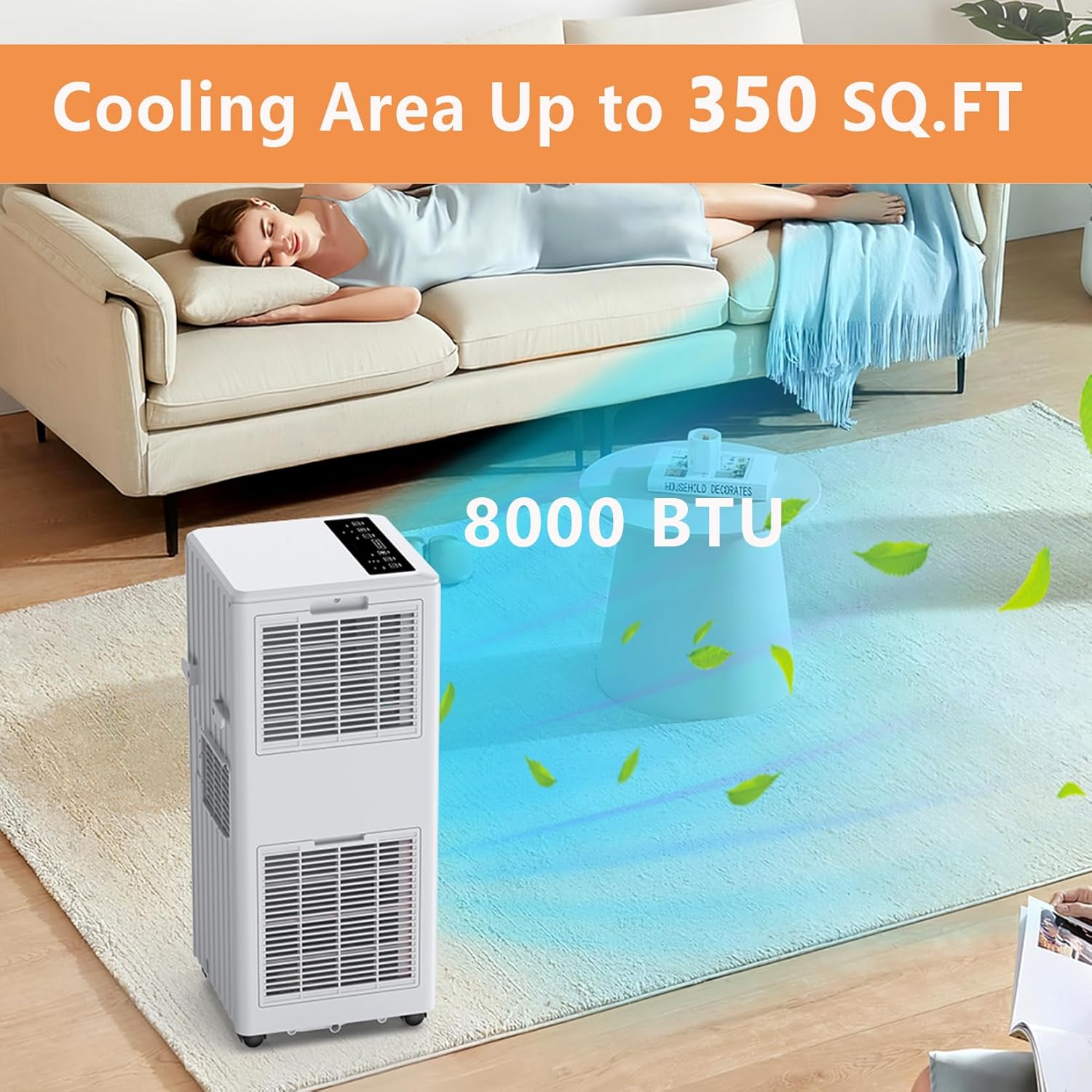
Figure 8.1: A visual representation of the product dimensions, indicating the height (27.4 inches), width (11.8 inches), and depth (11.3 inches) of the HOMSURE Portable Air Conditioner. This helps users understand the physical size of the unit.
9. Warranty and Customer Support
For warranty information or technical assistance, please contact HOMSURE customer support. Details regarding specific warranty periods and terms are typically provided with your purchase documentation or can be found on the official HOMSURE website.
If you encounter issues not covered in the troubleshooting guide, or require further assistance, please have your model number (ChaxianLY-AirConditioner80002Q) and purchase date ready when contacting support.
Contact Information: Please refer to the contact details provided in your product packaging or visit the official HOMSURE website for the most up-to-date support information.
Ask a question about this manual
Ask about setup, troubleshooting, compatibility, parts, safety, or missing instructions. Manuals+ will review the question and use this page’s manual context to help answer it.