
1. Introduction
This manual provides essential instructions for the proper use and care of your Casio Edifice EQS-960DC-1AVUDF solar-powered chronograph watch. This timepiece combines advanced functionality with a robust design, featuring a carbon fiber-reinforced resin case and a solar charging system. Please read this manual thoroughly to ensure optimal performance and longevity of your watch.
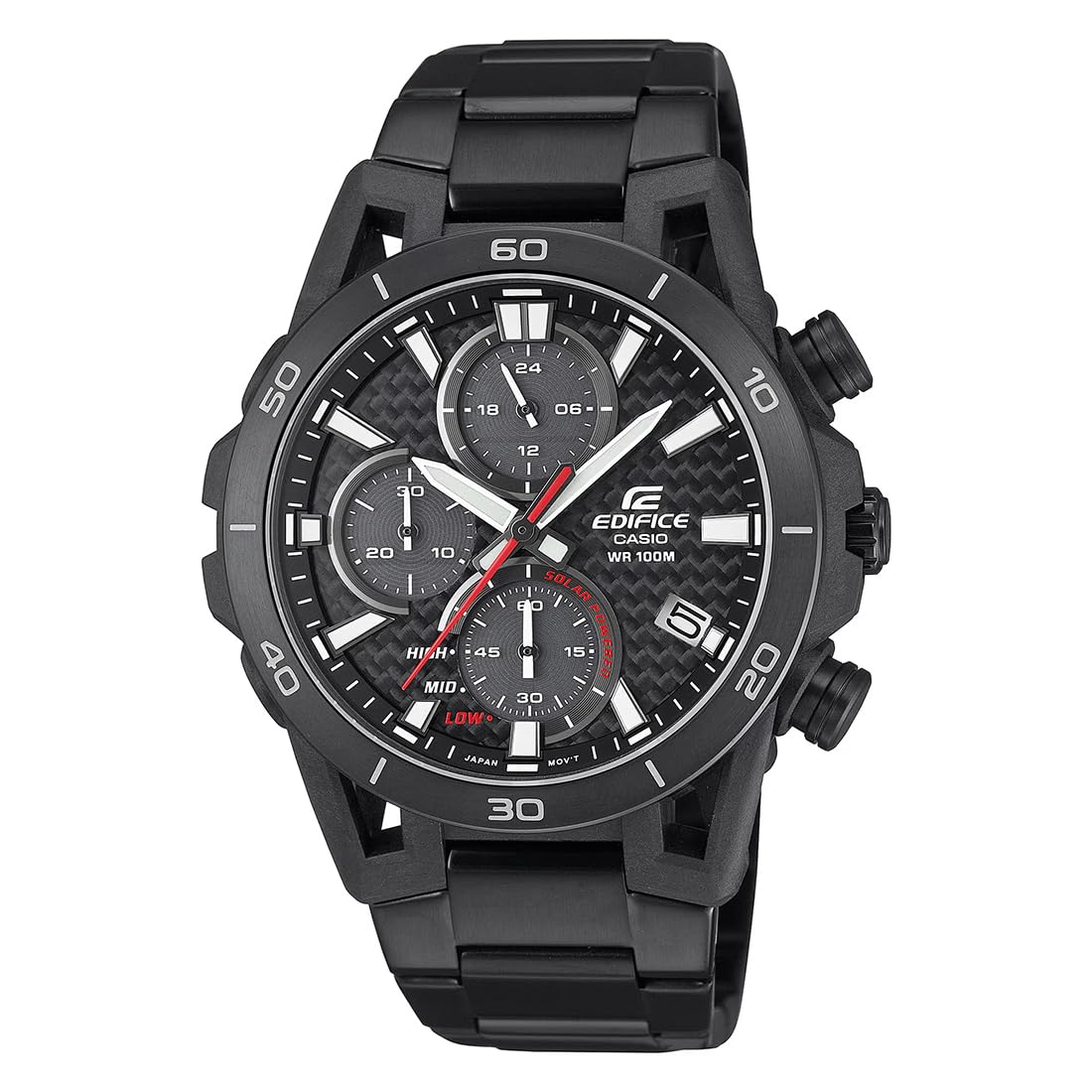
Figure 1: Front view of the Casio Edifice EQS-960DC-1AVUDF watch, showcasing its black dial and stainless steel band.
2. Safety Precautions
- Water Resistance: The watch is water resistant. Avoid operating buttons or the crown while the watch is wet or submerged to prevent water intrusion. Refer to the specifications for the exact water resistance level.
- Temperature Exposure: Avoid exposing the watch to extreme temperatures, both hot and cold, for extended periods. This can affect battery life and movement accuracy.
- Impact: Protect the watch from strong impacts. While durable, excessive force can damage internal components or the crystal.
- Chemicals: Avoid contact with gasoline, cleaning solvents, aerosol sprays, adhesives, paints, etc. Chemical reactions can cause discoloration, deterioration, or damage to the watch case, band, or other parts.
- Magnetic Fields: Keep the watch away from strong magnetic fields, as they can interfere with the watch's movement and affect timekeeping accuracy.
3. Setup
3.1 Initial Charging
Your Casio Edifice EQS-960DC-1AVUDF watch is solar-powered. Before initial use, ensure the watch is sufficiently charged by exposing the dial to light. The watch features a solar panel beneath the dial that converts light into electrical energy.
- Place the watch where the dial is exposed to bright light (e.g., near a window).
- Avoid covering the dial while charging.
- A full charge can take several hours depending on light intensity. The watch can operate for approximately five months on a full charge under normal use.

Figure 2: Angled view of the watch, highlighting the dial where solar charging occurs.
3.2 Time and Date Setting
To set the time and date, follow these steps:
- Pull the crown out to the second click position. The second hand will move to the 12 o'clock position.
- Rotate the crown to set the hour and minute hands. Pay attention to the 24-hour indicator to distinguish AM/PM for correct date advancement.
- Push the crown back in to the first click position.
- Rotate the crown to set the date.
- Push the crown back in to the normal position to start timekeeping.
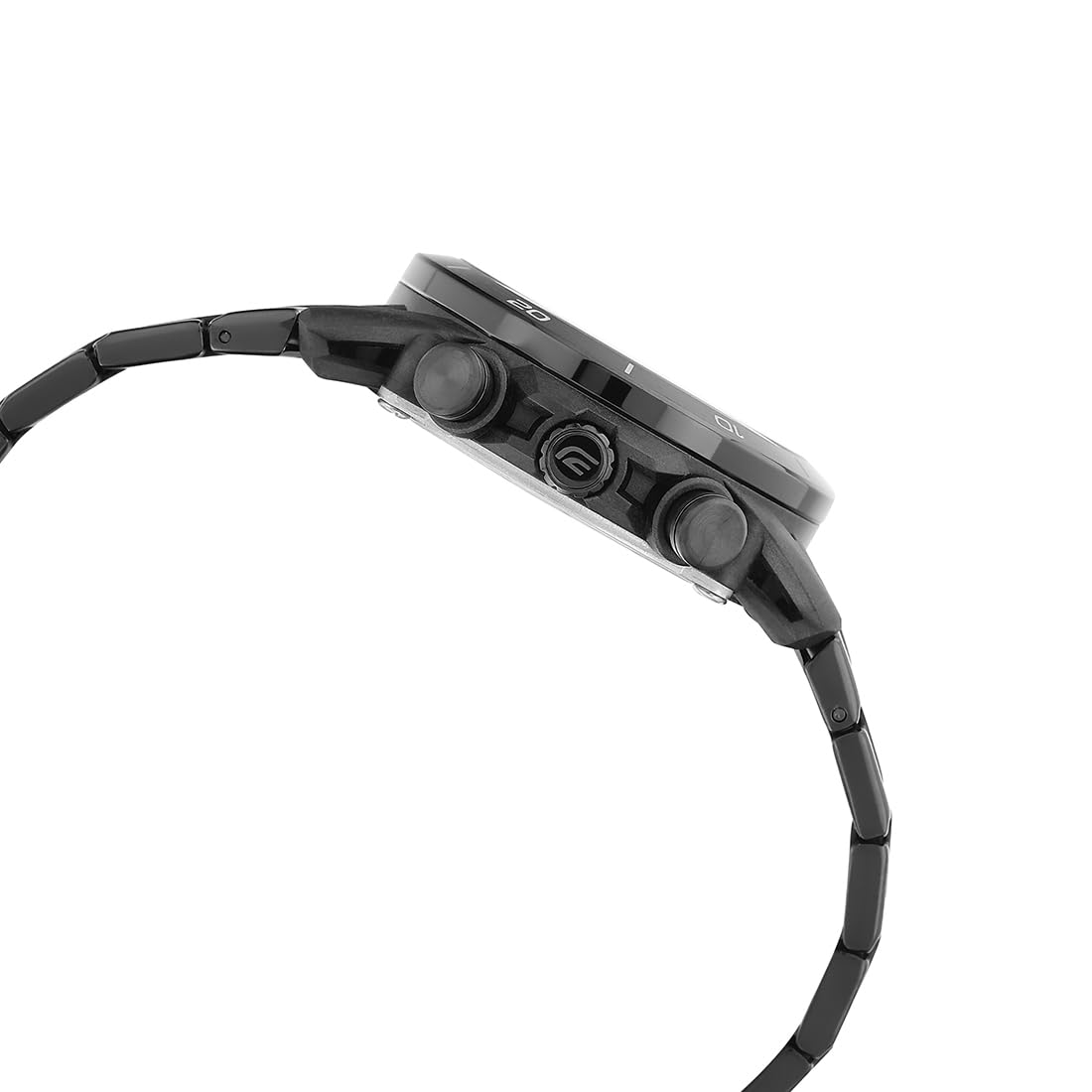
Figure 3: Side view illustrating the crown and pushers used for setting time and operating functions.
3.3 Band Adjustment
The stainless steel band can be adjusted for a comfortable fit. It is recommended to have the band adjusted by a qualified jeweler or watch technician to prevent damage to the links or clasp.

Figure 4: The watch displayed on a wrist, showing how it fits when worn.
4. Operating the Watch
4.1 Basic Timekeeping
Once set, the watch will maintain accurate timekeeping. The main hands indicate hours and minutes, while a sub-dial typically shows seconds or a 24-hour format.
4.2 Chronograph Function
The watch features a chronograph (stopwatch) function. Use the pushers on the side of the case to operate it.
- Start/Stop: Press the upper right pusher to start and stop the chronograph.
- Reset: While the chronograph is stopped, press the lower right pusher to reset the chronograph hands to zero.

Figure 5: Close-up of the watch side, indicating the pushers for chronograph control.
4.3 Water Resistance
This watch is water resistant up to 10 BAR (100 meters). This means it is suitable for everyday use, showering, swimming, and snorkeling. It is not suitable for scuba diving. Always ensure the crown is fully pushed in before exposing the watch to water. Do not operate buttons or the crown while the watch is wet or submerged.
5. Maintenance
5.1 Cleaning
Wipe the watch regularly with a soft, dry cloth to remove dirt and moisture. For stainless steel bands, a soft brush and mild soapy water can be used, followed by thorough rinsing and drying. Avoid using harsh chemicals or abrasive materials.
5.2 Solar Cell Care
To maintain optimal performance of the solar cell, ensure the watch is regularly exposed to light. Avoid prolonged storage in dark places, which can lead to the battery depleting and requiring a full recharge.
5.3 Storage
When not wearing the watch for extended periods, store it in a location where it can receive some light to keep the solar cell charged. Avoid storing it in areas with extreme temperatures, high humidity, or strong magnetic fields.
6. Troubleshooting
6.1 Watch Not Running or Hands Not Moving
- Check Charge Level: The watch may not be sufficiently charged. Expose the dial to bright light for several hours.
- Power Saving Mode: The watch might be in power-saving mode if left in the dark. Expose it to light to resume normal operation.
6.2 Incorrect Time or Date
- Reset Time/Date: Follow the instructions in Section 3.2 to manually set the time and date.
- Impact: A strong impact might have affected the movement. If the issue persists after resetting, professional inspection may be required.
6.3 Chronograph Hands Not Resetting to Zero
- Chronograph Reset: Ensure the chronograph is stopped before pressing the reset pusher.
- Hand Home Position Correction: Refer to the full Casio module manual (usually available on the Casio website by module number) for specific instructions on correcting chronograph hand home positions if they are misaligned.
7. Specifications
| Feature | Detail |
|---|---|
| Model Number | EQS-960DC-1AVUDF |
| Display Type | Analog |
| Movement Type | Quartz (Solar Powered) |
| Case Material | Carbon / Stainless Steel |
| Band Material | Stainless Steel |
| Dial Color | Black |
| Water Resistance Level | Water Resistant (10 BAR / 100 meters) |
| Special Features | Chronograph, Solar Powered |
| Case Diameter | 44.5 Millimetres |
| Case Thickness | 13.3 Millimetres |
| Item Weight | 115 Grams |
| Crystal Material | Mineral Glass |

Figure 6: Dimensional comparison of the watch, illustrating its size.

Figure 7: Rear view of the watch, displaying the case back with model and water resistance details.
8. Warranty and Support
Your Casio Edifice EQS-960DC-1AVUDF watch comes with a limited warranty. Please refer to the warranty card included with your purchase for specific terms and conditions, including coverage duration and what is covered. For technical support, service, or warranty claims, please contact Casio customer service or visit their official website. Keep your proof of purchase for warranty validation.
Manufacturer: Casio India Co Pvt Ltd, A-41, 1st Floor, MCIE, Mathura Road, New Delhi-110044
Importer: Imported By - Casio India Co Pvt Ltd, A-41, 1st Floor, MCIE, Mathura Road, New Delhi-110044


