
1. Product Overview
The KBOD Smartwatch S95 Pro is a high-quality, durable, and technologically advanced smartwatch designed for daily use. It features a vibrant 2.01-inch display with a resolution of 240px x 296px, offering a clear and crisp visual experience. Built with premium materials, including a splash-resistant design and scratch-resistant glass, it ensures reliable performance in various conditions. The anatomical design provides ergonomic comfort, and its long-lasting battery keeps you connected throughout your day. The S95 Pro also includes interchangeable silicone straps for personalized style and enhanced durability.

Image: The KBOD Smartwatch S95 Pro in grey, showcasing its sleek design and display.
2. What's in the Box
Upon unboxing your KBOD Smartwatch S95 Pro, please verify that all components are present and in good condition. The standard package includes:
- 1 x KBOD Smartwatch S95 Pro
- 1 x Silicone Strap (interchangeable)
- 1 x Wireless Magnetic Charger
- 1 x User Manual
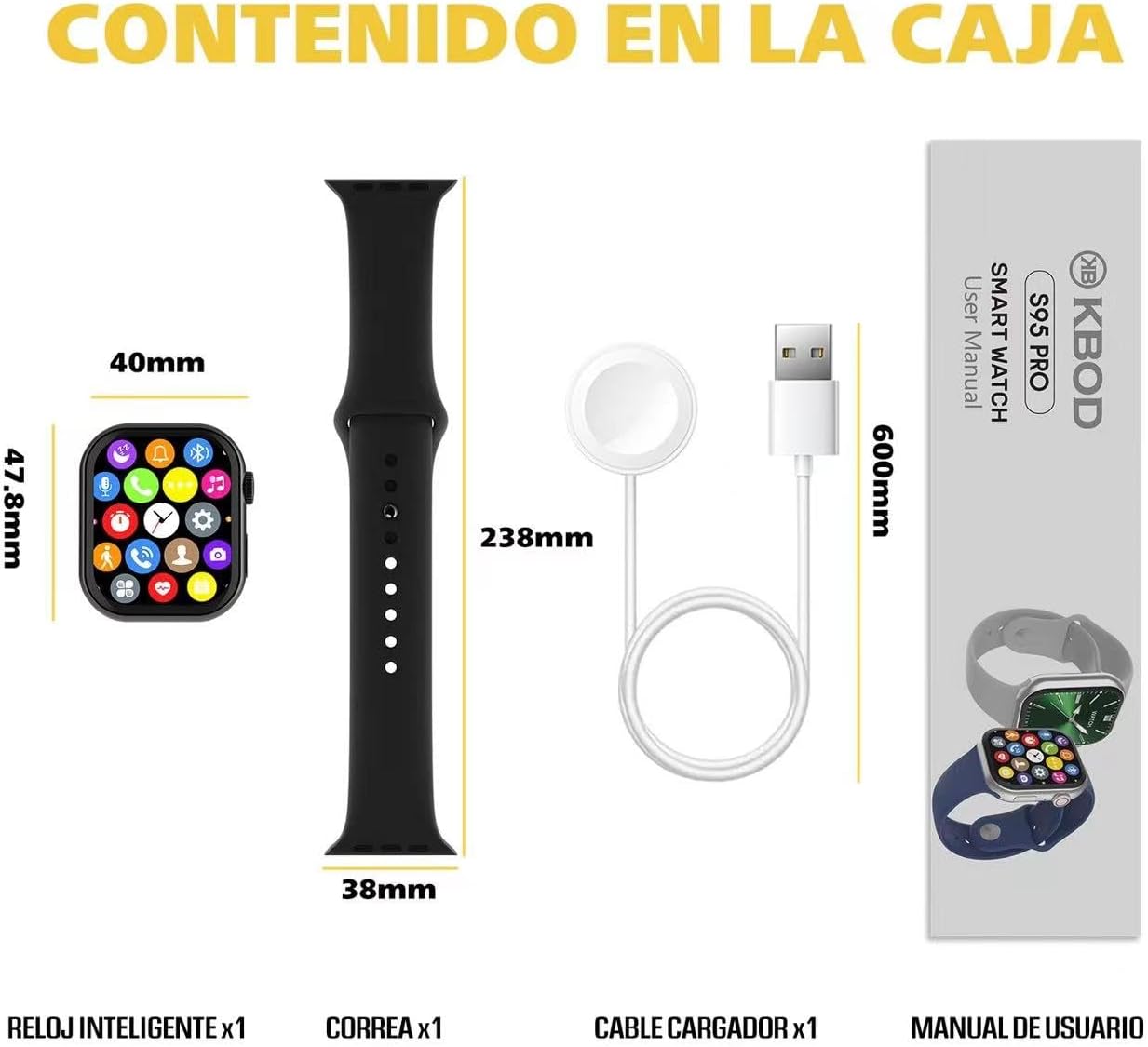
Image: Contents of the KBOD Smartwatch S95 Pro package, including the watch, strap, charger, and manual.
3. Setup Guide
3.1 Charging the Smartwatch
Before first use, fully charge your smartwatch. The S95 Pro features a long-lasting battery and a convenient wireless magnetic charger.
- Connect the USB end of the magnetic charger to a compatible USB power adapter (not included) or a computer USB port.
- Place the back of your smartwatch onto the magnetic charging pad. Ensure the charging pins align correctly. The watch screen will indicate charging status.
- A full charge typically takes approximately 1.5 hours. The watch offers over 7 days of typical usage and 30+ days of standby time on a single charge.
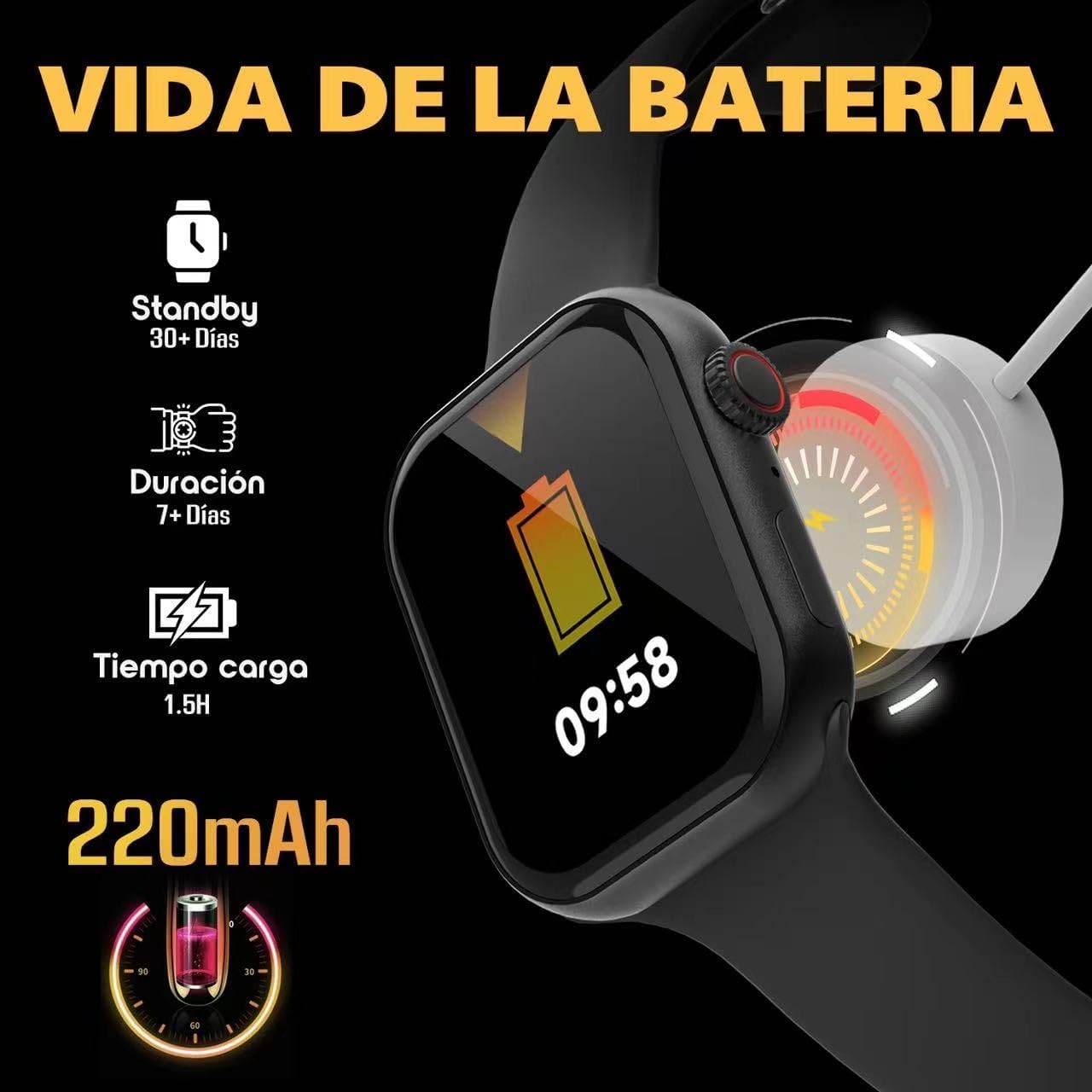
Image: Visual guide to charging the S95 Pro, highlighting battery life and charging time.
3.2 Pairing with Your Smartphone
To unlock the full potential of your S95 Pro, pair it with your smartphone via Bluetooth. The smartwatch is compatible with universal electronic devices.
- Download the official KBOD companion app from your smartphone's app store (iOS or Android).
- Ensure Bluetooth is enabled on your smartphone.
- Open the KBOD app and follow the on-screen instructions to search for and connect to your S95 Pro.
- Confirm the pairing request on both your smartphone and smartwatch.
4. Operating Instructions
4.1 Basic Navigation
The S95 Pro features a responsive touch screen and a side button for navigation.
- Touch Screen: Swipe left/right, up/down to navigate through menus and widgets. Tap to select items.
- Side Button: Press to return to the home screen or wake the device. Long press for power options.
4.2 Making and Receiving Calls
With Bluetooth connectivity, you can manage calls directly from your smartwatch.
- Answering Calls: When a call comes in, tap the green answer icon on your watch screen.
- Making Calls: Access the dialer or contacts list on your watch to initiate a call.

Image: The S95 Pro's Bluetooth call feature, allowing users to answer calls directly from the watch.
4.3 Notifications
Receive real-time notifications from your paired smartphone directly on your S95 Pro.
- Ensure notification permissions are enabled in the KBOD app on your smartphone.
- Swipe down from the top of the watch face to view your notification history.
4.4 Customizing Watch Faces
Personalize your smartwatch with over 500 available watch faces.
- Long press on the current watch face to enter the customization mode.
- Swipe left or right to browse through pre-installed watch faces.
- Use the companion app to download and install additional watch faces.

Image: A selection of the 500+ watch faces available for the S95 Pro, allowing for personalized display.
4.5 Health and Sport Modes
The S95 Pro supports various health monitoring and sports tracking features.
- Access the